


Managing projects across multiple people can become complicated when tasks, deadlines, files, and communication are spread across different tools. Asana brings these activities into one centralized workspace, giving teams a structured way to plan projects, assign work, track progress, and manage deadlines.
Whether you are managing a marketing campaign, product launch, client project, content calendar, or internal workflow, Asana provides tools that can be adapted to different types of work. Along with traditional project management, the platform also includes automation, reporting, integrations, templates, and AI-powered features.
In this Asana review, we’ll take a closer look at its features, usability, pricing, pros and cons, use cases, and what you should know before using the platform.
What Is Asana?
Asana is a work management and project management platform designed to help teams organize and coordinate their work. Instead of keeping project information in separate spreadsheets, emails, or chat conversations, teams can manage tasks and project details from a centralized workspace.
Users can create projects, divide them into individual tasks, assign responsibilities, add deadlines, attach files, and track progress. This makes it easier for everyone involved in a project to understand what needs to be completed and who is responsible for it.
Asana can be used by both small teams and larger organizations, with workflows that can remain simple or become more advanced as project requirements grow.
Asana Highlights
Asana combines task management, project planning, collaboration, automation, and reporting in one platform. It also supports different project views, allowing teams to organize the same work in a format that fits their workflow.
The platform includes features such as task dependencies, timelines, calendars, forms, dashboards, templates, integrations, automation, and AI-powered tools.
How Does Asana Work?
Asana is built around projects and tasks. A project can represent almost any larger piece of work, such as a product launch, website redesign, marketing campaign, client account, or content schedule.
Inside a project, users can create individual tasks and assign them to specific team members. Tasks can include descriptions, due dates, attachments, comments, and other project information.
For example, a content team could create a monthly content project and organize individual tasks for research, writing, editing, design, approval, and publishing.
This structure provides a clear overview of ongoing work without requiring team members to depend entirely on spreadsheets or long email threads.
Asana Key Features
Task Management
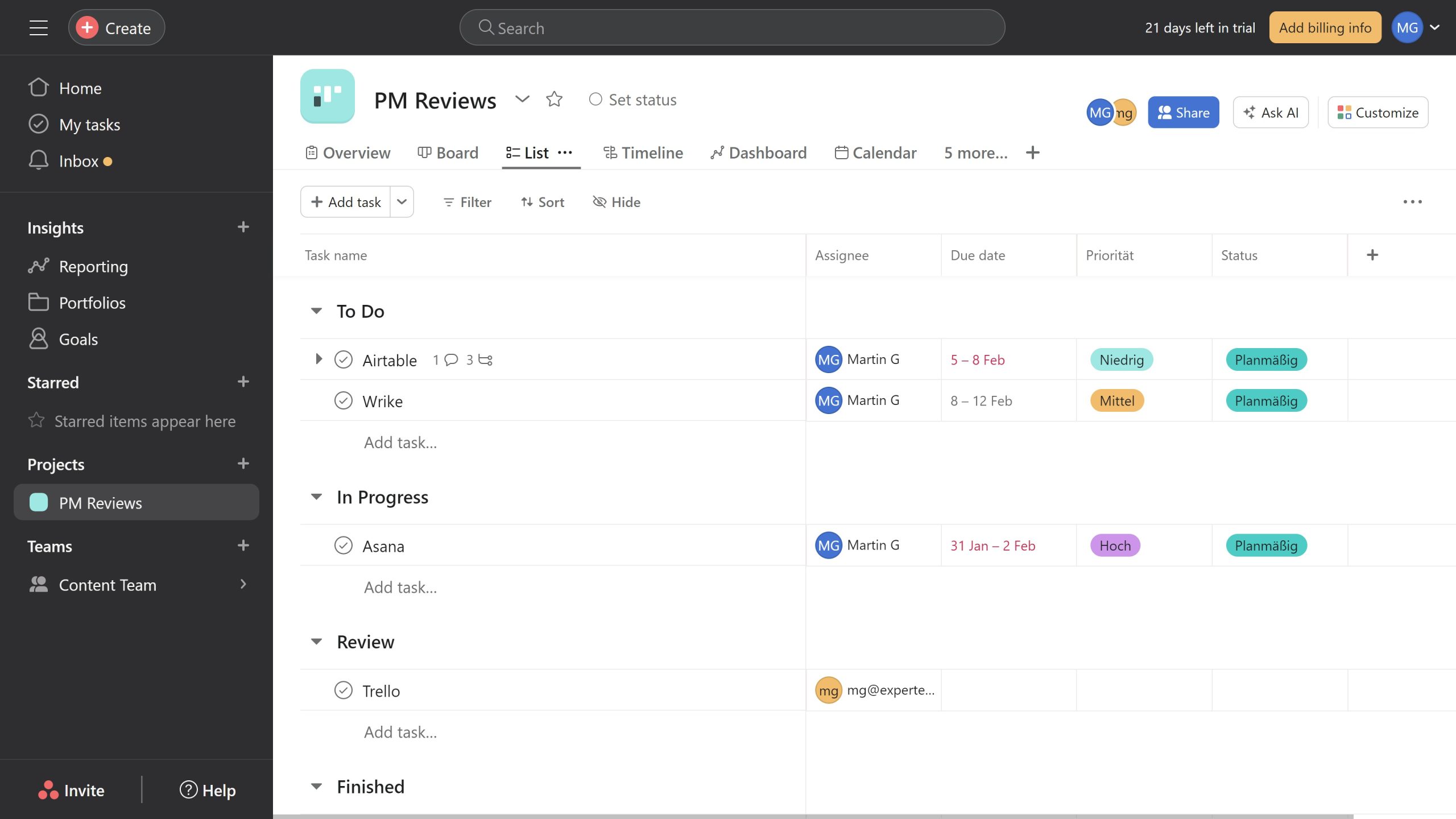
Task management is one of the core functions of Asana. Users can create tasks, assign them to team members, set due dates, add descriptions, attach files, and monitor completion.
Tasks can also be organized into sections and projects, making it easier to separate different stages of a workflow. A simple project might only contain a few tasks, while a larger project can contain hundreds of related activities.
This makes Asana useful for both everyday task tracking and larger collaborative projects.
Project Views
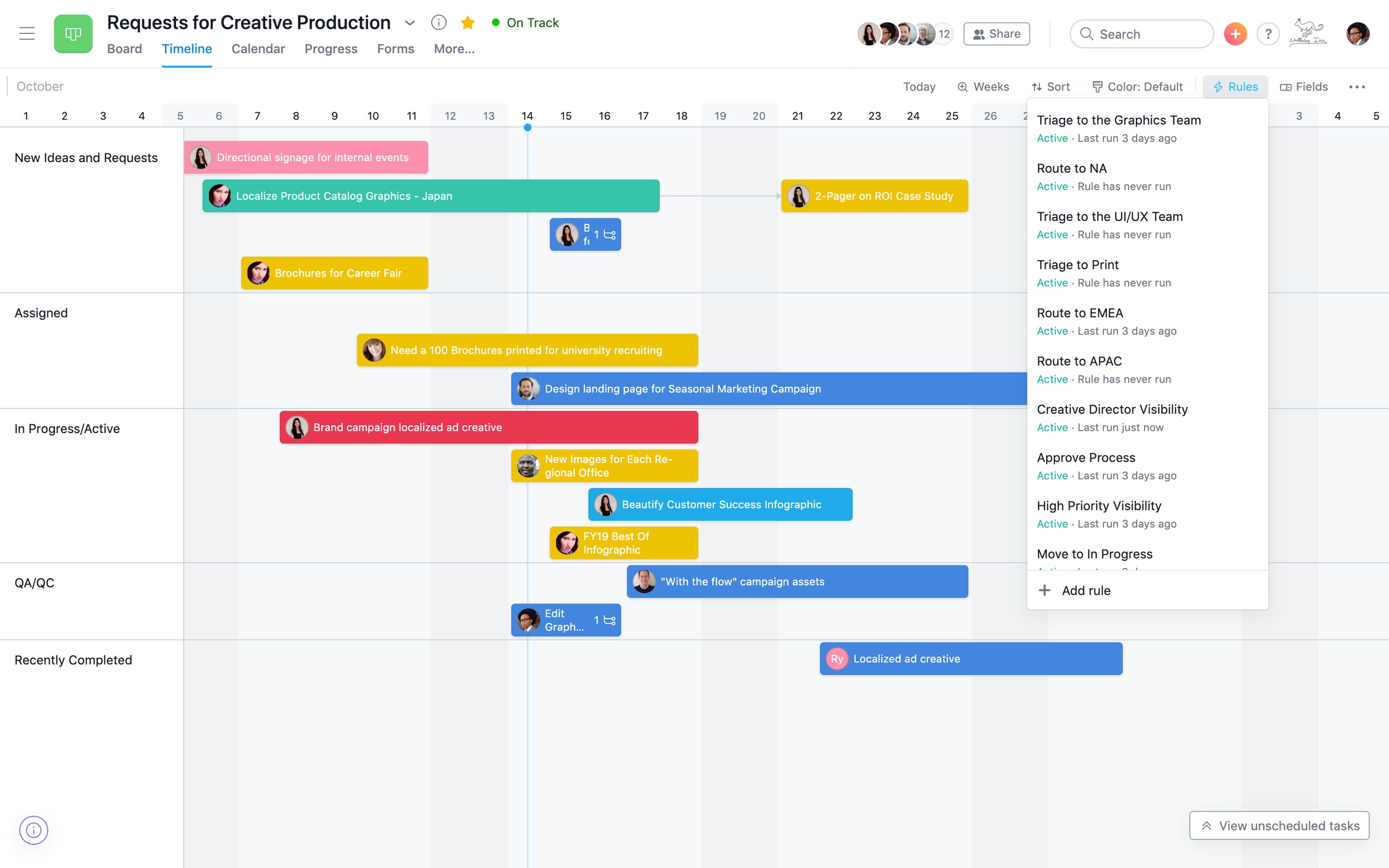
One of Asana’s useful features is the ability to view project information in different formats. Teams can use list views for detailed task management, boards for visual workflows, timelines for scheduling, and calendars for date-based planning.
Different views can be useful for different situations. A board can make it easier to see tasks moving through stages, while a timeline can provide a broader picture of project schedules and deadlines.
Timeline and Dependencies
Project dependencies become important when certain tasks need to be completed before others can begin. Asana allows teams to connect related tasks and visualize how different pieces of a project depend on each other.
This can help project managers understand the potential impact of delays and keep complex projects organized.
Collaboration and Workflow Management
Asana keeps project communication connected to individual tasks and projects. Team members can add comments, share attachments, provide updates, and communicate about specific pieces of work.
This can make project discussions easier to follow because relevant information remains connected to the task rather than being buried inside unrelated conversations.
Teams can also use forms and workflow features to collect requests and turn them into organized tasks.
Asana Automation
Asana includes automation features that can reduce repetitive project-management work. Teams can create rules that automatically trigger certain actions when predefined conditions are met.
For example, a workflow can automatically update a task, assign work, or move an item to another stage after a particular action occurs.
This can be especially useful for recurring processes such as content approvals, campaign workflows, employee onboarding, and internal requests.
Automation can save time while also helping teams maintain a more consistent workflow.
Reporting and Dashboards
As projects become larger, simply looking at individual tasks may not provide enough information. Asana’s reporting and dashboard features give teams a broader view of project activity.
Managers can use dashboards to monitor progress, deadlines, workload, and other important project information. This can be helpful when several projects are running at the same time and managers need an overview without opening every project separately.
Asana AI Features
Asana has expanded its platform with AI-powered capabilities designed to support teams with everyday work.
Depending on the available plan and feature set, AI can help with tasks such as summarizing information, generating content, identifying important details, and supporting different workflow processes.
For teams dealing with a large amount of project information, these features can help reduce repetitive work and make information easier to process.
AI functionality can change as the platform develops, so users interested specifically in AI should review the features included with their selected plan.
Asana Templates
Starting every project from an empty workspace can take unnecessary time. Asana provides templates that allow teams to begin with a predefined project structure and customize it according to their requirements.
Templates can be useful for marketing campaigns, product launches, content calendars, event planning, employee onboarding, and recurring business workflows.
They provide a starting point while still giving teams flexibility to change tasks, sections, deadlines, and responsibilities.
Asana Integrations
Asana can connect with other applications that teams already use for communication, file management, productivity, development, and business operations.
Integrations can reduce the need to constantly move information between different tools and help teams keep their existing workflow connected with project management.
The available integrations and capabilities can vary depending on the specific service and Asana plan.
Asana for Different Teams
Asana can be adapted to a variety of business workflows.
Marketing teams can use it to plan campaigns, manage content production, coordinate creative work, and track publishing schedules. Product teams can organize roadmaps, launches, and development activities.
Agencies can manage client projects, deliverables, deadlines, and team assignments, while operations teams can use Asana for recurring internal processes.
This flexibility makes it possible to create different workflows without limiting the platform to one particular industry.
Asana Pricing
Asana offers different plans designed around different levels of functionality and team requirements. The platform includes a free option, while paid plans provide additional project-management, reporting, automation, administration, and AI-related capabilities.
Pricing and feature availability can change over time, and the total cost may also depend on factors such as the number of users and billing arrangement.
For businesses comparing project-management platforms, it is worth checking the current plan details before subscribing, particularly if specific advanced features are required.
Asana Pros and Cons
Pros
- Clean and organized interface
- Strong task and project management
- Multiple project views
- Useful timeline and dependency tools
- Good collaboration features
- Workflow automation
- Reporting and dashboards
- Templates for common workflows
- AI-powered capabilities
- Wide range of integrations
Cons
- Advanced functionality may require paid plans
- Complex projects can take more time to organize
- Advanced features may have a learning curve
- Costs can increase with larger teams
- Smaller teams may not need every available feature
Is Asana Easy to Use?
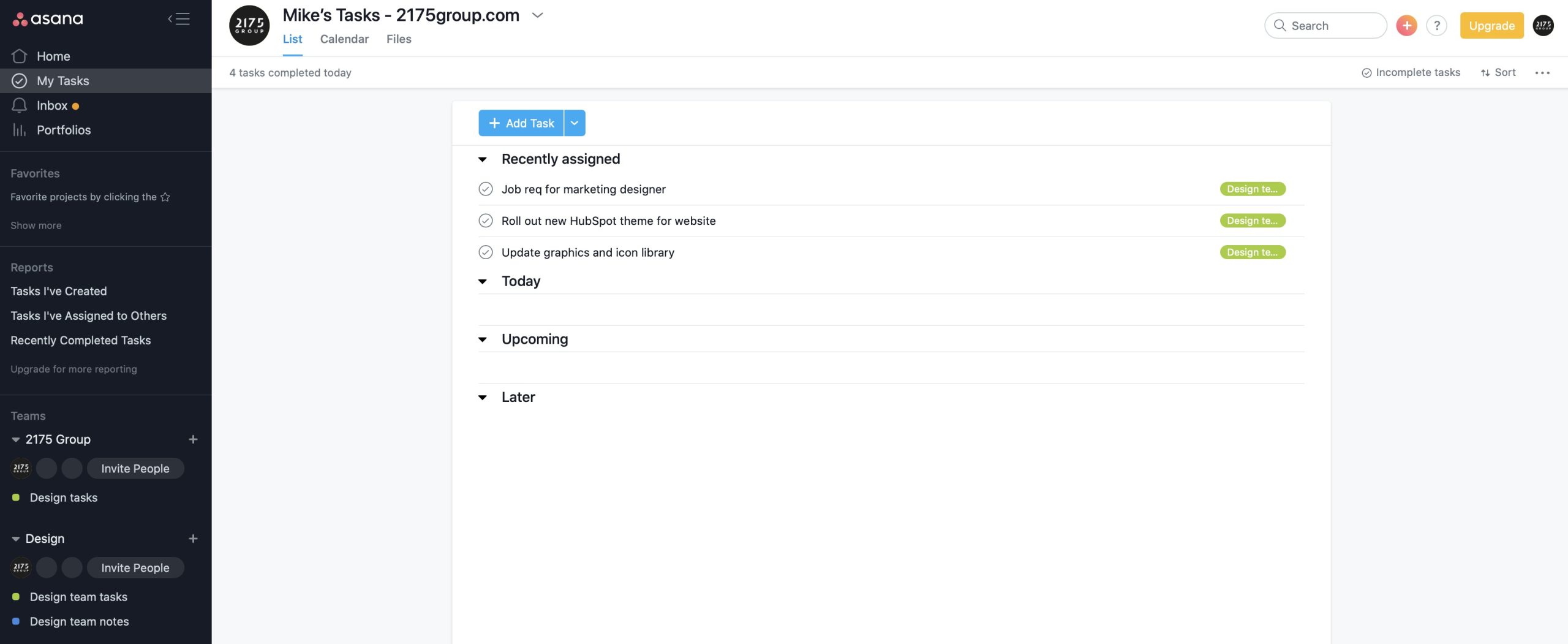
Asana is relatively approachable for users who are new to project-management software. Basic actions such as creating tasks, assigning team members, setting deadlines, and organizing projects are straightforward.
The platform becomes more advanced when teams start using dependencies, automation rules, reporting, portfolios, integrations, and AI features. These capabilities provide additional flexibility but may require some time to understand properly.
A team can therefore start with a simple setup and gradually introduce more advanced features as its workflow grows.
Asana Alternatives
There are several alternatives to Asana, with each platform taking a slightly different approach to work management.
Monday.com focuses strongly on customizable boards and visual workflows. ClickUp combines project management with a broad set of productivity features, while Trello uses a simpler card-and-board approach. Notion combines project organization with documents, databases, and knowledge management.
The most suitable option depends on the team’s workflow, project complexity, preferred interface, budget, and required integrations.
Who Is Asana Best For?
Asana can be useful for teams that need a structured way to organize tasks, projects, responsibilities, and deadlines.
It can work well for marketing teams, agencies, product teams, operations departments, remote teams, and businesses managing several projects at once.
It is also useful for teams that want to start with basic task management and gradually introduce more advanced planning, reporting, and automation features.
Is Asana Worth It?
Asana provides a centralized environment for managing projects, tasks, deadlines, collaboration, and workflows. Its different project views allow teams to look at the same work from different perspectives, while automation and reporting can help with more advanced project requirements.
The platform also provides templates, integrations, and AI-powered functionality, giving teams additional ways to customize their workflows.
However, not every team needs every available feature. Smaller teams with straightforward requirements may prefer a simpler project-management tool, while organizations managing multiple projects may make greater use of Asana’s broader capabilities.
Final Verdict
Asana is a flexible project and work management platform that helps teams organize tasks, coordinate projects, assign responsibilities, and keep deadlines visible.
Its combination of task management, multiple project views, dependencies, collaboration, automation, reporting, templates, integrations, and AI features gives teams plenty of options for managing different types of work.
While advanced functionality can take some time to learn and certain features may require higher-tier plans, Asana offers a structured environment for teams that want to manage their projects and workflows from one centralized platform.
