
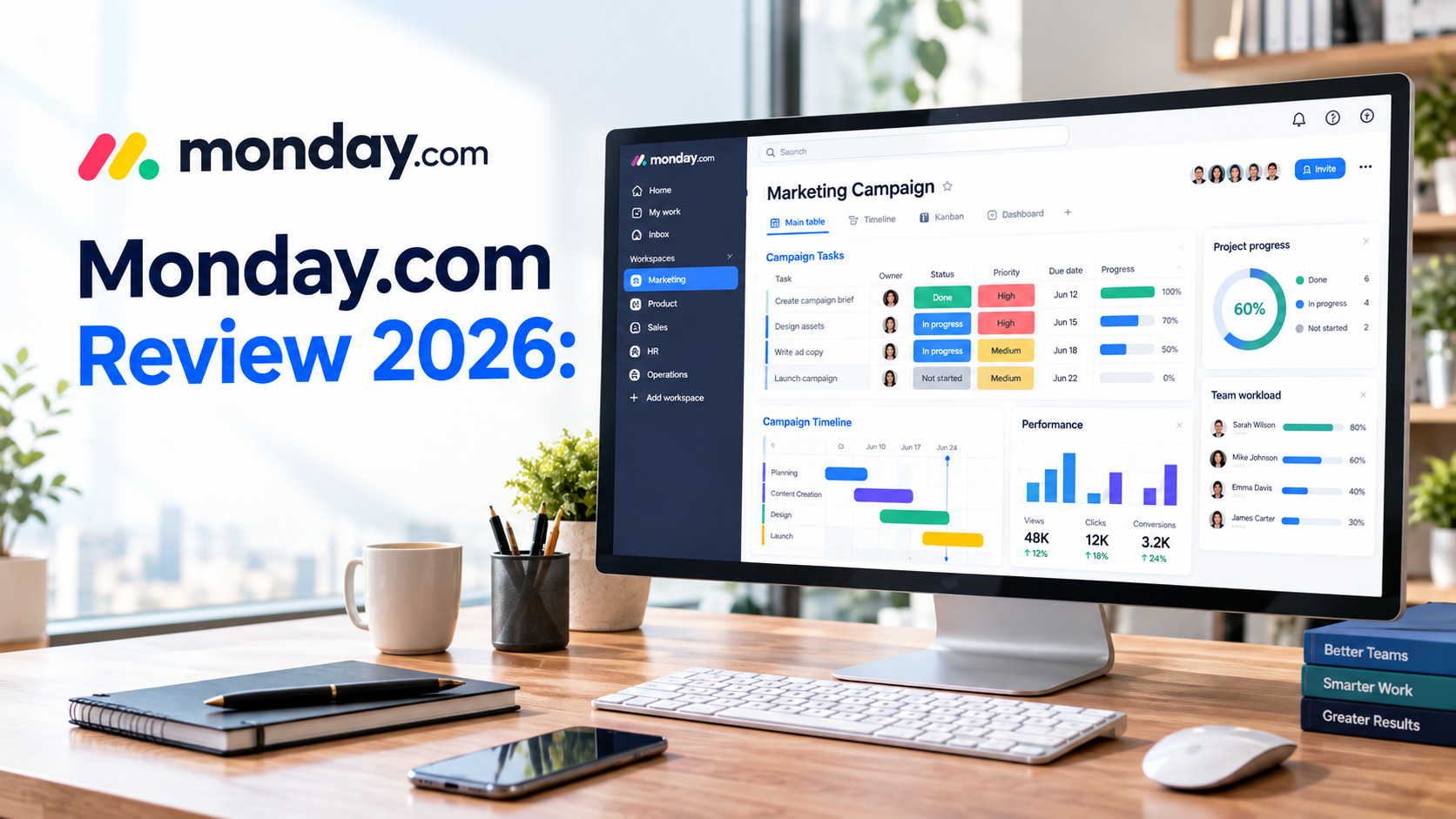

Managing projects becomes much easier when tasks, deadlines, team members, files, and communication are available in one place. Monday.com is a work management platform built around this idea, giving teams a visual workspace for organizing projects and everyday business processes.
From simple task tracking to more advanced project planning, automation, dashboards, CRM workflows, and AI-powered tools, Monday.com provides a wide range of features that can be adapted to different types of teams.
In this Monday.com review, we’ll explore how the platform works, its main features, pricing, advantages, limitations, and the types of businesses that can benefit from it.
What Is Monday.com?
Monday.com is a cloud-based work management platform that helps individuals and teams organize their work visually. Instead of managing projects through scattered spreadsheets, emails, and separate task lists, users can create centralized boards where project information can be managed together.
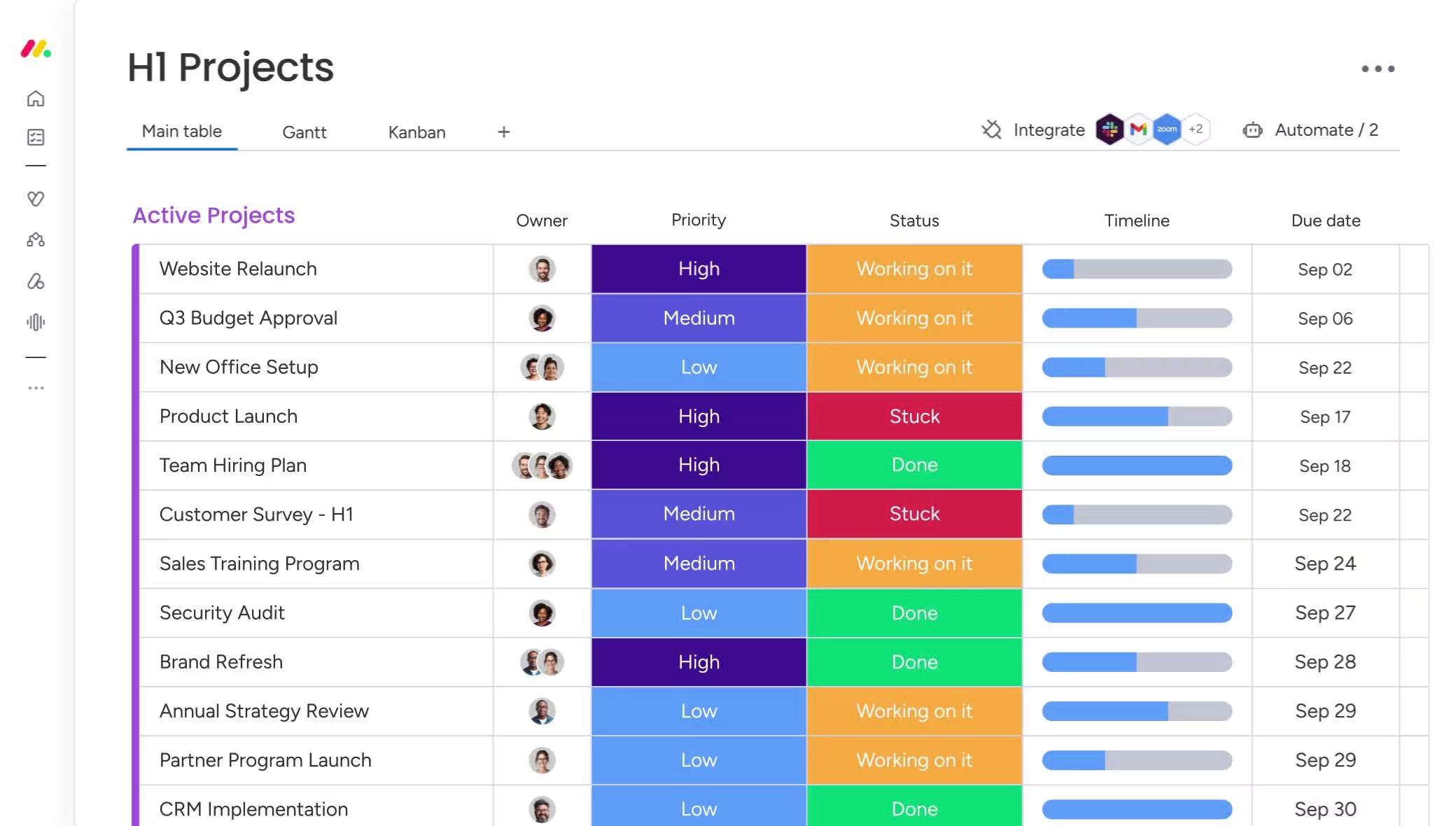
A typical Monday.com board can contain tasks, assignees, statuses, deadlines, priorities, files, notes, and other information. Since the structure is customizable, the same platform can be used for very different workflows.
For example, a marketing team can manage campaigns and content production, while a software team can organize product development and bug tracking. Sales teams can also use the platform for customer pipelines and follow-ups.
Monday.com at a Glance
Monday.com focuses on flexibility rather than forcing every team to use the same project structure. Users can choose different views, customize their boards, automate repetitive actions, and create dashboards for monitoring work.
The platform also extends beyond traditional project management with solutions covering areas such as CRM, development, marketing, service, and other business workflows.
How Does Monday.com Work?
The basic concept behind Monday.com is its board-based workspace. Users create a board for a project or workflow and then add items representing the work that needs to be completed.
Each item can contain information such as the person responsible for the task, current status, deadline, priority, timeline, files, and notes. Teams can add or remove columns depending on the type of project they are managing.
This makes Monday.com more flexible than a simple to-do list. A content team, for example, can create a board that tracks article ideas, writers, editors, keywords, publishing dates, and content status.
Monday.com Features
Customizable Project Boards
The customizable board system is one of the most important parts of Monday.com. Teams can create different boards for different projects and modify them according to their requirements.
A project manager might create a board for a product launch, while an agency could create separate boards for individual clients. This flexibility allows teams to organize information without rebuilding their workflow around a fixed template.
Multiple Views
Monday.com allows users to look at their work in different ways. Instead of viewing every project only as a standard table, users can switch to formats such as Kanban, timeline, calendar, and Gantt-style views.
This is useful because different types of work require different perspectives. A task list may be helpful for daily work, while a timeline can provide a better understanding of deadlines and project dependencies.
Project Planning
Monday.com can be used to plan projects from the initial stage through completion. Teams can assign responsibilities, set deadlines, track progress, and monitor dependencies.
Project managers can also use dashboards and reporting tools to get a broader understanding of what is happening across multiple projects.
Automation
Repetitive project-management tasks can take a considerable amount of time. Monday.com includes automation features that allow users to create rules for routine actions.
For example, a team can set up workflows that automatically notify someone when a task changes status or trigger an action when a deadline or other condition is reached.
Automation can help reduce manual administrative work and keep workflows consistent.
AI Features
Monday.com has expanded its platform with AI capabilities designed to assist teams with everyday work. Depending on the product and plan, AI can help with tasks such as summarizing information, generating content, processing work data, and supporting automated workflows.
The platform has also introduced AI-focused tools and agents aimed at handling certain business processes. Since AI features and availability can change, users should check the current plan details before subscribing specifically for AI functionality.
Dashboards
Dashboards provide a centralized view of important project information. Instead of opening several boards individually, managers can use dashboards to monitor progress and other relevant metrics.
For teams handling several projects at the same time, this can make it easier to understand overall workload and project status.
Monday.com Collaboration
Monday.com keeps project information connected to the work itself. Team members can communicate around tasks, share files, add updates, and keep important project information in one workspace.
This approach can reduce the need to search through different email conversations or messaging platforms to find information related to a project.
The platform also provides collaborative tools such as Docs, forms, and other workspace features that can be connected to business processes.
Monday.com Integrations
Most businesses already use multiple software applications, so integrations can be important when selecting a work management platform.
Monday.com supports connections with various productivity, communication, file management, development, and business applications. These integrations allow teams to connect their existing tools with their Monday.com workflows.
The exact integration capabilities and usage limits depend on the selected plan.
Monday.com Templates
Monday.com provides templates that can help users create workflows without starting completely from scratch.
Templates are available for different types of work, including project management, marketing, sales, content planning, product development, HR, and operations.
Users can also modify templates after creating them, allowing teams to adapt an existing structure to their own requirements.
Monday.com for Different Teams
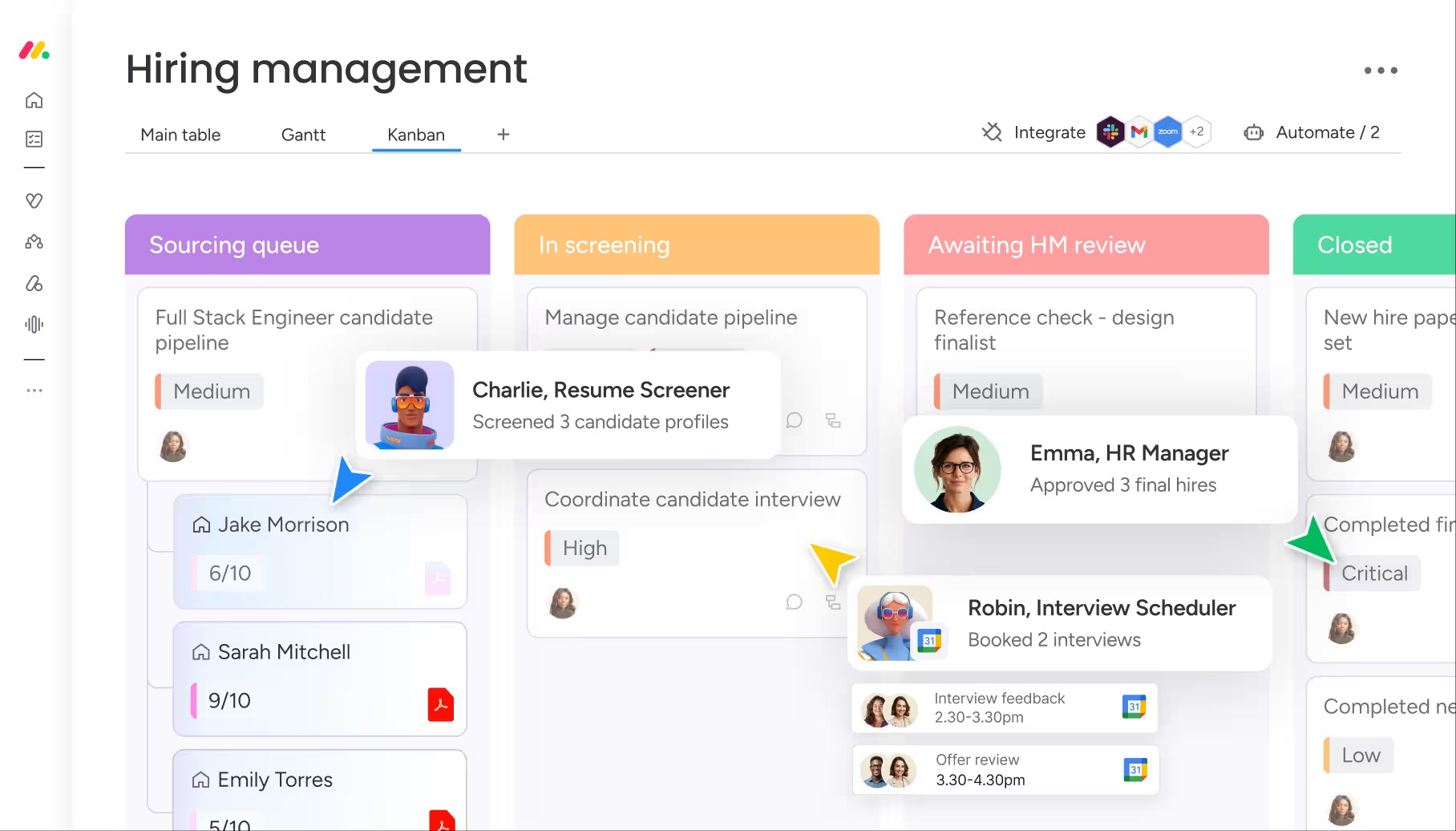
Monday.com is designed to support more than one type of department. Marketing teams can use it for campaign planning and content workflows, while project managers can use it for deadlines, assignments, and project tracking.
Sales teams can organize pipelines and customer-related activities, and development teams can manage product roadmaps, tasks, bugs, and releases.
This broad range of use cases is one reason the platform can work across different types of organizations.
Monday.com Pros and Cons
Pros
- Flexible and customizable
- Strong project-management features
- Multiple ways to visualize work
- Useful automation tools
- Dashboards and reporting
- AI-powered functionality
- Large template collection
- Supports different business workflows
Cons
- Can take time to learn
- Advanced features may require higher plans
- Costs can increase as teams grow
- Some smaller teams may not need all the available features
- Complex setups require more initial configuration
Is Monday.com Easy to Use?
For basic project management, Monday.com is relatively easy to understand. Creating a board, adding tasks, assigning team members, and setting deadlines can be done without technical knowledge.
However, the platform offers a large number of customization options. Once users start working with advanced automations, dashboards, integrations, dependencies, permissions, and AI tools, the learning curve can become higher.
For this reason, Monday.com can be simple for a small workflow while still providing enough depth for organizations with more complex requirements.
Monday.com Pricing
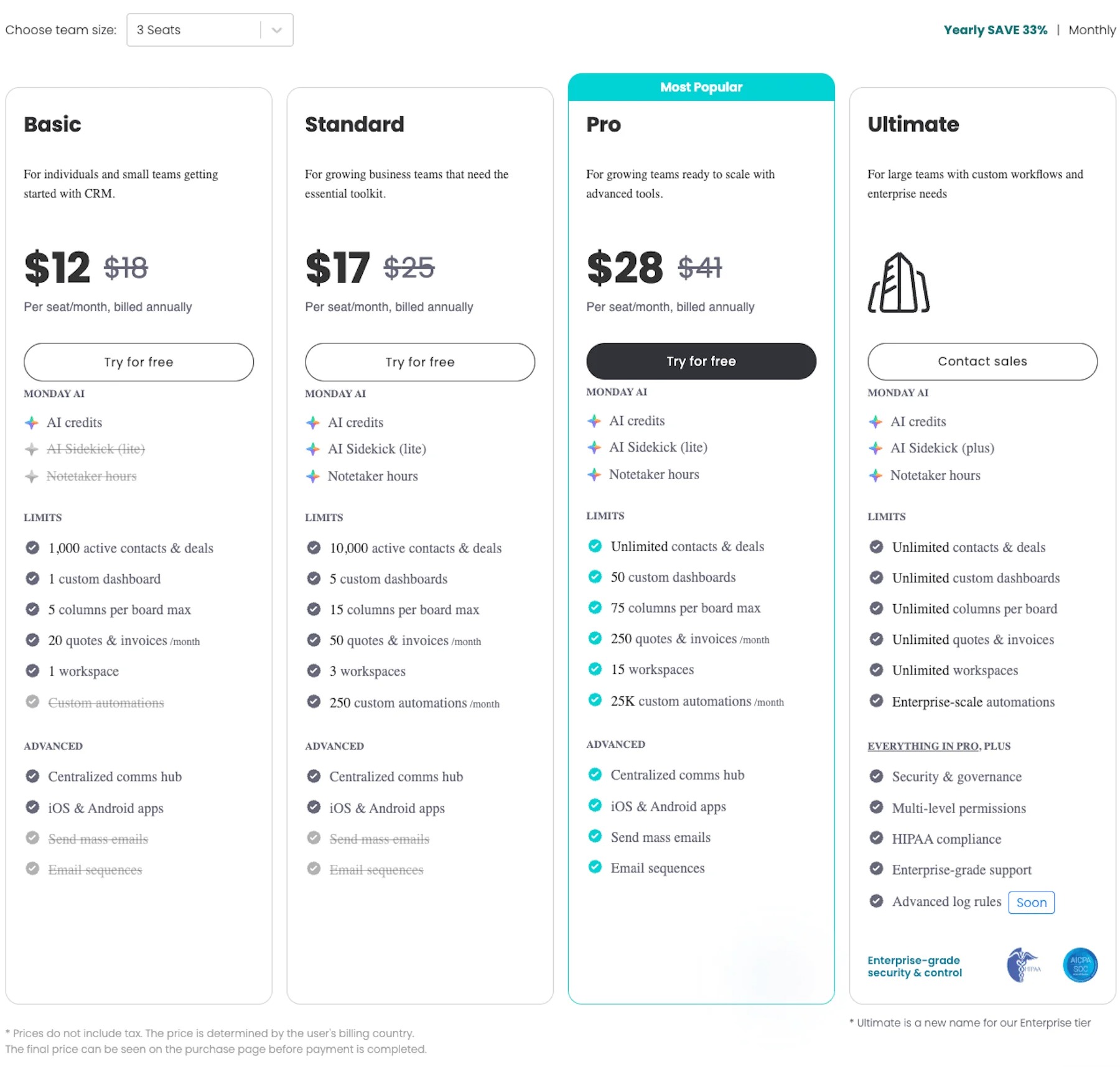
Monday.com offers different plans designed for different levels of usage. The platform provides a Free option along with paid plans that add more functionality, customization, automation, integrations, and advanced capabilities.
Pricing can depend on factors such as the selected plan, number of users, and billing arrangement. Some advanced features also vary by plan.
Because Monday.com can change its pricing and feature limits, it is better to check the current pricing information before purchasing rather than relying on an old price list.
Monday.com Alternatives
There are several alternatives to Monday.com, and the right choice depends on the type of workflow a team needs.
ClickUp provides project management alongside documents, goals, dashboards, and productivity features. Asana focuses strongly on structured project and task management. Trello offers a simpler card-based approach, while Notion combines documentation, databases, notes, and project organization.
Teams should compare factors such as customization, pricing, integrations, collaboration features, and the complexity of their workflows before choosing a platform.
Who Should Use Monday.com?
Monday.com can be useful for businesses and teams that need a flexible way to organize projects and recurring workflows. It can work for marketing departments, agencies, sales teams, product teams, software development teams, operations departments, and growing businesses.
It can also be useful for project managers who need more than a basic task list and want timelines, dashboards, automations, workload management, and different ways to visualize project information.
Is Monday.com Worth It?
Monday.com offers much more than basic task management. Its combination of customizable boards, project views, automation, dashboards, integrations, collaboration tools, templates, and AI capabilities makes it a flexible platform for managing different types of work.
The main consideration is whether your team actually needs its broader feature set. Smaller teams with simple requirements may prefer a more lightweight solution, while teams managing multiple projects and complex workflows may find the additional customization useful.
Final Verdict
Monday.com is a flexible work management platform designed to bring projects, tasks, people, and workflows into one centralized workspace. Its customizable boards and multiple views make it possible to organize everything from simple daily tasks to larger business projects.
Features such as automation, dashboards, integrations, templates, and AI capabilities add more functionality for teams that need advanced workflows.
While the platform can take some time to master and certain features are limited by plan, Monday.com remains a versatile option for teams looking for a visual and customizable approach to project and work management.
