
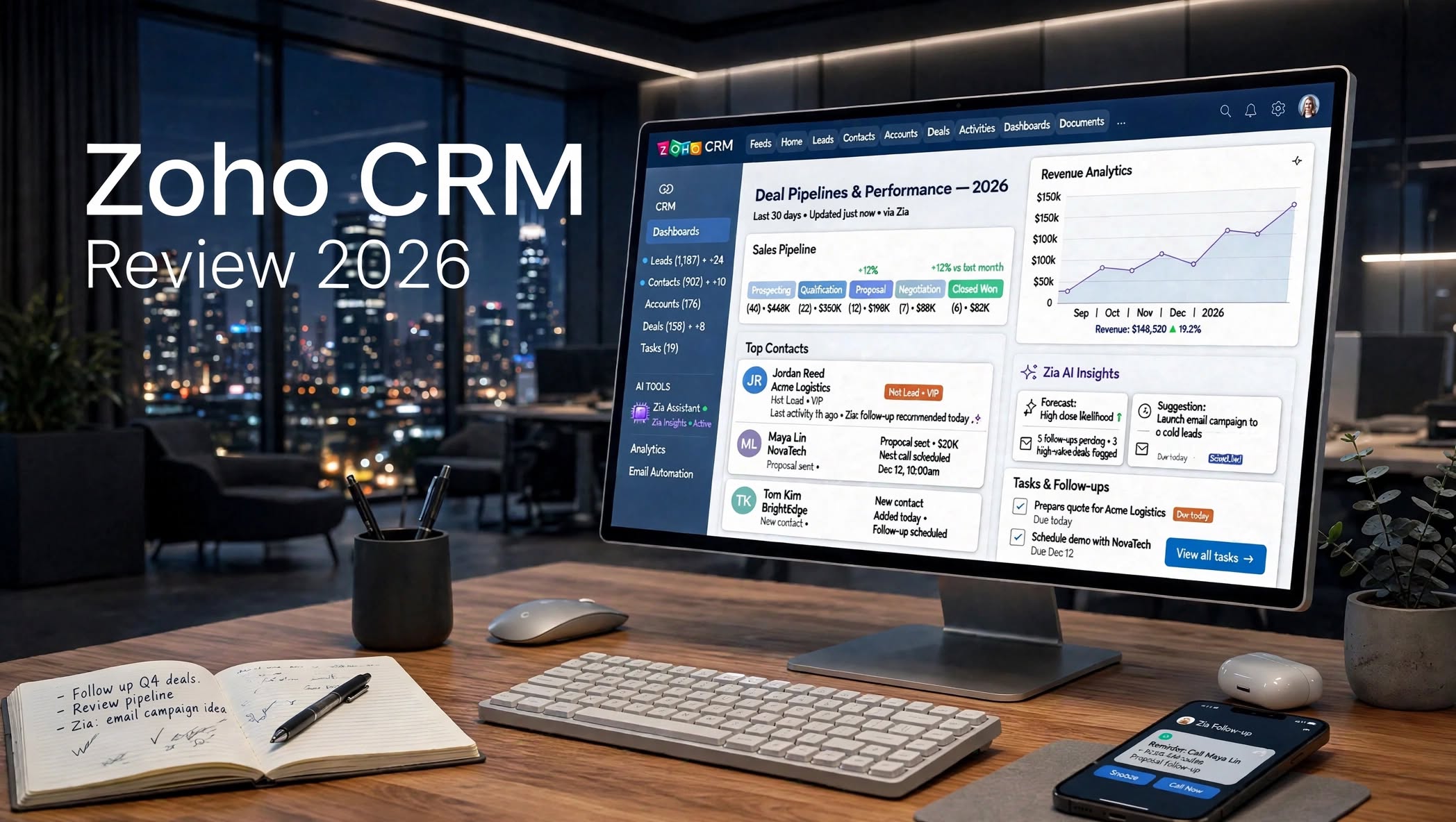

Managing leads, customers, sales conversations, and follow-ups can quickly become complicated when information is spread across spreadsheets, emails, and different business tools. This is where a customer relationship management platform can make a major difference.
Zoho CRM is a cloud-based CRM platform designed to help businesses manage leads, contacts, accounts, deals, sales activities, customer interactions, automation, and reporting from one centralized system.
In this Zoho CRM Review 2026, we’ll take a closer look at its features, pricing structure, AI tools, automation, integrations, advantages, disadvantages, ease of use, and overall suitability for different types of businesses.
What Is Zoho CRM?

Zoho CRM is a customer relationship management platform developed by Zoho. It is designed to help organizations organize customer information and manage the complete sales process.
Instead of keeping customer information in separate spreadsheets or applications, businesses can use Zoho CRM to create centralized records for leads, contacts, accounts, and sales opportunities.
The platform supports businesses with tools for:
- Lead management
- Contact management
- Sales pipeline tracking
- Deal management
- Workflow automation
- Email communication
Zoho CRM Review 2026: Quick Overview
| Feature | Details |
|---|---|
| Product | Zoho CRM |
| Category | Customer Relationship Management |
| Best For | Sales teams and growing businesses |
| Lead Management | Yes |
| Deal Management | Yes |
| Sales Automation | Yes |
| AI Features | Yes |
| Analytics | Yes |
| Workflow Automation | Yes |
| Mobile App | Yes |
| Integrations | Yes |
| Free Option | Available with limitations |
| Customization | Extensive |
Zoho CRM Features

1. Lead Management
Lead management is one of the most important functions of Zoho CRM.
Businesses can capture and organize information about potential customers, assign leads to sales representatives, track activities, and monitor lead progress.
Sales teams can also use lead-related information to determine which prospects require follow-up and which opportunities are moving through the sales funnel.
This centralized approach can be more organized than manually maintaining lead information in spreadsheets.
2. Contact Management
Zoho CRM provides a central location for storing customer and prospect information.
Teams can maintain details about contacts and organizations while connecting those records with activities, deals, notes, and communication history.
This gives sales representatives access to relevant customer information when preparing for calls, meetings, or follow-ups.
3. Sales Pipeline Management
Sales pipeline management allows teams to visualize and organize their sales opportunities.
Businesses can create different stages for their sales process and move deals through those stages as opportunities develop.
This can help sales teams monitor active opportunities and identify deals that require additional attention.
4. Workflow Automation
Automation is another major part of Zoho CRM.
Instead of manually performing every repetitive task, businesses can create workflows that automatically trigger specific actions based on predefined conditions.
For example, automation can be used for:
- Lead assignment
- Follow-up tasks
- Notifications
- Record updates
- Sales alerts
- Internal reminders
- Customer communication workflows
5. Zia AI Assistant
Zoho CRM also includes AI capabilities through Zia, Zoho’s AI-powered assistant.
Depending on the edition and configuration, Zia can assist with areas such as predictions, recommendations, data analysis, content-related tasks, and sales insights.
AI functionality can be useful for businesses that want to analyze CRM information and automate parts of their sales workflow.
However, the exact AI capabilities available can depend on the plan being used.
6. Reports and Dashboards
Zoho CRM provides reporting and dashboard tools for analyzing sales activities and business performance.
Teams can use reports to examine information such as:
- Lead conversion
- Deal stages
- Sales activities
- Revenue-related information
- Pipeline performance
- Sales representative activity
7. Sales Forecasting
Sales forecasting tools can help businesses analyze their pipeline and estimate potential sales performance.
Forecasting can be useful for sales managers who need to monitor targets, examine pipeline activity, and understand how current opportunities relate to sales goals.
The usefulness of forecasting depends on the quality and consistency of the data entered into the CRM.
8. Customization
One of Zoho CRM’s notable characteristics is its customization capability.
Businesses can configure parts of the CRM around their existing sales processes instead of being restricted to a completely fixed workflow.
Customization can include areas such as:
- Fields
- Modules
- Page layouts
- Workflows
- Dashboards
- User permissions
- Sales processes
9. Integrations
Zoho CRM can connect with other applications and services, including products within the broader Zoho ecosystem.
Zoho offers a large collection of business applications covering areas such as marketing, finance, customer support, analytics, collaboration, and productivity.
This allows businesses to build a broader technology ecosystem around their CRM.
Third-party integrations can also help companies connect CRM data with other tools used by their sales and marketing teams.
10. Mobile CRM

Sales professionals are not always working from a desktop computer.
Zoho CRM provides mobile functionality that allows users to access important CRM information while working remotely or traveling.
Depending on the available functionality, users can perform tasks such as:
- Reviewing customer records
- Updating leads
- Managing deals
- Adding notes
- Checking tasks
- Following up with prospects
Zoho CRM Pros and Cons
Pros
- Comprehensive CRM functionality
- Strong lead management tools
- Sales pipeline management
- Workflow automation
- AI-powered features
- Extensive customization
- Detailed reporting
- Sales dashboards
- Mobile CRM access
- Large integration ecosystem
- Free option available
Cons
- Large feature set can take time to learn
- Advanced features may require higher-tier plans
- Initial configuration can be time-consuming
- Customization may require technical knowledge
- Small teams may not need every available feature
Zoho CRM Ease of Use
Zoho CRM provides a large collection of features, which means the learning experience can depend on how extensively the platform is configured.
Basic tasks such as creating contacts, adding leads, and managing deals can be relatively straightforward.
However, advanced functions such as custom modules, complex workflows, automation, dashboards, and integrations may require more setup and training.
Businesses that spend time configuring the platform around their own processes can potentially get more value from its customization capabilities.
Zoho CRM Pricing

Zoho CRM uses a tiered pricing model rather than offering every feature through a single plan.
The platform provides different editions designed around different business requirements. The available features can vary between plans, particularly for advanced automation, customization, analytics, AI functionality, and other enterprise-oriented capabilities.
Zoho also provides a free option with limitations, allowing eligible users to explore the CRM without immediately committing to a paid subscription.
Because Zoho CRM pricing can change by plan, billing period, region, and promotions, it is important to check the current pricing information before making a purchasing decision.
For businesses comparing CRM platforms, it is also worth looking beyond the monthly subscription price and considering the features, number of users, implementation requirements, and additional applications needed.
Zoho CRM Automation
Automation is particularly useful for sales teams that repeatedly perform the same administrative tasks.
A company could use CRM automation to trigger actions when certain conditions are met. For example, a new lead could be automatically assigned to a particular salesperson, while another workflow could create a follow-up task after a specific sales activity.
This type of automation can help teams maintain consistent processes and reduce the amount of manual data management.
Zoho CRM for Small Businesses
Small businesses often need to balance functionality with cost and ease of implementation.
Zoho CRM offers tools for managing leads, contacts, deals, and customer interactions while providing room for additional customization as a business grows.
A smaller company may begin with basic CRM functionality and gradually introduce automation, reporting, integrations, and more advanced features as its sales operation becomes more sophisticated.
However, businesses with very simple requirements may not need the full range of features available in a comprehensive CRM platform.
Zoho CRM for Sales Teams
Sales teams can use Zoho CRM to organize prospects and opportunities throughout the sales process.
A typical workflow might involve:
Lead → Qualification → Opportunity → Deal → Customer
The CRM can help sales representatives track where each prospect is in the process and record relevant activities along the way.
Managers can also use reports and dashboards to monitor sales activity and pipeline information.
Zoho CRM Integrations and Ecosystem
A major part of the Zoho CRM experience is its connection to the wider Zoho ecosystem.
Businesses can use different Zoho applications for functions such as:
- Marketing
- Accounting
- Customer support
- Analytics
- Projects
- Human resources
- Collaboration
The exact integration options and capabilities depend on the applications and plans being used.
Zoho CRM Security
CRM platforms contain important business and customer information, so access management and security configuration are important considerations.
Zoho CRM provides administrative tools and permission controls that businesses can use to manage access to CRM data.
Organizations should configure user roles, permissions, authentication, integrations, and other security settings according to their internal requirements.
Zoho CRM Alternatives
Businesses considering Zoho CRM may also evaluate other CRM platforms, including:
- Salesforce
- HubSpot CRM
- Pipedrive
- Freshsales
- Microsoft Dynamics 365
Who Is Zoho CRM Best For?
Small Businesses
Zoho CRM can help small businesses move away from spreadsheets and establish a more structured way to manage customers and sales opportunities.
Growing Sales Teams
Companies expanding their sales teams can use lead assignment, pipeline management, automation, and reporting tools to organize sales operations.
Businesses Using Zoho Products
Organizations already using other Zoho applications may find CRM useful as part of a larger Zoho-based business environment.
Businesses Requiring Custom Workflows
Companies with specific sales processes can take advantage of customization and automation tools to adapt the CRM to their operations.
Organizations Managing Large Customer Databases
Businesses with a large number of customer records can use centralized contact, account, and activity management to keep customer information organized.
Is Zoho CRM Worth It?
Whether Zoho CRM is worth using depends on the requirements of the business.
For organizations looking for a CRM with lead management, sales pipeline tools, automation, analytics, AI capabilities, customization, and integrations, Zoho CRM offers a broad collection of functionality.
Its extensive feature set can also mean a greater learning and configuration requirement compared with simpler CRM solutions.
Before choosing a plan, businesses should identify the features they actually need and compare those requirements against the available editions.
Final Thoughts on Zoho CRM
Zoho CRM is a comprehensive platform designed to help businesses manage customer relationships and sales operations from a centralized system.
Its combination of lead management, contact management, sales pipelines, workflow automation, AI tools, analytics, customization, integrations, and mobile access gives businesses a wide range of CRM capabilities.
The platform can accommodate different types of sales processes, from relatively simple lead tracking to more customized workflows involving automation and reporting.
At the same time, its large feature set means new users may need time to understand and configure the platform.
Overall, businesses considering Zoho CRM should evaluate their sales process, team size, required integrations, automation needs, and budget before selecting an edition.
