
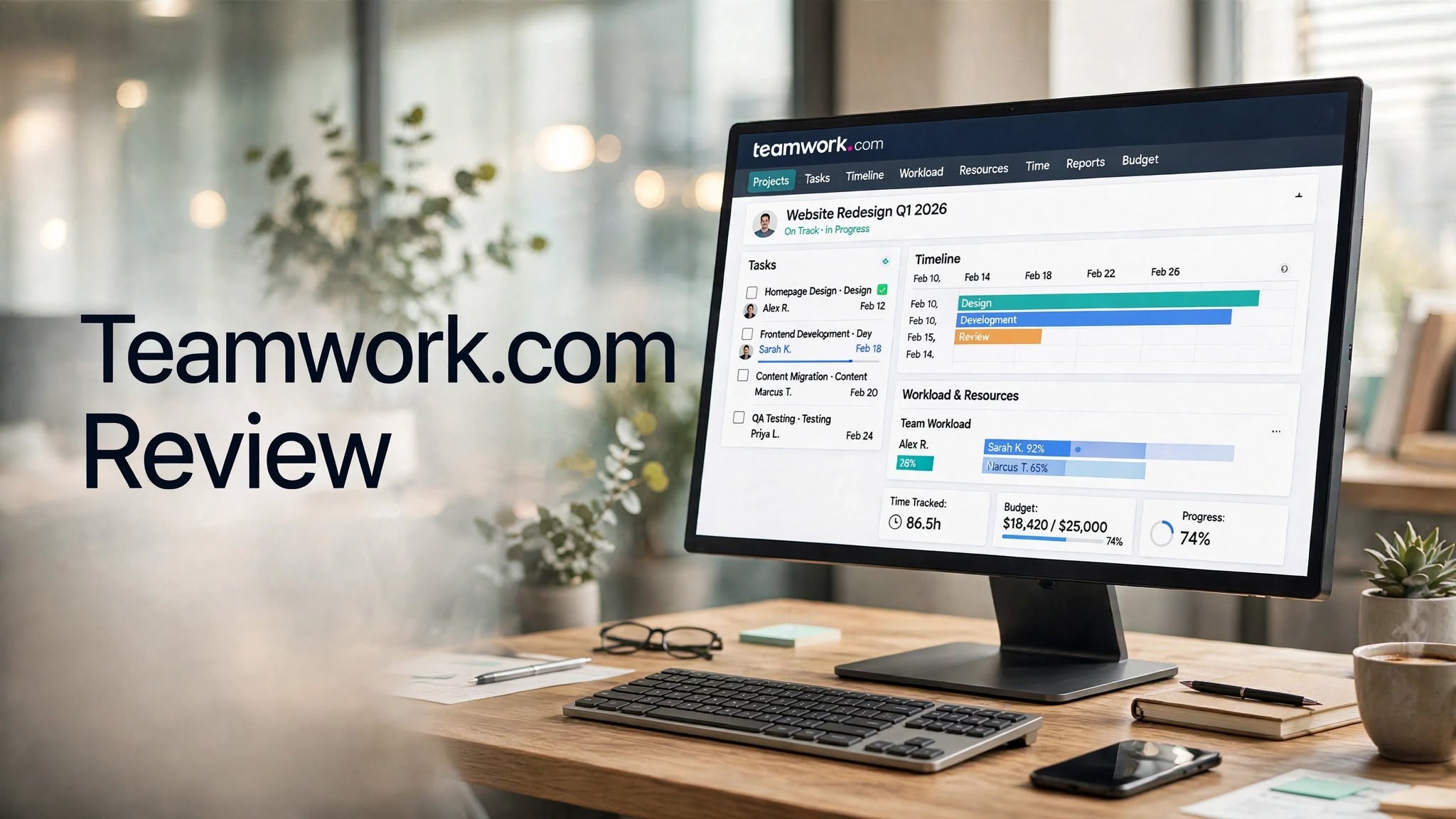

Teamwork.com is a project and work management platform designed primarily for teams that manage client projects, services, resources, budgets, and profitability. Unlike basic task-management tools, Teamwork.com combines project planning with time tracking, resource management, client collaboration, reporting, budgeting, and workflow automation.
The platform is especially focused on businesses that deliver work to clients, including agencies, consulting firms, professional services teams, and other service-based organizations. Teamwork.com also provides integrations with CRM, accounting, productivity, reporting, and other business applications.
In this Teamwork.com review, we’ll look at its features, pricing, project-management capabilities, pros and cons, use cases, and alternatives to help you determine whether it fits your team’s workflow.
What Is Teamwork.com?

Teamwork.com is a cloud-based project management and professional services automation platform.
It allows teams to organize projects, create tasks, assign responsibilities, track time, manage client work, monitor budgets, plan resources, automate workflows, and generate reports from one platform.
The platform’s current product positioning goes beyond traditional project management, with tools designed to help service businesses connect project delivery with resource utilization, costs, revenue, and profitability.
This makes Teamwork.com different from simple to-do-list applications. It is designed for organizations where project delivery, client relationships, team capacity, and financial performance are closely connected.
Teamwork.com Highlights
- Project and task management
- Gantt charts and timelines
- Kanban-style boards
- Task dependencies
- Milestone
Key Features of Teamwork.com
1. Project Management
Project management is at the core of Teamwork.com.
Teams can create projects, break work into task lists and individual tasks, assign responsibilities, establish deadlines, and track progress.
The platform supports several project views, including List, Table, Board, and Gantt views. Tasks can also include subtasks, tags, dependencies, estimated time, and milestones.
This gives teams different ways to organize the same project depending on their preferred workflow.
2. Gantt Charts and Timeline Planning
Teamwork.com provides Gantt functionality for teams that need visual project scheduling.
Users can map tasks across a timeline, establish dependencies, and monitor how changes to one task can affect other work.
Higher-tier plans also provide additional Gantt functionality such as filtering and critical-path capabilities.
This can be particularly useful for complex projects involving multiple phases and deadlines.
3. Task Management
Teamwork.com provides detailed task-management capabilities.
A typical task can contain information such as:
- Task name
- Assignee
- Status
- Priority
- Due date
- Estimated time
- Dependencies
- Tags
- Subtasks
- Comments
- Files
4. Project Templates
Project templates can help teams standardize recurring work.
Instead of creating every project from scratch, teams can reuse predefined structures containing tasks, task lists, milestones, and workflows.
Teamwork.com also allows users to create templates based on repeated work processes.
This can be useful for agencies and professional services companies that repeatedly deliver similar types of projects.
5. Resource Management
Resource management is an important part of Teamwork.com’s platform.
The software provides tools for planning team workloads, monitoring capacity, forecasting future resource requirements, and tracking utilization.
Depending on the plan, organizations can access features such as workload planning, resource scheduling, placeholders, skills management, time-off management, and utilization targets.
This can help managers understand whether employees have enough capacity before assigning additional work.
6. Time Tracking
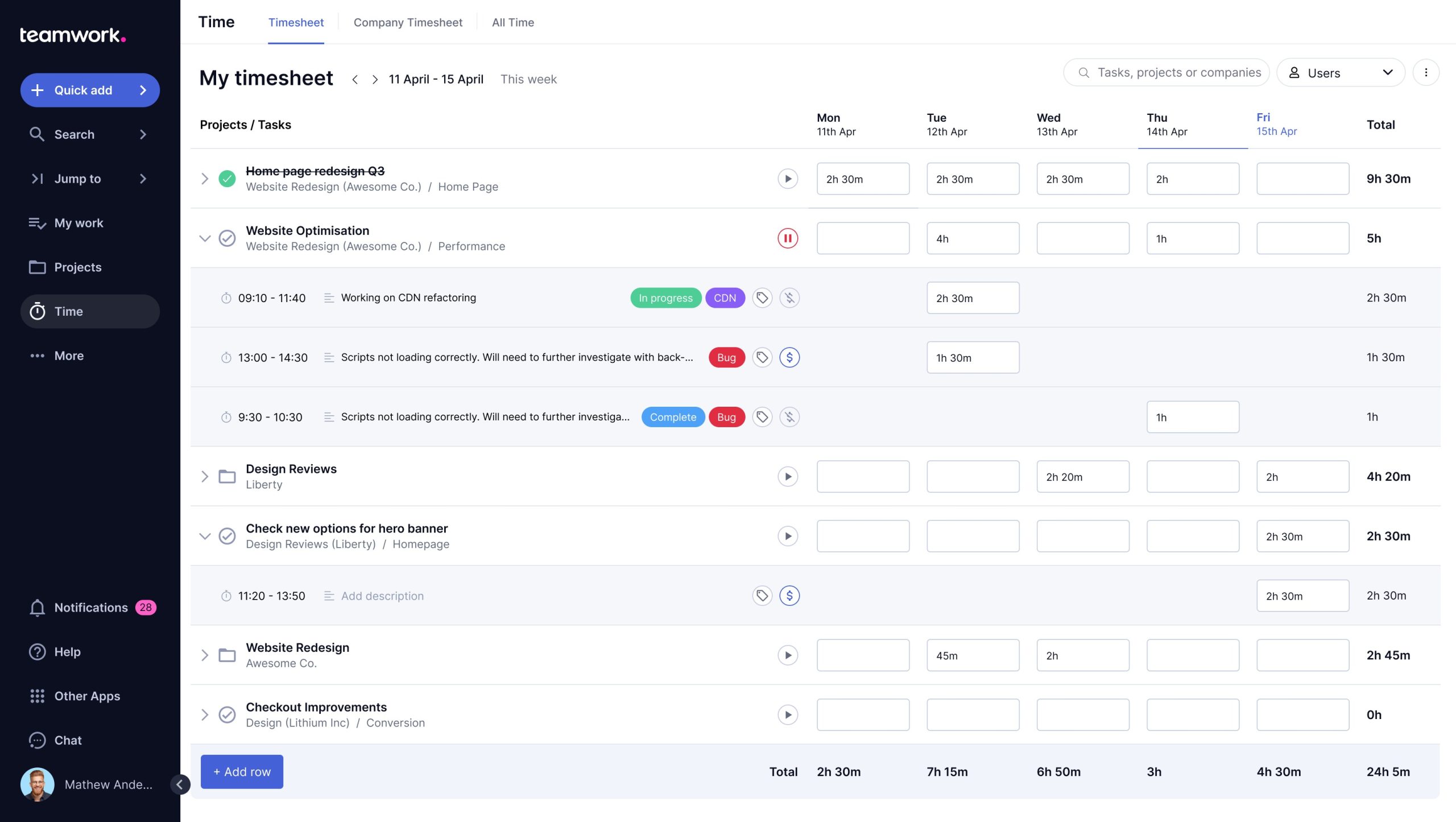
Teamwork.com includes built-in time tracking for monitoring how much time teams spend on projects and tasks.
Users can record time using timers and timesheets, while businesses can distinguish between billable and non-billable work.
Time tracking is particularly relevant to agencies, consultants, and other service businesses that charge clients based on hours or need accurate project-cost information.
7. Budget Management
Teams can create project budgets and monitor spending against planned amounts.
Teamwork.com provides budget tracking that can help businesses understand how much time and money has been spent on a project and whether spending is approaching a predefined threshold.
This gives project managers more visibility into the financial side of project delivery.
8. Profitability Tracking
Teamwork.com goes beyond basic project tracking by connecting project information with financial performance.
The platform provides tools for monitoring costs, revenue, budgets, billable rates, and profitability. Its current product offering also includes profitability-focused functionality and AI-powered financial tools.
For service businesses, this can provide useful context around whether projects are being delivered within expected financial targets.
9. Workflow Automation
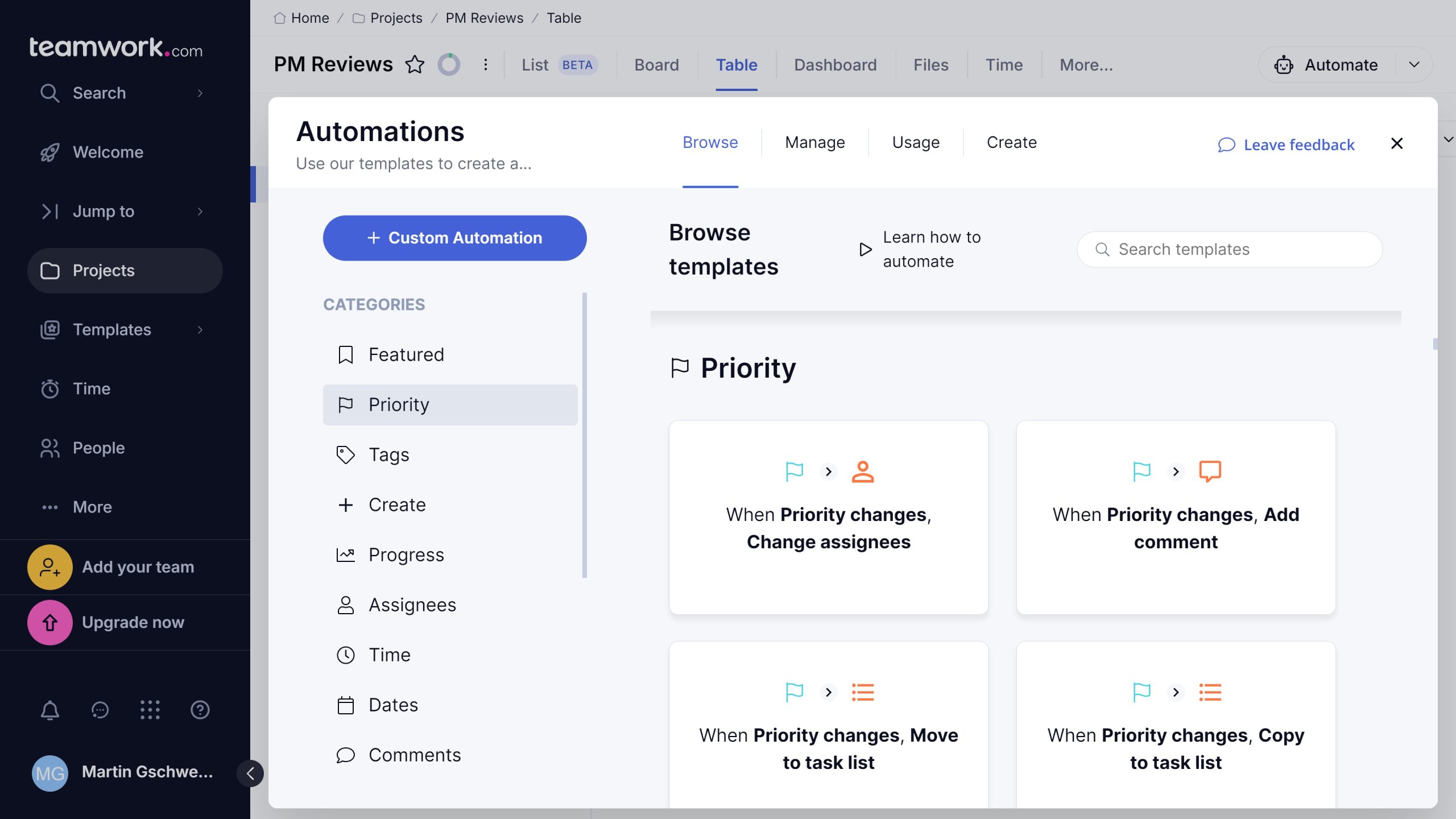
Teamwork.com includes workflow automation designed to reduce repetitive administrative work.
Teams can use automation to trigger actions based on changes within projects and tasks. The platform also provides workflow functionality that can standardize stages and processes across multiple projects.
Automation can be useful for recurring processes such as assigning tasks, updating statuses, sending notifications, and moving work through predefined stages.
10. Forms and Work Intake
Teamwork.com provides forms for collecting requests and information from clients or internal teams.
Form submissions can be converted into tasks within projects, helping teams centralize incoming work rather than relying on scattered emails or messages.
This can be particularly useful for agencies and service teams that regularly receive new client requests.
How Does Teamwork.com Work?
Getting started with Teamwork.com generally involves creating a project, adding tasks, inviting team members, and beginning collaboration.
A typical workflow looks like this:
- Create a project.
- Add task lists and individual tasks.
- Assign work to team members.
- Set deadlines and dependencies.
- Add files, comments, and project information.
- Track time as work progresses.
- Monitor project health and workload.
- Automate repetitive processes.
- Review budgets and project performance.
- Share relevant information with clients.
Pros and Cons of Teamwork.com
Pros
- Strong project-management features
- Designed specifically for client work
- Multiple project views
- Gantt charts and dependencies
- Built-in time tracking
- Resource and workload management
- Budget and profitability tracking
- Workflow automation
- Client collaboration tools
- Forms and proofing features
- Extensive reporting
- AI-powered functionality
- Integrations with business applications
Cons
- Can feel complex for simple projects
- Advanced resource features require higher plans
- Pricing increases as more users are added
- Financial and profitability tools may be unnecessary for basic teams
- Some advanced functionality requires configuration
- The platform can take time to learn fully
Who Is Teamwork.com Best For?
Teamwork.com is particularly suited to organizations that manage client-facing projects and professional services work.
It can be useful for:
- Digital agencies
- Marketing agencies
- Consulting firms
Teamwork.com Pricing
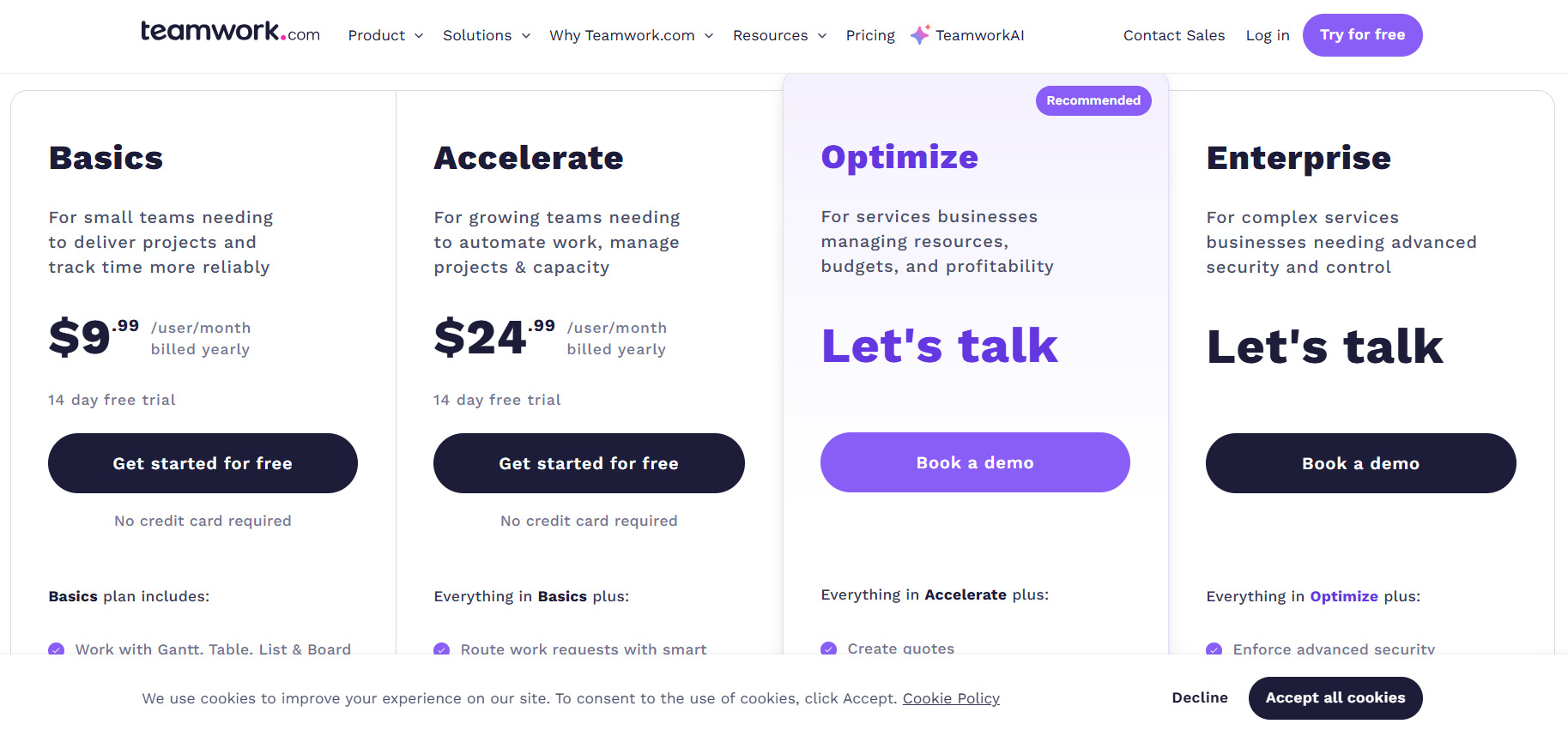
Teamwork.com currently offers Free, Basics, Accelerate, Optimize, and Enterprise plans. The feature comparison page confirms that each plan builds on the capabilities of the previous tier.
The current pricing page lists the following annual-billing prices:
Free
The Free plan is designed for individuals and small teams getting started with project tracking.
It includes core project-management functionality such as task, list, board, and Gantt views, time logging, client organization, and a limited number of users and projects.
Basics
The Basics plan is listed at $9.99 per user/month when billed annually.
It includes features such as:
- Gantt, Table, List, and Board views
- Unlimited templates
- Billable time tracking
Accelerate
The Accelerate plan is listed at $24.99 per user/month when billed annually.
It adds functionality such as:
- Smart forms
- Expanded automations
- Team workload planning
Optimize
The Optimize plan is designed for services businesses that need deeper resource planning, financial management, and profitability visibility.
Features include:
- Quotes
- Expanded automation
- Resource scheduling
Enterprise
Enterprise is designed for organizations that need additional scale, administration, security, and support capabilities.
Pricing is customized rather than listed as a standard per-user price.
Prices and included features can change, so it is worth checking Teamwork.com’s current pricing page before purchasing.
Teamwork.com for Agencies
Agencies often manage multiple clients and projects simultaneously, making project organization and resource allocation important.
Teamwork.com provides tools for managing client projects, tracking billable time, planning resources, managing budgets, collecting feedback, and reporting on project performance.
This makes it possible to keep project delivery and client information within a connected system rather than relying on several separate spreadsheets and applications.
Teamwork.com for Remote Teams
Remote teams can use Teamwork.com to keep tasks, files, comments, deadlines, and project information in a centralized workspace.
The platform provides desktop and mobile applications, while collaboration features allow teams to communicate around specific projects and tasks.
This can make it easier for distributed teams to maintain visibility into responsibilities and deadlines.
Teamwork.com Alternatives
Monday.com
Monday.com provides visual work management with boards, automations, dashboards, and customizable workflows. It can be considered by teams looking for a flexible general-purpose work-management platform.
Asana
Asana focuses on project and task management, offering tools for planning projects, assigning work, tracking deadlines, and coordinating teams.
ClickUp
ClickUp combines tasks, projects, documents, dashboards, automation, and other productivity features in a single workspace.
Wrike
Wrike provides project and work-management functionality designed for teams handling complex workflows, reporting, collaboration, and resource planning.
Smartsheet
Smartsheet combines spreadsheet-style organization with project management, reporting, automation, dashboards, and resource-management capabilities.
Is Teamwork.com Worth It?
Teamwork.com’s usefulness depends heavily on the complexity of your team’s work.
For organizations that manage client projects, billable hours, resources, budgets, and profitability, its broad feature set can bring project delivery and operational information together in one platform.
For smaller teams handling straightforward tasks, many of these features may not be necessary.
When evaluating Teamwork.com, consider your project complexity, number of users, resource-planning requirements, client collaboration needs, reporting requirements, and budget.
Final Verdict
Teamwork.com is a comprehensive project and professional services management platform with a strong emphasis on client work, resource planning, time tracking, budgets, reporting, and profitability.
Its project-management foundation includes tasks, milestones, dependencies, Gantt charts, templates, boards, and multiple project views. On top of that, the platform adds resource management, workflow automation, client collaboration, financial tracking, and AI-powered capabilities.
The platform is therefore particularly relevant to agencies, consulting companies, professional services teams, and other organizations where successful project delivery depends on coordinating people, deadlines, client requirements, and financial performance.
Before subscribing, compare the current plans and features with your team’s specific requirements, especially if you need advanced resource scheduling, automation, profitability reporting, or enterprise functionality.
