
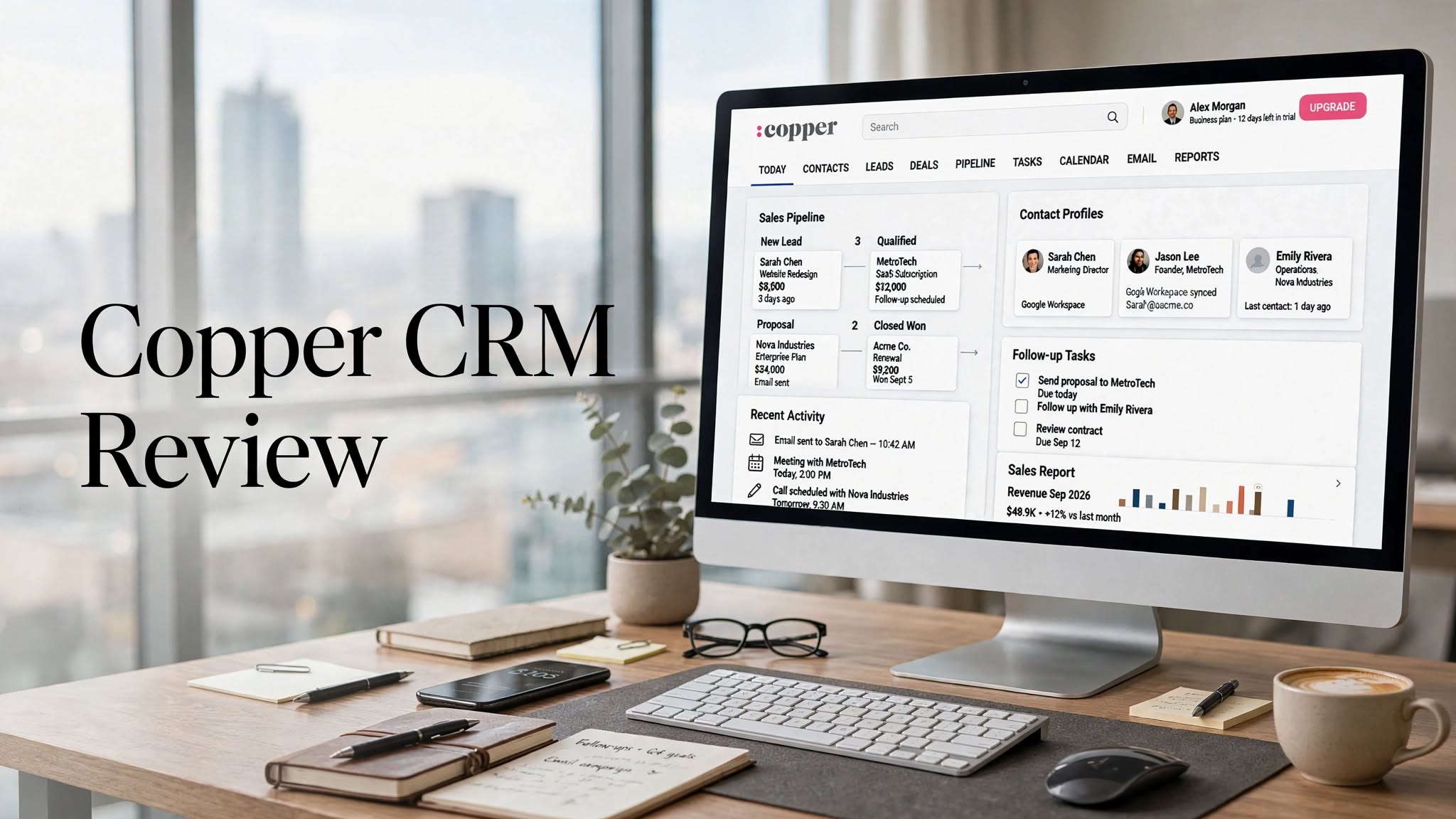

Copper CRM is a customer relationship management platform designed around Google Workspace. It combines contact management, sales pipelines, project management, email, automation, reporting, and customer relationship tools while integrating closely with applications such as Gmail, Google Calendar, Google Drive, and Google Contacts.
Unlike CRMs that require users to move between a separate CRM and their everyday productivity applications, Copper is designed to fit directly into a Google Workspace-based workflow. Its Chrome extension and integrations allow teams to manage contacts, conversations, tasks, and customer information without constantly switching between applications.
In this Copper CRM review, we’ll explore its features, pricing, benefits, limitations, integrations, use cases, and alternatives to help you determine whether it fits your business.
What Is Copper CRM?

Copper is a CRM platform built specifically for businesses that use Google Workspace extensively. The platform is designed to help teams manage customer relationships, sales opportunities, projects, tasks, and follow-ups from a centralized workspace.
Copper integrates with Gmail, Google Calendar, Google Drive, Google Contacts, and other Google Workspace tools. The company also describes Copper as a CRM designed to work within the existing Google Workspace routine rather than forcing users to adopt a completely separate workflow.
This approach makes Copper particularly relevant for teams that already depend on Gmail and Google Calendar for everyday communication and scheduling.
Copper CRM Highlights
- Google Workspace-focused CRM
- Contact and lead management
- Customizable sales pipelines
- Deal management
- Project management
- Task automation
Key Features of Copper CRM
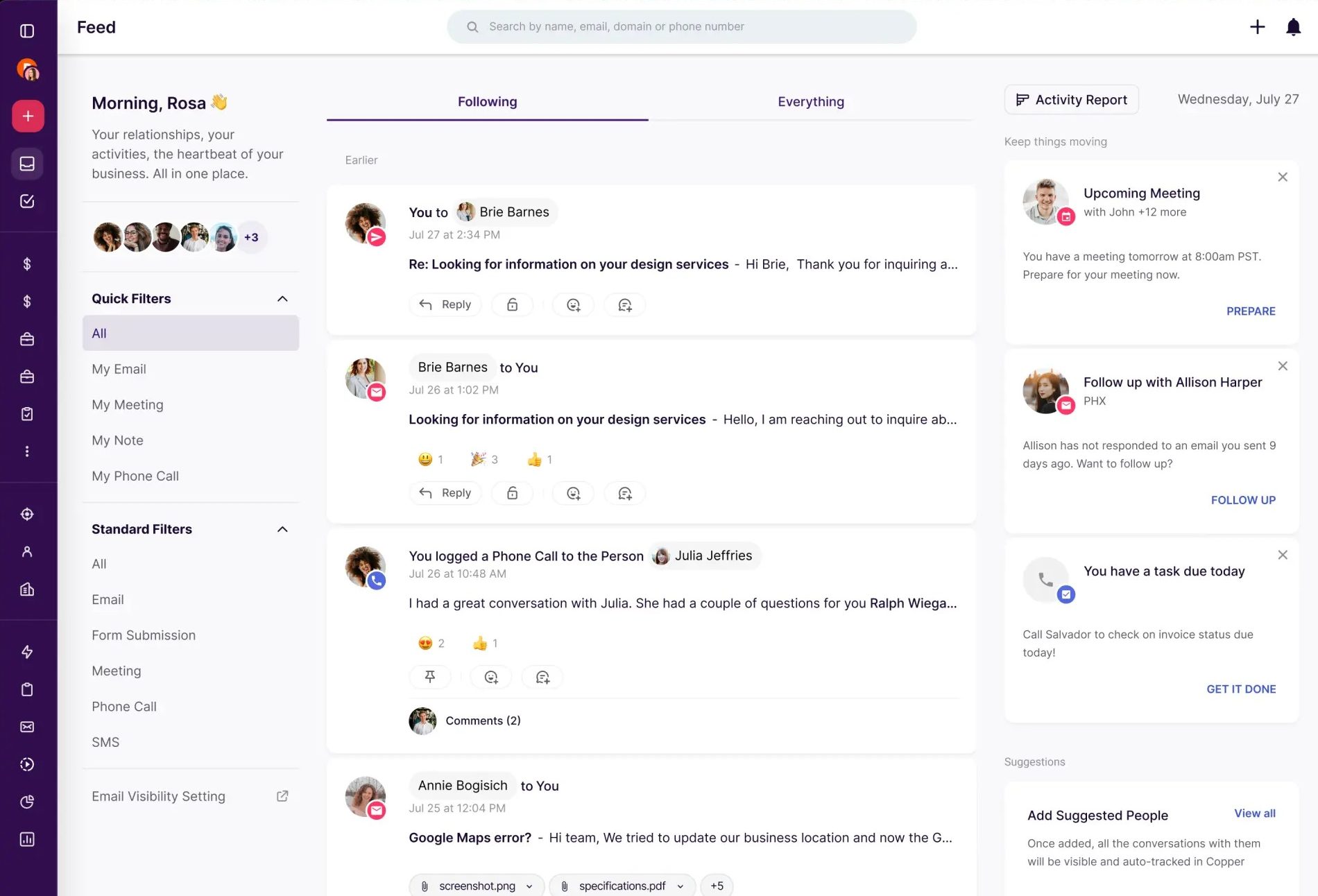
1. Google Workspace Integration
Google Workspace integration is one of Copper’s defining features.
Copper connects with Gmail, Google Calendar, Google Drive, and Google Contacts, allowing customer information and activities to stay connected with the tools teams already use.
For example, users can add contacts from Gmail, view customer information, track conversations, manage CRM reminders, and work with customer-related information without constantly switching applications.
2. Contact Management
Copper provides centralized contact management for people and companies.
Teams can organize customer information, communication history, activities, tasks, and other relationship data in CRM records. Contact enrichment is also included in the Basic plan according to Copper’s current pricing information.
This gives sales and relationship-focused teams a central location for customer information rather than relying on individual inboxes or spreadsheets.
3. Sales Pipelines
Copper supports customizable sales pipelines that allow teams to organize opportunities according to their sales process.
Users can create pipeline stages, track deals, assign activities, and monitor opportunities as they progress.
The platform also provides deal-management functionality designed to help users stay aware of opportunities and upcoming activities.
4. Project Management
Copper isn’t limited to sales CRM functionality. It also provides project-management capabilities.
Teams can create project pipelines, assign tasks, monitor progress, and connect project activities with customer records.
This can be useful for businesses where sales and project delivery are closely connected, such as agencies, consultancies, and service-based organizations.
5. Task Automation
Copper provides task automation to reduce repetitive administrative work.
Teams can automate recurring activities such as follow-up tasks and other workflow actions. Copper’s current Basic plan includes task automation, while more advanced workflow automation is available on Professional and higher plans.
Automation can help sales representatives and account managers spend less time manually updating CRM records.
6. Email Management
Copper works closely with Gmail, allowing teams to manage customer communication alongside CRM information.
Users can access email conversations, synchronize relevant activity, use email templates, and track email engagement depending on their plan.
Copper also provides features such as bulk email and email automation on higher-tier plans.
7. Email Series
For teams managing ongoing customer communication, Copper’s Business plan includes email series.
Email series can be useful for structured customer nurture and follow-up campaigns where multiple messages need to be delivered according to a predefined process.
8. Reporting and Analytics
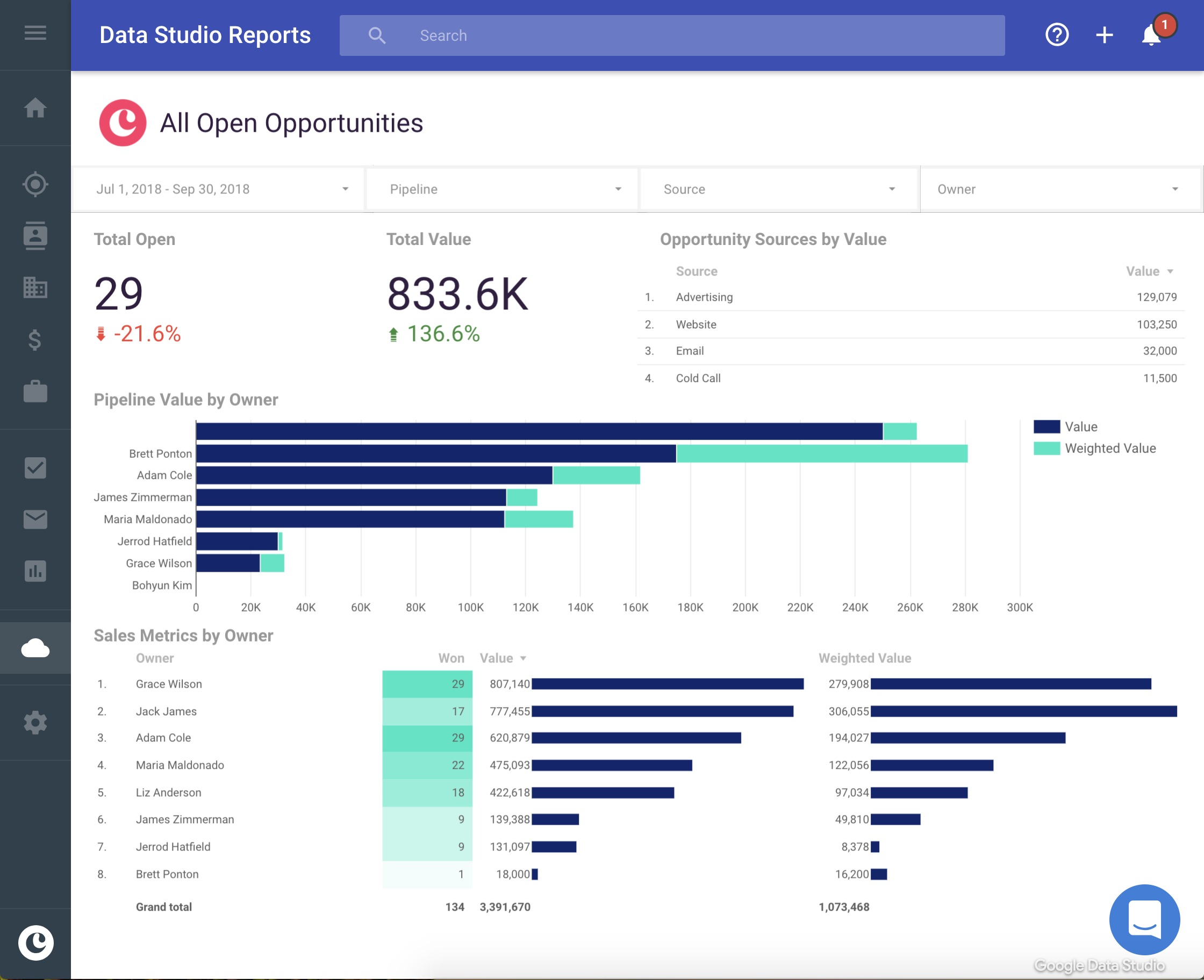
Copper provides reporting tools that allow teams to monitor sales activity and pipeline performance.
The Professional plan includes reporting, while the Business plan adds custom reports and custom analytics capabilities.
This can help managers understand sales activity and create more structured visibility into customer and revenue-related workflows.
9. Google Calendar Integration
Copper integrates with Google Calendar to connect meetings and customer activity with CRM records.
Users can access relevant customer information alongside their calendar workflow, helping them prepare for meetings and keep track of upcoming activities. Copper also supports customer-related information directly within Google Calendar through its Workspace integration.
10. Google Drive Integration
Google Drive integration allows customer-related documents and files to remain connected with CRM records.
This can be useful for teams that regularly work with proposals, presentations, contracts, and other documents stored in Google Drive.
How Does Copper CRM Work?
Copper is designed to fit into a company’s existing customer and sales workflow.
A typical process can look like this:
- Connect the team’s Google Workspace accounts.
- Import or synchronize customer contacts.
- Organize leads and companies inside Copper.
- Create sales or project pipelines.
- Assign tasks and follow-ups.
- Manage customer conversations through Gmail.
- Schedule and track meetings through Google Calendar.
- Store or access relevant files through Google Drive.
- Automate repetitive activities.
- Monitor pipelines and reports.
Pros and Cons of Copper CRM
Pros
- Strong Google Workspace integration
- Works closely with Gmail and Google Calendar
- Easy connection between customer records and communication
- Customizable sales pipelines
- Project-management functionality
- Task and workflow automation
- Useful reporting capabilities
- Large integrations ecosystem
- Mobile applications
- Suitable for relationship-focused businesses
Cons
- Pricing can become expensive as teams grow
- Advanced features are concentrated in higher plans
- Strong Google Workspace focus may not suit every organization
- Some integrations require Professional or Business plans
- Businesses using Microsoft 365 may find the Google-centric workflow less suitable
- Smaller teams may not need the platform’s broader CRM capabilities
Copper CRM Pricing
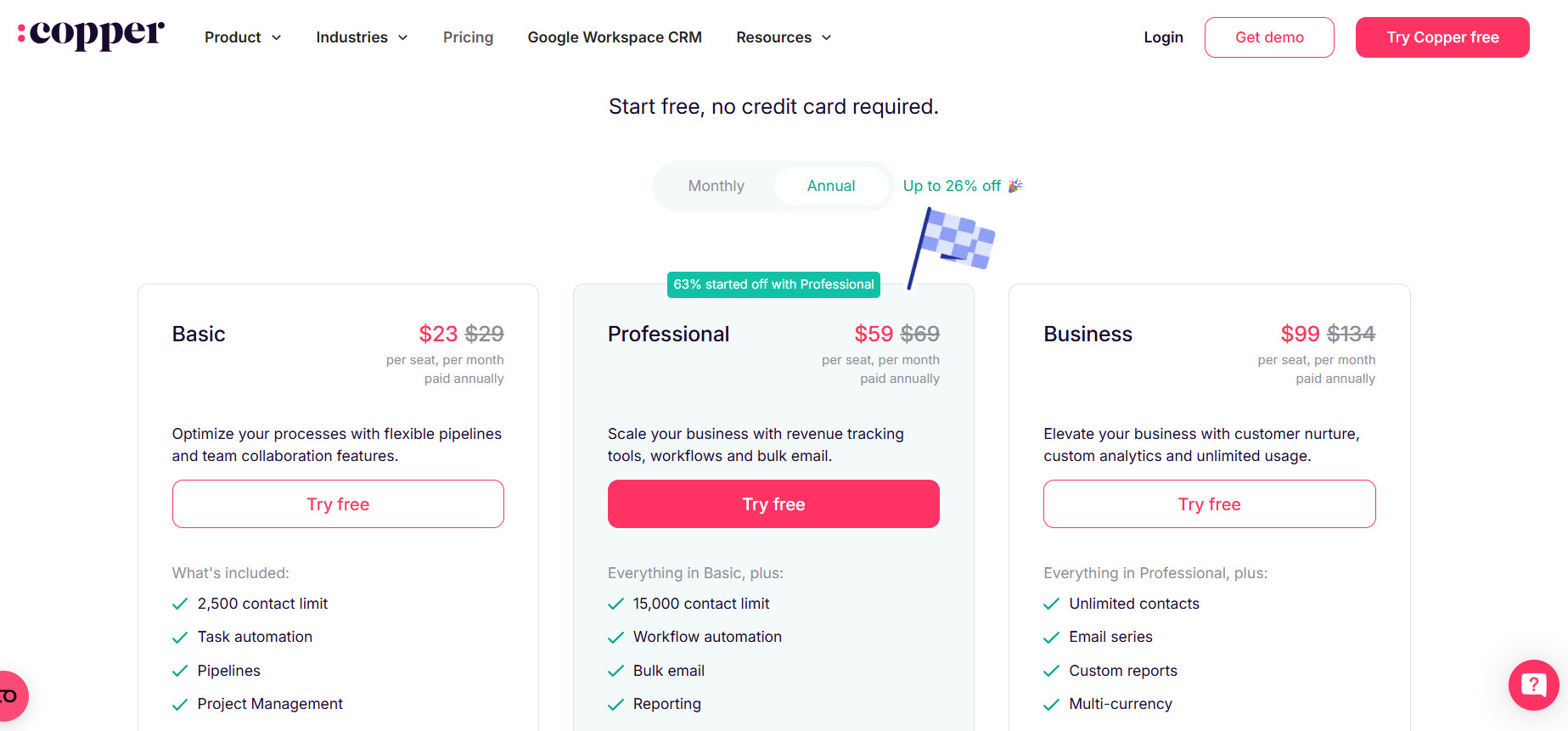
Copper currently offers several subscription levels. According to its official pricing page, the standard monthly prices are $29 per user/month for Basic, $69 per user/month for Professional, and $134 per user/month for Business. Annual billing reduces those listed prices to $23, $59, and $99 per user/month, respectively.
Basic
$29/user/month when billed monthly, or $23/user/month with annual billing.
The Basic plan includes features such as:
- Up to 2,500 contacts
- Task automation
- Pipelines
- Project management
Professional
$69/user/month when billed monthly, or $59/user/month with annual billing.
It adds features such as:
- Up to 15,000 contacts
- Workflow automation
- Bulk email
- Reporting
Business
$134/user/month when billed monthly, or $99/user/month with annual billing.
It includes:
- Unlimited contacts
- Email series
- Custom reports
- Multi-currency
Who Is Copper CRM Best For?
Copper can be useful for businesses that rely heavily on Google Workspace and want their CRM to work closely with Gmail, Calendar, Drive, and Contacts.
It can be relevant for:
- Small and midsize businesses
- Sales teams
- Consulting companies
- Agencies
- Professional service businesses
- Real estate teams
- Relationship-focused organizations
- Google Workspace-based companies
- Teams managing both sales and projects
Copper CRM for Small Businesses
Small businesses often need a CRM that doesn’t require a complicated technical setup.
Copper can simplify this process by connecting CRM activities with applications such as Gmail and Google Calendar that many teams already use.
However, businesses should compare the per-user subscription cost against the features they actually require. A company that only needs basic contact storage may not need Copper’s more advanced automation and reporting functionality.
Copper CRM for Sales Teams
Sales teams can use Copper to manage contacts, leads, opportunities, pipelines, tasks, emails, and follow-ups.
The combination of CRM records and Gmail can be particularly useful for representatives who spend much of their day communicating with prospects and customers.
Pipeline reporting and automation can also help managers maintain visibility into sales activities and opportunities.
Copper CRM Alternatives

HubSpot CRM
HubSpot offers CRM functionality alongside sales, marketing, customer service, content, and other business tools. It may be suitable for companies looking for a broader business platform.
Pipedrive
Pipedrive focuses heavily on sales pipelines and deal management. Its approach can work well for teams primarily interested in organizing sales opportunities and activities.
Zoho CRM
Zoho CRM is part of the wider Zoho ecosystem and provides CRM, automation, reporting, and integrations for businesses with broader software requirements.
Salesforce
Salesforce offers a large CRM ecosystem with extensive customization, automation, integrations, reporting, and enterprise capabilities.
Freshsales
Freshsales provides CRM and sales automation features and can be another option for businesses comparing sales-focused CRM platforms.
Is Copper CRM Worth It?
Copper’s value depends heavily on how closely a business’s workflow revolves around Google Workspace.
For teams already using Gmail, Google Calendar, Google Drive, and Google Contacts every day, Copper’s native connections can reduce the need to constantly move information between separate applications.
Its combination of contact management, pipelines, project management, automation, reporting, and integrations also gives businesses more than a basic contact database.
However, companies should consider the subscription cost and plan limitations, especially if they need advanced reporting, automation, unlimited contacts, or premium support.
Final Verdict
Copper CRM is a relationship-focused CRM that stands out for its close integration with Google Workspace. Its combination of contact management, sales pipelines, project management, automation, reporting, Gmail integration, Calendar synchronization, and Drive connectivity gives teams a centralized way to manage customer relationships and business workflows.
The platform is particularly relevant for businesses that already rely heavily on Google Workspace and want their CRM to fit naturally into that environment.
Before choosing Copper, compare its current plans, contact limits, automation requirements, integrations, reporting needs, and per-user cost with your team’s workflow. A free trial is available, allowing businesses to test the platform before committing to a paid plan.
