
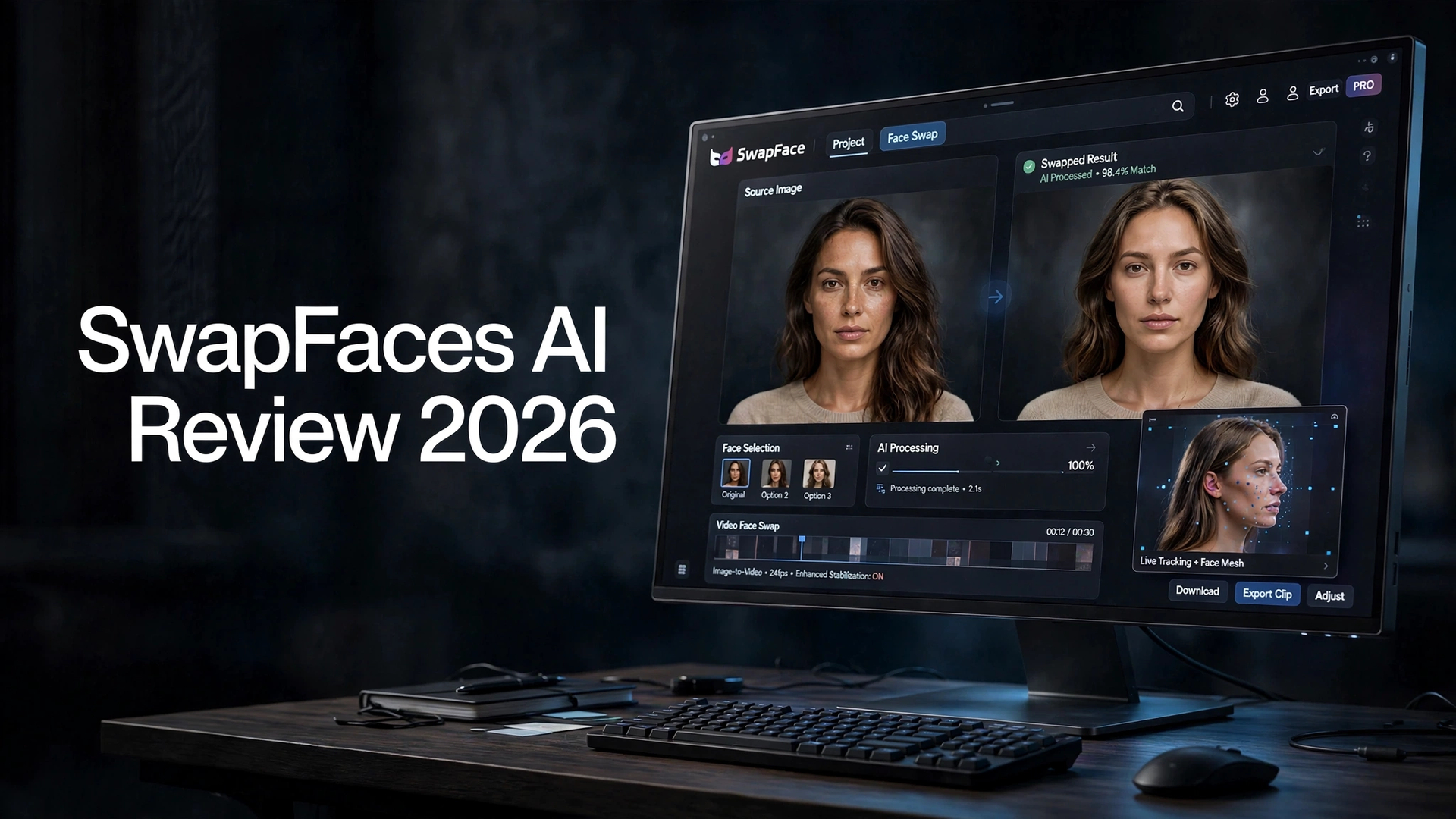

AI face-swapping tools have become surprisingly accessible, but there is still a big difference between a face swap that looks convincing at first glance and one that holds up when you inspect the details. SwapFaces AI is designed around making that process quick, with tools for image face swaps, video face swaps, GIFs, image-to-video, image-to-image, and other AI-powered transformations.
I spent time looking at what SwapFaces AI offers, how its main tools work, where the results are convincing, and where the platform still shows limitations. This SwapFaces AI review covers the features, pricing approach, performance, pros and cons, and who the service makes the most sense for in 2026.
What Is SwapFaces AI?

SwapFaces AI is a browser-based artificial intelligence platform focused primarily on face swapping. Instead of requiring users to install desktop software, the service lets you upload media and process transformations online.
The platform goes beyond basic photo face swapping. Its collection of tools includes:
- AI image face swap
- AI video face swap
- GIF face swap
- Image-to-video generation
- Image-to-image generation
- Hair swapping
That makes SwapFaces AI more approachable for people who want a quick result without learning complicated editing software.
SwapFaces AI Face Swap Review

Face swapping is clearly the main reason to use SwapFaces AI, so this is where the platform deserves the closest attention.
AI Image Face Swap
The image face-swap tool is straightforward. You provide a source image and the face you want to use, then allow the AI to generate the combined result.
When the source photos have compatible lighting, angles, and facial positioning, the results can look quite natural. Skin tones are generally blended into the surrounding image rather than appearing like an obvious cut-and-paste job.
This is particularly useful for casual social content, creative experiments, memes, mockups, and other situations where you need a fast transformation rather than advanced manual retouching.
One limitation is the lack of detailed inspection controls. After generating an image, users would benefit from being able to zoom in and closely inspect areas such as the hairline, jaw, eyes, and facial edges before deciding whether the output is ready to use.
AI Video Face Swap
Video face swapping is considerably more difficult than working with a still image because the AI has to maintain facial consistency across multiple frames.
SwapFaces AI can produce usable results when the subject’s face remains relatively stable. Short clips with limited movement are generally easier for the system to process convincingly.
However, stronger facial expressions, head turns, and significant movement can reveal imperfections. The replacement face may not always remain perfectly aligned with the jawline or surrounding facial structure.
For social clips and casual experiments, this may not be a major problem. For professional video production, however, you would want to review the entire clip carefully rather than assuming the first result is production-ready.
GIF Face Swap
GIF face swapping is another interesting feature for users creating short-form entertainment content.
The concept is useful for memes, reactions, social posts, and other lightweight content. However, availability and processing performance can depend on current server demand.
That means the feature may not always provide the same smooth experience during periods of heavy traffic.
SwapFaces AI Image-to-Video
SwapFaces AI also includes an image-to-video AI tool, allowing users to start with a still image and generate movement from it.
This can be useful when you want to turn a static character, portrait, or scene into a short animated clip without manually creating keyframes.
The quality depends heavily on the source image and the requested motion. Simple movements can look reasonably convincing, while complex interactions involving hands, objects, or multiple elements can be more difficult for AI video systems.
One limitation to consider is model choice. Having fewer underlying generation options means users have less flexibility when a particular motion result doesn’t match their expectations.
For simple animation and experimentation, however, image-to-video adds useful functionality beyond traditional face swapping.
SwapFaces AI Image-to-Image
The image-to-image tool provides another way to transform existing visual content using text instructions.
You can use a source image and describe the type of transformation you want. This makes the tool useful for experimenting with different appearances, characters, styles, and visual concepts.
The main thing to watch is scene preservation.
AI image transformations do not always retain every small background element from the original image. Signs, walls, objects, or peripheral details can sometimes change or disappear during generation.
For that reason, users working with important compositions should compare the generated image carefully with the original rather than focusing only on the transformed subject.
Other SwapFaces AI Tools

SwapFaces AI isn’t limited to traditional face replacement.
Depending on the tools currently available on the platform, users can experiment with other AI-powered transformations involving areas such as:
Hair Swapping
Hair-focused transformations can be useful for visual experimentation and trying different hairstyles without manually editing a photograph.
Clothing Transformations
AI clothing tools can alter the appearance of outfits and are potentially useful for creative mockups and entertainment content.
Fun AI Tools
The platform also positions itself toward casual and entertainment-oriented AI content. These tools make the service more approachable for users who are primarily interested in experimentation rather than professional post-production.
SwapFaces AI Features at a Glance
| Feature | What It Does |
|---|---|
| Image Face Swap | Replaces a face in a still image |
| Video Face Swap | Swaps faces in short video clips |
| GIF Face Swap | Applies face swapping to GIF content |
| Image-to-Video | Animates a still image using AI |
| Image-to-Image | Transforms an existing image using AI |
| Hair Tools | Experiments with hairstyle transformations |
| Clothing Tools | Creates AI-based clothing transformations |
| Browser-Based | Works without installing traditional editing software |
Is SwapFaces AI Free?
SwapFaces AI provides opportunities to use the platform without immediately committing to a paid subscription.
Free credits can allow users to test supported AI tools before spending money. Once those credits are used, additional processing may require purchasing credits or using an applicable paid option.
This makes it relatively easy to experiment with the platform before deciding whether it fits your workflow.
Does SwapFaces AI Require a Subscription?
Not necessarily.
The platform’s credit system means users can access paid processing without depending entirely on a recurring subscription. This can be particularly useful for people who only need an occasional face swap.
Some premium options may provide additional benefits or access to specific processing capabilities, so it’s important to check the current plan structure before purchasing.
SwapFaces AI Pros and Cons
Pros
- Easy browser-based face-swapping workflow
- No complicated editing software required
- Image face swaps can look natural with suitable source images
- Supports both images and videos
- Includes GIF face swapping
- Offers image-to-video and image-to-image tools
- Free credits provide a way to test the platform
- Credit-based usage can suit occasional users
- Purchased credits do not expire
- Useful for casual creative experiments and social content
Cons
- Video face swaps can show imperfections during movement
- Facial expressions may expose blending or alignment issues
- Limited control over fine details
- Background elements can change during image-to-image generation
- Processing performance may vary with server demand
- Advanced professional editing controls are limited
- Results can vary significantly depending on the source media
SwapFaces AI Pricing

One of the more interesting aspects of SwapFaces AI is its credit-based approach.
Rather than relying exclusively on a traditional monthly subscription, users can purchase credits for AI processing. The credits can then be used across supported tools.
The platform also provides ways to obtain free credits, including daily sign-in rewards and additional incentives for continued activity.
Another useful aspect is that purchased credits are designed not to expire, making the system more practical for people who only use AI face-swapping tools occasionally.
The exact number of credits required can vary depending on the tool and generation, so users should check the current pricing information before making a purchase.
For occasional users, a credit-based system can be more convenient than paying for a monthly AI subscription that may go largely unused.
Who Should Use SwapFaces AI?
SwapFaces AI can make sense for several types of users.
Casual Content Creators
If you need quick face-swapped images or short videos for social media, the simple browser workflow can save time.
Meme and Social Media Users
The combination of face swapping and GIF tools makes the platform suitable for entertainment-focused content.
AI Experimenters
Users who like testing different AI transformations can also benefit from having several tools available in one interface.
Designers Creating Quick Mockups
Face-swapping can be useful for preliminary visual concepts when a full photoshoot or manual Photoshop workflow would be unnecessarily time-consuming.
Who May Want Something Else?
SwapFaces AI is more specialized than a complete AI creative suite.
If your workflow involves frequent image generation, advanced video creation, multiple AI models, detailed editing, or a larger creative pipeline, you may eventually want a broader platform.
Professional users should also inspect generated results carefully before using them commercially, especially when facial movement and detailed visual accuracy matter.
Is SwapFaces AI Worth It?
SwapFaces AI is worth considering if your primary requirement is quick AI face swapping without the complexity of traditional editing software.
Its strongest use case is relatively straightforward: upload an image or video, perform the face transformation, and move on to the next piece of content.
The platform becomes less compelling when you need extensive creative control or highly consistent professional video results. Facial movement can still expose imperfections, while image-generation tools may alter background details.
For occasional users, the credit-based approach also makes it possible to pay for what you actually use rather than maintaining another monthly subscription.
Overall, SwapFaces AI is best viewed as a focused AI face-swapping and transformation utility rather than a complete professional creative suite.
Final Verdict
SwapFaces AI makes AI face swapping accessible without requiring complicated software or technical editing skills. Its image face-swap capabilities are the main attraction, while video swapping, GIFs, image-to-video, and image-to-image tools broaden what you can experiment with.
The platform isn’t flawless. Video results can struggle with expressive movement, generated images may change parts of the original scene, and server-side limitations can occasionally affect the experience.
Still, for users who want a quick AI face swap, casual video transformation, or simple creative experiment, SwapFaces AI offers a practical browser-based workflow.
The best way to judge it for your own needs is to start with the available free credits, test your typical source images or videos, and inspect the results closely before committing to additional credits.
