
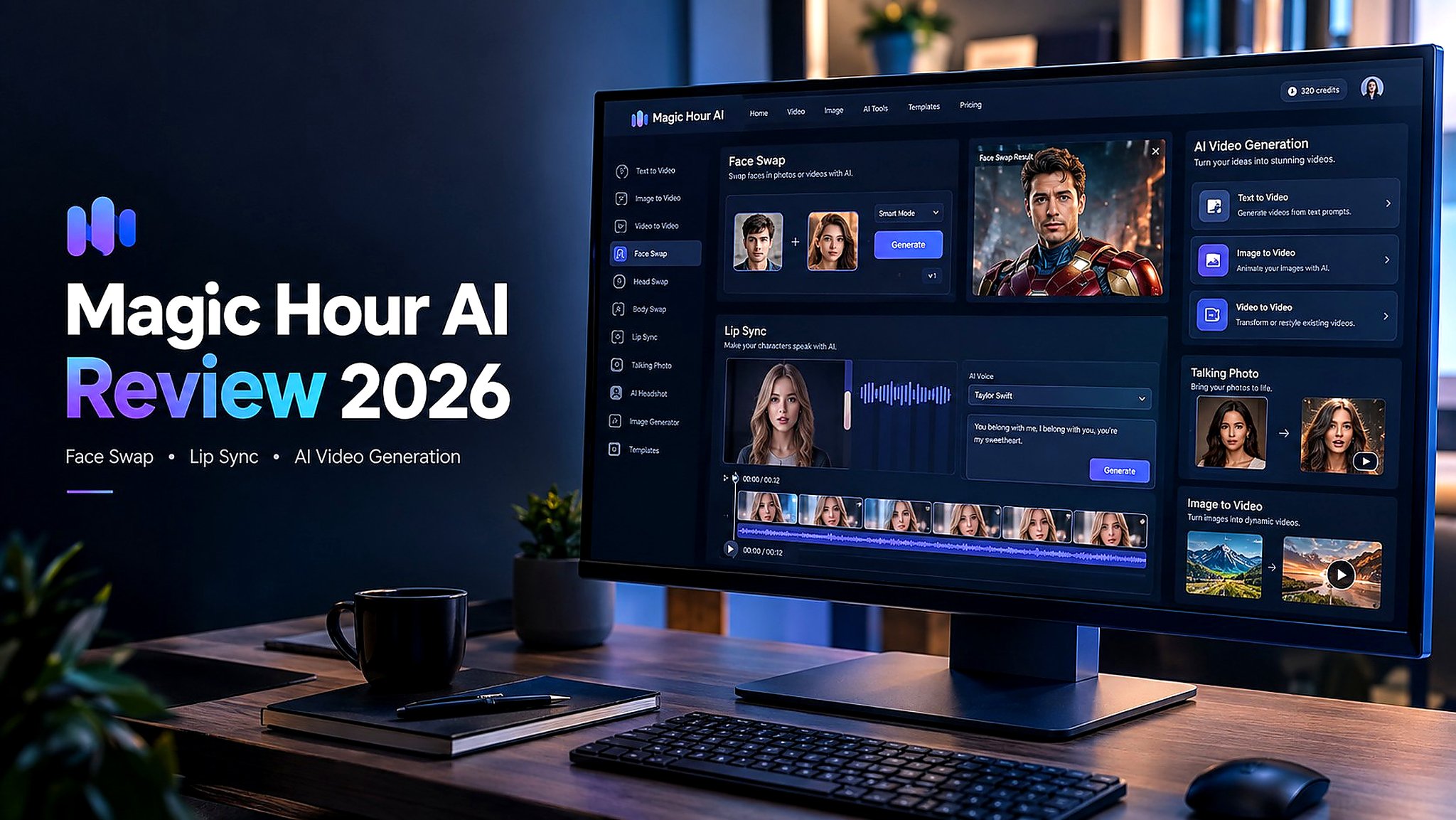

AI video creation has become much easier, but using multiple platforms for different tasks can still be frustrating. One tool may handle video generation well, while another is better for face swapping, talking photos, or image generation.
Magic Hour AI aims to solve that problem by bringing a broad collection of AI creative tools into one browser-based platform. It includes AI video generation, image generation, Face Swap, Head Swap, Body Swap, Lip Sync, Talking Photos, AI Headshots, and other creative features.
But having a large tool collection doesn’t automatically mean every feature works equally well.
So, how good is Magic Hour AI in 2026?
In this Magic Hour AI review, I’ll look at its main features, ease of use, Face Swap tools, Lip Sync capabilities, pricing model, advantages and limitations, and who the platform may be best suited for.
What Is Magic Hour AI?

Magic Hour AI is an online AI content creation platform designed to help users generate and transform images and videos without requiring advanced editing skills.
Instead of downloading professional editing software or moving between several specialized AI websites, users can access different creative tools from a single browser-based workspace.
The platform focuses heavily on AI video creation, with tools for generating videos from text, animating images, transforming existing footage, and creating character-focused content.
Some of its notable tools include:
- AI Text-to-Video
- AI Image-to-Video
- Video-to-Video
- Text-to-Image
- Image-to-Image
- Face Swap
- Head Swap
- Body Swap
- Lip Sync
- Talking Photos
- AI Headshots
- Creative templates
That makes Magic Hour AI particularly approachable for beginners and social media creators who want to experiment with AI-generated content without learning complicated editing software.
Magic Hour AI Features
Magic Hour AI offers a large selection of creative tools, but its video-focused features are arguably the most interesting.
AI Video Generator
Magic Hour AI supports several approaches to AI video generation.
With Text-to-Video, users can turn written descriptions into video concepts. Image-to-Video can animate a still image, while Video-to-Video allows existing footage to be transformed or restyled.
This combination gives creators several ways to start a project depending on the content they already have.
For example, someone could generate an image first and then animate it into a short video instead of creating the entire video from scratch.
AI Image Generator
Magic Hour AI isn’t limited to video.
Its image-generation tools allow users to create visuals from text prompts or transform existing images. These capabilities can also work as part of a larger video workflow.
A creator could generate an AI character, refine the visual concept, and then use that image as the starting point for an animation.
Face Swap
Face Swap is one of the platform’s most recognizable features.
The basic concept is straightforward: upload the source image and the target image, select the face-swap option, and generate a new image or video.
The appeal is particularly obvious for social media creators, meme creators, entertainment projects, and people experimenting with AI characters.
In simple images with reasonably aligned faces, the results can look surprisingly convincing. However, more complicated compositions can still produce artifacts or inconsistencies.
Head Swap
Head Swap goes beyond replacing just facial features.
The tool attempts to replace a person’s head while maintaining the surrounding body and scene. This can create more dramatic transformations, but it also gives the AI more visual information to process.
Hair, neck proportions, lighting, and the transition between the head and body can become challenging.
As a result, Head Swap may require more experimentation than a straightforward Face Swap.
Body Swap
Body Swap is an even more ambitious transformation.
Instead of changing only the face or head, the tool attempts to modify larger portions of a character or person’s appearance.
This can produce interesting creative effects, but maintaining clothing, body proportions, pose, lighting, and other details simultaneously is difficult for generative AI.
For that reason, users should expect that some generations may require multiple attempts.
AI Lip Sync
Magic Hour AI also includes a Lip Sync tool for animating characters or people based on audio.
Users can work with uploaded audio or generated speech, depending on the available workflow.
The goal is to synchronize mouth movement with the spoken or sung audio while adding enough facial or body movement to make the result feel like a real video.
This can be useful for:
- Talking photos
- Character videos
- Short social media clips
- AI presenters
- Creative experiments
- Music-related content
Talking Photos
Talking Photos is another beginner-friendly feature.
The idea is to take a still portrait and turn it into an animated talking character. This can be useful when someone wants to create a quick presentation-style video without recording themselves.
It’s also useful for experimenting with fictional characters, avatars, and social media concepts.
My Magic Hour AI Face Swap Experience

Face Swap was one of the features I would pay the most attention to because it provides an easy way to evaluate how well the platform handles faces, expressions, hair, lighting, and overall image consistency.
The process itself is simple.
You generally upload the required images, select the relevant swap mode, choose the available model or settings, and start generation.
One advantage is that the workflow doesn’t require extensive prompt engineering.
Face Swap Results
The standard Face Swap mode can produce impressive results when the source images have compatible angles and lighting.
Facial features tend to blend more naturally when the faces are clearly visible and positioned similarly.
The biggest advantage is convenience. You don’t need Photoshop or another advanced editor to experiment with a face replacement.
However, complicated images can still expose AI artifacts. Differences in lighting, face angle, hair, shadows, and image quality can affect the final result.
Head Swap Results
Head Swap is more demanding because the AI has to make the replacement work beyond the facial area.
The transition around the neck and hairline is particularly important.
When the source and target images don’t match well, the final result may have strange proportions or an unnatural connection between the head and body.
For casual content, this may be acceptable. For professional-looking imagery, users should inspect the result carefully.
Body Swap Results
Body Swap has the largest transformation area, which also creates more opportunities for visual inconsistencies.
Clothing, body proportions, hands, accessories, and other details can sometimes change during generation.
This is a common challenge with generative image technology: the AI isn’t simply copying one part of an image. It is reconstructing the scene based on its interpretation.
That means Body Swap can be fun for experimentation but isn’t necessarily something I’d rely on when exact visual consistency is essential.
Magic Hour AI Face Swap Comparison
| Feature | Face Swap | Head Swap | Body Swap |
|---|---|---|---|
| Main purpose | Replace facial identity | Replace the head area | Transform a larger portion of the body |
| Ease of use | Very easy | Easy | Easy |
| Visual consistency | Generally strongest with suitable images | Can vary around hair and neck | More variable |
| Best use | Social content and creative edits | Character experiments | Creative transformations |
| Potential issues | Facial artifacts in difficult images | Head/body transitions | Clothing and body distortions |
| Editing control | Limited | Limited | Limited |
The important takeaway is that the three modes aren’t interchangeable. Face Swap generally requires less reconstruction than Head Swap or Body Swap, so users looking for a straightforward facial transformation may have an easier time with the standard Face Swap workflow.
Magic Hour AI Lip Sync Test

Lip Sync is another feature worth examining because generating a talking image is considerably more complicated than simply replacing a face.
The basic workflow is beginner-friendly. You provide an image and audio or text, then let the AI generate the animated result.
The platform can create additional movement rather than keeping the subject completely static.
That can make the final video feel more dynamic.
However, lip synchronization is not always perfect.
Depending on the audio and source image, mouth movements may occasionally appear slightly delayed, stiff, or disconnected from the speech. Image quality can also change once a still image is converted into video.
For short social media content, these imperfections may not be a major problem. For professional presentations, advertisements, or polished character animation, you’ll probably want to review the output carefully.
How Easy Is Magic Hour AI to Use?
Ease of use is one of Magic Hour AI’s strongest characteristics.
Most workflows follow a familiar pattern:
Upload → Select a tool → Configure settings → Generate → Review
You don’t need extensive experience with video editing to understand the basic interface.
The browser-based approach also means there’s no complicated software installation process.
This makes the platform especially approachable for beginners who want to experiment with AI content creation.
The tradeoff is that simplicity can also mean fewer advanced controls.
If an AI-generated result isn’t quite right, you may not always have detailed tools for manually correcting every individual element. In those situations, regenerating the content may be the simplest option.
Magic Hour AI Templates
Templates can make the platform even easier to use.
Instead of starting every project from a blank canvas, users can explore predefined creative concepts and adapt them for their own content.
Templates are particularly useful for people who don’t know exactly how to structure an AI generation prompt.
However, templates also have limitations.
Creators who want complete control over composition, character appearance, motion, and individual details may eventually find the preset approach restrictive.
Magic Hour AI Pros and Cons
Pros
- Wide selection of AI image and video tools
- Face Swap is simple to use
- Beginner-friendly browser interface
- Supports multiple AI video-generation workflows
- Includes Head Swap and Body Swap
- Lip Sync and Talking Photos are available
- Templates make experimentation easier
- Useful for social media and short-form content
- No advanced video-editing experience required
- Multiple creative functions available in one platform
Cons
- Results can vary between generations
- Complex Body Swap edits may create visual inconsistencies
- Head Swap can struggle with hair and neck transitions
- Lip-sync quality isn’t always perfectly synchronized
- Limited post-generation editing control
- Regenerating content can consume additional credits
- Longer video generations can require more credits
- Professional workflows may require more precise controls
Magic Hour AI vs Traditional Editing Software
The biggest difference between Magic Hour AI and traditional editing software is the amount of manual work involved.
With conventional software, a creator may need to manually mask a face, adjust color, track movement, refine edges, and composite multiple layers.
Magic Hour AI automates much of that process.
That’s convenient, particularly for beginners.
But automation also means giving the AI control over the final reconstruction. If the generated result contains an unwanted change, you may have less precise control over correcting it.
So the choice largely depends on the workflow.
If speed and experimentation matter most, an AI-first platform can be convenient. If precise manual control is essential, professional editing software still has an important role.
Magic Hour AI vs PicLumen
Creators who want more than AI video effects may also consider platforms that combine image and video generation.
| Feature | Magic Hour AI | PicLumen |
|---|---|---|
| AI Image Generation | Yes | Yes |
| AI Video Generation | Yes | Yes |
| Face Swap | Yes | Depends on available tools |
| Lip Sync | Yes | Different creative workflow |
| Text-to-Image | Yes | Yes |
| Image-to-Video | Yes | Yes |
| Workflow | Video and effects focused | Image and visual creation focused |
| Templates | Available | Creative generation workflows |
| Best suited to | Face swaps, AI effects, short videos | Image creation and image-to-video workflows |
These platforms approach AI content creation somewhat differently. Magic Hour AI puts considerable emphasis on video effects and character-focused tools, while an image-first workflow can be more useful for creators who want to develop a visual concept before turning it into motion.
Magic Hour AI Pricing

Magic Hour AI uses a credit-based generation system.
New users can access free credits, allowing them to test the platform before committing to a paid plan. Additional free credits may also be available through the platform’s current usage or daily-credit system.
The main thing to understand is that different AI generations can consume different amounts of credits.
Short or simple generations may be relatively inexpensive, while longer or more computationally demanding video tasks can use credits considerably faster.
This matters if you frequently regenerate content.
For occasional experimentation, the free access can be useful. Heavy users should pay attention to credit consumption before choosing a subscription.
Because AI pricing and credit requirements can change, it’s worth checking Magic Hour’s current pricing page before purchasing a plan.
Is Magic Hour AI Worth It?
Magic Hour AI is an interesting option for creators who want to experiment with AI-generated images and videos without dealing with complicated editing software.
Its strongest appeal is the combination of accessibility and variety.
You can explore Face Swap, Head Swap, Body Swap, Lip Sync, Talking Photos, image generation, and video generation from the same browser-based platform.
The Face Swap feature is particularly useful for quick creative projects, while the more advanced swap modes can be interesting for experimentation.
At the same time, users shouldn’t expect every generation to be perfect. Complex transformations can produce inconsistent details, and Lip Sync may require several attempts before you get a result you’re comfortable publishing.
The credit system is another factor to consider, especially for frequent video generation and repeated regenerations.
Overall, Magic Hour AI makes the most sense for users who prioritize speed, convenience, and creative experimentation. It’s a practical way to explore AI video effects and image transformations without needing extensive technical skills.
For professional production, however, I’d recommend treating AI-generated results as material that may still need review and additional editing.
Final Verdict
Magic Hour AI brings a surprisingly broad selection of AI creation tools into one platform.
Its video-first approach makes it particularly interesting for creators working with Face Swap, Lip Sync, Talking Photos, and short-form AI video.
The standard Face Swap workflow is straightforward, while Head Swap and Body Swap offer more ambitious transformations at the cost of greater potential inconsistency.
Lip Sync is useful for quickly animating still images, although the quality of synchronization can vary depending on the project.
The platform isn’t designed to replace professional editing software in every workflow. Instead, its biggest advantage is making AI-powered creative effects accessible to ordinary users.
If you want a simple way to experiment with AI images, videos, face swaps, and animated characters from one browser-based platform, Magic Hour AI is worth exploring. If your projects demand precise manual editing and highly consistent production results, you’ll likely want to combine it with dedicated editing software.
