

Making a good marketing video sounds simple until you actually have to produce one. You need a script, presenter, camera, lighting, voiceover, editing, subtitles, and often several versions for different audiences. If the campaign is international, the workload grows even further.
Akool is designed to simplify much of that process with AI.
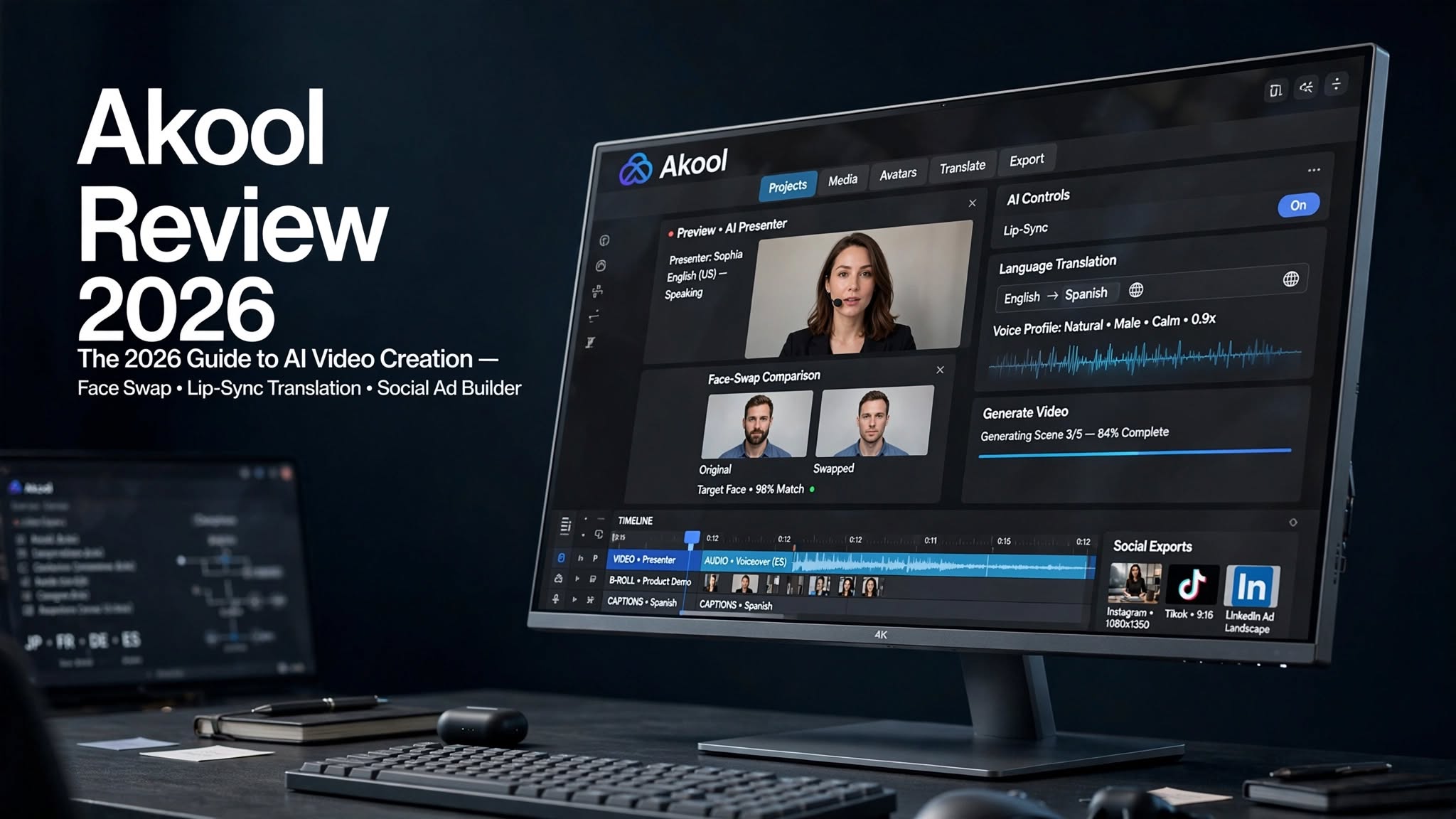
Instead of focusing on just one type of generation, Akool brings together AI video generation, digital avatars, face swapping, video translation, lip syncing, image creation, voice tools, and marketing-focused features in one platform.
I wanted to see whether all those tools actually make the video creation process easier or whether Akool is simply another AI platform with an impressive feature list.
After looking closely at its main workflows, this Akool review covers the features that stand out, the areas where the platform still has limitations, how the credit system works, and whether Akool makes sense for creators and businesses in 2026.
What Is Akool?

Akool is an AI-powered content creation platform built around video, digital humans, personalization, and media localization.
The platform runs through a web browser, so there is no complicated editing software to install before you can start experimenting. Users can create AI-generated videos, produce avatar-based presentations, modify faces, translate existing videos, generate images, and work with AI voices from the same general ecosystem.
One thing that makes Akool different from a simple text-to-video generator is the variety of workflows available.
You might begin with a text prompt, an image, an existing video, a product photograph, or an avatar. From there, Akool provides different tools for transforming that material into marketing or social content.
That flexibility is particularly useful for businesses because video production rarely consists of one task.
A typical campaign may involve creating a presenter, generating a product scene, recording or generating a voice, translating the video, and then making several variations for different platforms.
Akool attempts to bring those jobs together.
Akool Features and Highlights
Akool has a broad collection of AI-powered creative tools.
Some of the main highlights include:
- AI video generation
- Text-to-video creation
- Image-to-video generation
- AI face swapping
- AI avatars
- Talking photos
Akool AI Video Generator Review

The first question most people will probably have is whether Akool can actually generate useful AI videos.
The answer depends heavily on what you want to create.
Akool supports several video-generation approaches, including text-based and image-based workflows. This gives you more flexibility than a platform that only accepts text prompts.
For simple promotional concepts, product scenes, social clips, and visual experiments, the workflow can be quite convenient.
One advantage is the availability of different AI models. Instead of being locked into one generation engine, users can experiment with different models depending on the type of result they’re after.
That can be useful because no single AI video model performs perfectly across every situation.
Some generations may have impressive motion but weaker consistency. Others may produce attractive visuals but struggle with complicated instructions.
Akool’s multi-model approach gives users more room to experiment.
The downside is that this can also make the platform feel complicated when you’re just getting started. With multiple models, settings, and generation options available, beginners may need some time to figure out which workflow fits their project.
Akool AI Avatar Review
AI avatars are another major part of Akool.
Instead of recording a person every time you need a new presentation, you can use a digital presenter and generate a video from a script.
This can be useful for businesses that regularly publish educational or promotional content.
For example, a company could create a digital presenter for:
- Product explainers
- Sales presentations
- Training material
- Social media videos
- Tutorials
Changing the script doesn’t require another recording session. You can make revisions and produce new versions without booking a studio or asking a presenter to record the same material repeatedly.
The avatars can also produce convincing facial expressions and speech movements.
However, there is still a difference between looking realistic and behaving exactly like a real person.
Body movement and gestures can sometimes feel limited, especially when the avatar is expected to deliver a longer presentation. For short promotional clips, this may not be a major issue. For long-form videos, viewers may notice the artificial movement more easily.
Akool Video Translation and Lip Sync
Akool’s video translation tools could be especially valuable for businesses with international customers.
Instead of recording the same video separately in every language, you can use AI to translate the spoken content and synchronize the speaker’s mouth movements with the new dialogue.
This makes the feature useful for:
- International advertising
- Online courses
- Product tutorials
- YouTube videos
- Training programs
- Corporate communications
- Multilingual social campaigns
Akool attempts to address this by adapting the visible mouth movements to the translated speech.
The result can be much more natural than conventional dubbing.
Still, automatic translation shouldn’t always be treated as final copy. Marketing slogans, technical terminology, jokes, and culturally specific language can require human editing before publication.
Akool AI Image Generator
Although Akool is mainly associated with AI video, it also offers image-generation and image-editing capabilities.
This makes sense because images often play an important role in video creation.
You can create visual concepts, generate backgrounds, prepare supporting graphics, or develop assets that can later be incorporated into a video workflow.
The convenience of having these tools in the same platform is the main attraction.
For example, an e-commerce marketer could create a product image, generate a more suitable background, and then use that visual as part of a video campaign without constantly moving between different applications.
However, users looking specifically for highly advanced digital artwork may want a platform that is more heavily focused on image creation.
Akool’s image tools are more valuable when they are part of a larger video-production workflow.
Akool for E-Commerce Marketing
E-commerce is one of the areas where Akool’s combination of features makes practical sense.
Online stores constantly need fresh advertisements, product videos, social clips, and creative variations. Producing every version with traditional filming can become expensive and slow.
AI can reduce some of that repetitive work.
A product campaign could combine an existing product image with an AI-generated environment, an avatar presenter, a voiceover, and different versions of the finished video.
You can also adapt the same general creative concept for different markets.
This doesn’t mean AI automatically produces better advertisements than professional production.
Rather, it gives marketing teams a faster way to test ideas.
For businesses running multiple campaigns at once, that flexibility can be useful.
AI Face Swap

Face swapping is one of Akool’s most recognizable features and remains one of the more practical reasons to try the platform.
The basic workflow involves providing suitable source media and replacing the face with another identity.
This opens up several creative possibilities for social media content, advertising variations, character experiments, and promotional videos.
The quality is generally strongest when the original footage has:
- Good lighting
- A clearly visible face
- Moderate camera movement
- Suitable facial angles
- Minimal obstruction
However, face swapping isn’t completely foolproof.
Complicated facial accessories, extreme angles, rapid movement, poor lighting, or objects crossing the face can make imperfections easier to notice.
That means I wouldn’t treat AI face swapping as a completely hands-off production process. For anything going into a paid advertising campaign, every generated clip should still be reviewed carefully.
Akool Pros and Cons
Pros
- Wide selection of AI video tools
- Strong face-swap functionality
- AI avatar creation is useful for presenter-style content
- Video translation simplifies multilingual production
- Lip-sync technology improves translated videos
- Multiple AI models are available
- Useful features for e-commerce marketing
- Supports AI image and voice workflows
- Browser-based platform is convenient
- Suitable for creating multiple content variations
Cons
- Credit usage can become difficult to predict
- Different models can produce noticeably different results
- Complex face-swap footage may show artifacts
- Avatar body movement can sometimes feel unnatural
- Large feature set may overwhelm beginners
- High-volume production can increase costs
- Specialized creative tools may offer deeper control in individual areas
Akool vs Traditional Video Production
The biggest advantage of Akool isn’t necessarily replacing professional video production entirely.
It’s reducing the amount of production required for every new variation.
Imagine you have a product video that needs to be adapted for five different markets.
Traditional production might require new presenters, recordings, voiceovers, and editing for each version.
With AI-based tools, much of that adaptation can happen digitally.
The same applies to social media.
Instead of recording ten slightly different versions of an advertisement, marketers can create variations from a common starting point.
This makes Akool particularly interesting for high-volume content workflows.
For premium brand campaigns where cinematography, real actors, physical products, and precise art direction are essential, traditional production still has important advantages.
Akool vs Other AI Video Generators
Akool sits in a somewhat different category from a pure generative-video platform.
A conventional AI video generator may concentrate primarily on turning prompts into short video clips.
Akool goes further by combining generation with avatars, face swapping, translation, lip sync, image creation, voice tools, and marketing workflows.
That broader approach can be useful if your projects involve real people or digital presenters.
On the other hand, if your only goal is generating cinematic scenes from detailed text prompts, you may prefer a platform designed specifically around generative video.
The comparison therefore depends on the workflow rather than simply the number of features.
Who Should Consider Other Tools?
Akool may not be necessary for everyone.
If you only need occasional AI-generated images, its large collection of video and avatar tools may be more than you need.
Similarly, professional filmmakers who want complete frame-by-frame control may prefer conventional editing, compositing, and production software.
Akool makes more sense when speed, automation, personalization, and content volume are priorities.
Akool Pricing: How the Credit System Works

Pricing is one part of Akool that deserves more attention than simply looking at the monthly subscription cost.
Akool uses a credit-based system for many of its AI features.
Your credit consumption can depend on factors such as the type of tool, selected model, output resolution, video duration, and number of generations.
This means two users paying for the same plan could potentially use their credits at very different speeds.
Someone creating occasional short clips may find the allocation sufficient, while a marketing agency generating dozens of high-resolution videos could burn through credits much faster.
Before choosing a paid plan, it’s therefore worth estimating how much content you actually expect to produce each month.
Does Akool Have a Free Plan?
Yes, Akool offers free access so users can test parts of its platform before committing to a paid subscription.
The free experience comes with restrictions, and the exact capabilities available can vary between tools.
For someone researching AI video software, the free option is useful for getting familiar with the interface and testing the basic workflows.
Commercial users should also check the licensing terms associated with their selected plan before using generated material in paid campaigns.
Is Akool Worth Trying in 2026?
Akool has become much more than a face-swapping application.
The platform now brings together a broad collection of AI media tools, including AI video generation, digital avatars, face swapping, video translation, lip sync, image generation, voice tools, and e-commerce content creation.
Its biggest strength is the ability to connect these capabilities within one workflow.
The main issue to watch is credit consumption. Anyone planning to generate content heavily should understand how their chosen models and features affect usage before committing to a large production plan.
For marketers and businesses creating frequent promotional, social, multilingual, or avatar-based videos, Akool provides a useful collection of tools to experiment with.
For casual creators who only want an occasional AI image or video, a more specialized and simpler platform may be sufficient.
Final Thoughts
Akool is an interesting option for anyone who wants to move beyond basic text-to-video generation.
Its combination of face swapping, AI avatars, video translation, lip sync, generative video, image creation, and marketing tools makes it particularly suited to businesses that need a steady stream of content.
The platform isn’t perfect. Credit-based usage requires attention, AI-generated results can vary, and digital presenters don’t always behave exactly like real people.
But if your priority is producing more video content with fewer traditional production steps, Akool is worth putting on your shortlist of AI video platforms to test in 2026.
Frequently Asked Questions
What is Akool used for?
Akool is used for AI video generation, face swapping, AI avatars, video translation, lip syncing, image creation, voice generation, and marketing content.
Is Akool an AI video generator?
Yes. Akool provides AI video-generation workflows alongside other tools such as avatars, face swapping, translation, and editing.
Can Akool create AI avatar videos?
Yes. Users can create videos featuring digital avatars and provide scripts for the avatar to deliver.
Does Akool support face swapping?
Yes. Face swapping is one of Akool’s core AI features and can be used for creative and marketing content.
Can Akool translate a video?
Yes. Akool provides AI video translation and lip-sync capabilities designed to help businesses create multilingual versions of existing videos.
Does Akool have image generation?
Yes. The platform also provides AI image-generation and image-editing capabilities that can complement its video tools.
Is Akool free?
Akool provides free access with limitations. Users requiring greater usage, additional capabilities, or commercial workflows can explore its paid plans.
Is Akool good for e-commerce?
Akool can be useful for e-commerce because its toolkit includes product-focused advertising workflows alongside AI video, avatars, images, voices, and localization features.
