
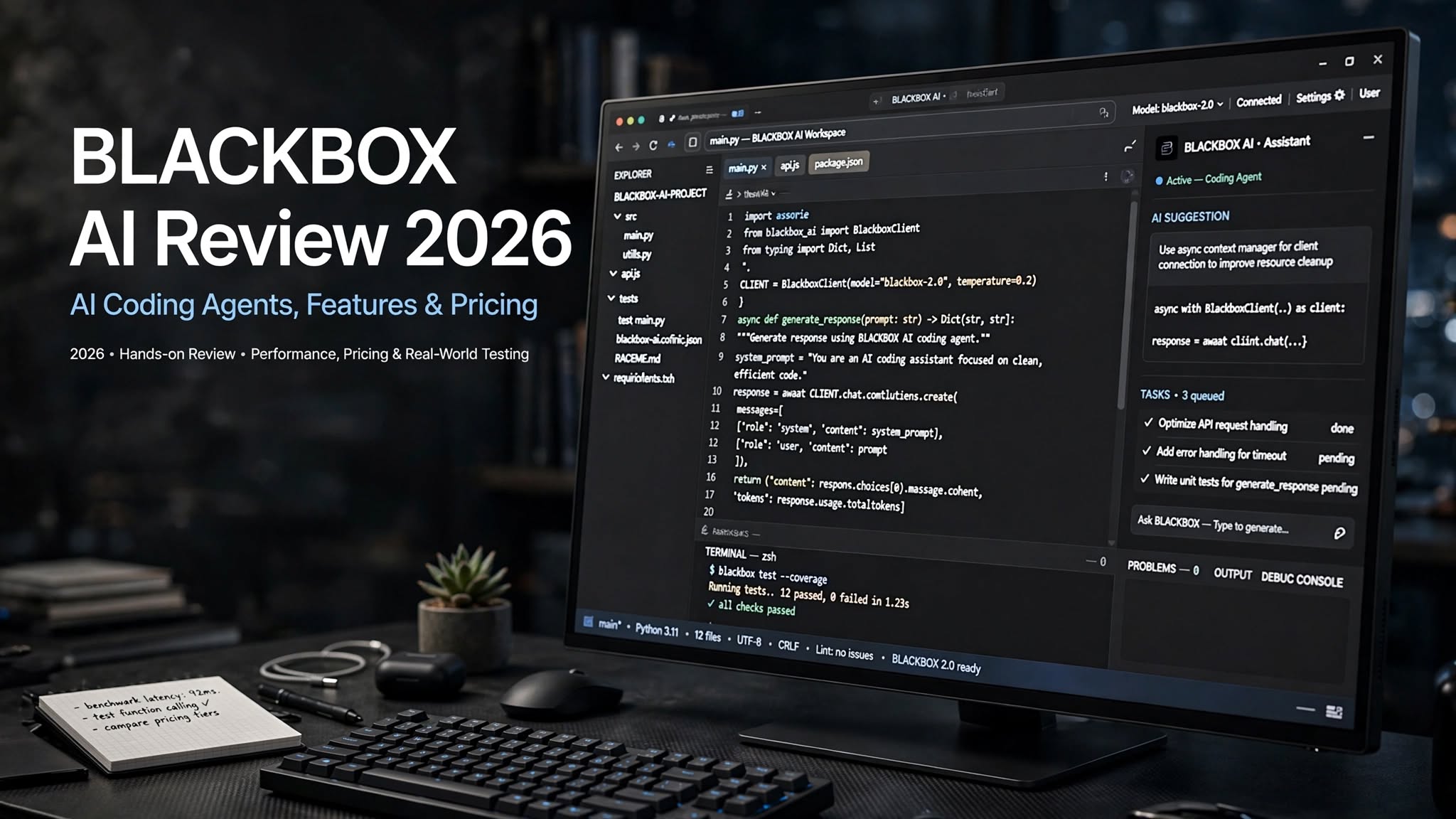

AI coding tools have changed the way developers build websites, applications, scripts, and software. Instead of writing every line manually, developers can now describe what they want and let an AI assistant generate, modify, explain, and debug code.
BLACKBOX AI is one of the platforms taking this idea further. Rather than focusing only on autocomplete, BLACKBOX AI combines AI coding assistance, coding agents, multiple AI models, an AI development environment, command-line tools, APIs, and automated development workflows.
In this BLACKBOX AI review 2026, we look at what the platform offers, its main features, pricing considerations, advantages and limitations, who it is best suited for, and whether it makes sense for your development workflow.
What Is BLACKBOX AI?

BLACKBOX AI is an AI-powered development platform designed to help developers write and work with code more efficiently.
Its ecosystem has expanded beyond a traditional code-completion assistant. Depending on the product surface, developers can use BLACKBOX AI through an AI development environment, VS Code, command-line tools, coding agents, and APIs.
One of the platform’s major selling points is access to a large collection of AI models. BLACKBOX currently promotes access to 300+ models through its router, allowing developers and organizations to work with different models through a unified interface.
The platform also includes agent-based development features. Instead of simply suggesting the next line of code, an AI agent can work on a larger development task, inspect files, execute commands, make changes, and help move a project toward completion.
This makes BLACKBOX AI particularly interesting for developers who want more than a basic AI autocomplete tool.
BLACKBOX AI Review: Quick Overview
| Feature | BLACKBOX AI |
|---|---|
| Category | AI coding and development platform |
| AI coding assistance | Yes |
| AI coding agents | Yes |
| Model access | 300+ models through its platform |
| IDE support | Yes |
| Command-line tools | Yes |
| API | Yes |
| Multi-agent workflows | Yes |
| Code generation | Yes |
| Code debugging | Yes |
| Project assistance | Yes |
| Free access | Available on some developer surfaces |
| Enterprise options | Available |
The exact features, model availability, usage limits, and pricing can vary between BLACKBOX AI products, so users should check the current plan and product interface before subscribing.
Key BLACKBOX AI Features

1. AI Code Generation
The core purpose of BLACKBOX AI is to make programming faster.
You can describe what you want in natural language and use the AI to generate code. For example, you might ask it to create a React component, write a Python function, build an API endpoint, or modify an existing section of a project.
This can be especially useful when you understand the desired functionality but don’t want to manually write repetitive boilerplate code.
2. AI Coding Agents
Coding agents are one of the more advanced parts of the BLACKBOX AI ecosystem.
Instead of asking AI a single question and copying the response, an agent can work through a development task using tools and project files. BLACKBOX’s Agents API supports creating agent runs, monitoring activity, inspecting files, continuing existing tasks, and working with connected Git repositories.
This type of workflow can be useful for tasks such as:
- Implementing a feature
- Fixing bugs
- Modifying multiple files
- Running development commands
- Testing changes
- Reviewing implementation approaches
- Preparing changes for a pull request
3. Access to Multiple AI Models
Another major BLACKBOX AI feature is its model ecosystem.
BLACKBOX promotes a large catalog of open and closed models accessible through its routing infrastructure. The official model catalog currently lists models from numerous providers and allows users to compare model capabilities and pricing.
This gives developers more flexibility than being permanently tied to a single AI model.
Different models can behave differently when handling:
- Coding
- Reasoning
- Debugging
- Long-context tasks
- Documentation
- Refactoring
- Agentic workflows
4. BLACKBOX CLI
BLACKBOX also provides a command-line coding agent designed for developers who prefer working directly in a terminal.
Its CLI includes a plan mode that can break a complex task into steps before changes are applied. It also supports parallel agents and integrations such as MCP servers, plugins, hooks, and skills.
This is particularly relevant for experienced developers who already spend much of their time inside the terminal.
Instead of switching between a browser-based chatbot and a terminal, they can bring AI-assisted development directly into their existing workflow.
5. Multi-Agent Development
BLACKBOX AI has also introduced multi-agent workflows.
Its platform can send the same development task to multiple coding agents and compare their implementations. The official Agents API documentation describes workflows involving BLACKBOX, Claude Code, Codex, and Gemini, with a Chairman LLM used to evaluate implementations.
This approach can be useful when a development problem has multiple possible solutions.
Rather than relying on the first generated answer, developers can compare different approaches and then review the resulting implementation.
6. AI Development Environment
BLACKBOX AI is not limited to a simple chatbot.
The platform is designed around an AI-assisted development workflow where developers can use AI for code generation, project modification, debugging, and other software-development tasks.
This makes it more suitable for people who want AI to participate in the development process rather than simply answer programming questions.
7. API and Automation
For businesses and advanced developers, BLACKBOX AI also provides APIs.
The Agents API can be used to create coding-agent runs programmatically, stream task events, inspect sandbox files, continue tasks, and connect development workflows with Git repositories. Successful runs can also be turned into reviewable pull requests.
This opens the door to more automated development workflows.
For example, a team could potentially integrate AI agents into internal development systems instead of manually opening a chatbot every time they need assistance.
BLACKBOX AI for Beginners

BLACKBOX AI can be useful for beginners because natural-language prompts reduce the amount of syntax a new programmer needs to remember.
A beginner could ask the AI to:
- Explain a piece of code
- Create a basic HTML page
- Fix a syntax error
- Explain an error message
- Convert code between languages
- Add comments to a function
- Build a simple component
Understanding why the code works is still important. AI can produce incorrect logic, outdated approaches, security problems, or code that technically runs but does not satisfy the actual requirements.
For learning purposes, BLACKBOX AI works best when it is used as an assistant rather than a replacement for understanding programming fundamentals.
BLACKBOX AI for Experienced Developers
Experienced developers may get more value from BLACKBOX AI’s agent and automation capabilities.
Instead of asking AI to generate isolated snippets, developers can use agents to work with larger projects and more complicated tasks.
The CLI, APIs, multi-agent workflows, model selection, and project-level assistance make BLACKBOX AI more relevant to professional development environments.
The platform’s enterprise offering also focuses on features such as dedicated deployments, security controls, SSO, RBAC, audit logs, data residency, and contractual zero-data-retention options.
BLACKBOX AI Pros and Cons
Pros
- Large selection of AI models
- AI-powered code generation
- Coding agents for multi-step tasks
- Command-line AI development tools
- Multi-agent workflows
- API access for automation
- Supports different development workflows
- Useful for beginners and experienced developers
- Can reduce repetitive coding work
- Enterprise security and deployment options
Cons
- Pricing and usage structures can be difficult to understand
- AI-generated code still requires review
- Different models can produce different results
- Advanced features may have a learning curve
- Heavy AI usage can increase costs
- Agent-based workflows require appropriate permissions
- Not every generated solution will be production-ready
Is BLACKBOX AI Easy to Use?
For basic coding assistance, BLACKBOX AI is relatively straightforward.
You can describe a task using natural language and let the AI provide a response or implementation. Developers familiar with tools such as VS Code or terminal-based development can also integrate AI assistance into a more traditional workflow.
The more advanced features are naturally more complicated.
Working with coding agents, model selection, APIs, repositories, command-line tools, and automated workflows requires a stronger understanding of software development.
So, BLACKBOX AI is easy to start with but offers enough advanced functionality to keep experienced developers busy.
BLACKBOX AI Pricing

BLACKBOX AI pricing can be slightly confusing because the platform has evolved into several products, including consumer developer tools and enterprise inference infrastructure.
Some 2026 documentation and independent reviews have listed individual developer subscriptions such as Free, Pro, Pro Plus, and Pro Max, with paid plans starting around the $10-per-month range. However, pricing, credits, model allowances, and plan structures can change, and different BLACKBOX AI surfaces may display different pricing.
The current official enterprise pricing structure is based around committed token usage rather than a traditional per-seat subscription. BLACKBOX states that enterprise customers can access its 300+ model catalog through one endpoint, with pricing based on token consumption and contractual commitments.
Therefore, if you are considering a paid BLACKBOX AI plan, it is important to check the live pricing page and your account dashboard before purchasing.
Does BLACKBOX AI Have a Free Option?
BLACKBOX AI has offered free access on its developer-facing products, allowing users to test AI-assisted coding before committing to a paid plan.
Free availability and included usage can change over time, so the exact limits should be checked when signing up.
For casual coding, learning, experimentation, and small projects, a free option can be a practical way to determine whether the workflow fits your needs.
BLACKBOX AI vs Traditional Coding Assistants
Traditional AI coding assistants generally focus on autocomplete, code generation, chat, and basic programming support.
BLACKBOX AI attempts to go further by combining several components into a broader development platform.
Its main difference is the combination of:
- Multiple AI models
- Coding agents
- IDE integration
- CLI development
- APIs
- Multi-agent execution
- Automated development workflows
At the same time, a developer who only needs simple autocomplete may not need all of these capabilities.
Is BLACKBOX AI Good for Coding?
BLACKBOX AI can be useful for coding, particularly when you want help generating code, debugging problems, exploring different implementations, or handling larger development tasks.
Its value is less about eliminating the need to program and more about reducing the amount of repetitive work developers need to perform manually.
For example, developers can use it to generate boilerplate, explain unfamiliar code, troubleshoot errors, create tests, refactor existing files, or delegate bounded tasks to coding agents.
The important point is that AI-generated code should be tested and reviewed. BLACKBOX itself promotes agentic development workflows, but developers remain responsible for validating the resulting changes.
BLACKBOX AI Security and Privacy
Privacy is increasingly important when developers use AI with proprietary source code.
BLACKBOX’s enterprise platform emphasizes end-to-end encryption and zero-data-retention architecture. Its official materials state that the Blackbox Router is designed around zero retention and no training, while enterprise deployments can include additional controls such as SSO, RBAC, audit logs, and dedicated infrastructure.
However, privacy expectations can differ depending on the specific BLACKBOX product, model, account type, and configuration.
Before sending confidential source code or sensitive business information to any AI platform, developers should review the applicable privacy and data-handling terms.
Who Is BLACKBOX AI Best For?
BLACKBOX AI can be particularly useful for:
Developers
Developers can use it for code generation, debugging, refactoring, testing, and project-level tasks.
Software Engineering Teams
Teams can use coding agents and APIs to experiment with more automated development workflows.
Students
Students can use BLACKBOX AI to understand programming concepts, debug assignments, and experiment with different languages.
Startup Teams
Small teams may find multi-model and agent-based workflows useful when they want to automate repetitive development work.
AI Experimenters
Developers who enjoy testing different AI models may appreciate BLACKBOX’s large model catalog and routing approach.
Who May Not Need BLACKBOX AI?
BLACKBOX AI may be unnecessary if you only want a simple autocomplete tool or occasional programming assistance.
It can also feel overwhelming if you are completely new to software development and immediately jump into agents, APIs, CLI tools, and multi-agent workflows.
In that situation, starting with basic code generation and explanation features may be more practical.
Final Verdict: Is BLACKBOX AI Worth It?
BLACKBOX AI has grown beyond the traditional AI code assistant.
Its combination of AI coding agents, multiple models, CLI tools, APIs, development environments, and multi-agent workflows makes it a broad platform for AI-assisted software development. Its official platform currently positions the service around both developer tooling and large-scale AI inference, including access to 300+ models.
The biggest advantage is flexibility. Developers can use AI for everything from simple code suggestions to more complex agent-based development tasks.
The biggest consideration is complexity. More models, agents, credits, APIs, and development surfaces mean users need to understand how their chosen workflow works and monitor AI-generated changes carefully.
For developers who want to experiment with agentic coding and multiple AI models, BLACKBOX AI is a platform worth exploring. For simple coding assistance, however, its broader feature set may be more than you actually need.
Overall, BLACKBOX AI is best approached as an AI-powered development platform rather than simply another autocomplete extension.
Frequently Asked Questions
What is BLACKBOX AI?
BLACKBOX AI is an AI-powered development platform that provides code generation, coding agents, multiple AI models, CLI tools, APIs, and other developer-focused features.
Is BLACKBOX AI free?
BLACKBOX AI has offered free access on developer-facing products, although available features and usage limits can change. Check the current plan displayed when you sign up.
Is BLACKBOX AI good for beginners?
Yes. Beginners can use it to generate code, explain programming concepts, and troubleshoot errors. However, learning the underlying programming concepts remains important.
Can BLACKBOX AI write an entire application?
Its coding agents can handle multi-step development tasks and work with project files, but the resulting application still needs testing, review, and debugging.
