
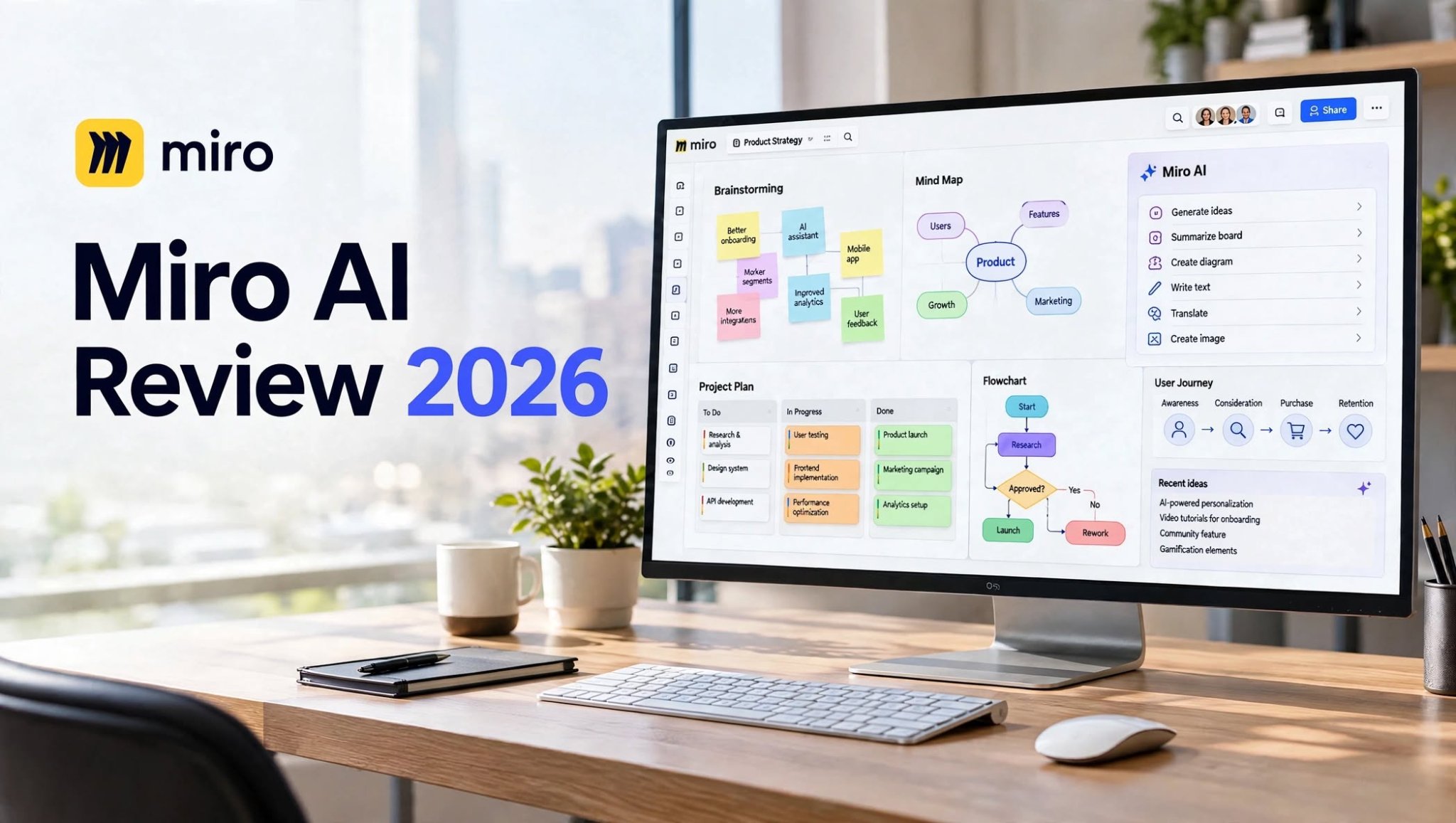

Miro has long been known as a powerful online whiteboard for brainstorming, workshops, product planning, and team collaboration. With the addition of Miro AI, the platform has expanded beyond traditional visual collaboration and now combines an intelligent canvas with AI-powered content creation, summarization, diagramming, and workflow automation.
Instead of moving between a whiteboard, AI chatbot, document editor, and project management tool, teams can use Miro AI directly inside the workspace where their ideas and project information already live.
But is Miro AI actually useful for everyday work, or is it simply another AI feature added to a collaboration platform?
In this Miro AI review 2026, we’ll look at its features, AI capabilities, pricing structure, pros and cons, use cases, limitations, and who can benefit most from it.
What Is Miro AI?

Miro AI is a collection of AI-powered features built into the Miro visual workspace. It helps users generate content, organize information, summarize discussions, create diagrams, refine text, translate content, and analyze material already placed on a Miro board.
One of its biggest differences from standalone AI tools is its ability to work with the context already available on your canvas. Miro describes the canvas as a source of context for AI, allowing teams to build on existing brainstorming sessions, diagrams, research, notes, and project information.
Miro AI is available across Miro’s Free, Starter, Business, Enterprise, and Education plans, although the amount of AI usage and access to advanced capabilities varies by plan.
Miro AI Highlights
- AI-powered brainstorming and content generation
- AI summaries for discussions and board content
- Automatic diagram and mind-map creation
- AI-powered clustering of sticky notes
- Text rewriting and grammar improvement
- Translation into multiple languages
Miro AI Features
1. AI-Powered Brainstorming
One of the most useful aspects of Miro AI is its ability to turn simple prompts into structured ideas.
You can use AI to generate ideas from scratch or use existing content on your board as context. This makes it particularly useful during brainstorming sessions, product discovery, workshops, and planning exercises.
For example, a product team could ask Miro AI to generate potential customer problems, feature ideas, user personas, or research themes and then continue organizing those ideas visually on the canvas.
Miro’s Create with AI feature can work with existing board content as well as direct prompts.
2. Generate Diagrams and Mind Maps

Miro AI can create diagrams and mind maps from natural-language instructions.
You can describe a process, system, or collection of ideas and have Miro generate a visual structure. Users can then edit and refine the generated diagram directly on the board.
Miro also supports converting hand-drawn diagrams into editable board objects, which can be useful when moving from workshop sketches to organized digital documentation.
This can save time for teams that frequently create:
- Flowcharts
- Mind maps
- Process diagrams
- System diagrams
- User journeys
- Concept maps
3. Summarize Board Content
Large Miro boards can quickly become difficult to review, especially after workshops or research sessions.
Miro AI can analyze collections of sticky notes, comments, and other text-based information to identify important themes and produce concise summaries.
It can also help surface potential next steps, making it easier to turn an unstructured brainstorming session into something actionable.
4. AI Clustering
Another useful feature is AI-powered clustering.
Instead of manually moving hundreds of sticky notes into categories, Miro AI can group related notes based on factors such as keywords and sentiment.
This can be particularly helpful for:
- User research
- Customer feedback
- Brainstorming
- Affinity mapping
- Thematic analysis
5. AI for Docs and Text
Miro AI isn’t limited to sticky notes and diagrams.
It can generate documents such as research summaries, design briefs, proposals, outlines, and other structured text from prompts or selected board content.
You can also use AI to rewrite text, fix grammar, shorten content, improve clarity, adjust tone, and translate text. Miro currently supports translation into 17 languages for this feature.
This makes Miro more useful as a complete workspace rather than simply a digital whiteboard.
6. AI Image Generation
Miro AI can also generate images using prompts and existing board context.
This can be useful when teams want to create visual concepts during brainstorming without leaving their workspace.
For example, a marketing team could use AI to explore campaign concepts, while a product team could generate visual references during an early design workshop.
7. Conversation Summaries
Long comment threads can contain useful information but are easy to overlook.
Miro AI includes conversation summaries that can condense lengthy comment discussions into more manageable information.
This is especially useful for distributed teams where people may review boards at different times rather than participating in the same live session.
8. Miro AI Translate
Miro AI can translate text directly on the canvas.
This can be valuable for international teams working on shared boards because users don’t necessarily need to copy text into a separate translation service.
Miro’s current documentation states that AI translation supports 17 languages.
9. Sidekicks and AI Workflows

Miro’s AI capabilities now go beyond simple content generation.
Its broader AI platform includes Sidekicks and Flows, which are designed for more advanced AI-assisted work. Miro describes Sidekicks as AI agents that can work with team context and build directly on the canvas, while Flows are intended for multi-step visual AI workflows.
This direction makes Miro increasingly relevant for organizations that want AI embedded into collaborative processes rather than used as a separate chatbot.
Miro AI Pros and Cons
Pros
- AI is integrated directly into the visual workspace.
- Generates ideas from prompts and existing board content.
- Creates diagrams and mind maps quickly.
- Summarizes large amounts of board information.
- Helps organize sticky notes and research data.
- Supports AI-generated Docs and images.
- Includes text rewriting and translation tools.
- Useful for remote and distributed teams.
- Supports advanced AI workflows and Sidekicks.
- Works across browser, desktop, and mobile platforms.
Cons
- AI usage is limited by monthly credits.
- Unused AI credits don’t roll over.
- Heavy AI users may need additional credits.
- Some advanced AI functionality is more focused on higher-tier plans.
- AI-generated content still requires human review.
- Large boards can become complicated for new users.
- Miro offers a very large feature set that can take time to learn.
Who Is Miro AI Best For?
Product Managers
Product managers can use Miro AI for product discovery, user journeys, research analysis, roadmaps, brainstorming, and visual planning.
UX/UI Designers
Design teams can use the visual canvas for ideation, user flows, diagrams, research synthesis, and collaborative workshops.
Marketing Teams
Marketing teams can brainstorm campaign concepts, organize research, create visual concepts, and collaborate on content planning.
Remote Teams
Miro’s combination of real-time and asynchronous collaboration makes it particularly useful for distributed teams. Miro supports collaborative boards that can be used across different time zones and workflows.
Developers and Technical Teams
Technical teams can use Miro for architecture diagrams, workflows, system visualization, planning, and technical discussions.
Consultants and Agencies
Consultants can use Miro to create workshop boards, organize client research, visualize processes, and turn collaborative sessions into structured deliverables.
Miro AI Pricing and AI Credits

Miro’s pricing structure can be a little confusing because Miro plans and AI usage are connected through an AI credit system.
According to Miro’s current documentation, the included AI credit allocations are:
| Plan | Included AI Credits |
|---|---|
| Free | 25 credits/month |
| Starter | 25 credits/license/month |
| Business | 50 credits/license/month |
| Enterprise | Varies |
| Education | 100 credits/month |
AI credits refresh according to the plan’s billing or renewal schedule, and unused credits do not roll over. Different AI actions can consume different amounts of credits.
Miro also offers an option to purchase additional AI credits.
The important point is that the exact cost of using Miro AI depends not only on the subscription plan but also on how frequently your team uses AI features.
Miro AI vs Traditional AI Chatbots
Miro AI isn’t necessarily designed to replace general-purpose AI chatbots.
The biggest difference is context.
A normal AI chatbot generally starts with the prompt you provide. Miro AI can work with information already placed on your Miro canvas, including sticky notes, diagrams, documents, and other visible content.
That makes Miro AI particularly useful when the work itself is already visual.
For example, instead of explaining 100 sticky notes to an AI chatbot, you can use the information already organized on your Miro board and ask Miro AI to summarize or categorize it.
Is Miro AI Easy to Use?
For existing Miro users, Miro AI is relatively straightforward because the AI functionality is integrated into the existing workspace.
The basic workflow is generally simple:
Create a board → Add your content → Select Miro AI → Give it an instruction → Review the result → Edit and refine
The ability to iterate on generated content is particularly useful because AI output doesn’t have to be treated as final.
Miro is designed around visual collaboration, so users who already understand boards, frames, sticky notes, diagrams, and templates can generally understand where AI fits into the workflow.
Miro AI for Team Collaboration
Collaboration is where Miro AI becomes more interesting than a standalone AI writing tool.
Miro’s platform is designed to bring brainstorming, planning, diagrams, research, presentations, and project information into a shared visual environment.
Miro currently promotes more than 250 integrations, including tools such as Jira, Asana, Slack, Figma, and Microsoft Teams.
This allows teams to use Miro as a visual layer across parts of their existing technology stack rather than forcing everyone to completely replace their current tools.
Miro AI Limitations
Despite its large feature set, Miro AI isn’t perfect.
The first limitation is AI credits. Since AI actions consume credits, users who frequently generate content, diagrams, images, or other AI outputs need to monitor their monthly usage.
The second limitation is human review. AI-generated summaries, diagrams, ideas, and written content can save time, but they should still be checked before being used in important business decisions.
Another consideration is that Miro AI works with content visible on the Miro canvas. Miro explains that its AI uses the visual context available on the canvas rather than simply accessing external application APIs directly.
For organizations with complex workflows, understanding exactly what information AI can access is therefore important.
Is Miro AI Worth It?
Miro AI makes the most sense for people who already rely on visual collaboration.
If your workflow includes brainstorming, research, workshops, product planning, diagrams, customer feedback, or collaborative documentation, having AI directly inside the canvas can eliminate several repetitive steps.
It is less compelling if you only need a basic AI writing assistant or chatbot, because Miro’s main advantage comes from combining AI + visual context + collaboration.
For teams already using Miro, the AI features can add another productivity layer without requiring them to move their work into a separate application.
Final Verdict
Miro AI is evolving from a collection of AI-powered whiteboard features into a broader AI collaboration platform.
Its strongest use cases are not simply generating text. The real value comes from being able to work with information that already exists on a shared visual canvas.
Features such as AI brainstorming, summarization, clustering, diagram generation, document creation, translation, and advanced AI workflows can help teams move from raw ideas to more structured outcomes.
The main factor to consider is AI usage. Because Miro uses monthly AI credits, frequent users should pay attention to their plan’s allocation and consumption.
Overall, Miro AI is a compelling option for teams that want AI assistance inside a collaborative visual workspace, particularly for product development, UX research, workshops, project planning, and distributed teamwork.
Frequently Asked Questions
What is Miro AI?
Miro AI is a collection of artificial intelligence features inside Miro that can help users generate content, summarize information, create diagrams, organize research, rewrite text, translate content, and perform other AI-assisted tasks.
Is Miro AI free?
Miro currently provides AI credits on its Free plan, with Miro’s documentation listing 25 AI credits per month for Free users. Paid plans have different allocations.
Does Miro AI generate diagrams?
Yes. Miro AI can generate diagrams and mind maps from natural-language prompts and can also convert certain hand-drawn diagrams into editable Miro objects.
Can Miro AI summarize a board?
Yes. Miro AI can summarize information such as sticky notes, comments, and other text on a board and can identify key themes and potential next steps.
Does Miro AI support translation?
Yes. Miro AI can translate canvas text into 17 supported languages according to Miro’s current documentation.
Who should use Miro AI?
Miro AI is particularly relevant to product managers, designers, researchers, marketers, consultants, developers, and remote teams that rely on visual collaboration.
