
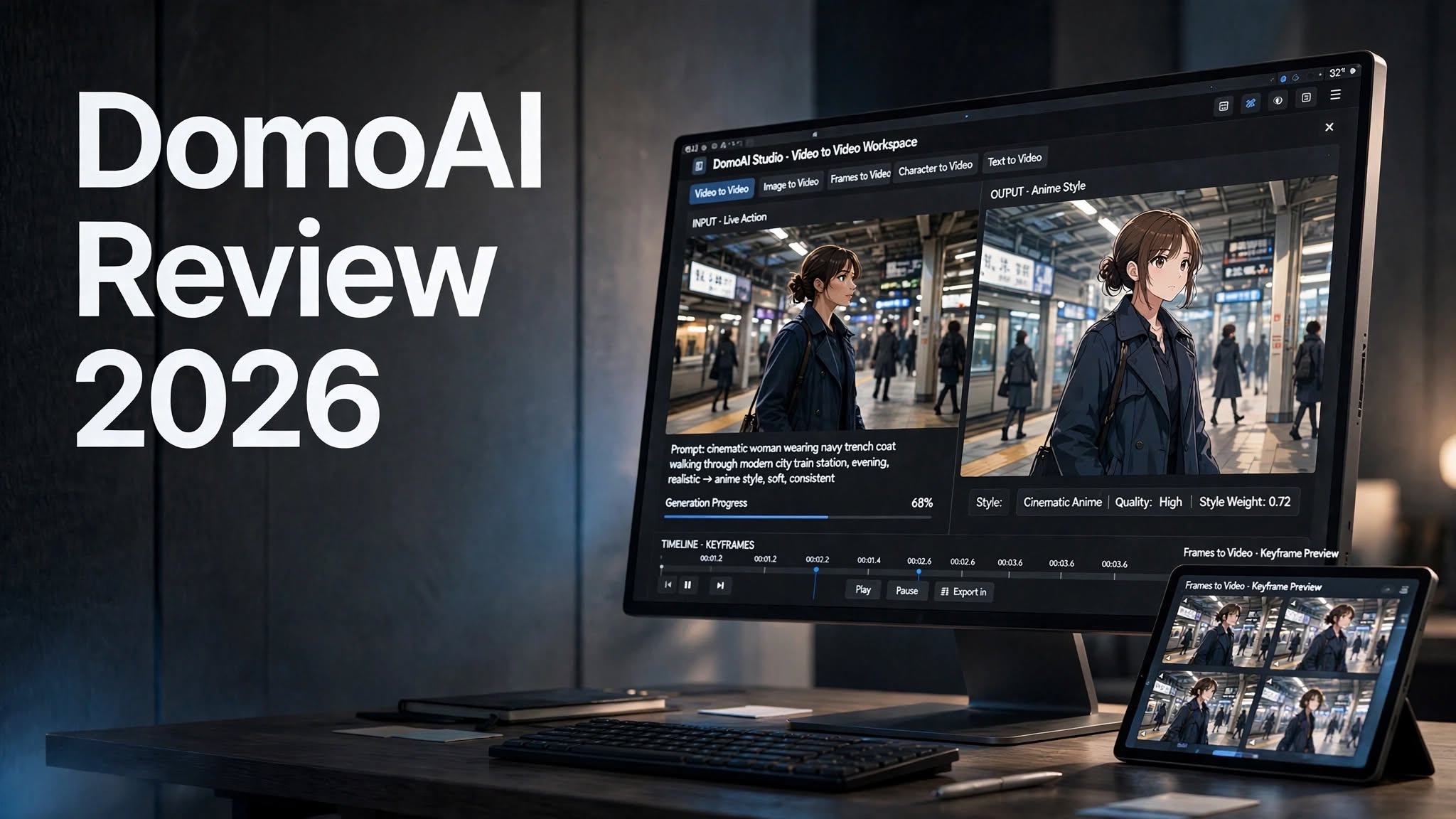

AI video generators have moved far beyond simple text-to-video experiments. Today, creators can start with a photograph, existing video, character image, or written prompt and turn it into something completely different.
DomoAI is one of the platforms taking that approach seriously.
Originally known for transforming ordinary footage into anime-style videos, DomoAI has expanded into a broader AI animation and video-generation platform. It now supports video-to-video restyling, image-to-video animation, text-to-video generation, Frames to Video, Character to Video, Talking Avatars, AI image generation, lip sync, upscaling, and more.
But having a long feature list doesn’t automatically make an AI video platform useful.
The real questions are: How well does DomoAI preserve motion? How convincing are its anime transformations? How much control do you get? What does it cost? And is it practical for creators who need repeatable results?
That’s what this DomoAI review 2026 looks at.
What Is DomoAI?

DomoAI is an AI-powered creative platform designed to generate, animate, transform, and edit images and videos.
The platform launched in 2023 and is operated by DOMOAI PTE. LTD., based in Singapore. DomoAI says it has grown to more than five million users and now offers more than 40 visual styles, including numerous anime-focused options.
Its biggest distinction is that you don’t have to start from scratch.
You can upload existing footage and transform its visual style, animate a still image, connect multiple frames into a video, generate a scene from text, or use a character image as the foundation for animation.
That makes DomoAI useful for several different workflows:
- Anime video creation
- Video-to-video style transformation
- AI image animation
- Character animation
- Text-to-video generation
- Frames-to-video storytelling
DomoAI Review 2026: My Overall Experience
DomoAI is easiest to understand if you think of it as an AI animation and transformation studio rather than just another text-to-video generator.
Its strongest workflow is still the one that made the platform popular: taking existing footage and changing its visual appearance.
That distinction matters.
If you already have a person walking, dancing, talking, or moving through a scene, you don’t necessarily want an AI model to invent the movement from scratch. You want the movement to remain recognizable while the visual treatment changes.
That’s where DomoAI’s Video to Video workflow becomes particularly interesting.
The platform can transform ordinary footage into anime, watercolor, oil-painting, pencil-sketch, and other visual styles while attempting to preserve the original movement and composition. DomoAI currently advertises more than 40 preset styles, including more than 20 anime styles.
The results can be impressive when the source footage is relatively simple.
However, like other AI video tools, it isn’t perfect.
Small details can change during generation. Faces, hands, clothing, accessories, background objects, and text can occasionally drift. The more specific the scene, the more carefully you need to inspect the final video.
So while DomoAI can create an excellent-looking result quickly, I wouldn’t treat the first generation as guaranteed final footage.
DomoAI Anime Video Generator

Anime transformation is one of the reasons people discover DomoAI in the first place.
The basic workflow is straightforward:
- Upload an existing video.
- Choose an anime or artistic style.
- Adjust the prompt if necessary.
- Generate the transformed clip.
- Review the result and regenerate if needed.
- Upscale the final version when the motion and consistency are already right.
That’s useful because shorter clips give the model fewer frames to maintain consistently.
What Makes the Anime Workflow Useful?
The biggest advantage is that you don’t have to completely rebuild your scene.
A live-action clip can become an anime-inspired sequence while retaining much of the original performance and camera movement.
For example, imagine starting with:
- A person walking down a street
- A dancer performing a routine
- A character turning toward the camera
- Someone sitting in a café
- A short travel clip
- A product shot with controlled camera movement
The result isn’t always perfectly consistent, but the workflow is dramatically simpler than traditional animation.
DomoAI Video to Video
Video to Video is arguably the most distinctive part of DomoAI.
Unlike a conventional video generator, you’re not asking the AI to invent the entire scene.
You’re giving it an existing video and asking it to transform the visual appearance.
DomoAI describes the feature as a way to apply styles while preserving the original motion and content. Available styles include anime, watercolor, oil painting, pencil sketch, and other artistic treatments.
This makes the feature useful for creators who already have footage but want a completely different aesthetic.
What Video to Video Can Be Used For
Video-to-video transformation can work well for:
- Anime edits
- Music videos
- Short-form social content
- Character experiments
- Storyboarding
- Visual concepts
- Fan-created animations
- Artistic transformations
- Promotional concepts
- Creative advertisements
A video can look excellent overall while still changing small details from frame to frame. Hair length, clothing colors, facial features, fingers, logos, and background text are all areas worth checking before publishing professional content.
DomoAI Image to Video
DomoAI also lets you turn a static image into a moving video.
The idea is simple: upload an image, describe the movement you want, and let the AI generate a short animated clip.
DomoAI’s current image-to-video tools support several models and can generate short clips from still images. The platform also provides motion templates for creators who don’t want to write a detailed prompt every time.
This is particularly useful when you already have a strong image but don’t have video footage.
For example, an illustrated character could be animated with a subtle camera push, while a product image could be turned into a short promotional sequence.
A Simple Image-to-Video Prompt
A good prompt doesn’t need to be extremely long.
For example:
Slowly push the camera toward the subject while the character gently turns toward the light. Preserve the original face, clothing, colors, and background. Add subtle natural movement without changing the composition.
The important part is not the number of words.
It’s being clear about:
- Subject
- Movement
- Camera movement
- Visual style
- Important elements that must remain unchanged
DomoAI Frames to Video

Frames to Video is another interesting feature because it gives creators more control over how a sequence develops.
Instead of giving the AI just one image, you can provide multiple keyframes.
DomoAI currently supports 2–8 images for Frames to Video, allowing the system to generate transitions between the supplied frames.
This is useful for situations where you already know what the beginning and later parts of a scene should look like.
For example:
Frame 1: Character standing in a room
Frame 2: Character walking toward the window
Frame 3: Character standing beside the window
Frame 4: Character looking outside
Instead of asking AI to invent the entire sequence, you provide visual checkpoints.
The model handles the movement between them.
That makes Frames to Video particularly interesting for:
- Storyboards
- Character sequences
- Product transitions
- Short cinematic scenes
- Transformations
- Visual storytelling
- Concept videos
DomoAI Character to Video
Character to Video focuses on transferring movement onto a character.
You can provide a character image and use motion from a source video to create an animated result.
DomoAI says Character to Video can preserve the movement from a motion video while bringing a character image to life, with current support for generations up to 30 seconds depending on the plan and workflow.
This opens up several creative possibilities.
You could use it for:
- Anime characters
- Original characters
- Virtual influencers
- Mascots
- Game concepts
- Social media characters
- Short animated stories
DomoAI Text to Video
If you don’t have an image or video to start with, DomoAI can generate video directly from text.
The basic process is:
Prompt → Style → Settings → Generation
You describe the scene, choose an appropriate model or style, and generate the clip.
DomoAI’s Text to Video documentation recommends describing the subject, action, environment, style, and camera movement.
For example:
A young woman walking through a futuristic Tokyo street at night, glowing neon signs reflecting on wet pavement, cinematic anime style, slow tracking camera, soft atmospheric lighting.
The advantage is obvious: you can begin with an idea instead of an existing asset.
The limitation is also obvious: you’re giving the AI much more creative freedom, which can make precise continuity harder.
DomoAI Talking Avatar

DomoAI isn’t limited to silent animation.
Its Talking Avatar tools can turn images or characters into speaking videos using text-to-speech, voice features, and multilingual capabilities.
This can be useful for:
- Explainer videos
- Social media presenters
- Character channels
- Educational content
- Marketing videos
- Virtual spokespersons
DomoAI AI Image Generation
DomoAI has also expanded beyond video.
Its image-generation tools support anime-oriented creation as well as broader image generation and editing workflows. The platform currently lists models including GPT Image 2.5, GPT Image 2, Nano Banana 2, and Nano Banana Pro for image generation and editing.
This matters because the image and video workflows can be connected.
You could create a character image first, animate it afterward, and then use additional video tools to refine the result.
That makes DomoAI more useful as an end-to-end creative workspace than a single-purpose anime filter.
DomoAI Video Upscaling
AI-generated video can sometimes look soft, especially at smaller output sizes.
DomoAI includes video upscaling to improve the final output. Its current platform advertises video output upscaling up to 4K and image upscaling up to 6K.
One important workflow tip is to upscale only after you’ve selected the best generation.
Upscaling won’t fix bad movement, distorted hands, inconsistent faces, or poor composition.
Generate first. Choose the best take. Then upscale.
DomoAI itself recommends this approach in its creator guidance.
DomoAI Ease of Use
DomoAI is relatively easy to understand once you know which workflow you need.
The basic interface follows a familiar AI-generation pattern:
Upload or describe → customize → generate → review → refine.
The bigger learning curve comes from choosing the correct tool.
If you have an existing video, Video to Video may make sense.
If you have a still image, Image to Video may be better.
If you have multiple visual checkpoints, Frames to Video can provide more control.
If you only have an idea, Text to Video is the obvious starting point.
And if you have a character plus motion footage, Character to Video becomes more relevant.
So the interface isn’t necessarily the difficult part. Understanding the difference between the workflows is.
DomoAI Prompting Tips
You don’t need massive prompts to get useful results.
In fact, overly complicated prompts can sometimes make the generation harder to control.
A better approach is to tell DomoAI exactly what matters.
1. Describe the movement
Explain what should actually happen.
2. Specify the camera
Mention whether the camera should pan, zoom, track, tilt, or remain static.
3. Protect important details
If the face, clothing, product shape, logo, or background needs to remain stable, say so explicitly.
4. Keep one major action per shot
A simple scene is easier to control than a prompt asking the character to run, jump, turn, transform, talk, and interact with multiple objects simultaneously.
5. Fix the motion before upscaling
Don’t spend extra credits improving a generation that already has bad movement.
DomoAI’s own guidance similarly recommends keeping each shot focused and explicitly locking important details such as faces, hair, outfits, product shapes, backgrounds, camera angles, and lighting.
DomoAI Pricing Review 2026

DomoAI uses a combination of monthly credits and generation modes.
The current official pricing page lists the following plans:
| Plan | Annual Billing | Monthly Credits | Relax Mode |
|---|---|---|---|
| Basic | $9/month | 600 | No |
| Standard | $29/month | 2,200 | Yes |
| Pro | $99/month | 8,000 | Yes |
| Team | $99/seat/month | 24,000 shared | Yes |
The official pricing page also lists higher generation limits, watermark-free outputs, additional models, and different concurrency levels depending on the plan.
DomoAI’s pricing can change, so the official pricing page should be checked before subscribing.
What Is Relax Mode?
Relax Mode is important if you generate frequently.
According to DomoAI, eligible Standard and Pro generations can run in Relax Mode without consuming credits, although they may take longer because they use lower-priority processing.
This changes how you should think about the plans.
Fast Mode is designed for speed but consumes credits.
Relax Mode sacrifices processing priority in exchange for unlimited eligible generations.
For creators who are constantly experimenting, that distinction can matter more than the headline monthly credit number.
DomoAI Pros and Cons
Pros
- Strong focus on AI video and animation
- Particularly useful for anime-style video transformation
- Video-to-video workflow preserves much of the original movement
- Image-to-video animation
- Frames to Video supports multiple keyframes
- Character to Video for motion-driven character animation
- Text-to-video generation
- Talking Avatar tools
- Multiple AI models available
- Large collection of artistic and anime styles
- Video upscaling available
- Watermark-free outputs on paid plans
- Relax Mode available on Standard and Pro
Cons
- AI-generated details can still drift between frames
- Hands and faces may require checking
- Complex scenes can be harder to keep consistent
- Choosing between multiple workflows can initially be confusing
- Fast generations consume credits
- Relax Mode can take longer
- Precise product logos and text may require additional editing
- The best results can require multiple generations
DomoAI vs Traditional Video Editing
DomoAI doesn’t replace every traditional video editor.
That’s an important distinction.
Traditional editors are still better when you need exact control over:
- Timeline positioning
- Audio mixing
- Captions
- Precise cuts
- Color grading
A practical workflow can therefore involve both.
Create or transform the footage in DomoAI, then take the finished clips into a conventional editor for captions, music, transitions, branding, and final export.
Is DomoAI Worth It?
DomoAI makes the most sense when your workflow involves AI animation, anime transformation, character motion, or creative video restyling.
Its biggest advantage is flexibility. You aren’t limited to one generation method. You can start with text, an image, a video, multiple frames, or a character and move between different creative workflows.
The main limitation is the same one you’ll encounter with most AI video platforms: generation isn’t always perfectly consistent.
A clip can look excellent overall while still containing a few frames where a face, hand, outfit, object, or background changes unexpectedly.
That’s why DomoAI works best when you treat AI generation as an iterative creative process rather than a one-click replacement for video production.
For anime-focused creators especially, the platform offers a useful combination of style transformation, animation, character tools, and video generation in one place.
Final Thoughts
DomoAI has grown considerably beyond its original anime-video identity.
Today, it functions as a broader AI creative platform with Video to Video, Image to Video, Text to Video, Frames to Video, Character to Video, Talking Avatar, image generation, editing, lip sync, and upscaling tools.
Its strongest use case remains visual transformation.
If you already have footage that works and simply want to give it a completely different visual identity, DomoAI can save a considerable amount of manual animation work.
The platform isn’t flawless, and creators who need pixel-perfect consistency should expect to regenerate and edit their results.
But for anime videos, stylized content, character animation, and experimental AI video production, DomoAI offers a broad toolkit that can take a project from an initial idea to a finished visual sequence without requiring a traditional animation workflow.
