
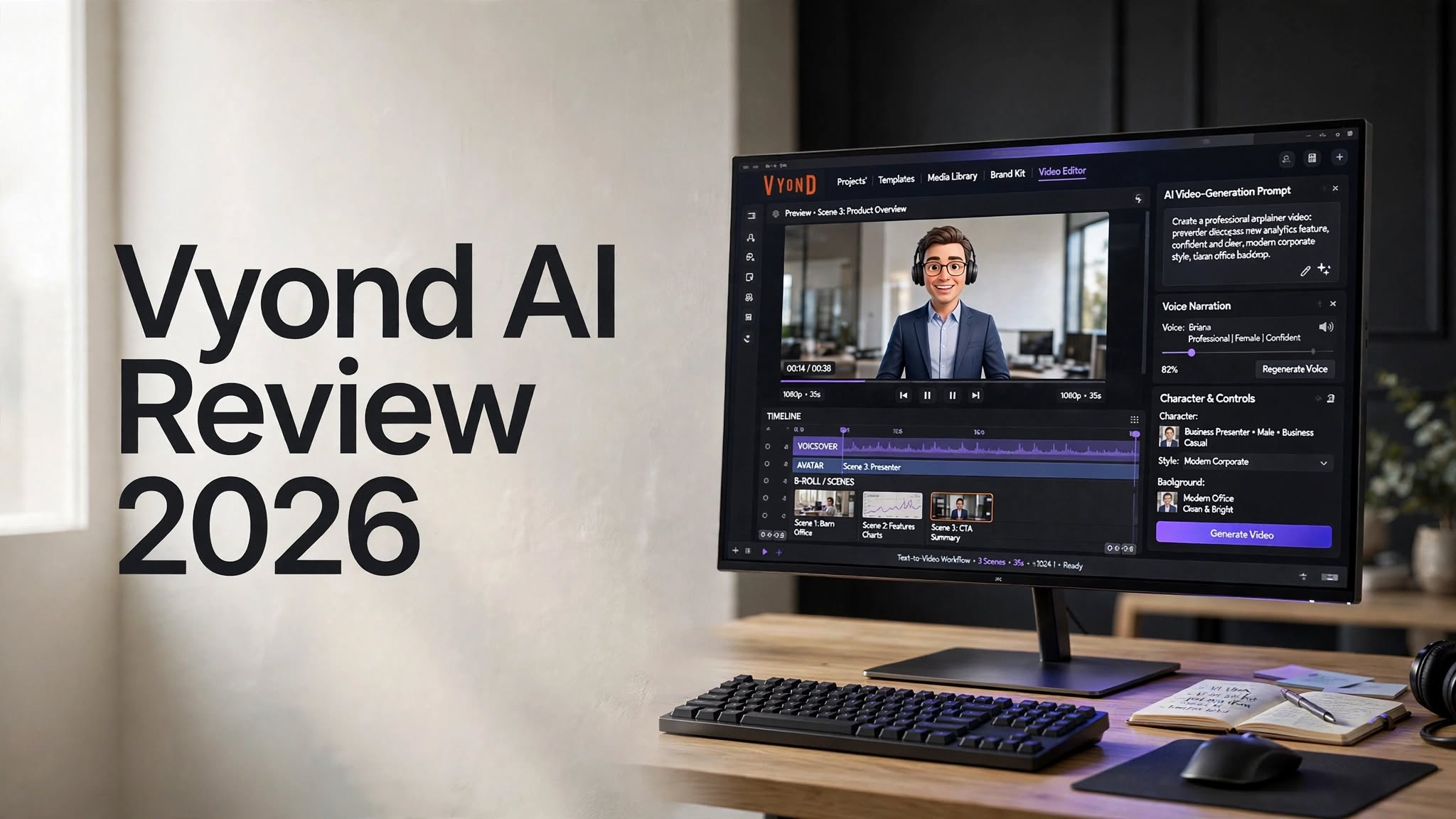

Creating professional videos can traditionally require scripting, recording, animation, voiceovers, editing, and graphic design. AI video creation tools are changing that process by allowing users to turn written ideas into videos much faster.
Vyond AI combines AI-powered video generation with a full video creation and editing platform. Instead of simply generating a video from a text prompt, Vyond gives users tools for creating animated videos, AI-avatar content, training videos, presentations, explainers, and other business-focused content.
Its AI features include Vyond Go, text-to-video, document-to-video, URL-to-video, AI avatars, text-to-avatar, text-to-speech, text-to-image, translation, and other AI-assisted tools.
In this Vyond AI review, we’ll explore its features, pricing, pros and cons, ease of use, best use cases, and whether Vyond is worth considering in 2026.
What Is Vyond AI?

Vyond is an online video creation platform designed for creating animated, business, educational, training, marketing, and communication videos.
The platform combines traditional video-production tools with AI features. This allows users to generate a starting video using AI and then customize the result through Vyond’s editing environment.
One of its main AI features is Vyond Go, which allows users to create videos from prompts and other types of content. Depending on the workflow, users can work with scripts, documents, or URLs as the starting point.
This approach makes Vyond different from a simple AI video generator. Users aren’t limited to accepting the first AI-generated result. They can continue editing scenes, characters, narration, layouts, and other elements.
Vyond is therefore positioned more as an AI-assisted video creation platform than a tool that simply generates finished videos automatically.
How Does Vyond AI Work?
Vyond AI follows a relatively straightforward content-generation workflow.
Users can begin with an idea, prompt, script, document, or webpage. The platform can then generate an initial video project based on the supplied content.
After the initial generation, users can review and customize the video before exporting it.
A typical workflow looks like this:
- Enter an idea, prompt, or existing content.
- Generate the initial video.
- Review the script and scenes.
- Customize the generated content.
- Adjust characters, visuals, and narration.
- Preview the finished video.
- Export the final project.
Vyond AI Features

1. Vyond Go
Vyond Go is one of the platform’s primary AI-powered features.
It allows users to generate video content from different types of inputs, including prompts, scripts, documents, and URLs.
For example, a marketing team could start with a product description, while an HR department could use an existing training document to create the foundation for an instructional video.
After generation, the project can be edited further to better match the intended message and visual style.
Vyond Go can therefore reduce the amount of manual work involved in starting a video project.
2. AI Video Generator
Vyond’s AI video-generation capabilities help users transform written ideas into visual content.
Instead of manually planning every scene from the beginning, users can provide information and allow AI to create an initial structure.
This can be useful for:
- Explainer videos
- Training videos
- Educational content
- Product presentations
3. AI Avatars
AI avatars provide a presenter-style option for Vyond videos.
Instead of creating a completely animated presentation, users can use an AI avatar to deliver information in a more presenter-oriented format.
This can be useful for:
- Employee training
- Product demonstrations
- Tutorials
- Educational videos
- Marketing content
4. Text-to-Avatar
Vyond also includes AI-assisted avatar creation.
This feature can help users create customized characters based on their desired style or requirements.
For companies, customized avatars can provide a more consistent visual identity across multiple videos.
For example, an organization could create a recurring character for onboarding videos or educational content.
5. Document-to-Video
One of Vyond’s useful capabilities is its document-to-video workflow.
Instead of manually converting written content into a video, users can use existing documents as the foundation for AI-generated video content.
This can be especially helpful for businesses that already have large amounts of written information.
Potential use cases include:
- Training documents
- Employee handbooks
- Educational material
- Product documentation
- Internal guides
- Presentation content
6. URL-to-Video
Vyond can also use webpage content as an input for video creation.
This makes it possible to repurpose existing online information into a video format.
For example, a business could take information from a product or service page and use it as the foundation for an explainer video.
This can be useful for marketers who want to turn existing written content into additional formats without starting from scratch.
7. AI Text-to-Speech
Voiceovers are an important part of most videos, and Vyond includes AI-powered voice-generation capabilities.
Instead of recording narration manually, users can use AI voices for different video projects.
This can save time for creators producing large volumes of content.
Text-to-speech can be useful for:
- Tutorials
- Training videos
- Explainer videos
- Presentations
- Educational content
- Product videos
8. AI Text-to-Image

Vyond also provides AI image-generation functionality.
This allows users to create visual assets using text instructions rather than relying entirely on pre-existing images.
AI-generated visuals can be useful when a particular scene requires a custom illustration or when available assets don’t match the desired concept.
This feature can also help users experiment with different visual ideas during video production.
9. Video Translation
Businesses serving international audiences often need videos in multiple languages.
Vyond provides translation-related tools that can help adapt video content for different audiences.
This can be useful for organizations creating:
- International training videos
- Product tutorials
- Customer education
- Marketing content
- Employee onboarding
- Educational material
AI-assisted translation can reduce the amount of work required to create multiple language versions, although generated translations should still be reviewed for accuracy and context.
10. Templates and Editing Tools
Vyond isn’t only about AI generation.
The platform also provides templates, characters, scenes, assets, and editing capabilities that allow users to customize their videos.
This is an important advantage because AI-generated content may not always be perfect on the first attempt.
Users can make changes to elements such as:
- Characters
- Scenes
- Text
- Narration
- Timing
- Visual assets
- Layouts
The combination of automated generation and manual editing makes Vyond more flexible than a basic one-click video generator.
Vyond AI Pros and Cons
Pros
- AI-powered video generation
- Text-to-video capabilities
- Script-to-video workflow
- Document-to-video functionality
- URL-to-video capabilities
- AI avatar support
- Text-to-avatar functionality
- AI voice generation
- Text-to-image capabilities
- Video translation tools
- Large selection of templates and assets
- Strong video-editing capabilities
- Suitable for business and training content
Cons
- AI credits can be consumed quickly
- Advanced features may require higher-tier plans
- Subscription costs may be high for casual users
- AI-generated videos can require manual editing
- Some advanced AI capabilities have plan restrictions
- New users may need time to learn the platform
Vyond AI Pricing

Vyond offers different subscription plans with varying features and capabilities.
Depending on the plan, users may receive different levels of access to AI features, AI credits, video-creation tools, collaboration features, and advanced functionality.
One important consideration is Vyond’s AI credit system.
Certain AI features consume credits, and the number of credits required can depend on the specific feature being used.
This means users who frequently generate AI content should pay attention to their available credit allocation.
Vyond’s pricing, plans, credits, and included features can change over time, so it’s important to check the latest official pricing information before subscribing.
Who Is Vyond AI Best For?
Businesses
Vyond can be useful for businesses that regularly create training, onboarding, product, sales, and internal communication videos.
Marketing Teams
Marketing teams can use Vyond to turn written ideas into explainer videos, promotional content, educational videos, and presentations.
HR Teams
HR departments can use Vyond to create employee onboarding, training, workplace education, and internal communication videos.
Educators
Teachers and educational organizations can use animated characters, AI narration, templates, and visual storytelling to create educational content.
Content Creators
Content creators who prefer animated, business-style, or presenter-based videos can use Vyond to create content while maintaining control over the final editing process.
Is Vyond AI Easy to Use?
Vyond is designed to make video creation accessible to users who don’t necessarily have advanced animation or video-editing skills.
AI generation reduces the amount of manual work required to start a project, while the editor provides additional control over the final result.
However, Vyond offers many tools and customization options, so beginners may need some time to become comfortable with the platform.
The basic workflow is relatively simple:
Generate → Review → Customize → Edit → Export
Once users understand this workflow, they can use AI for the initial creation while retaining control over the final video.
Vyond AI for Business
Business users are one of the main audiences for Vyond.
Companies can use the platform to create videos for employee onboarding, training, customer education, product demonstrations, presentations, and internal communication.
Instead of creating every video manually, teams can reuse templates and workflows to produce content more consistently.
This can be particularly useful for organizations that need to create videos regularly rather than only occasionally.
Vyond AI for Marketing
Video is an important format for digital marketing, and Vyond can help marketers convert written information into visual content.
A marketer could start with a product description, blog post, landing page, or campaign idea and turn it into a video project.
The ability to edit the AI-generated result also gives marketers more control over branding, messaging, and presentation.
Vyond AI for Training and Education
Training and education are another strong use case.
Animated characters, AI narration, templates, and customizable scenes can make complex information easier to present visually.
Organizations can use Vyond for employee training, onboarding, tutorials, compliance education, and instructional content.
Educators can also use it to create lessons and visual explanations.
Is Vyond AI Worth It in 2026?
Whether Vyond AI is worth the cost depends on your video-production needs.
For businesses, educators, marketers, trainers, and creators who regularly produce videos, the combination of AI generation and detailed editing can be valuable.
For someone who only wants to create an occasional short video, the subscription price and AI credit system may be harder to justify.
The main advantage is that Vyond isn’t simply an AI prompt-to-video tool. It combines AI capabilities with a broader video-production environment.
If you need to create professional videos repeatedly and want both automation and editing control, Vyond offers a comprehensive workflow.
Final Verdict
Vyond AI combines AI-assisted video creation with animation, avatars, templates, voice generation, image generation, translation, and traditional editing tools.
Its AI features can help users turn prompts, scripts, documents, and webpages into video projects while still allowing them to customize the final result.
The platform is particularly relevant to businesses, marketers, educators, HR departments, trainers, and professional content creators.
The main factors to consider before subscribing are the available features, plan limitations, AI credit usage, and overall pricing.
For users who want to reduce the manual work involved in video production while maintaining control over the final content, Vyond AI provides a broad set of tools to explore in 2026.
