
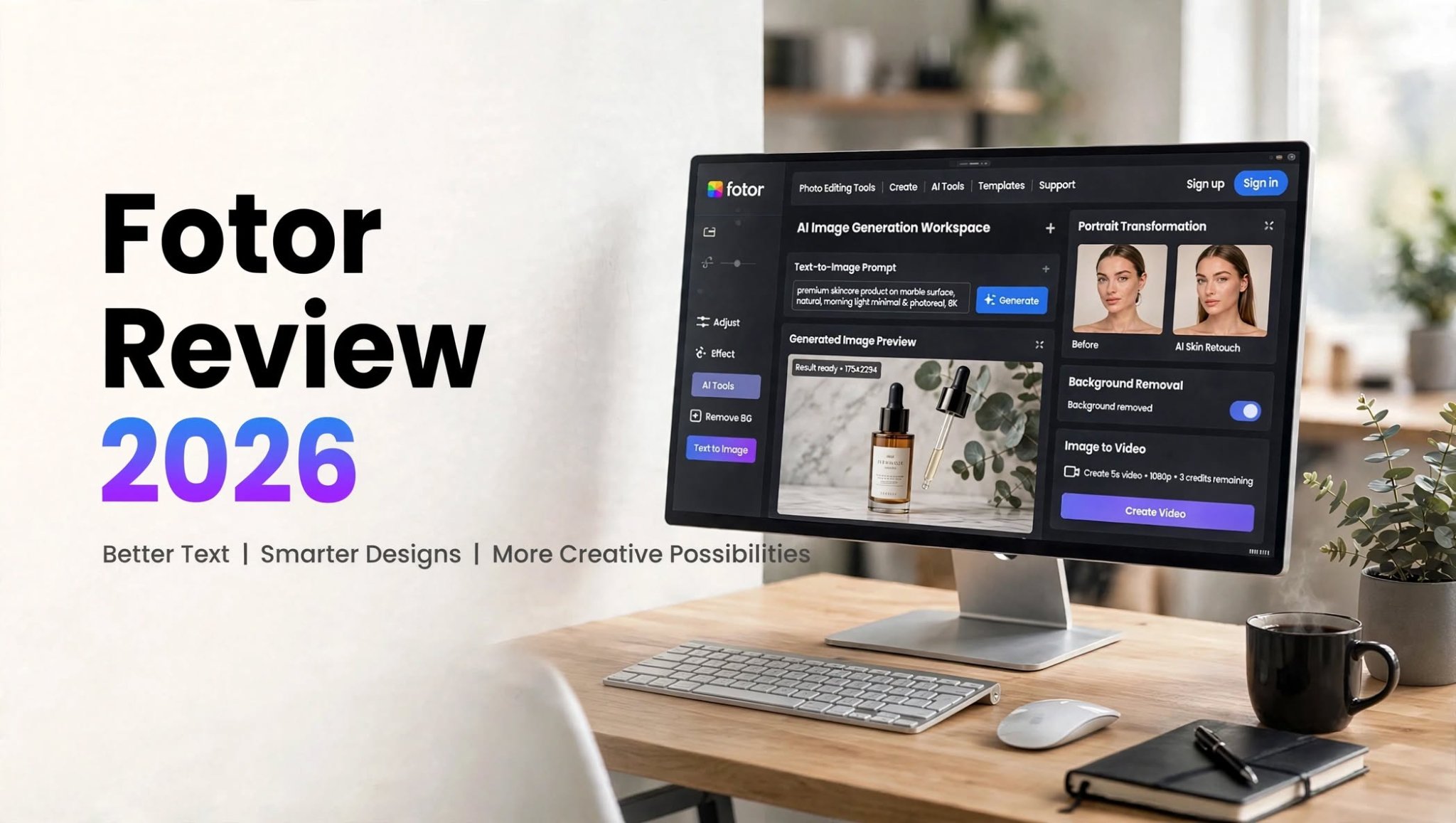

If you need a simple online platform for creating and editing visuals with AI, Fotor is a name worth knowing in 2026. What started primarily as an online photo editor has expanded into a broader creative platform with AI image generation, photo transformation, background editing, avatars, templates, and image-to-video tools.
I spent time looking at the different parts of Fotor to understand where it actually fits into a modern creator workflow. Instead of focusing only on whether it can generate an attractive image, I looked at how useful the results are, how easy the tools are to operate, and where the platform starts to show limitations.
So, is Fotor worth using in 2026? Here’s a detailed look at its features, AI tools, pricing approach, pros and cons, and the types of users who may benefit most from it.
What Is Fotor?

Fotor is an online photo editing and creative design platform that combines traditional editing features with AI-powered creation tools.
The platform has evolved beyond basic photo adjustments. Users can now work with AI image generation, image-to-image creation, portrait transformations, background replacement, templates, product visuals, and short AI-generated video content.
This makes Fotor particularly interesting for people who don’t want to switch between several specialized applications.
Instead of generating an image in one platform, editing it somewhere else, removing its background with another tool, and preparing it for social media in a fourth application, Fotor attempts to keep many of those tasks inside one workflow.
Fotor AI Image Generator
The AI image generator is one of the most important parts of Fotor’s current offering.
You can start with a written description or use an existing image as a reference. This makes the tool useful for both text-to-image experimentation and transforming existing visual content.
For example, a prompt describing a premium product photograph can be used to create an initial concept for a website banner, social media post, advertisement, or marketing idea.
The results can look impressive at first glance, particularly when the goal is atmosphere rather than exact product reproduction.
However, detailed inspection is still important. Small objects, edges, shadows, and product shapes can occasionally become distorted. For professional commercial work, generating multiple versions and checking the final image closely is a sensible workflow.
Fotor AI Image Generation Highlights

- Text-to-image generation
- Image-to-image workflows
- Multiple creative styles
- Prompt assistance
- AI-powered editing after generation
- Useful for concepts, social content, and marketing visuals
Fotor AI Photo Editing
Fotor’s traditional photo-editing background remains important even as the platform adds more AI functionality.
You can use it for everyday image adjustments and combine conventional editing with AI-powered features.
This hybrid approach can be useful when you need to make a quick visual rather than build a complicated professional editing workflow from scratch.
For beginners, having familiar editing controls alongside AI tools can make the learning curve less intimidating.
AI Background Remover and Background Generator
One of the more practical Fotor features is its ability to separate a subject from its background and replace the original environment.
This can be particularly useful for ecommerce sellers, small businesses, marketers, and social media creators.
For example, a basic product photograph can be transformed into a cleaner studio-style visual without manually constructing a new background.
The results aren’t necessarily perfect every time. Lighting and shadows between the original subject and the replacement background may require some manual checking.
Still, this type of automation can save considerable time when the objective is to create a usable image quickly.
Fotor Cartoon and Avatar Generator
Fotor also offers AI-powered portrait transformation tools.
You can upload a portrait and turn it into an illustrated, cartoon-style, or avatar-like image.
This can work well for:
- YouTube profile images
- Social media avatars
- Personal creative projects
- Gaming profiles
- Casual illustrations
- Promotional graphics
That’s not necessarily a problem for an avatar. However, if you need the same person to remain highly recognizable across a large collection of images, additional experimentation may be necessary.
Fotor AI Anime Generator
The anime transformation feature takes the same basic concept into a more stylized direction.
Clear portraits with relatively simple backgrounds can produce cleaner results. You can also use a descriptive prompt to influence elements such as the character’s appearance, lighting, background, and overall style.
The resulting image can look polished, but users shouldn’t expect perfect identity preservation in every generation.
For profile pictures, social posts, and creative experiments, this can be a useful feature. For a recurring character or professional character-development workflow, consistency becomes more important.
Fotor AI Video Generator
Fotor isn’t limited to static images.
Its AI video functionality allows users to animate still images and create short video content. This makes it relevant for social media creators who want to turn existing visuals into simple motion-based content.
A still product image, for example, can be turned into a short clip with camera movement or other visual motion.
The results can be useful for:
- Social media videos
- Short promotional concepts
- Product teasers
- Visual experiments
- Content drafts
A product may subtly change shape or details during movement. Because of that, the generated clip should be reviewed before being used in important commercial content.
Fotor Templates and Creative Design Tools

Another advantage of Fotor is that it isn’t exclusively an AI-generation platform.
Its broader design environment gives users access to templates and tools for creating different types of visual content.
This makes the platform more approachable for users who don’t want a completely prompt-based experience.
A beginner can start from a template, make conventional edits, and then introduce AI features where needed.
That combination makes Fotor different from AI platforms that focus almost entirely on generating images from prompts.
How Easy Is Fotor to Use?
Ease of use is one of Fotor’s strongest characteristics.
Most workflows follow a relatively straightforward process:
- Upload an image or enter a prompt.
- Choose a relevant AI or editing tool.
- Generate or modify the visual.
- Review the result.
- Make additional edits.
- Export the finished image.
The downside is that Fotor now contains a lot of functionality. Photo editing, AI generation, templates, video, portraits, product tools, and other creative options can make the interface feel busy.
Someone looking for a very minimal AI generator may find the number of options slightly overwhelming.
Fotor Pros and Cons
Pros
- Easy for beginners to learn
- AI image generation and photo editing in one platform
- Useful background replacement tools
- Cartoon and anime effects for portraits
- Supports short AI video creation
- Helpful for social media and marketing visuals
- Combines AI features with traditional editing
- Good for quick creative concepts
Cons
- AI-generated images may require multiple attempts
- Fine product details aren’t always consistent
- Portrait transformations can reduce facial specificity
- AI video may introduce subtle object changes
- Large feature set can make the interface feel crowded
- Advanced users may want more granular generation control
Fotor Pricing

Fotor provides a free entry point, allowing users to explore its basic workflow before committing to a paid plan.
The free experience has limitations around credits, generation capacity, storage, and exports. Paid plans provide additional capabilities such as more generation resources, premium features, cleaner exports, and additional storage or business-oriented functionality.
Because pricing, credits, promotions, and regional offers can change, users should check Fotor’s current pricing information before purchasing a subscription.
For casual users, the free tier can be useful for testing the platform.
For people who regularly create AI visuals and need more generation capacity or premium functionality, a paid subscription may make more sense.
Who Is Fotor Best For?
Fotor can be useful for several different types of creators.
Beginners
People who are new to AI image creation can benefit from its straightforward interface and presets.
Social Media Creators
If you regularly need avatars, graphics, visual concepts, or short animated content, having multiple tools in one platform can simplify your workflow.
Small Businesses
Small businesses can use AI backgrounds and product-image tools to create cleaner marketing visuals without relying on a full professional design workflow for every image.
Bloggers and Marketers
Fotor can help create blog graphics, campaign concepts, promotional visuals, and social media assets quickly.
Casual Designers
Users who want AI assistance without abandoning conventional photo-editing tools may find the combination useful.
Who May Need a Different Tool?
Fotor may not be the right fit for every creative workflow.
You may want to explore specialized alternatives if you need highly consistent characters across many generations, extremely precise product reproduction, extensive AI video controls, or a workflow centered heavily around advanced model selection.
Likewise, creators who prefer a very minimal interface focused exclusively on AI generation may find Fotor’s broad feature set more than they need.
Fotor vs. Dedicated AI Generation Platforms
The biggest distinction is that Fotor tries to combine several creative jobs in one environment.
A dedicated AI generation platform may focus more heavily on producing images or videos from prompts, while Fotor puts AI generation alongside conventional editing and design functionality.
That makes Fotor more of an all-in-one creative workspace.
The right choice depends on your workflow. If you frequently move from generation to editing to background replacement and export, having these capabilities together can be convenient.
If your work depends on advanced generation controls or highly consistent outputs, a more specialized platform may deserve consideration.
Is Fotor Worth It in 2026?
Fotor is a practical option for users who want AI image creation and photo editing in the same place.
Its biggest advantage is convenience. You can generate an image, modify the background, apply a creative effect, edit the result, and prepare it for publishing without constantly moving between different applications.
The platform is particularly suitable for beginners, social media creators, bloggers, marketers, and small businesses that prioritize speed and ease of use.
Its main limitation is precision. AI-generated products, faces, and moving objects can still require close inspection, especially when the visual is intended for professional commercial use.
Overall, Fotor makes the most sense when you want a flexible AI-assisted design and photo-editing platform rather than a highly specialized generation environment.
Final Verdict
Fotor has grown well beyond its original reputation as a simple online photo editor. In 2026, it offers a broader collection of AI-powered tools for generating images, transforming portraits, replacing backgrounds, creating visual concepts, and animating still images.
It won’t eliminate the need for manual review, particularly for professional product imagery or AI video. But for quick content production, social media graphics, marketing concepts, and everyday creative work, its combination of AI and traditional editing can make the workflow considerably easier.
If you’re looking for an accessible platform that brings several AI creative tools together rather than requiring a separate application for every task, Fotor is worth exploring.
