
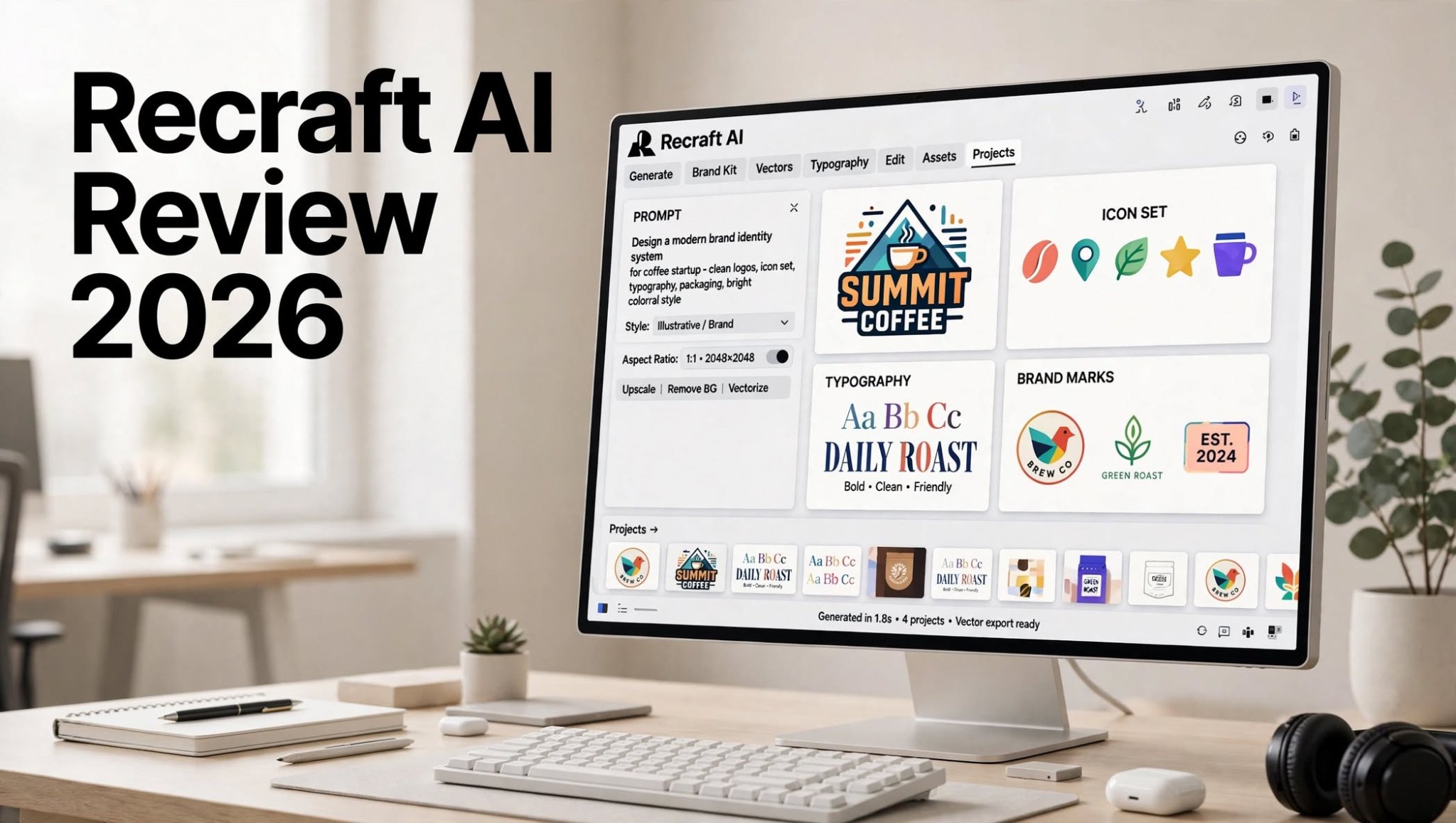

Creating professional visual content traditionally requires a combination of design skills, editing software, stock assets, and plenty of time. AI design platforms are changing that workflow by allowing users to generate, edit, and refine creative assets with simple text prompts.
Recraft AI is one of the platforms taking this approach further. Instead of focusing only on AI-generated artwork, Recraft combines image generation with vector graphics, image editing, typography, mockups, styles, and other design-focused tools.
In this Recraft AI Review 2026, we’ll explore its features, AI image generator, vector capabilities, editing tools, pricing, pros and cons, use cases, and overall workflow to help you understand whether it fits your creative needs.
What Is Recraft AI?

Recraft AI is an AI-powered graphic design and image-generation platform that allows users to create and edit visual content using text prompts, reference images, and design tools.
You can use Recraft to create:
- AI-generated images
- Illustrations
- Vector graphics
- Icons
- Logos and branding concepts
This makes it useful for both quick creative experiments and more structured design workflows.
Recraft AI Review: Key Highlights
- AI-powered image generation
- Recraft V4 image models
- AI vector generation
- Editable SVG graphics
- Vector editing tools
- Image editing and transformation
How Does Recraft AI Work?

Recraft AI follows a relatively straightforward creative workflow.
You begin by describing what you want to create. For example, you might enter a prompt for a product advertisement, minimalist illustration, editorial image, logo concept, or social media graphic.
Recraft generates the visual based on your instructions.
From there, you can continue working on the result rather than starting again from scratch.
A typical workflow looks like this:
Write a prompt → Generate → Edit → Refine → Export
You can change elements, adjust the visual style, remove backgrounds, upscale the result, create a vector version, or place the design into a mockup.
This makes Recraft more than a conventional AI image generator.
Recraft AI Image Generator
The Recraft AI image generator is one of the platform’s primary features.
It allows users to create visuals from natural-language prompts while giving them control over the overall design direction.
You can generate different types of content, including:
- Photorealistic images
- Digital illustrations
This is useful when an image needs to look more like a finished graphic design rather than simply an AI-generated picture.
For example, you can experiment with poster layouts, packaging concepts, advertisements, and other visuals where text is an important part of the design.
Recraft V4
A major part of the current Recraft experience is its V4 model family.
Recraft V4 is designed around image quality, prompt understanding, aesthetics, typography, and design-oriented generation.
The V4 family includes different versions for raster and vector workflows, giving users more flexibility depending on what they are creating.
Recraft V4
The standard V4 model is suitable for general creative image generation.
It can be used for:
- Marketing images
- Website visuals
- Social media content
- Editorial graphics
Recraft V4 Pro
V4 Pro is intended for more demanding image-generation tasks where greater detail and visual quality are important.
It can be useful when working on polished commercial visuals, detailed scenes, product concepts, and other projects where the final image needs additional refinement.
Recraft V4 Vector
The vector version is particularly important for designers.
Instead of simply creating a raster image that looks like vector artwork, Recraft can generate actual vector graphics that can be edited and scaled.
Recraft V4 Pro Vector
The Pro Vector model is aimed at more detailed vector-generation workflows and can be useful for professional illustrations, branding concepts, icons, and other scalable graphics.
Recraft AI Vector Generator

One of Recraft’s biggest differentiators is its AI vector generator.
Traditional AI image generators typically produce raster images. Recraft also focuses on generating editable SVG vector graphics.
This can be useful for:
- Logos
- Icons
- Illustrations
- Stickers
- T-shirt artwork
Recraft also provides tools for editing vector paths, shapes, colors, and other elements.
For designers, this can reduce the amount of manual tracing or recreation required after generating an AI concept.
Recraft AI Vector Editor
The vector editor lets users continue working with generated graphics inside the platform.
Rather than exporting an image and immediately moving into another application, you can make additional adjustments to the vector artwork.
This can include modifying:
- Shapes
- Curves
- Paths
- Colors
- Individual vector element
AI Image Editing
Recraft also provides AI-powered image editing capabilities.
You can use the platform to refine existing images or modify generated content.
Depending on the workflow, users can perform tasks such as:
- Removing backgrounds
- Removing unwanted objects
- Upscaling images
- Transforming images
- Adjusting visual elements
Recraft AI Background Remover
Removing backgrounds is a common requirement for ecommerce, marketing, product photography, and social media design.
Recraft includes background-removal capabilities that can help isolate subjects from their original surroundings.
For example, an ecommerce seller could remove a product’s background before placing the item into a promotional graphic or mockup.
The ability to perform this type of task inside the same creative environment can make the workflow more convenient.
Recraft AI Mockup Generator
Another useful feature is the AI mockup generator.
Mockups allow designers to see how a graphic might look in a real-world setting.
You can use mockups for concepts such as:
- Product packaging
- Posters
- Clothing
- Branding
- Marketing materials
- Digital products
- Promotional designs
Recraft AI Styles
Consistency is important when creating a collection of branded visuals.
Recraft provides style and reference-image functionality that can help users maintain a similar visual direction across multiple generations.
This can be useful for creating:
- Brand campaigns
- Social media series
- Product launches
- Website graphics
- Marketing campaigns
- Editorial content
Recraft AI for Graphic Designers

Graphic designers can use Recraft in several stages of the creative process.
It can help with brainstorming, visual exploration, illustration, vector creation, mockups, and initial concepts.
For example, a designer could:
- Generate several concepts from a prompt.
- Select the strongest direction.
- Refine the image.
- Convert the concept into a vector.
- Adjust colors and shapes.
- Create a mockup.
- Export the finished asset.
It does not have to replace every traditional design application. Instead, it can accelerate repetitive or time-consuming parts of the creative process.
Recraft AI for Marketers
Marketing teams constantly need visual content for campaigns, websites, advertisements, presentations, and social media.
Recraft can help create these assets without requiring every graphic to be designed completely from scratch.
Potential marketing uses include:
- Social media graphics
- Advertisement concepts
- Product visuals
- Promotional posters
- Website graphics
Recraft AI for Content Creators
Content creators can use Recraft for creating custom visuals for blogs, YouTube channels, social media accounts, newsletters, and other publishing platforms.
Instead of relying entirely on stock photography, creators can generate visuals tailored to a specific topic.
Possible applications include:
- Blog illustrations
- YouTube thumbnails
- Social media posts
- Story artwork
- Background images
- Promotional graphics
- Cover designs
Recraft AI for Businesses
Small businesses can also use Recraft for everyday visual requirements.
A business could experiment with:
- Logo concepts
- Packaging ideas
- Promotional artwork
- Product presentations
Recraft AI Pricing

Recraft provides both free and paid options.
The free plan allows users to experiment with the platform before committing to a subscription. Paid plans provide additional credits and capabilities for users who need to generate content more frequently.
Because Recraft uses a credit-based system, the amount of usage available can depend on the model and operation selected.
Different generations and advanced operations may consume different amounts of credits.
Pricing and plan limits can change, so users should check Recraft’s current pricing page before purchasing a subscription.
For occasional users, the free option can be a practical way to explore the platform and understand its workflow.
Recraft AI Pros and Cons
Pros
- Powerful AI image generation
- Strong focus on graphic design
- Actual vector generation
- Editable SVG output
- Useful vector editing tools
- AI-powered image editing
- Background removal
- Image upscaling
- Mockup generation
- Style consistency features
- Typography-focused generation
- Free plan available
Cons
- Frequent users may consume credits quickly
- Advanced features can take time to learn
- AI-generated designs still require human review
- Some professional workflows may require additional software
- The number of features can feel overwhelming at first
Is Recraft AI Easy to Use?
Recraft is relatively easy to start with because the basic workflow is prompt-based.
A beginner can enter a description and generate a visual without learning complicated design software first.
However, using Recraft effectively at a professional level takes more experimentation.
Users who understand composition, typography, visual hierarchy, color, references, and design principles will generally have more control over the final result.
The platform therefore works for both beginners and experienced designers, but advanced users may get more value from its editing and vector capabilities.
Recraft AI vs Traditional Design Tools
Recraft should not necessarily be viewed as a complete replacement for traditional design software.
Professional applications offer extensive manual control over every aspect of a design.
Recraft’s strength is different.
It can accelerate the process of turning an idea into a usable visual.
A designer can generate an initial concept with AI and then refine it using editing and vector tools.
This makes Recraft particularly useful as a creative starting point and production accelerator.
Who Should Use Recraft AI?
Graphic Designers
Useful for concept generation, illustrations, vector graphics, and mockups.
Brand Designers
Helpful for exploring branding concepts and maintaining visual consistency.
Marketers
Useful for creating advertising concepts, campaign graphics, and promotional visuals.
Content Creators
Helpful for custom blog images, thumbnails, social media graphics, and other content assets.
Entrepreneurs
Useful for experimenting with packaging, branding, promotional graphics, and product concepts.
Illustrators
Can be used to explore compositions, styles, and creative directions.
Who May Not Need Recraft AI?
Recraft may be unnecessary for users who only occasionally need a simple AI-generated image.
It may also be less suitable for workflows that require extremely detailed manual control over every design element.
In those cases, a traditional design application or a simpler AI image generator may already cover the user’s requirements.
Is Recraft AI Worth It?
Whether Recraft AI is useful depends largely on what you need from an AI design platform.
If you want more than simple image generation and regularly work with vectors, illustrations, branding, typography, mockups, and image editing, Recraft offers a broad creative toolkit.
Its combination of generation and editing tools can make the overall workflow more efficient.
For users who only want occasional AI artwork, however, many of Recraft’s advanced design features may not be necessary.
Final Thoughts on Recraft AI
Recraft AI is a design-focused AI platform that combines image generation with practical graphic design tools.
Its biggest distinction is the combination of AI-generated visuals, vector graphics, editing capabilities, typography, styles, and mockups in one environment.
The platform can be useful for designers who want to move quickly from an idea to a polished visual, while marketers and content creators can use it to produce custom assets for campaigns and digital content.
The addition of advanced vector capabilities also makes Recraft particularly interesting for users who need scalable design assets rather than only standard AI-generated images.
Overall, Recraft AI is best understood as an AI-powered creative workspace rather than simply another text-to-image generator.
Frequently Asked Questions
What is Recraft AI?
Recraft AI is an AI-powered visual design platform for generating and editing images, illustrations, vector graphics, mockups, and other creative assets.
Is Recraft AI free?
Recraft offers a free option that allows users to test its image-generation and design capabilities. Paid plans provide additional usage and features.
Can Recraft AI generate vectors?
Yes. Recraft supports AI-generated vector graphics and SVG workflows, making it useful for logos, icons, illustrations, and other scalable designs.
