
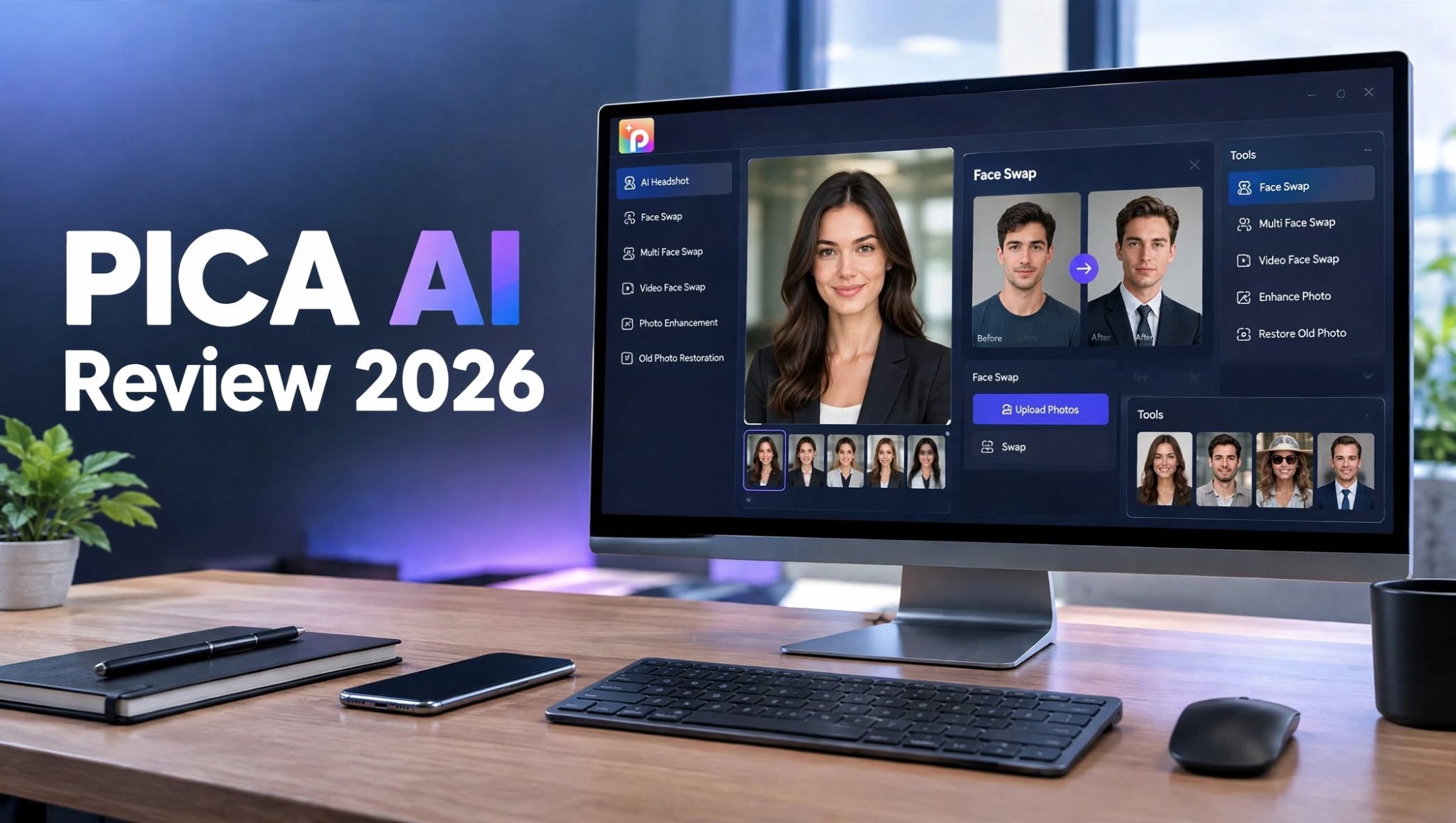

If you have ever wanted to create a professional headshot from a few selfies, replace a face in a photo, or transform a group picture without learning complicated editing software, PICA AI is one of the AI tools worth exploring in 2026.
Unlike general-purpose AI image generators that focus heavily on creating images from text prompts, PICA AI is built around AI-powered photo transformation. Its main tools include AI headshots, photo face swaps, video face swaps, multi-face editing, photo enhancement, and image restoration.
I spent time looking at what PICA AI actually offers, where it performs well, and where its limitations become noticeable. The result is a platform that can be extremely useful for specific photo-editing tasks, although it may not be the right choice for users looking for a complete AI content-creation suite.
What Is PICA AI?

PICA AI is an online AI photo editing and transformation platform designed to modify existing images with artificial intelligence.
Instead of requiring Photoshop skills or complicated desktop software, PICA AI lets users upload photos and apply AI-powered transformations through relatively simple workflows.
Its main capabilities include:
- AI headshot generation
- AI face swapping
- Video face swapping
- Multi-face swapping
One important distinction is that PICA AI is not primarily a traditional text-to-image generator. If your main objective is creating completely original artwork from detailed text prompts, you may need a different type of AI image platform.
PICA AI Features
AI Headshot Generator
The AI headshot generator is one of the most practical reasons to use PICA AI.
Instead of arranging a professional photo session, users can upload several selfies and select a suitable professional style. PICA AI then creates polished headshot variations designed for professional profiles and personal branding.
The workflow is straightforward:
- Select a headshot style.
- Upload several clear photos of yourself.
- Let the AI process the images.
- Review the generated headshots.
- Download the versions you prefer.
This makes the tool useful for:
- LinkedIn profiles
- Resume photos
- Business websites
- Author profiles
However, AI headshots are still dependent on the quality of your input images. Poor lighting, unusual angles, blurry selfies, or inconsistent facial references can affect the final results.
Another limitation is creative control. You can select styles, but users looking for extremely precise control over clothing, lighting, pose, camera angle, or environment may want a more advanced image-generation workflow.
AI Face Swap

Face swapping is arguably the feature most closely associated with PICA AI.
The process is simple: upload the original image or video, provide the replacement face, and allow the AI to generate the transformation.
For photos, the process is generally quick and requires very little technical knowledge.
You can use face swapping for:
- Social media posts
- Memes
- Entertainment
- Creative portraits
- Character concepts
PICA AI also supports face swapping in video, although video processing naturally requires more time than a standard image transformation.
Video Face Swap
Video face swapping takes the basic face-swap concept and applies it to moving footage.
This can be useful for creators who want to experiment with short-form video content without manually replacing faces frame by frame.
The workflow remains relatively simple:
- Upload a compatible video.
- Upload the face you want to use.
- Start the face-swap process.
- Wait for processing.
- Preview and download the result.
Clips with a clearly visible face and relatively consistent lighting tend to be easier for AI systems to process. Rapid movement, heavy shadows, extreme angles, or faces that disappear from the frame can make the transformation less consistent.
For casual social content, however, the convenience is a major advantage.
Multi-Face Swap
Another useful feature is multi-face swapping.
Instead of processing every person individually, PICA AI can work with multiple faces within the same image or video.
This is particularly useful for:
- Group photographs
- Friends and family pictures
- Team photos
- Social media experiments
- Comedy content
- Creative video projects
The main thing to remember is that every face does not necessarily produce identical results. Facial angle, visibility, lighting, and image quality can affect individual faces differently.
Photo Enhancement
PICA AI also provides AI-powered image enhancement capabilities.
This type of tool can be useful when you have an image that looks soft, compressed, blurry, or lower quality than you would like.
Potential improvements include:
- Sharper details
- Improved facial clarity
- Better overall definition
- Cleaner-looking portraits
- Enlarged image resolution
One limitation of AI enhancement is that it cannot magically recover every missing detail. When an original image is extremely blurry or heavily compressed, the AI may have to reconstruct details rather than recover the exact original information.
For moderately low-quality images, though, enhancement can make a noticeable difference.
Old Photo Restoration
Old photographs are another area where AI tools can be genuinely useful.
If you have scanned photographs with fading, scratches, noise, or other visible imperfections, restoration tools can help make them more presentable.
Potential use cases include:
- Family photographs
- Historical pictures
- Scanned albums
- Damaged portraits
- Old printed photographs
One current detail is worth knowing: PICA AI’s photo enhancement functionality has been upgraded to Artguru, another product from the same developer. That means users may encounter an Artguru workflow when accessing certain enhancement-related features rather than having everything processed inside the main PICA AI interface.
PICA AI User Experience

One of PICA AI’s biggest advantages is accessibility.
Most of its workflows follow the same basic pattern:
Upload → Select a tool → Process → Preview → Download
You don’t need to install a professional editing application or understand complex layers, masks, brushes, or timelines.
For beginners, this is a major benefit.
The interface is particularly suited to users who know what result they want but don’t necessarily know how to create it manually.
For example, someone who wants a professional-looking profile photo doesn’t need to learn Photoshop. They can provide reference photos and let the AI handle much of the transformation.
How Good Is PICA AI for Face Swaps?
PICA AI is particularly well suited to portrait-oriented face swapping.
The strongest results generally come from source images where:
- The face is clearly visible.
- Lighting is relatively consistent.
- The face is not heavily obstructed.
- The source photo has reasonable resolution.
- Facial features are not distorted.
Video introduces additional challenges because the replacement face needs to remain visually consistent across changing frames.
For casual content, PICA AI offers a convenient way to experiment with both formats without requiring traditional editing software.
PICA AI for Professional Headshots
If you’re specifically searching for an AI headshot generator, PICA AI is more relevant than it is for users looking for a general AI art platform.
The service is designed around professional-looking portrait styles and can produce headshots suitable for online profiles, resumes, websites, and personal branding.
PICA AI states that its headshot outputs can reach HD and 3K+ resolutions, depending on the service and generation. It also recommends providing multiple clear selfies for better results.
The platform says generated headshots can be used commercially, which is useful for freelancers, professionals, and businesses that need profile imagery.
Still, AI-generated headshots should be checked carefully before publication. Facial details, hair, clothing, hands, accessories, and small visual elements can occasionally look different from the original person.
PICA AI Pros and Cons
Pros
- Easy browser-based workflow
- Useful AI headshot generator
- Photo face swapping
- Video face swapping
- Multi-face swapping
- Photo enhancement capabilities
- Old photo restoration
- Beginner-friendly interface
- No advanced editing skills required
- Useful for social media content
- Professional headshot options
- Supports multiple creative photo transformations
Cons
- Limited control compared with professional editors
- Face-swap quality depends heavily on source images
- Video processing can take longer
- AI results may require manual review
- Not designed as a complete text-to-image platform
- Advanced creators may want deeper customization
- Some enhancement tools now connect with Artguru
- Heavy users need to pay attention to credit or usage consumption
PICA AI Pricing

PICA AI uses a combination of free access and paid features or plans.
The exact cost can depend on the feature, subscription, and current promotional structure, so users should check the latest pricing before purchasing.
Another important consideration is that different AI operations can consume resources at different rates. Image transformations are generally less demanding than video-based processing.
Before subscribing, consider how frequently you expect to use the service.
For occasional users, free access may be enough to test the platform.
For users regularly producing headshots, face swaps, or video transformations, a paid plan may make more sense because repeated generations can consume available credits or usage allowances.
Also check the billing terms carefully. PICA AI’s terms indicate that subscriptions can be offered on recurring billing schedules, while refund eligibility depends on the circumstances and service involved.
Is PICA AI Safe to Use?
Whenever you’re uploading personal photographs to an AI platform, privacy should be considered.
PICA AI’s privacy information explains how user information is handled, while its face-swap page states that uploaded face-swap photos are deleted within 24 hours.
Even with those policies, it is sensible to avoid uploading highly sensitive photographs or images containing private information unless you are comfortable with the platform’s data practices.
Face-swapping technology also needs to be used responsibly.
Don’t create misleading or harmful content using another person’s face without permission. The fact that an AI tool makes something technically possible doesn’t mean every use is appropriate.
Who Should Use PICA AI?
PICA AI makes the most sense for users who primarily work with existing photographs.
Job Seekers
If you need a polished profile image for LinkedIn, a resume, or an online portfolio, the AI headshot feature can save time and eliminate the need for a professional studio session.
Social Media Creators
Creators can use face swapping, multi-face transformations, and video tools to experiment with entertaining content.
Small Businesses
Business owners can create consistent-looking profile images and marketing visuals without hiring a photographer for every update.
Casual Users
If you’re simply interested in experimenting with AI photo transformations, PICA AI provides an accessible way to try different effects.
Professional Designers
Designers can use it as a quick AI-assisted tool, although users who require extensive manual control may eventually need a more advanced editor.
Who Should Look for an Alternative?
PICA AI may not be the ideal solution if your primary goal is generating completely original artwork from text prompts.
For example, someone building an AI illustration workflow may need:
- Text-to-image generation
- Multiple AI models
- Advanced prompting
- Image-to-image generation
- AI video generation
- Style customization
- Creative communities
- More extensive editing controls
PICA AI Alternative
If your needs go beyond face swapping and professional headshots, an AI image-generation platform may provide a broader creative workflow.
Tools such as PicLumen are aimed more toward generating original images and exploring AI-powered creative content rather than focusing primarily on portrait transformation.
That distinction matters.
PICA AI is primarily about transforming photographs.
Broader AI creative platforms are more focused on creating new visual content from ideas and prompts.
Neither approach replaces the other completely. The right option depends on whether you normally begin with an existing photograph or a creative concept.
Is PICA AI Worth It in 2026?
PICA AI can be worth considering if your main requirements are AI headshots, photo face swaps, video face swaps, or simple AI-powered image transformations.
Its biggest advantage is the combination of accessibility and automation. You can perform tasks that traditionally required more advanced editing skills without spending hours learning complicated software.
However, it isn’t an all-purpose AI image generator.
If your workflow revolves around creating original artwork from prompts, generating AI videos, experimenting with different creative models, or performing detailed image editing, you’ll probably want a broader platform.
For users who mainly start with photographs and want to transform them quickly, PICA AI remains a practical AI photo tool to consider in 2026.
