
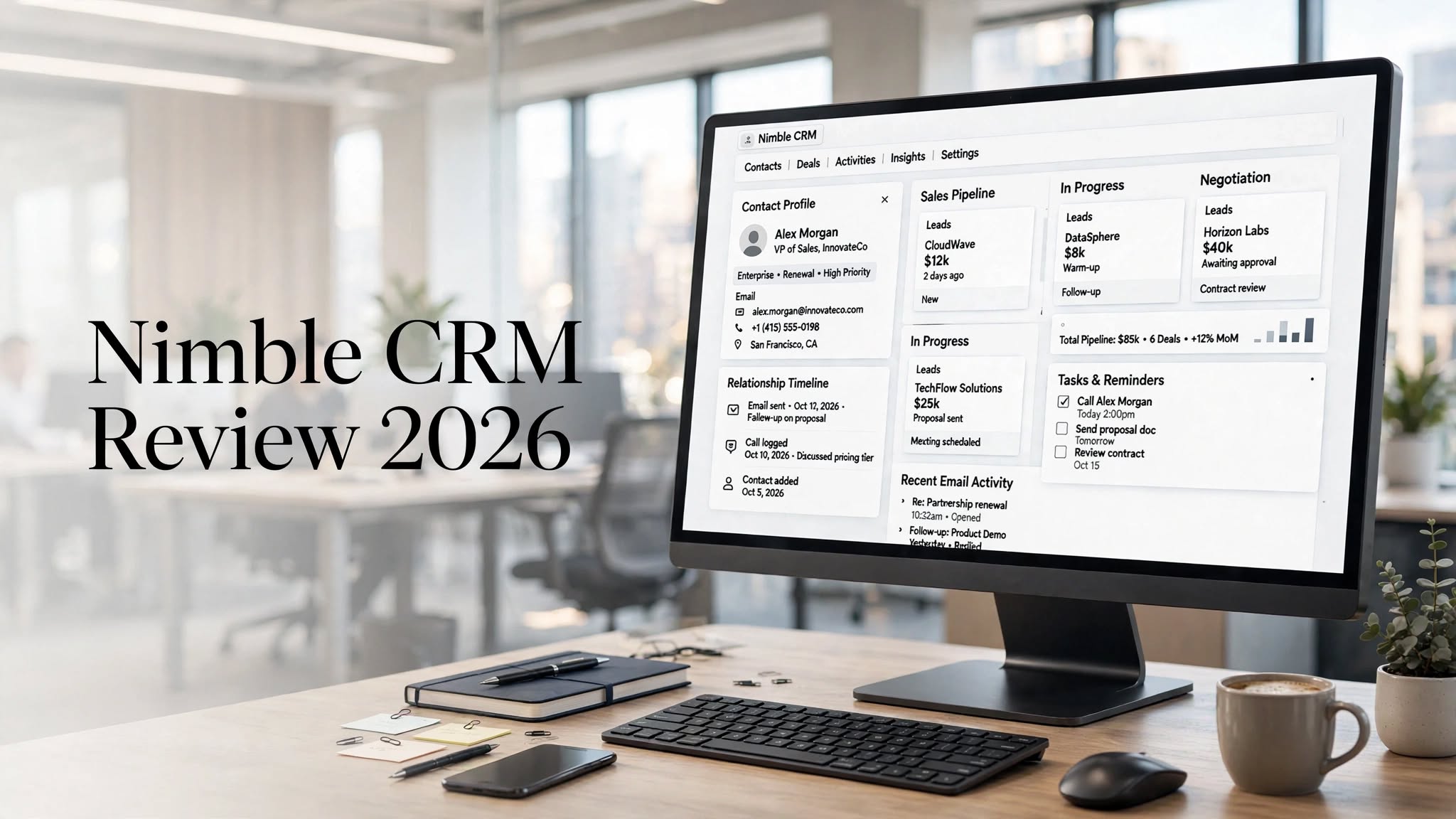

Nimble CRM is a relationship-focused customer relationship management platform designed primarily for solopreneurs, consultants, sales professionals, and small businesses. Rather than trying to compete with large enterprise CRMs on complexity, Nimble focuses on helping businesses organize contacts, enrich customer information, manage conversations, track deals, and build stronger relationships.
One of Nimble’s biggest advantages is its ability to bring contact information from different sources into a unified CRM environment. It works with tools such as Google Workspace and Microsoft 365 and can be used directly alongside email, LinkedIn, and other web-based workflows.
Nimble also includes sales pipelines, workflows, email sequences, web forms, group messaging, reporting, and its Nimble Prospector tool for finding and enriching contact information.
But is Nimble CRM the right choice for your business in 2026? Let’s take a closer look at its features, pricing, pros, cons, alternatives, and overall value.
What Is Nimble CRM?
Nimble CRM is a cloud-based CRM built around relationship management.
The platform helps businesses bring contacts, emails, calendars, social information, tasks, and sales activities into one centralized workspace. Its relationship-first approach makes it particularly useful for professionals who rely heavily on networking, email communication, referrals, and long-term customer relationships.
Instead of focusing only on deals and revenue, Nimble provides additional context around the people you’re communicating with. Its contact enrichment capabilities can help add information such as company details, job titles, phone numbers, email addresses, and other business information to contact records.
This makes Nimble especially interesting for consultants, agencies, freelancers, coaches, and small sales teams.
Nimble CRM Features
1. Contact Management
Contact management is one of Nimble’s strongest areas.
The platform provides centralized contact records where businesses can organize customer information and keep track of interactions.
Instead of keeping customer details scattered between email accounts, spreadsheets, social networks, and different applications, Nimble attempts to bring them together into a single CRM.
You can organize contacts into groups and use additional information to segment prospects and customers.
2. Contact Enrichment
Nimble’s contact enrichment tools are one of its biggest differentiators.
The platform can help users discover additional information about contacts while browsing the web or working with tools such as LinkedIn. Nimble Prospector is designed to capture and enrich contact information without requiring users to manually enter every detail.
This can save considerable time for salespeople and professionals who regularly research prospects.
For example, instead of manually copying information from a prospect’s online profile into a CRM, Nimble can help build a more complete contact record.
3. Nimble Prospector
Nimble Prospector is designed for prospecting and lead generation.
It allows users to find contact information and enrich existing records while working on the web. This can be particularly useful for professionals who use LinkedIn and other websites to discover potential customers.
For relationship-driven businesses, this feature can reduce repetitive data entry and make prospect research more efficient.
4. Email Integration
Nimble integrates with major productivity ecosystems such as Google Workspace and Microsoft 365.
This allows users to connect contacts, emails, calendars, and other business information with their CRM.
Nimble can also work alongside Gmail and Outlook, making it possible to access CRM information without constantly switching between different applications.
This is one reason the platform can feel more natural than traditional CRMs for professionals who spend most of their day inside their inbox.
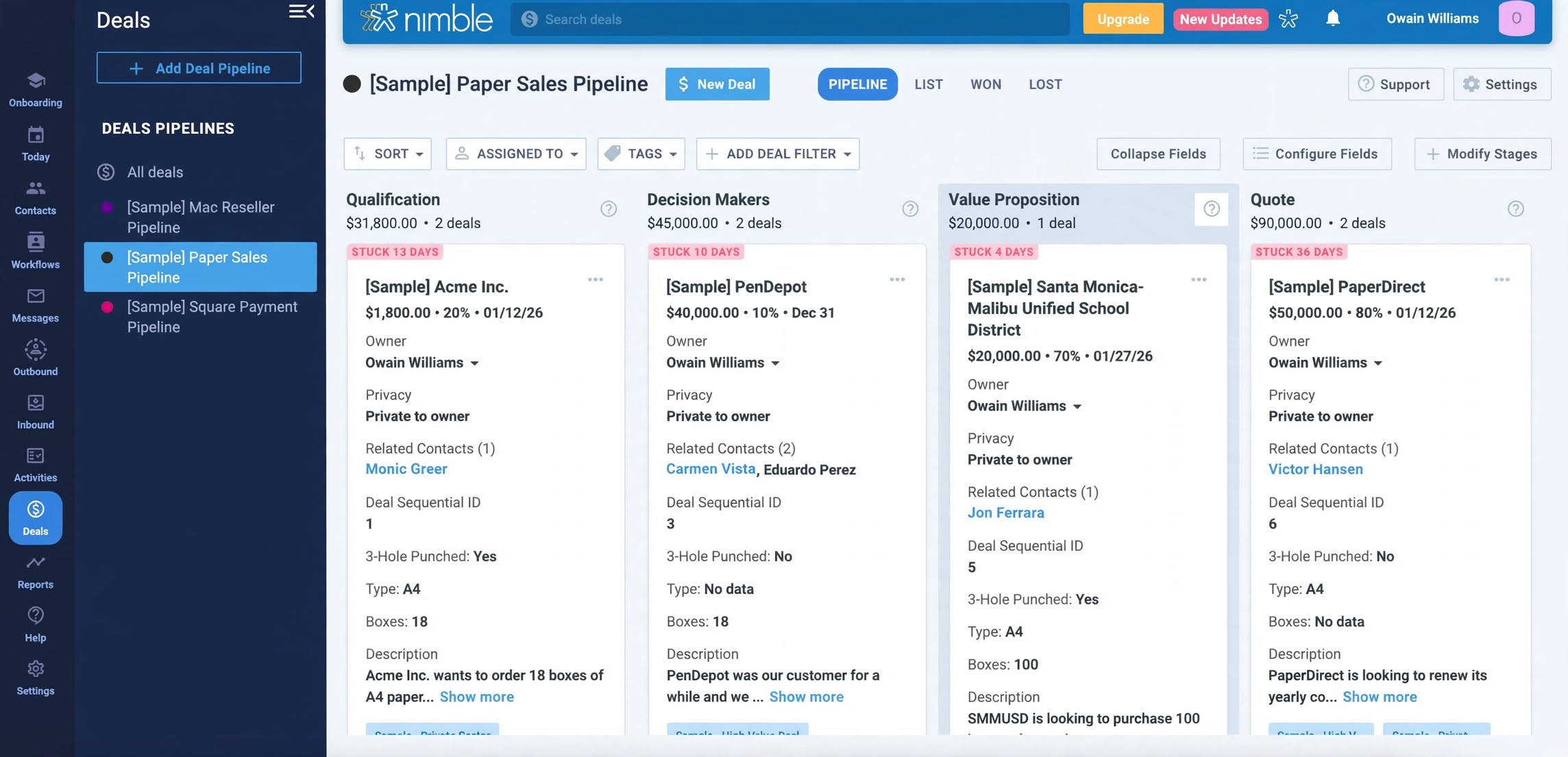
5. Sales Pipelines
Nimble provides visual deal pipelines that allow businesses to track opportunities through different stages of the sales process.
For example, a pipeline might include:
- New Lead
- Contacted
- Qualified
- Proposal Sent
- Negotiation
- Won
Nimble also supports multiple customizable pipelines, which can be useful when a business has different sales processes for different products or services.
6. Workflows and Automation
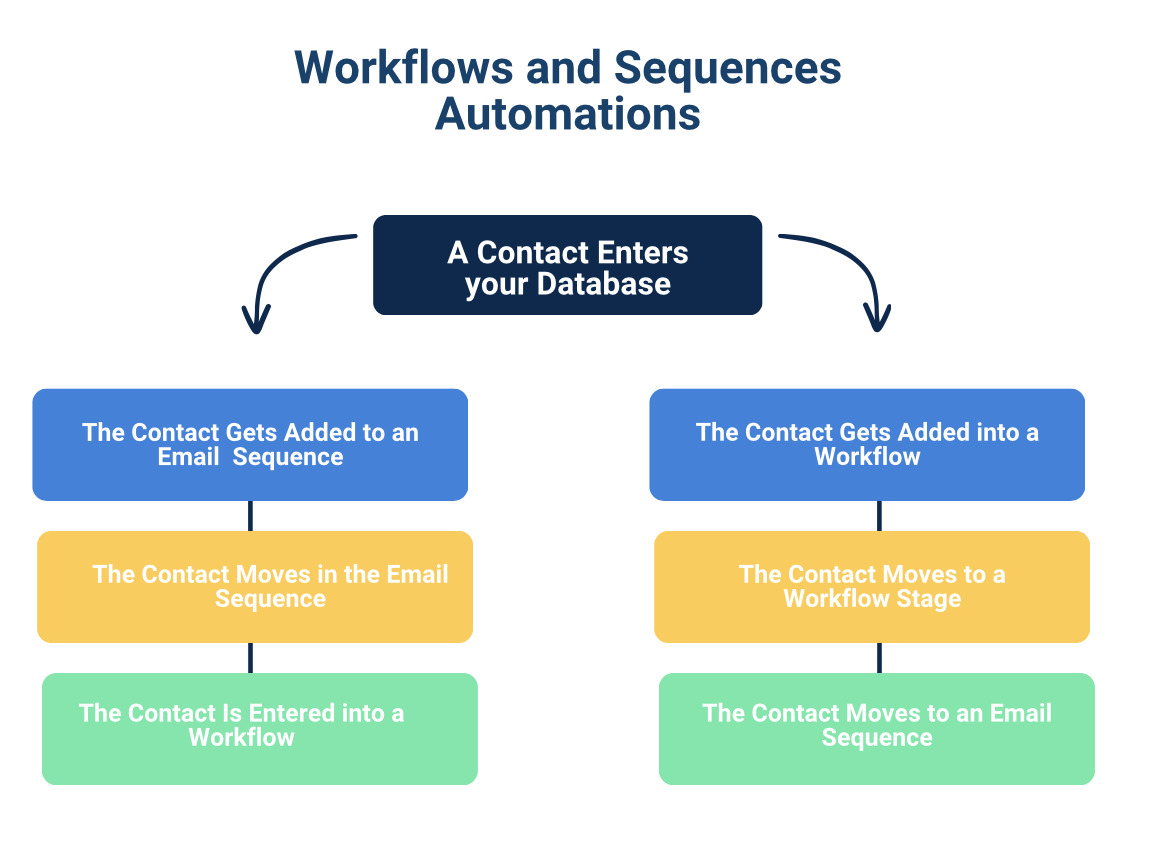
Nimble includes workflows and automation tools that help businesses manage repetitive processes.
Workflows can be used to organize lead qualification, follow-ups, tasks, and other customer-related activities.
Automation is particularly useful when a business has a consistent process for handling new prospects.
Instead of manually remembering every follow-up, users can create a structured workflow that helps keep opportunities moving.
7. Email Sequences
Nimble supports automated email sequences for outreach and follow-up.
Businesses can prepare a series of messages that are sent according to a schedule or based on specific actions.
This can be useful for lead nurturing, sales outreach, customer follow-ups, and relationship-building campaigns.
The goal is to make consistent communication easier without requiring users to manually send every individual email.
8. Email Marketing
Nimble has expanded beyond traditional CRM functionality with email marketing tools.
The platform supports email campaigns, email lists, web forms, and other tools for capturing and nurturing leads. Its current offering also includes AI-powered email marketing capabilities.
This gives small businesses the ability to manage more of the customer journey from one platform.
9. Web Forms
Web forms can be used to capture leads directly from a business website.
When someone submits a form, the information can be added to Nimble as a contact and used in follow-up workflows.
This can create a simple path from:
Website Visitor → Lead → CRM Contact → Follow-Up → Sales Opportunity
For small businesses that don’t want to maintain several disconnected lead-generation tools, this can be useful.
10. Group Messaging
Nimble also supports group messaging and email tracking.
Businesses can send personalized messages to selected contact segments while monitoring engagement such as opens and clicks.
This is useful for outreach campaigns where personalized communication is important.
Nimble CRM Pros
- Relationship-focused CRM
- Strong contact management
- Useful contact enrichment
- Nimble Prospector for lead research
- Google Workspace and Microsoft 365 integration
- Visual sales pipelines
- Workflow automation
Nimble CRM Cons
- No permanent free plan
- Pricing can be higher than basic CRMs
- Limited storage per user
- Reporting is less advanced than enterprise platforms
- Some features require additional upgrades
- Not designed for highly complex enterprise workflows
Nimble CRM Pricing
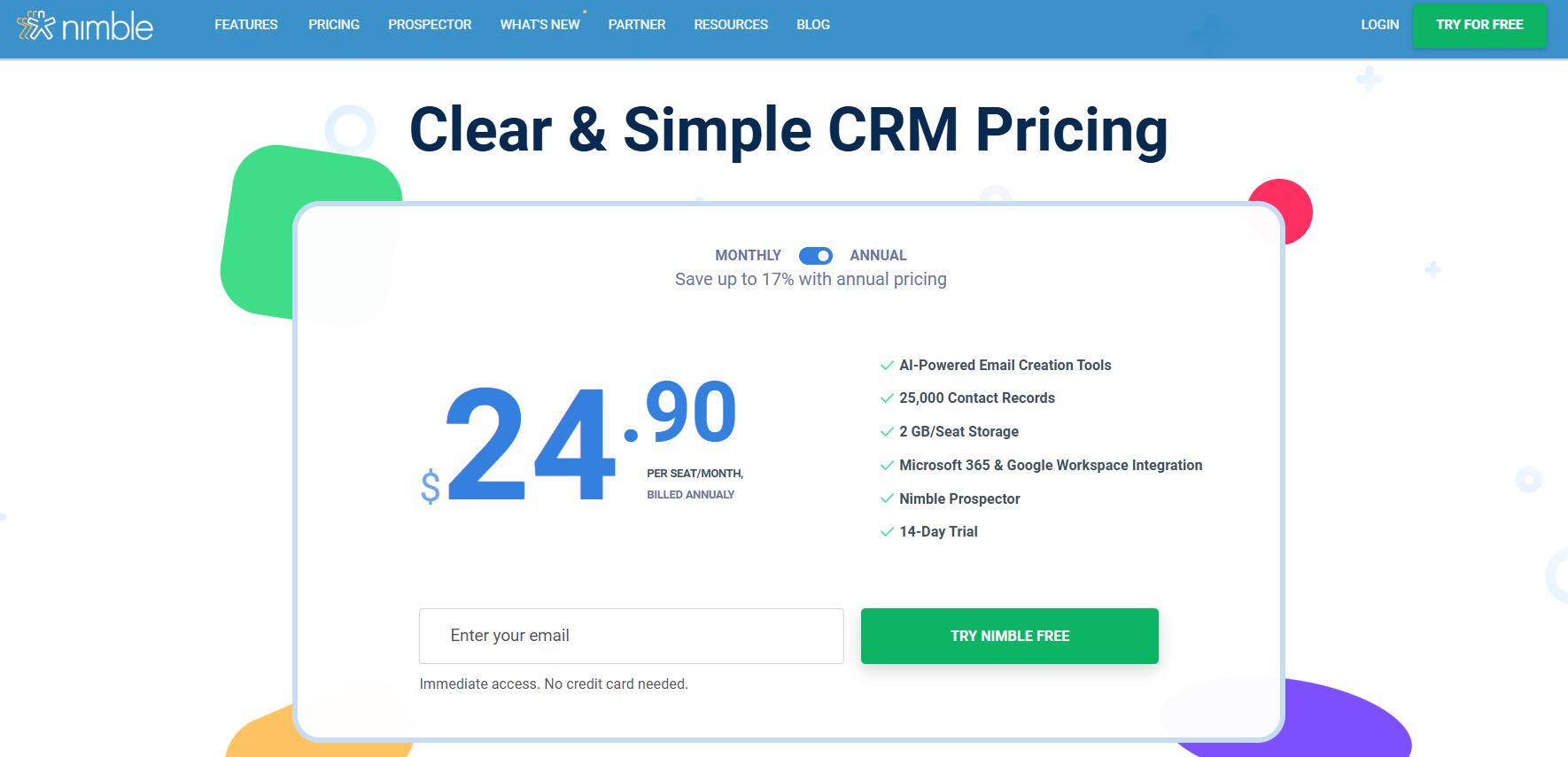
Nimble keeps its current pricing structure relatively simple compared with CRMs that offer numerous feature tiers.
The Business plan currently costs $24.90 per user per month when billed annually or $29.90 per user per month when billed monthly. The plan includes up to 25,000 contact records and 2GB of storage per user.
Nimble also offers a 14-day free trial with no credit card required, allowing businesses to test the platform before subscribing.
Additional services can increase the overall cost. For example, Nimble lists email marketing, data enrichment credits, web chat and forms, and additional storage as available upgrades.
The simple one-plan approach can be appealing because users don’t have to compare numerous feature tiers just to determine which CRM package they need.
Who Should Avoid Nimble?
Nimble may not be the ideal choice for large organizations that require extremely advanced CRM customization, complex reporting, extensive enterprise automation, or sophisticated resource management.
Companies that need a CRM for hundreds of sales representatives across multiple departments may prefer a larger platform such as Salesforce or HubSpot.
Similarly, businesses that only need a basic contact database may find Nimble’s paid pricing unnecessary.
Nimble CRM Alternatives
There are several alternatives worth considering depending on your requirements.
HubSpot CRM is a strong option for businesses that want a broader CRM ecosystem and a free starting point.
Zoho CRM provides extensive customization and a broad collection of business tools.
Pipedrive is particularly strong for businesses that prioritize straightforward sales pipeline management.
Salesforce is better suited to larger organizations requiring advanced customization and enterprise functionality.
Nimble’s main advantage is its relationship-focused approach and its combination of contact enrichment, communication, prospecting, and CRM functionality.
Who Is Nimble CRM Best For?
Nimble is best suited to businesses and professionals that prioritize relationships over complicated sales operations.
It can be a particularly good fit for:
- Solopreneurs
- Consultants
- Freelancers
- Coaches
- Agencies
- Small sales teams
- Service businesses
- Relationship-driven professionals
Is Nimble CRM Easy to Use?
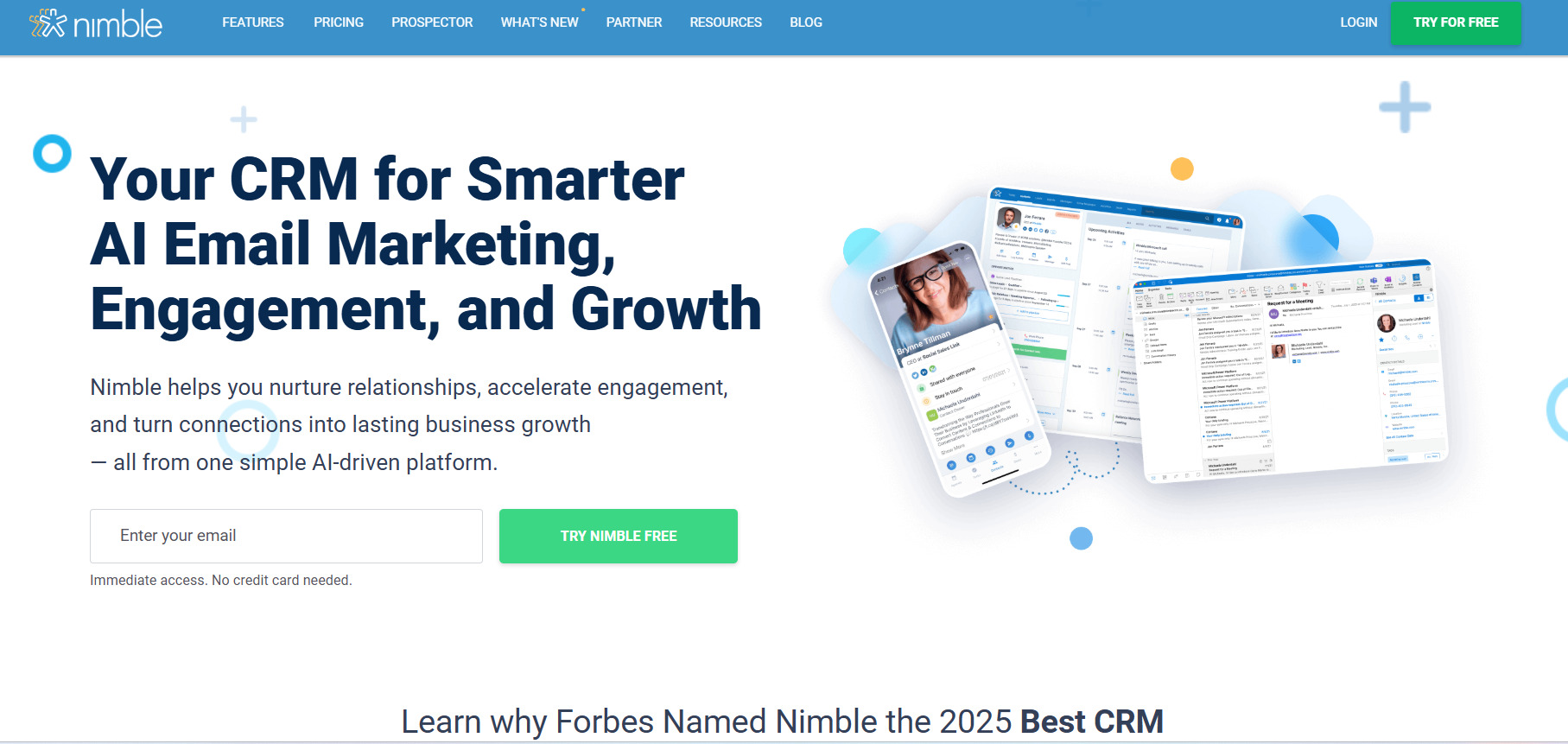
Ease of use is one of Nimble’s strongest advantages.
The platform is designed to avoid the complexity associated with many traditional CRM systems. Its interface focuses on contacts, relationships, sales opportunities, tasks, and communication.
Independent testing has also highlighted Nimble’s user-friendly interface and relatively easy learning curve.
This makes it appealing to small businesses that don’t have dedicated CRM administrators or large technical teams.
Is Nimble CRM Worth It?
Nimble CRM can be worth it if your business depends heavily on relationships, networking, prospecting, and consistent follow-up.
Its strongest features are not necessarily the most complicated ones. Instead, Nimble excels at keeping contact information organized, enriching customer profiles, connecting email and calendar data, and helping professionals maintain relationships.
The current $24.90 per-user monthly price with annual billing puts it above some basic CRM options, but Nimble includes its core CRM features in one main plan rather than forcing users into multiple feature tiers.
For a consultant or small business owner who can save hours of manual research and follow-up, that can make the subscription worthwhile.
However, businesses that need advanced enterprise analytics or highly complex workflows may find better options elsewhere.
Final Verdict
Nimble CRM is a strong choice for small businesses and professionals who want a simple, relationship-focused CRM without the complexity of traditional enterprise software.
Its contact management, data enrichment, Nimble Prospector, email integration, sales pipelines, workflows, web forms, and mobile access make it a versatile platform for managing customer relationships.
Its biggest advantage is the way it connects CRM information with the tools professionals already use, particularly email, calendars, and social platforms.
The main drawbacks are its lack of a permanent free plan, storage limitations, additional costs for certain upgrades, and less extensive reporting compared with larger CRM platforms.
Overall, Nimble CRM is a compelling option for solopreneurs, consultants, agencies, and small teams that want to spend less time managing CRM data and more time building genuine customer relationships.
