
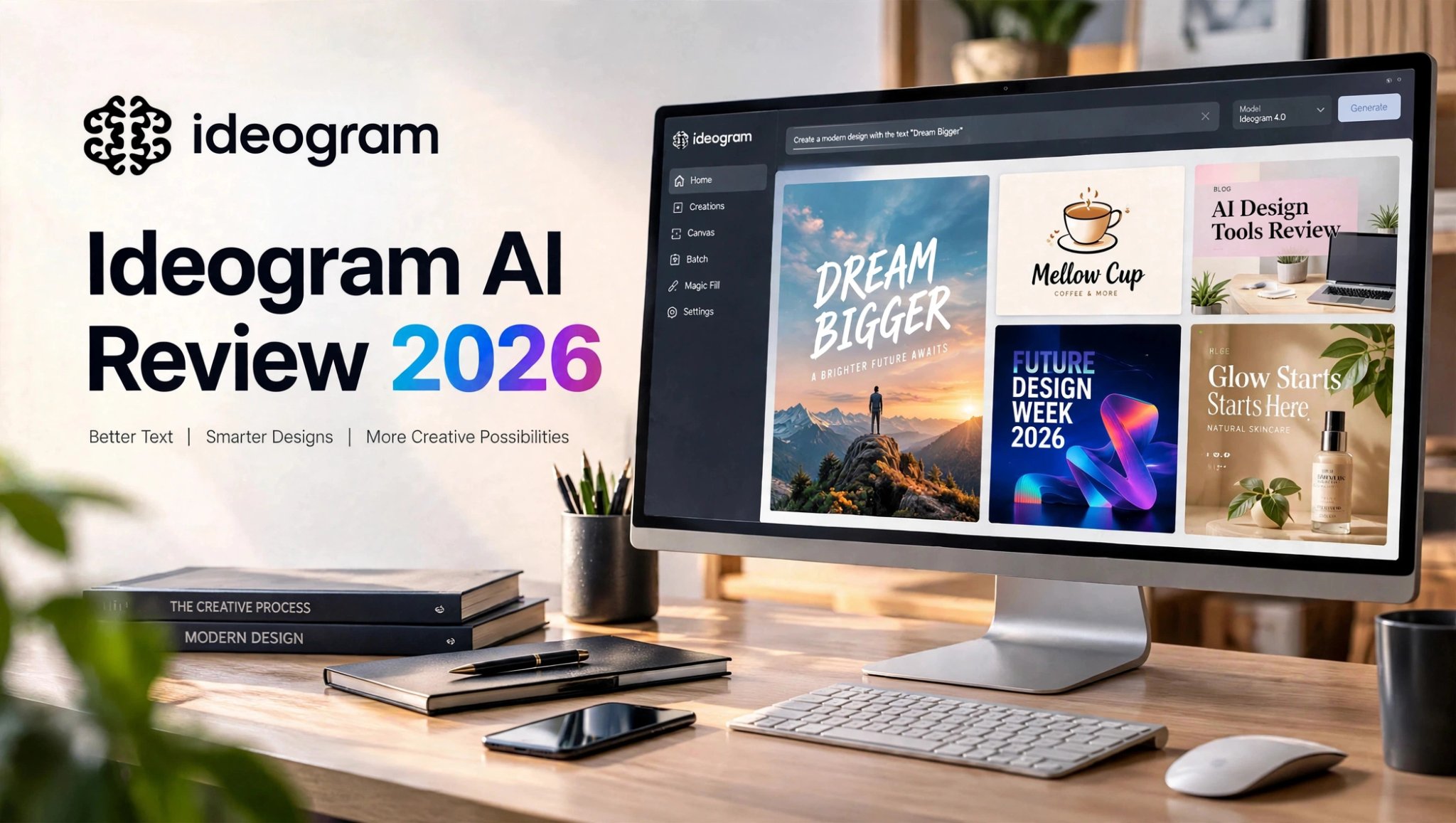

AI image generators have become incredibly good at creating attractive visuals, but there is still one problem that shows up again and again: text inside generated images.
A beautiful poster is not very useful when the headline is misspelled. A product advertisement loses its professional look when the brand name is distorted. Even a simple blog thumbnail can require several attempts if the AI cannot reproduce a few words correctly.
That is where Ideogram AI stands out.
I spent time testing Ideogram with practical design scenarios instead of relying only on impressive-looking sample images. I focused on blog graphics, posters, logo concepts, and product advertisements to see how well the platform handles typography, composition, prompt accuracy, and editing.
The results were interesting. Ideogram is not designed to replace a complete graphic-design workflow, but it can be particularly useful when readable text is an important part of an AI-generated image.
In this Ideogram AI review, I’ll cover its main features, image-generation performance, text accuracy, editing capabilities, pricing considerations, limitations, and the types of users who may benefit from it.
What Is Ideogram AI?

Ideogram AI is an AI-powered image-generation platform designed to turn written prompts into visual content.
While many AI image generators concentrate primarily on artistic styles, realism, characters, or environments, Ideogram has built much of its identity around typography and design-oriented image generation.
That makes it useful for situations where the image itself needs to contain readable words.
For example, you can use it to explore ideas for:
- Blog thumbnails
- Event posters
- Social media graphics
- Marketing advertisements
- Product promotions
You can generate a concept quickly, evaluate different layouts, and then move the strongest result into another design application for final polishing.
My Ideogram AI Testing Approach
Instead of judging Ideogram only from promotional examples, I looked at several common design situations.
For each test, I considered five things:
- How accurately the requested text appeared
- Whether the layout looked intentional
- How closely the image followed the prompt
- Whether the result could realistically be used as a design draft
- How much additional editing would be necessary
A practical design tool needs more than attractive colors and realistic images.
Ideogram AI Image Generator Test

1. Blog Cover With a Specific Headline
My first test focused on a common content-marketing task: generating a blog cover with a specific title.
The prompt asked for a modern editorial-style 16:9 graphic containing the headline “AI Design Tools Review.”
The goal was not to create complicated artwork. I wanted to see whether Ideogram could produce a clean visual where the headline remained readable and naturally integrated into the design.
The results were generally strong.
The better generations placed the headline in a logical position and treated the typography as part of the overall composition rather than making it look like random text pasted onto the image.
There were still occasional layout issues. Some versions included unnecessary decorative elements, while others had spacing that needed refinement.
For content teams, however, the biggest advantage is speed.
Instead of starting from a blank canvas, you can generate several creative directions and then refine the most promising option in your preferred editor.
2. Event Poster With Exact Wording
Next, I tested Ideogram with a fictional event poster using the exact phrase:
“Future Design Week 2026”
This was one of the more convincing use cases.
The large headline was generally easy to read, and the generated compositions often had a recognizable poster hierarchy.
The strongest results included:
- A clear focal area
- Noticeable headline contrast
- Appropriate typography
- A coherent background
- A reasonably professional visual structure
That means I would not automatically publish the first generation.
For posters and promotional graphics, the best workflow is to generate several versions, inspect the typography carefully, and make final corrections before publishing.
3. Logo Concept Generation
Logo creation was another interesting test.
I used a fictional coffee brand called “Mellow Cup” and asked Ideogram for a simple, friendly logo concept.
The platform did a reasonable job understanding the branding direction.
The generated concepts could be useful for exploring:
- Wordmark ideas
- Color directions
- Icon concepts
- Brand personality
- Typography inspiration
An AI-generated logo should not automatically be treated as a finished identity system.
A real brand identity may require vectorization, spacing adjustments, scalability testing, trademark research, and other design work.
So I would use Ideogram to overcome the blank-page problem and generate visual directions rather than treating it as the final stage of logo development.
4. Product Advertisement
For the final test, I created a skincare-product advertising concept with the headline:
“Glow Starts Here”
This test combined several requirements.
The image needed to communicate a premium beauty aesthetic while also producing a realistic product and readable marketing text.
The strongest generations created attractive studio-style compositions with good lighting and a reasonably polished advertising feel.
The typography was also useful in the better outputs.
The main weakness was close-up product accuracy.
Small label details and bottle shapes can still look artificial when examined closely.
That makes Ideogram more useful for campaign concepts, moodboards, advertising directions, and early creative development than for replacing a final commercial product shoot.
Ideogram AI Review: Quick Highlights
- Strong focus on text inside AI-generated images
- Useful for posters, social graphics, blog covers, and advertisements
- Can generate logo and branding concepts
- Supports image editing and creative adjustments
- Useful for experimenting with multiple visual directions
- Short text generally works better than long copy
- Generated designs can still require manual cleanup
What I Learned From Testing Ideogram
After testing several different design scenarios, one pattern became clear.
Ideogram becomes more useful when text is an important component of the image.
If you simply want a beautiful landscape, character, fantasy scene, or artistic illustration, there are many AI image generators worth considering.
But when your prompt depends on a specific headline, slogan, brand name, or short phrase, Ideogram’s design-focused approach becomes more relevant.
Prompt construction also matters.
Instead of vaguely describing the text, it helps to:
- Put the required wording clearly in the prompt
- Use quotation marks around exact text
- Keep generated copy relatively short
- Specify that no additional text should be included
- Generate multiple versions when necessary
- Inspect the final image before publishing
Ideogram AI Features

AI Image Generation
The core of Ideogram is its AI image-generation workflow.
You describe the image you want, select the appropriate settings, and generate visual variations.
This makes it useful for designers and marketers who want to explore several creative directions quickly.
Text Generation Inside Images
This is the feature most closely associated with Ideogram.
Instead of treating typography as an afterthought, the platform is designed to handle text as part of the generated visual.
That makes it particularly relevant for:
- Posters
- Headlines
- Logos
- Advertisements
- Social posts
- Blog graphics
- Product concepts
Canvas and Editing Tools
Ideogram also provides editing-oriented capabilities that can help you continue working with a generated image rather than starting over every time.
Depending on the workflow, tools such as Canvas, Magic Fill, Extend, background removal, and text-related controls can make iterative design easier.
This is useful because AI image generation rarely produces the perfect result on the first attempt.
Background Removal
Removing a background can be useful when preparing generated subjects for another design.
For example, you could create a product concept, isolate the object, and then continue the composition elsewhere.
Styles and Creative Control
Style controls give users more ways to influence the visual direction.
This matters when you are trying to maintain a consistent look across several generations rather than accepting whatever style the AI produces automatically.
Is Ideogram Good for AI Video?
This is one area where Ideogram should be viewed differently from platforms built around broader image-and-video workflows.
Ideogram’s primary experience is centered around AI image creation and design editing.
If your workflow depends heavily on:
- Image-to-video generation
- AI video advertisements
- Animated product clips
- Short-form video creation
- Turning still images into moving content
That does not necessarily make Ideogram unsuitable.
It simply means the platform is more specialized around still-image creation and design.
For someone creating blog covers and posters, this may not matter much.
For a creator building an entire image-to-video pipeline, it becomes an important consideration.
Ideogram AI Pricing: Is It Worth Paying For?

The value of Ideogram depends heavily on what you create.
If you only want an occasional AI-generated image, paying for a specialized platform may not be necessary.
But if your regular work involves creating graphics with readable text, the platform can become considerably more useful.
Ideogram uses plan-based access and credits, and image-generation usage can vary depending on factors such as the selected model, rendering settings, output quantity, and workflow.
This is important because design work usually involves iteration.
You rarely generate one image and immediately publish it.
A typical process looks more like:
Generate → Compare → Adjust prompt → Generate again → Edit → Review → Publish
That means your actual usage can be significantly higher than the number of finished images you eventually use.
Who May Find Ideogram Worth the Cost?
Ideogram may be useful for people who regularly create:
- Marketing graphics
- Blog thumbnails
- Event posters
- Social media designs
- Product advertisements
- Print-on-demand artwork
- Branding concepts
Editing features also make it possible to improve an existing generation instead of discarding it every time something needs to change.
When Ideogram May Not Be the Right Fit
Ideogram may be less useful if your work rarely requires text inside images.
It may also require additional tools if you need a complete video-generation workflow.
And although text rendering can be a major advantage, it does not mean every generation will be perfect.
You should still check:
- Spelling
- Letter spacing
- Alignment
- Extra text
- Product details
- Small visual artifacts
- Brand consistency
Ideogram AI Pros and Cons
Pros
- Strong focus on readable text in AI images
- Useful for posters and promotional graphics
- Good for blog and social media visuals
- Helpful for exploring logo concepts
- Fast creative experimentation
- Useful editing capabilities
- Supports different visual styles
- Can reduce repetitive design work
Cons
- Generated designs still need review
- Long text can be more difficult
- Some outputs include unwanted decorative text
- Product details may require cleanup
- Not a replacement for professional design software
- AI video is not its primary workflow
- Multiple generations can consume credits quickly
Ideogram

Ideogram should not necessarily be viewed as a universal replacement for every AI image generator.
Different platforms emphasize different parts of the creative process.
If your priority is typography-heavy static design, Ideogram’s focus is particularly relevant.
If your priority is artistic image generation, cinematic imagery, animation, video, or a broader multi-model workflow, another platform may better match your specific requirements.
The important question is therefore not simply:
“Which AI image generator is best?”
A better question is:
“What type of content am I trying to create?”
For a poster containing a precise headline, text accuracy can matter more than having dozens of artistic presets.
For a cinematic illustration, the priorities may be completely different.
Ideogram AI vs PicLumen
Ideogram and PicLumen can appeal to users who want AI-assisted visual creation, but their workflows can differ.
Ideogram’s strongest selling point is its focus on AI-generated images containing readable text and design elements.
That makes it particularly relevant for:
- Posters
- Blog covers
- Quote graphics
- Marketing concepts
- Typography-based designs
- Logo exploration
That distinction can matter if your projects regularly move from still images into motion.
For example, a creator might generate a product visual and then want to turn that concept into a short promotional clip. In that situation, a platform offering image and video workflows may reduce the need to move between multiple tools.
The better fit ultimately depends on the specific workflow rather than a single feature.
Who Should Use Ideogram AI?
Ideogram can be a useful option for:
Bloggers and Content Creators
If you regularly need blog covers, thumbnails, social graphics, or promotional visuals with readable headlines, Ideogram can speed up the creative process.
Social Media Marketers
Short headlines and promotional messaging are common in social content, making typography accuracy particularly valuable.
Small Businesses
Small teams can use AI-generated concepts to explore advertisements, campaigns, branding directions, and promotional designs without creating every concept manually.
Designers
Professional designers can use Ideogram during the concept stage to generate ideas before recreating and refining the selected direction in a traditional design application.
Print-on-Demand Creators
Text-based designs are an obvious use case for creators experimenting with merchandise concepts and other print-oriented graphics.
Who May Need Another Tool?
Ideogram may not be enough on its own if you need:
- Advanced vector design
- Full professional photo editing
- Complex brand systems
- Extensive video production
- Advanced animation
- Pixel-perfect commercial artwork
Final Thoughts on Ideogram AI
After testing Ideogram across several practical design scenarios, I think its biggest strength is easy to identify: it makes AI-generated images more useful when readable text is part of the design.
That makes it particularly interesting for posters, blog graphics, advertisements, social media visuals, branding concepts, and print-oriented designs.
It is also important to keep expectations realistic.
Ideogram does not eliminate the need for editing. Some generations still contain awkward spacing, unwanted visual details, or product imperfections. Longer text can also be more difficult to handle than a short headline.
For that reason, I would treat Ideogram as a creative production assistant rather than a complete replacement for a designer.
If your main challenge is producing attractive AI visuals that also need short, readable text, Ideogram is worth exploring.
If you need a broader workflow covering image generation, image-to-video, and other forms of multimedia creation, you may want to compare it with platforms that focus more heavily on those areas.
FAQ About Ideogram AI
Is Ideogram AI free?
Ideogram offers a free option, making it possible to try the platform before committing to a paid plan. Whether the free usage is sufficient depends on how frequently you generate images and how many variations you need.
Is Ideogram good for logos?
Ideogram can be useful for generating logo concepts and exploring different visual directions. However, a generated logo should generally be treated as a starting point rather than a finished professional identity. Vector cleanup, scalability testing, spacing adjustments, and trademark research may still be necessary.
Is Ideogram good for posters?
Yes, posters are one of the more relevant use cases because they often depend on short, prominent text. Ideogram can generate poster concepts with headlines and visual hierarchy, although every output should still be reviewed before publication.
Can Ideogram generate text inside images?
Yes. Text generation inside images is one of the platform’s major areas of focus. It can be particularly useful for short headlines, slogans, brand names, and other concise text elements.
