
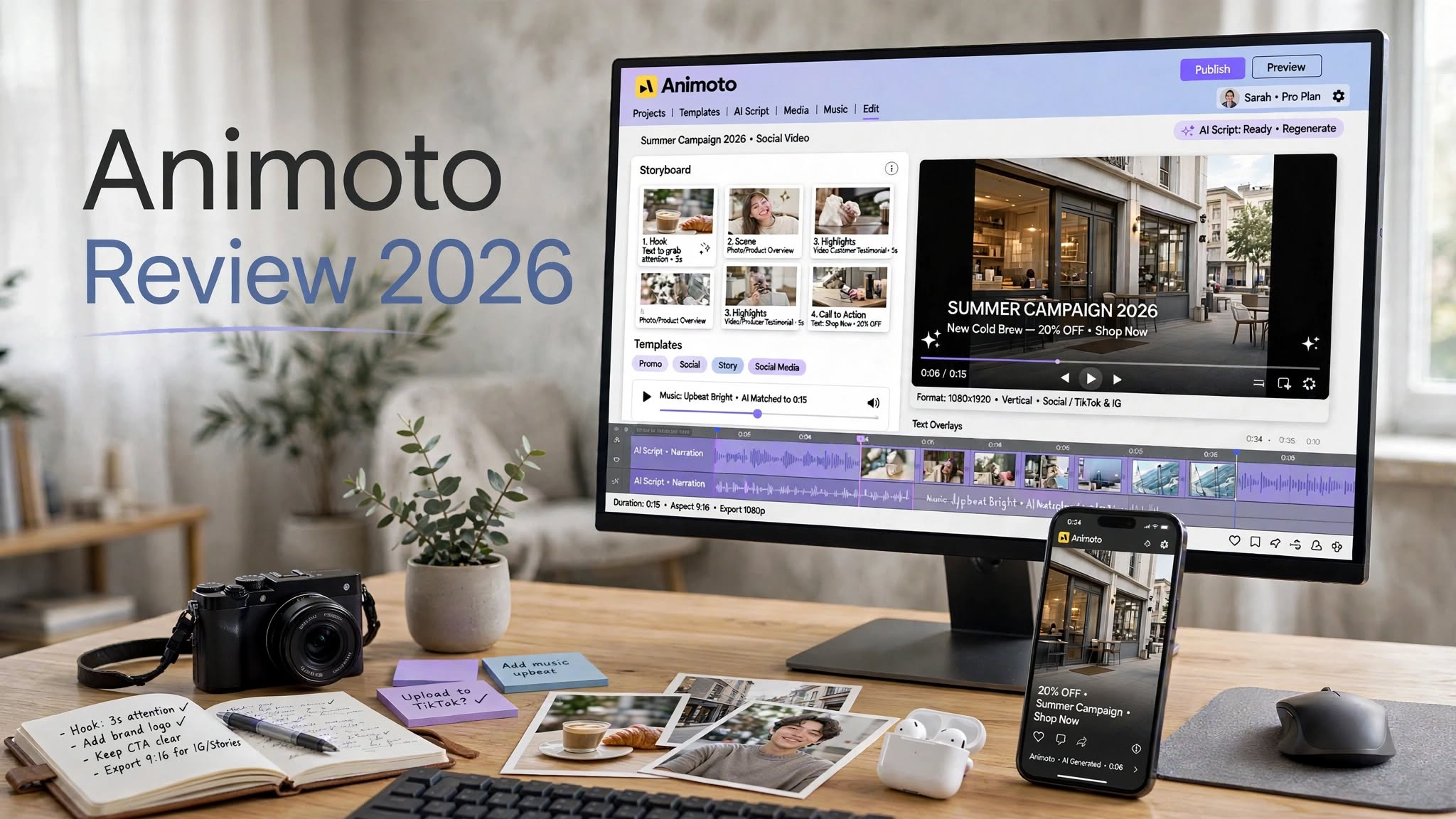

Making a good-looking video shouldn’t always require professional editing skills.
Sometimes you already have everything you need — product photos, phone footage, a few lines of text, and background music — but turning those pieces into something polished is the difficult part. That’s exactly where Animoto tries to help.
Animoto is an online video maker built around templates, drag-and-drop editing, stock media, music, and automated video creation. It has been around since 2006, making it considerably older than many of the AI video platforms competing for attention today.
But longevity doesn’t automatically make a video tool useful in 2026.
So in this Animoto review 2026, I’ll look at its video maker, AI features, slideshow capabilities, ease of use, pricing, pros and cons, and the types of users who are most likely to benefit from it.
What Is Animoto?

Animoto is a browser-based video creation platform that helps users turn existing photos and video clips into finished videos.
Its approach is deliberately simple. Instead of opening a complicated professional editing timeline, you can choose a template, upload your media, add text and music, rearrange scenes, and export the finished project.
The platform also provides access to stock media on eligible plans and includes AI-assisted tools for creating scripts and assembling initial video concepts.
One thing that’s important to understand is that Animoto is not a traditional generative AI video generator.
It doesn’t primarily create completely new footage from a text prompt. Its strength is taking content you already have and turning it into something more organized and presentable.
That makes Animoto closer to a simple online video editor than a fully generative AI studio.
Animoto Video Maker: How Does It Work?

The basic workflow is straightforward.
You begin by selecting a template or starting a new project. From there, you can upload your own photos and clips and place them into the video’s different sections.
Text, transitions, music, and other design elements can then be adjusted before exporting the project.
The entire experience is designed to remove much of the technical work normally associated with video editing.
For example, if you have eight product photos and need a short Instagram promotion, you don’t have to build the entire video from scratch. A suitable template can provide the basic structure, while you concentrate on replacing the sample content with your own.
This is where Animoto’s philosophy becomes clear:
Less control, less complexity, and faster results.
For simple projects, that can be a very useful combination.
Animoto Templates
Templates are at the center of the Animoto experience.
Rather than asking beginners to figure out pacing, transitions, typography, and scene layouts themselves, the platform gives them a pre-built starting point.
This can be particularly useful for:
- Product promotions
- Instagram and social media videos
- Business announcements
- Event recaps
- Photo presentations
- Educational projects
- Real estate content
- Marketing videos
Even someone without much design experience can start with a professionally structured layout instead of creating every scene manually.
The downside is that your creative freedom is naturally more limited than it would be in a professional editor.
If you want highly customized animations or precise movement on every element, you’ll probably notice those limitations fairly quickly.
Animoto AI Review
Animoto’s AI features are worth discussing separately because the term “AI video maker” can create the wrong expectations.
The platform includes an AI Script Generator that can help turn a description or idea into a structured video script. It can then help assemble an initial video using available media and templates.
This can be useful when you know what you want to say but don’t know how to structure the video.
For example, a small coffee company could describe its product, audience, and desired tone and use the generated script as a starting point.
The important part is that the AI isn’t creating completely original footage.
Instead, Animoto combines AI-assisted writing with its existing template and media workflow.
What Animoto AI Does Well
The script-generation feature can save time during the planning stage.
Instead of starting with a blank page, you get an initial structure that can be edited and customized.
That’s particularly useful for marketers and small businesses producing frequent short-form content.
What Animoto AI Doesn’t Do
Animoto doesn’t provide dedicated AI image generation.
It also doesn’t function like a pure text-to-video model that invents a complete cinematic scene from a written prompt. The competitor testing similarly found that the AI-generated structure could be useful while the automatically selected stock visuals could sometimes feel generic.
So if your main goal is creating new visual assets from prompts, Animoto may not be enough by itself.
Animoto Slideshow Maker
If there’s one type of project that fits Animoto especially naturally, it’s the photo slideshow.
You can upload a large collection of images, select a suitable style, add music, and allow the platform to handle much of the pacing.
This makes it useful for:
Family and Personal Videos
Turn vacation photos, birthdays, weddings, or other memories into shareable videos.
Photography
Photographers can use slideshows to present collections of images to clients.
Events
Photos from conferences, parties, school events, and other occasions can be turned into recap videos.
Education
Teachers and students can combine images, text, and music into simple presentations.
The automated timing with music is one of the areas where Animoto’s simplified approach makes sense. Instead of manually deciding exactly how long every photo should remain on screen, the platform handles much of the timing for you.
Animoto Features

Animoto doesn’t try to overwhelm users with hundreds of professional editing controls. Instead, it concentrates on the features needed to produce straightforward videos.
Drag-and-Drop Editor
Upload your media and place it into the project’s scenes without learning a complicated editing interface.
Video Templates
Templates provide ready-made structures for different types of content.
Stock Media
Eligible paid plans provide access to stock photography, video, and music, which can help fill gaps when you don’t have enough original material.
Music Library
Background music can be added to videos and slideshows to make them feel more complete.
AI Script Generation
The AI-assisted script feature can provide a starting point for video narration and structure.
Branding
Higher-level plans include branding capabilities for businesses that want their videos to maintain a consistent visual identity.
Social Video Creation
Animoto is well suited to short-form content intended for social platforms, especially when the underlying material is already available.
Animoto Ease of Use
This is probably one of Animoto’s clearest advantages.
You don’t need to spend hours learning the software before making your first project.
The workflow is essentially:
Choose a template → Add media → Edit text → Add music → Customize → Export
Projects are created in the browser, and the interface is built around drag-and-drop interactions.
The competitor testing found that users familiar with other drag-and-drop design tools could become productive quickly, while more advanced controls such as detailed layering and precise motion editing were limited.
That’s an important distinction.
Animoto isn’t necessarily trying to give you every editing feature imaginable.
It’s trying to make basic video production less intimidating.
Animoto Pricing 2026

Animoto offers a free plan as well as paid subscriptions.
Pricing can vary based on billing frequency and plan changes, so users should check the current pricing information before subscribing. The competitor’s pricing snapshot listed Free, Basic, Professional, and Professional Plus tiers, with the free version including a watermark and paid plans adding features such as higher resolution, branding, stock content, and additional capabilities.
Free
The free plan allows you to experiment with the platform and create videos without immediately paying.
The main drawback is the Animoto watermark and lower export resolution.
It’s therefore more useful for testing than for polished commercial publishing.
Basic
Basic is aimed at users who want watermark-free videos and higher-resolution exports without needing the more advanced business-oriented features.
This can make it suitable for occasional creators and small projects.
Professional
Professional adds more features for businesses and frequent creators, including expanded stock resources and branding-related functionality.
For users producing regular marketing content, this is where Animoto becomes more useful.
Professional Plus
Professional Plus is aimed at heavier users and teams that need additional resources, customization, and collaboration-related capabilities.
Because Animoto can update its pricing and plan inclusions, treat any listed price as a snapshot rather than a permanent figure.
Animoto Pros and Cons
Pros
- Easy for beginners to learn
- Fast template-based video creation
- Useful slideshow maker
- Good for social media content
- Automatic pacing can simplify photo videos
- Browser-based workflow
- Stock media available on paid plans
- AI script generation can speed up planning
- Doesn’t require professional editing experience
Cons
- Limited advanced editing controls
- Block-based workflow isn’t ideal for precision editing
- AI doesn’t generate original video footage
- No dedicated AI image generator
- Some templates can feel repetitive
- Free exports include a watermark
- Less suitable for complex long-form projects
Animoto vs Professional Video Editors
Animoto and professional video editors are designed around different priorities.
A traditional professional editor gives you extensive control over timelines, layers, audio, effects, transitions, and individual frames.
Animoto gives you a simpler workflow with templates doing much of the design work.
That means the right choice depends on the project.
If you need to produce a short product video quickly, Animoto’s simplicity can be helpful.
If you’re producing a complex YouTube production, commercial, documentary, or cinematic project where every frame needs precise adjustment, a more advanced editor may be necessary.
Who Is Animoto Best For?
Small Businesses
Small companies can create product promotions, announcements, social posts, and simple marketing videos without employing a professional editor.
Social Media Managers
If your work involves repeatedly turning existing images and clips into short videos, templates can speed up production.
Photographers
Animoto’s slideshow functionality can help photographers create visual presentations and client-facing videos.
Educators
Teachers can create simple educational presentations and image-based videos without dealing with complex software.
Real Estate Agents
Property photos and clips can be combined into straightforward listing and promotional videos.
Who Should Avoid Animoto?
Animoto may not be the right fit for users who require advanced editing capabilities.
You may want a different solution if you need:
- Frame-by-frame editing
- Advanced motion graphics
- Complex audio mixing
- Extensive visual effects
- Long-form professional editing
- Fully AI-generated video scenes
- AI-generated images from text prompts
Animoto Review 2026: Is It Worth It?
Animoto’s value comes from convenience.
It’s not trying to turn every user into a professional video editor. Instead, it provides templates and automation that allow beginners to create polished-looking videos without a steep learning curve.
For someone with a folder full of photos and clips who needs a finished social media video, that can be exactly what they need.
Its limitations become more noticeable when you expect advanced editing or generative AI capabilities.
The free plan gives new users an opportunity to test the workflow, while paid plans become more relevant if you need watermark-free exports, better resolution, branding, and expanded media resources.
Final Verdict
After looking at Animoto’s workflow, AI capabilities, slideshow tools, templates, pricing structure, and limitations, its positioning is fairly clear.
Animoto is primarily a simple video creation platform rather than a full generative AI video studio.
Its biggest strengths are ease of use, templates, automated pacing, slideshow creation, and the ability to turn existing media into finished videos quickly.
Its biggest weaknesses are limited editing control and the lack of true AI-generated images and video footage.
If you want a straightforward way to create social videos, promotional clips, presentations, or slideshows without learning professional editing software, Animoto is worth exploring.
If you want to generate completely new visuals from text prompts or have precise control over every element of a production, you’ll likely need a more specialized tool.
Frequently Asked Questions
What is Animoto used for?
Animoto is used to create online videos and slideshows from photos, video clips, text, music, templates, and stock media.
Is Animoto free in 2026?
Animoto offers a free plan, but free exports have limitations such as an Animoto watermark and reduced resolution.
Does Animoto have AI?
Yes. Animoto includes AI-assisted features such as its AI Script Generator, which can help create a script and initial video structure.
Is Animoto an AI video generator?
Not in the fully generative sense. Animoto uses AI to assist with scripting and video assembly, but it doesn’t primarily generate completely original video footage from text prompts.
