
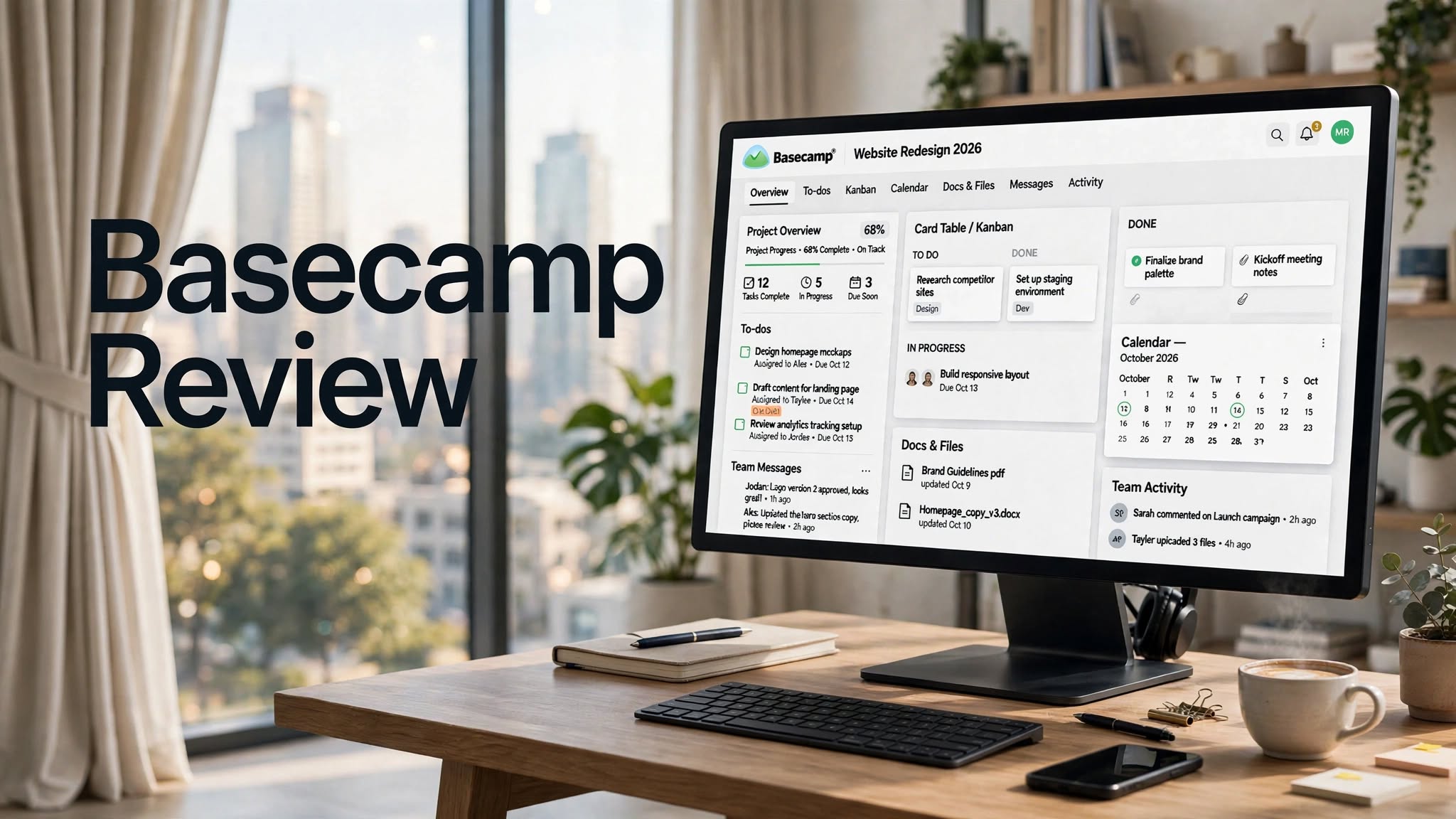

Basecamp is a project management and team collaboration platform designed to help businesses organize projects, tasks, communication, files, deadlines, and client work in one centralized workspace.
Unlike many modern project management platforms that offer dozens of advanced views and complicated configuration options, Basecamp focuses heavily on simplicity and keeping project communication in one place.
With the launch of Basecamp 5, the platform has received a major redesign with improvements to navigation, search, calendars, notifications, documents, tasks, activity tracking, AI-agent support, and overall usability.
But is Basecamp still a good project management solution in 2026? This Basecamp review covers its features, pricing, advantages, limitations, use cases, and alternatives to help you understand what the platform offers.
What Is Basecamp?

Basecamp is a project management and collaboration platform built around the idea of keeping everything related to a project together.
Instead of using separate applications for project discussions, task lists, files, calendars, team communication, and client collaboration, Basecamp brings these functions into individual project spaces.
Each project can have its own collection of tools, including:
- To-do lists
- Message Boards
- Card Tables
- Campfires
- Scheduling
- Docs & Files
Basecamp Highlights
- Simple project-based workspace
- Built-in task management
- Team discussions and messaging
- Kanban-style Card Tables
- Project calendars
- File and document management
Basecamp Features
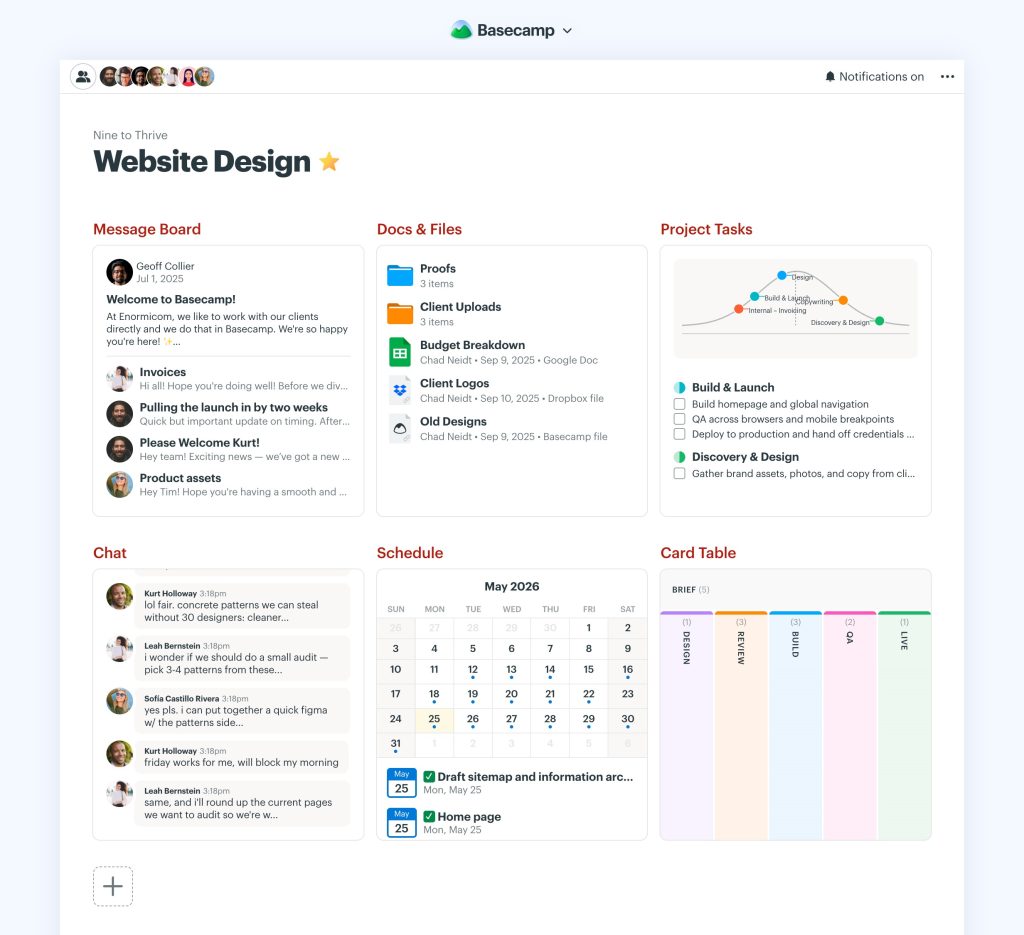
1. Project-Based Workspace
Basecamp organizes work around projects.
Each project gets its own workspace where you can add the tools that make sense for that particular project. This structure can be useful for agencies, consultants, freelancers, marketing teams, and businesses managing multiple client projects.
Instead of forcing every project to follow the same complicated workflow, teams can configure individual project spaces according to their needs.
2. To-Do Lists
Basecamp’s To-dos provide a straightforward way to create and assign work.
You can create task lists, assign responsibilities, set due dates, attach files, and use subtasks for breaking larger tasks into smaller pieces.
Basecamp 5 also adds loose to-dos, allowing users to capture tasks before deciding exactly where they belong.
This makes the system useful for everyday task tracking without requiring extensive project-management configuration.
3. Card Tables
Card Tables are Basecamp’s take on Kanban-style project tracking.
Teams can create columns representing different stages and move cards through the workflow as work progresses.
For example, a content team might use:
- Ideas
- Writing
- Editing
- Approved
- Published
4. Message Boards
Basecamp includes Message Boards for structured team announcements and discussions.
Instead of important conversations becoming buried inside email threads or chat messages, teams can create dedicated posts around specific subjects.
This can make project discussions easier to revisit later.
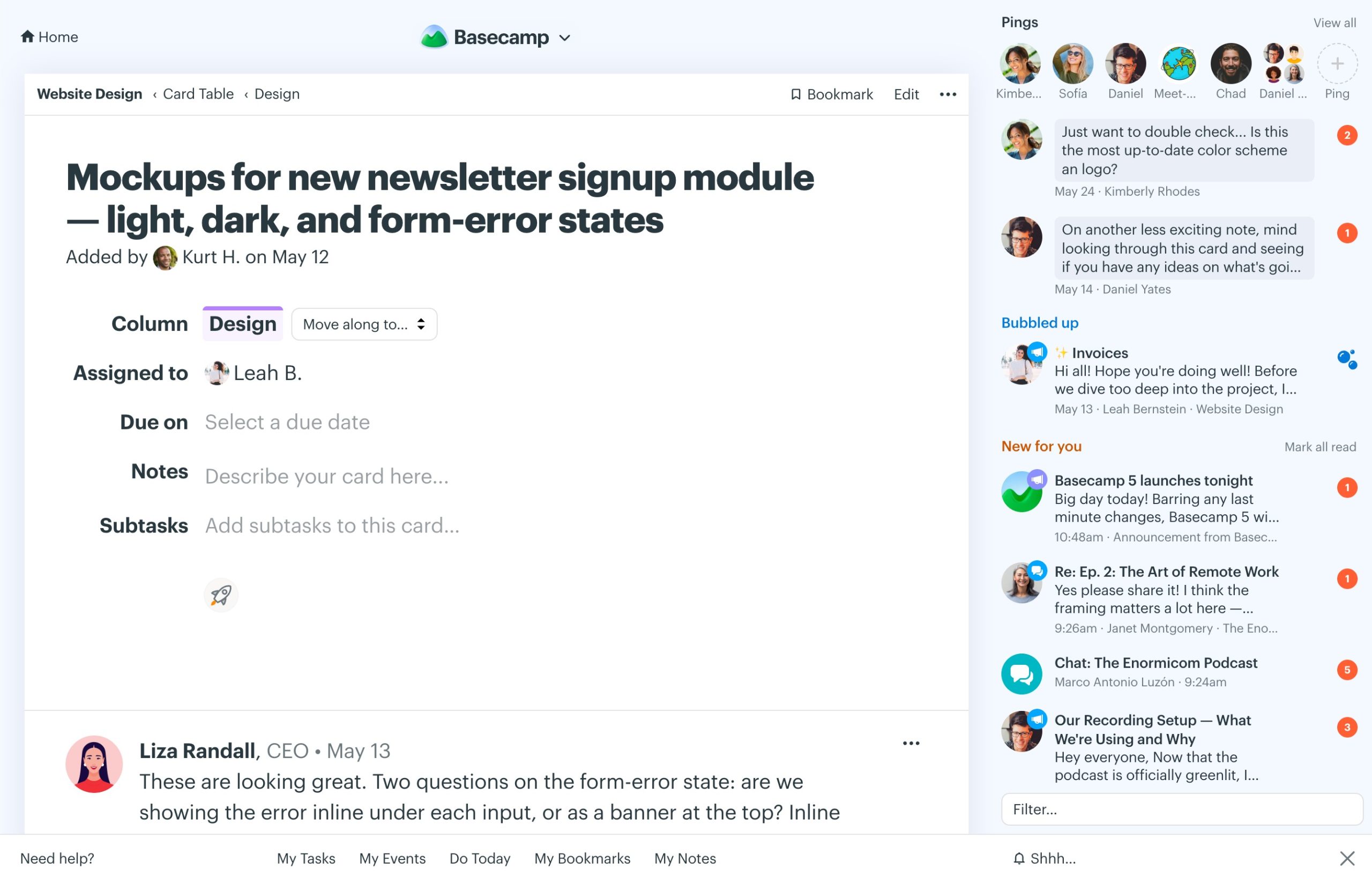
5. Campfire and Pings
Campfire provides a space for quick team conversations inside a project.
Pings are designed for direct communication between individuals.
Having these communication tools alongside project tasks and documents can reduce the need to constantly move between different applications.
6. Scheduling and Calendars
Basecamp includes project calendars for deadlines, milestones, meetings, and other important events.
Basecamp 5 also introduced global and project-level calendars with improved filtering and calendar visibility. Users can subscribe to Basecamp calendars through other calendar applications as well.
This makes the calendar useful for both individual projects and broader team planning.
7. Hill Charts
Hill Charts are one of Basecamp’s more distinctive project-management features.
Instead of simply showing percentages or task completion numbers, Hill Charts are designed to communicate whether work is still being figured out or is moving toward completion.
This can give project managers a quick visual indication of where work stands, particularly when a task’s progress isn’t easily represented by a simple percentage.
8. Automatic Check-ins
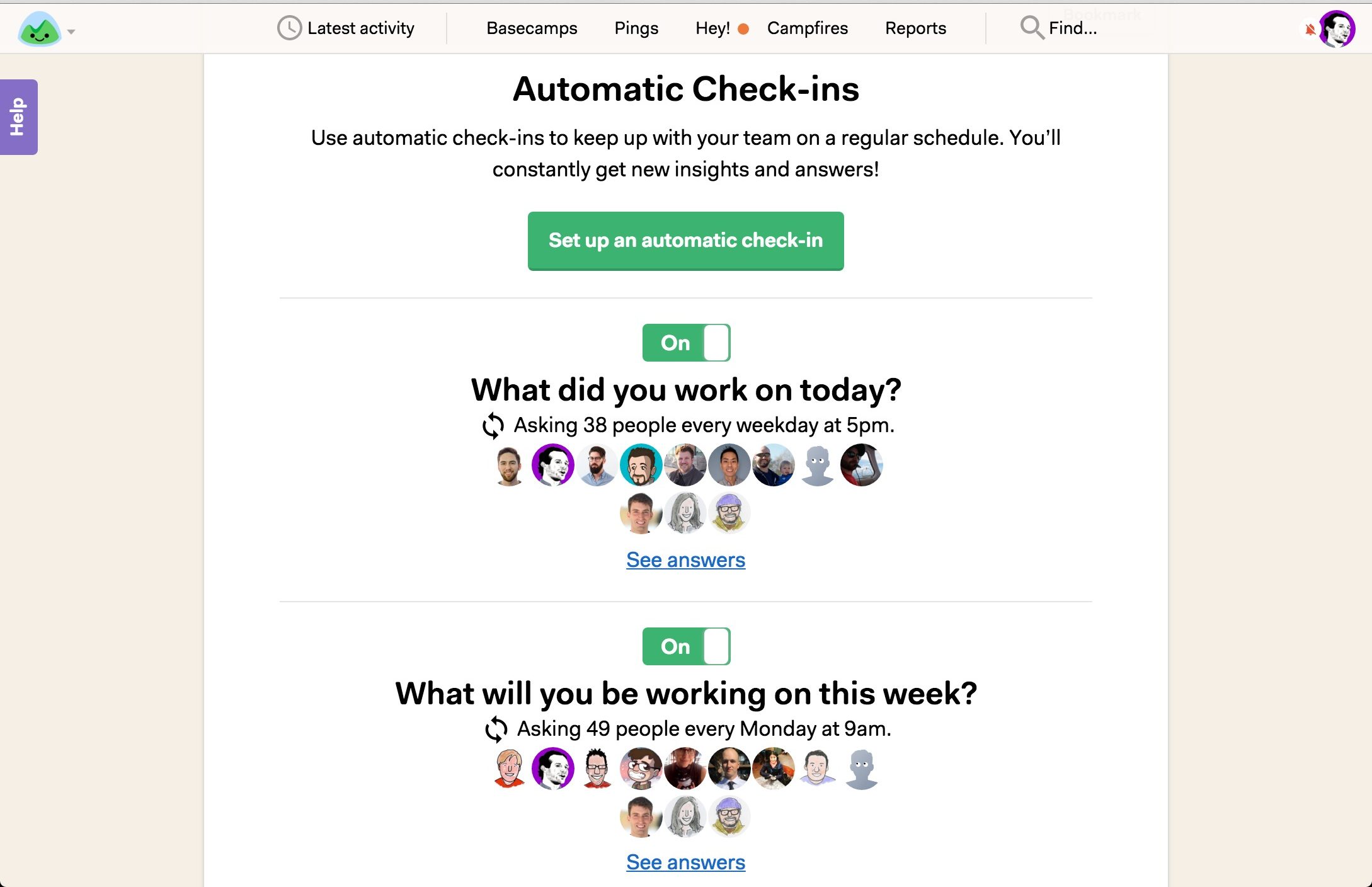
Automatic Check-ins help teams collect recurring updates without scheduling another meeting.
For example, a manager can ask team members:
- What are you working on?
- What did you accomplish this week?
- What are you planning next?
- Is anything blocking your progress?
9. Docs & Files
Basecamp provides a centralized location for project documents, images, PDFs, links, and other assets.
Teams can keep project materials alongside their discussions and tasks instead of searching across multiple unrelated tools.
Basecamp 5 also redesigned the Docs & Files experience with improved previews, filtering, sorting, and folder navigation.
10. Reports and Activity
Reports provide higher-level visibility into project activity.
Teams can review information about tasks, discussions, files, and other project activity without manually opening every individual project area.
Basecamp 5 also introduced a significantly redesigned activity experience that organizes activity by topic and makes it easier to follow changes across projects and people.
How Does Basecamp Work?
Getting started with Basecamp is relatively straightforward.
Step 1: Create an Account
Create your Basecamp account and choose the plan that fits your project requirements.
Step 2: Create a Project
Set up a project for a client, department, product, campaign, or internal initiative.
Step 3: Add Project Tools
Choose the tools your project needs, such as To-dos, Message Boards, Card Tables, Scheduling, or Docs & Files.
Step 4: Invite Your Team
Add employees, clients, contractors, or other collaborators to the appropriate projects.
Step 5: Assign Work
Create tasks, assign responsibilities, establish deadlines, and organize work into lists or Card Tables.
Step 6: Communicate
Use Message Boards, Campfire, and Pings to keep project communication connected to the work.
Step 7: Monitor Progress
Use reports, activity views, calendars, Hill Charts, and task lists to understand what is happening.
Basecamp Pros and Cons
Pros
- Simple and easy-to-understand project structure
- Strong combination of project management and communication
- Fixed-price plans can be attractive for larger teams
- Unlimited users on Studio and higher plans
- Useful client collaboration features
- Built-in file and document organization
- Automatic Check-ins can reduce recurring meetings
- Card Tables provide Kanban-style workflows
- Project templates simplify recurring work
- Basecamp 5 adds significant usability improvements
Cons
- Fewer advanced project-management features than some competitors
- Limited customization compared with highly configurable platforms
- Advanced reporting may not satisfy data-heavy organizations
- Complex dependency-based workflows may require another tool
- Some businesses may prefer more specialized CRM or resource-management functionality
- The fixed project limits on lower plans may be restrictive for some teams
Who Is Basecamp Best For?
Agencies
Basecamp can be useful for agencies managing multiple client projects, deadlines, files, discussions, and approvals.
Freelancers
Freelancers can use Basecamp to organize client work without maintaining multiple project-management systems.
Small Businesses
Small teams that want a straightforward workspace for tasks, communication, documents, and scheduling may find Basecamp easier to adopt than highly complex platforms.
Client-Service Teams
Consultants, designers, developers, marketing teams, and other professional-service businesses can use Basecamp to keep client communication and project work together.
Remote Teams
Because communication, tasks, files, and schedules are centralized, Basecamp can support teams working across different locations.
Basecamp Pricing
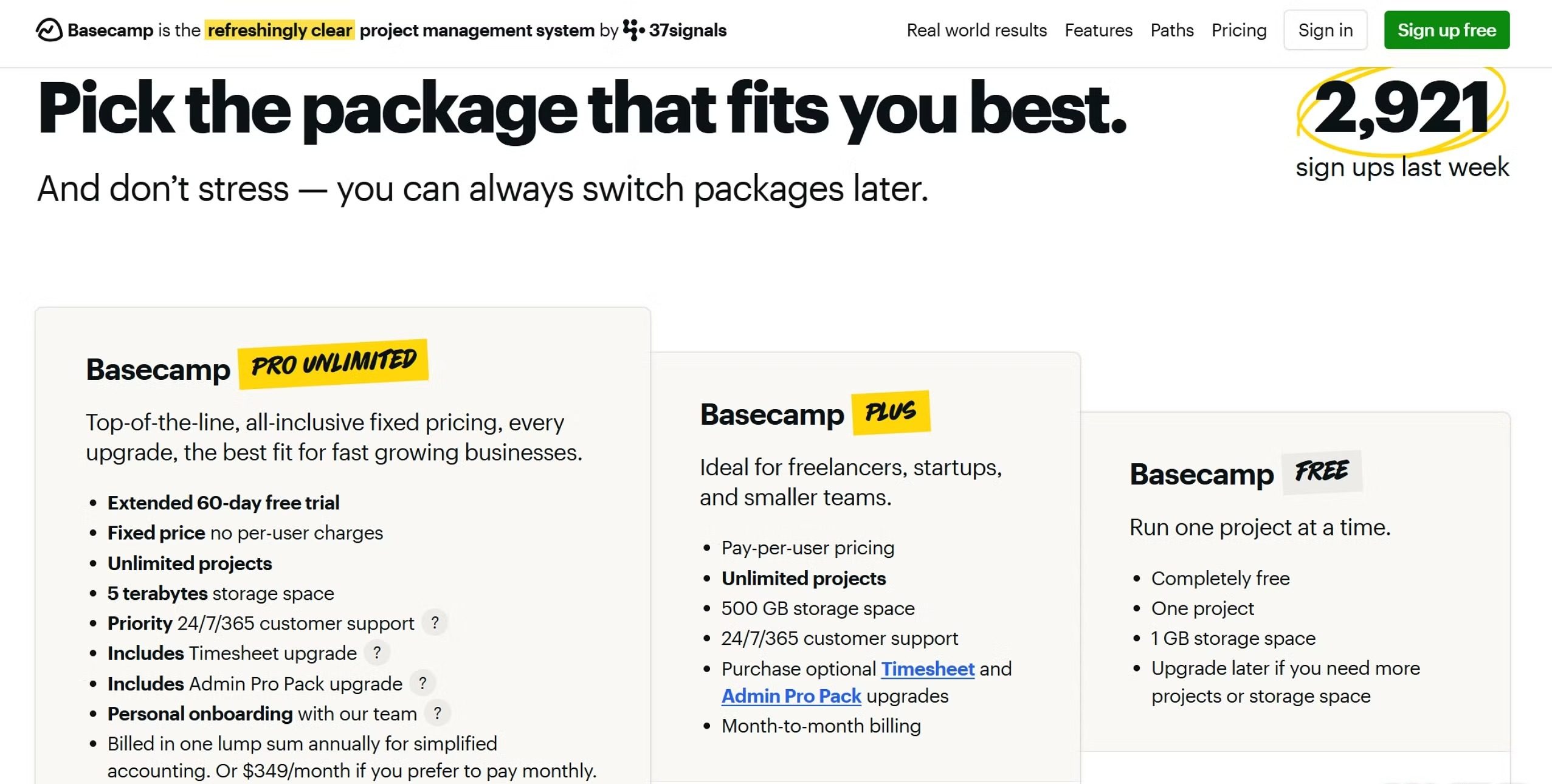
Basecamp uses a fixed-price approach rather than charging primarily based on the number of users.
According to its current pricing, the available packages include:
Free
The Free package includes:
- 1 project
- Up to 5 users
- 1 GB storage
Freelancer – $25/Month
The Freelancer plan includes:
- Up to 3 active projects
- Up to 20 users
- 5 GB storage
- Project templates
- Multiple project tools
Studio – $59/Month
The Studio plan includes:
- Up to 10 active projects
- Unlimited users
- 25 GB storage
- Unlimited tools per project
One notable advantage of the pricing model is that Studio and higher plans include unlimited users without additional per-user charges.
Basecamp vs Other Project Management Tools
Basecamp takes a different approach from platforms such as Asana, Monday.com, ClickUp, Wrike, and Smartsheet.
Platforms like ClickUp and Monday.com generally provide more extensive customization, dashboards, views, automation, and workflow configuration.
Basecamp instead focuses on keeping project management relatively straightforward and putting communication directly alongside the work.
The right choice depends on whether a team values simplicity and centralized collaboration or needs highly configurable project-management workflows.
Basecamp Alternatives
1. Asana
Asana is a project and work-management platform with multiple project views, task management, automation, reporting, and collaboration features.
It can be considered when a team needs more structured task and workflow management.
2. Monday.com
Monday.com provides customizable workspaces, boards, dashboards, automations, and multiple ways to visualize projects.
It may be suitable for teams looking for greater workflow customization.
3. ClickUp
ClickUp combines project management, tasks, documents, goals, dashboards, and collaboration tools in a highly customizable workspace.
It can be useful for teams that want a broader set of configurable productivity features.
4. Wrike
Wrike focuses heavily on project management, work management, reporting, resource planning, and collaboration.
It can be considered by organizations with more complex project and resource requirements.
5. Smartsheet
Smartsheet uses a spreadsheet-inspired approach to project and work management, with capabilities for reporting, automation, dashboards, and structured planning.
It may be a better fit for teams that prefer spreadsheet-style project organization.
Is Basecamp Worth It in 2026?
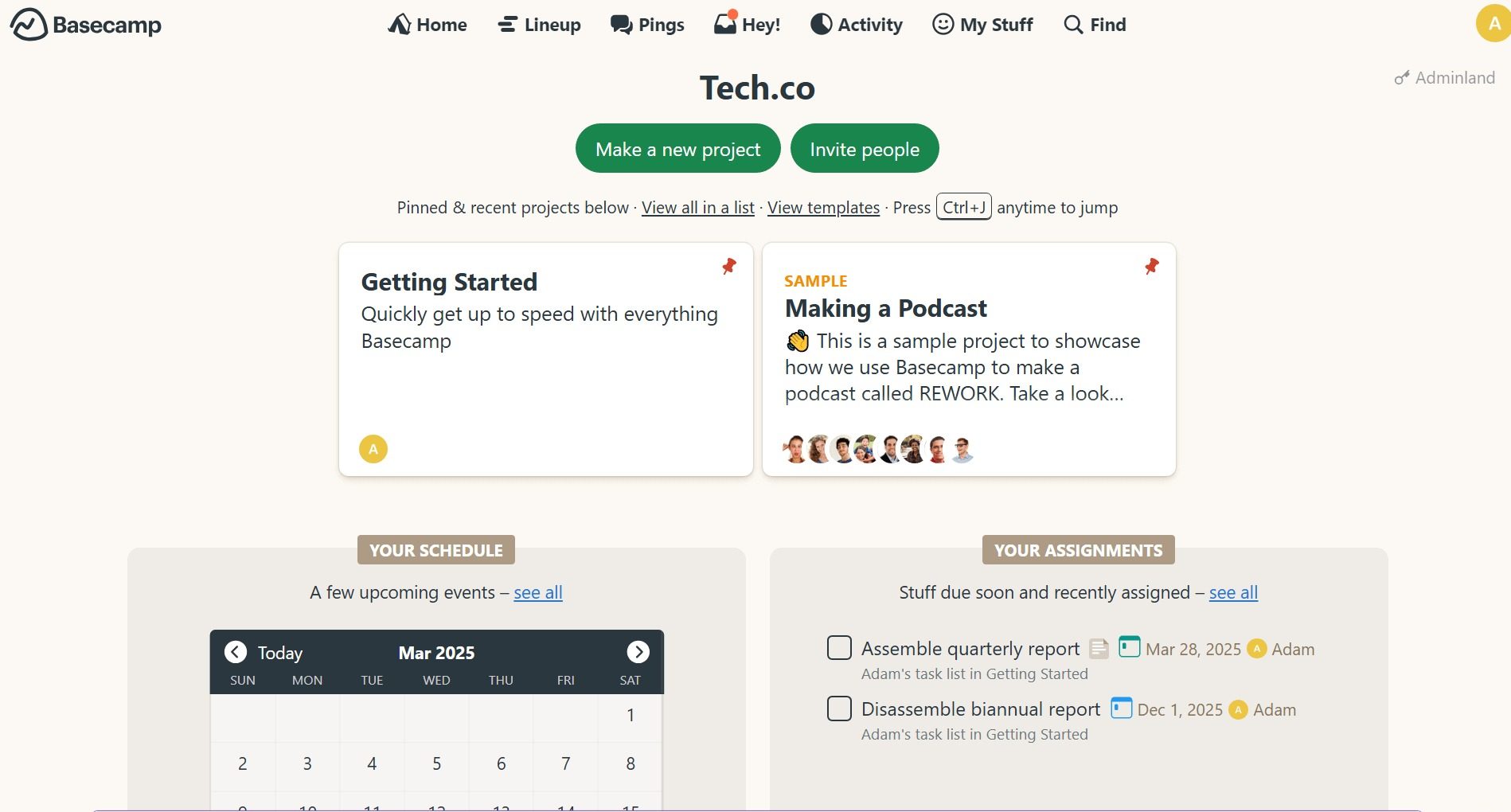
Basecamp remains focused on a clear idea: keep projects, communication, tasks, files, and schedules together without making the workspace unnecessarily complicated.
The arrival of Basecamp 5 makes the platform more relevant for teams considering it in 2026, with improvements across navigation, search, calendars, notifications, documents, tasks, activity, and AI-agent capabilities.
Its fixed-price model is another important consideration. Teams with many users may appreciate that Studio and higher plans don’t charge separately for each additional user.
However, Basecamp isn’t designed to be the most feature-heavy project-management platform. Organizations that require sophisticated dependencies, highly customized workflows, advanced resource planning, or extensive analytics may need a more specialized solution.
For teams that prioritize simplicity, collaboration, client communication, and centralized project organization, Basecamp offers a distinctive approach.
Final Verdict
Basecamp is a mature project management and collaboration platform that continues to evolve with Basecamp 5.
Its biggest strengths are its straightforward project structure, integrated communication, task management, file organization, scheduling, client collaboration, and fixed-price approach.
The platform may not provide every advanced feature found in highly customizable project-management systems, but that simplicity is also a major part of its appeal.
For freelancers, agencies, small businesses, consultants, and teams that want a clean place to manage projects and communication, Basecamp is worth considering in 2026.
