
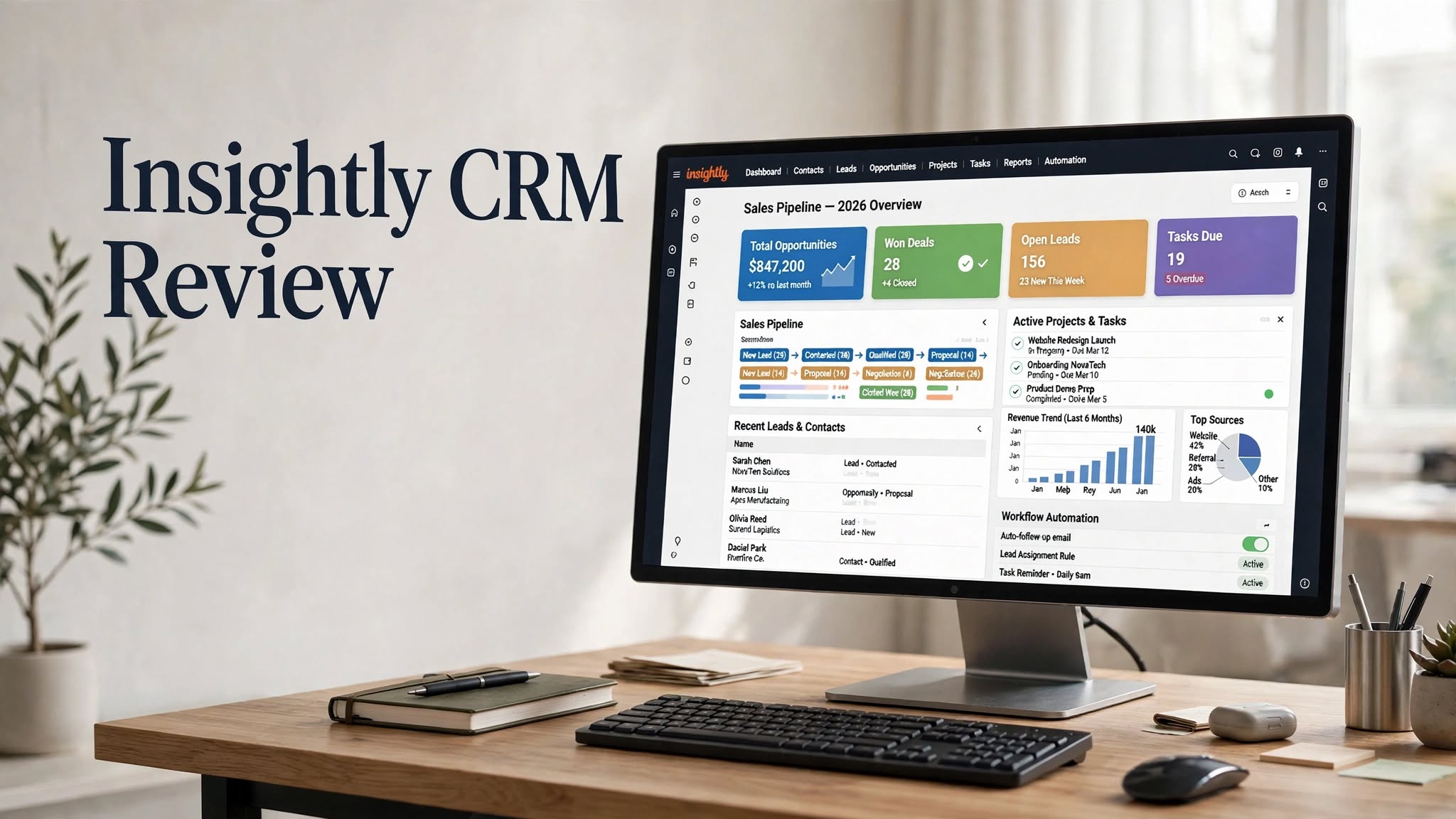

Insightly CRM is a cloud-based customer relationship management platform designed to help businesses manage leads, contacts, sales opportunities, projects, tasks, workflows, and customer relationships from one centralized system.
One of Insightly’s distinguishing features is its combination of CRM and project management. Businesses can move a won sales opportunity into a project while carrying relevant records and information into the post-sale workflow. This can reduce the separation between sales and project-delivery teams.
The platform also includes workflow automation, customizable dashboards, reporting, email management, products and quotes, integrations, permissions, and AI-powered capabilities on supported plans.
In this Insightly CRM review, we’ll look at its main features, pricing, benefits, limitations, use cases, and alternatives to help you determine whether it fits your business.
What Is Insightly CRM?
Insightly is a CRM and work-management platform built around customer relationships and business processes.
It allows businesses to organize contacts and leads, manage sales pipelines, track opportunities, communicate with customers, and create projects after deals are won.
Rather than treating sales and project delivery as completely separate workflows, Insightly connects the two. A won opportunity can be converted into a project while preserving associated records and information.
This makes the platform particularly relevant to businesses where closing a deal is followed by a structured implementation, onboarding, consulting, or service-delivery process.
Insightly CRM Highlights
- Lead and contact management
- Sales opportunity management
- Customizable pipelines
- Project management
- Task management
- Workflow automation
Key Features of Insightly CRM
1. Lead and Contact Management
Insightly provides a centralized location for managing customer and prospect information.
Teams can organize contacts, companies, leads, opportunities, activities, emails, projects, and other customer-related information.
Keeping this information together can give sales and operations teams a more complete view of their relationships instead of requiring them to search through separate spreadsheets, inboxes, and project-management tools.
2. Sales Pipeline Management
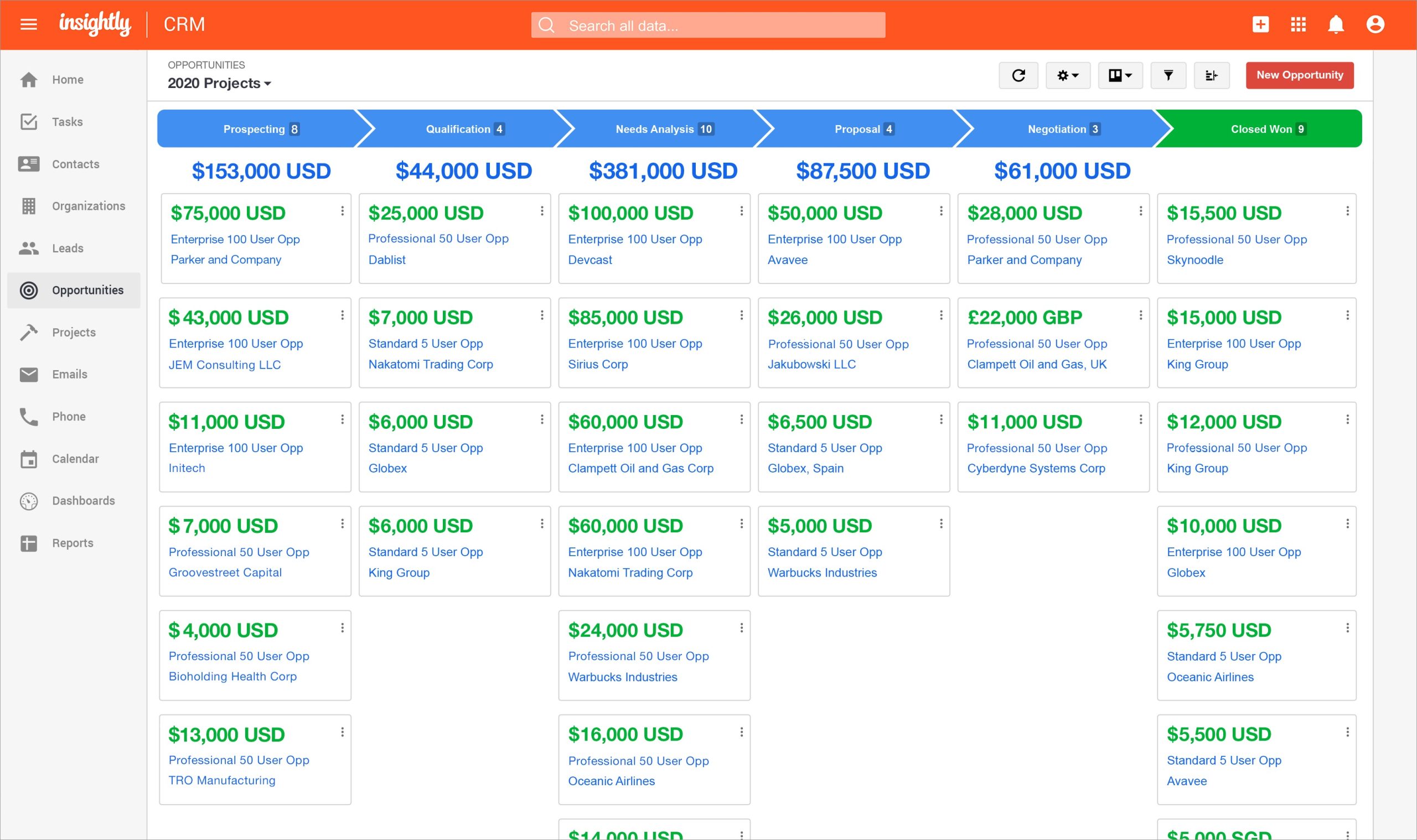
Insightly allows businesses to create and manage sales pipelines.
Sales representatives can track opportunities as they move through different stages, record important information, assign activities, and monitor progress toward closing.
Custom fields and page layouts can also be used to adapt CRM records to different business processes.
3. Project Management
Project management is one of Insightly’s notable features.
After an opportunity is won, teams can convert it into a project and carry relevant information from the sales process into project delivery. Insightly supports projects, tasks, milestones, pipelines, and customizable project information.
This can be useful for agencies, consulting companies, service providers, and other businesses where sales naturally transitions into project work.
4. Task Management
Insightly provides task-management capabilities for both sales and project workflows.
Teams can create tasks, assign responsibilities, set deadlines, and monitor activities associated with customers or projects.
Tasks can also be incorporated into automated workflows, helping teams standardize recurring processes.
5. Workflow Automation
Workflow automation allows teams to automate repetitive actions inside Insightly.
Depending on the workflow, automation can trigger notifications, create or update tasks, modify records, send emails, and connect actions with other systems.
This can reduce manual data entry and help ensure that important steps in a sales or project process aren’t forgotten.
6. Email Management
Insightly provides customer email-management capabilities that help teams connect communication with CRM records.
This can give team members visibility into relevant customer interactions and make it easier to continue conversations without relying on one employee’s individual inbox.
The platform also offers email-related automation capabilities depending on the product and plan.
7. Products, Price Books and Quotes
Insightly includes functionality for managing products and pricing within opportunities.
Businesses can configure products, associate them with opportunities, create quotes, and generate branded quote documents.
This can be useful for companies that sell defined products or service packages and want quoting to remain connected with their CRM workflow.
8. Dashboards and Reporting
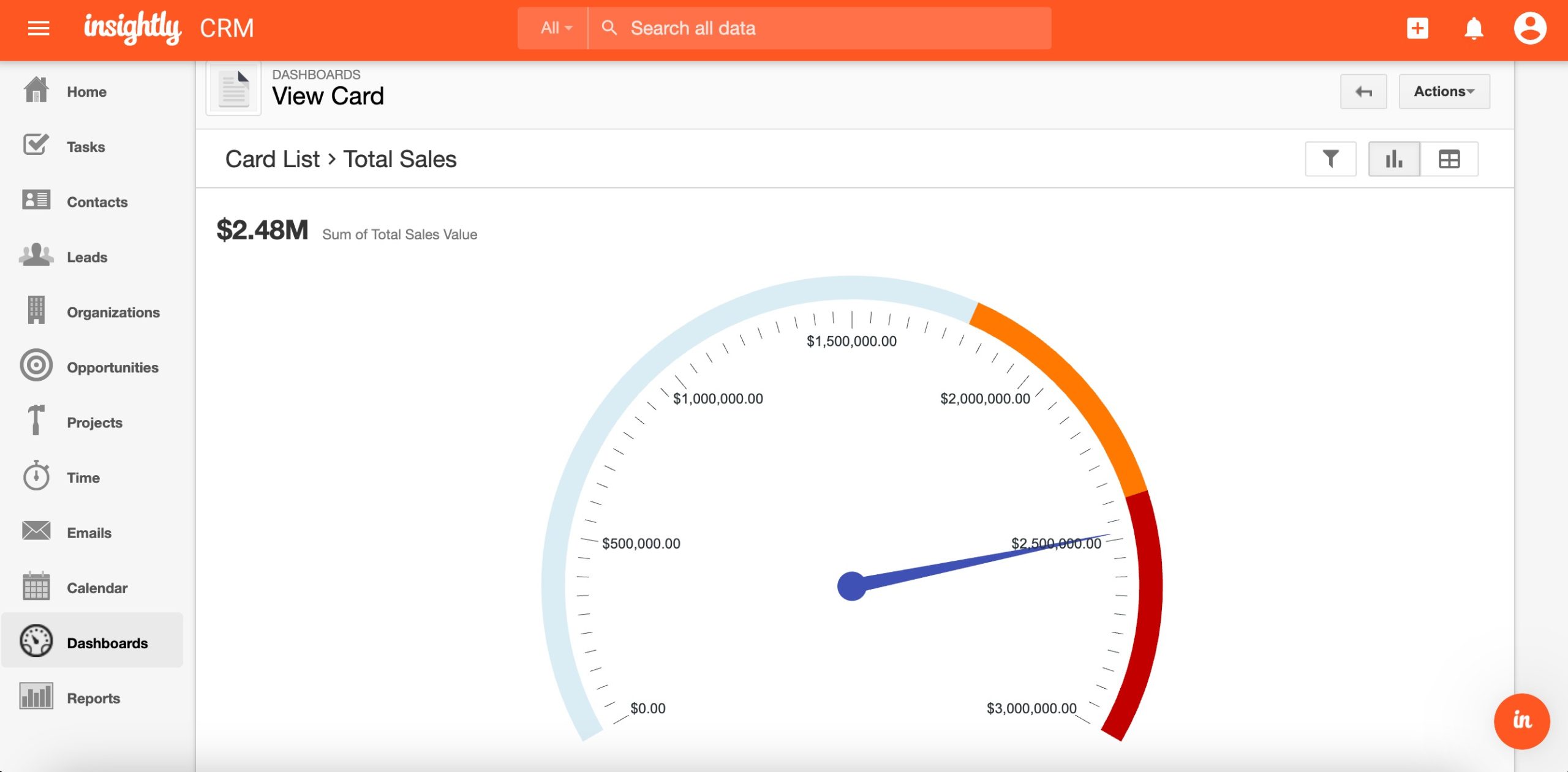
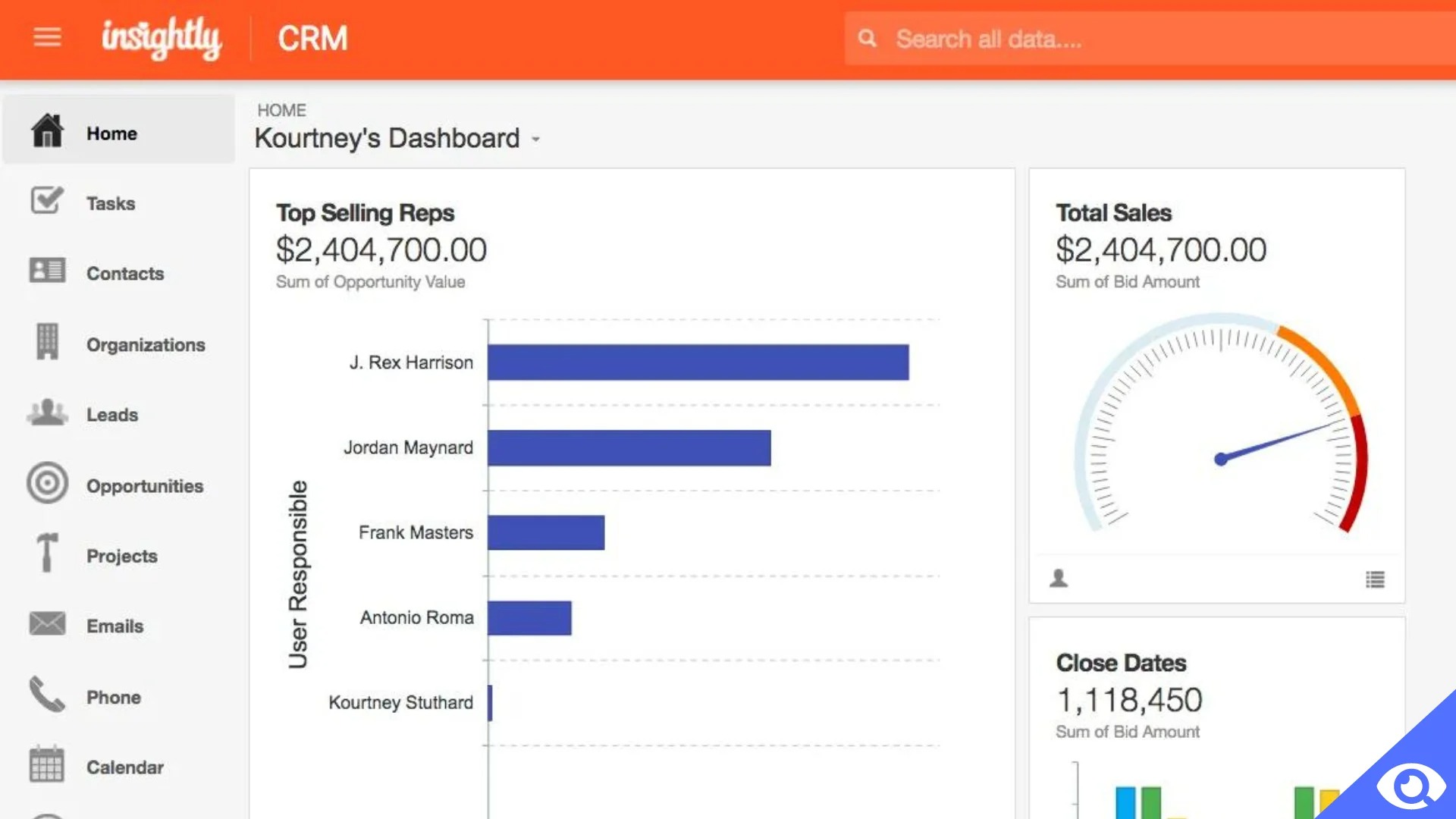
Insightly provides customizable dashboards and reporting tools for monitoring business performance.
Teams can create charts and visualizations around relevant KPIs. Professional plans support up to 100 shareable dashboard cards, while Enterprise provides unlimited cards according to Insightly’s current product information.
Reports can help managers monitor sales activity, pipeline performance, projects, and other operational information.
9. AI Copilot
Insightly currently includes AI Copilot with its Professional and Enterprise CRM plans. The feature is designed to provide AI-assisted functionality within the CRM workflow.
AI features can change as the platform develops, so businesses should review the current plan documentation to confirm exactly which capabilities are included.
10. Customization
Insightly allows businesses to customize CRM records according to their own processes.
Custom fields, page layouts, validation rules, permissions, pipelines, and other configuration options can help teams adapt the platform to different workflows.
This can be useful when a business has requirements that don’t fit neatly into a standard CRM structure.
How Does Insightly CRM Work?
Insightly is designed to connect the customer journey from initial lead through sales and project delivery.
A typical workflow can look like this:
- Add or import leads and contacts.
- Organize prospects and companies.
- Create sales opportunities.
- Move opportunities through the sales pipeline.
- Communicate with customers and record activities.
- Create quotes where required.
- Close the opportunity.
- Convert the won opportunity into a project.
- Assign tasks and milestones.
- Automate recurring project or sales activities.
- Monitor dashboards and reports.
- Maintain the customer relationship after project delivery.
This sales-to-project workflow is one of Insightly’s defining characteristics.
Pros and Cons of Insightly CRM
Pros
- Combines CRM and project management
- Strong sales-to-project transition
- Customizable CRM records
- Workflow automation
- Useful dashboards and reporting
- Products and quote management
- Google and Microsoft 365 integrations
- Mobile applications
- AI Copilot on higher plans
- Suitable for businesses with structured workflows
Cons
- Advanced features require higher-tier plans
- Pricing can increase as teams grow
- Customization may require setup and administration
- Businesses looking only for basic contact management may not need all its features
- Some enterprise functionality is restricted to the highest plan
- The broader platform can require time to configure effectively
Who Is Insightly CRM Best For?
Insightly can be particularly useful for businesses that need their CRM and project management system to work together.
It can fit:
- Small and midsize businesses
- Consulting companies
- Agencies
- Professional services firms
- Project-based businesses
Insightly CRM Pricing
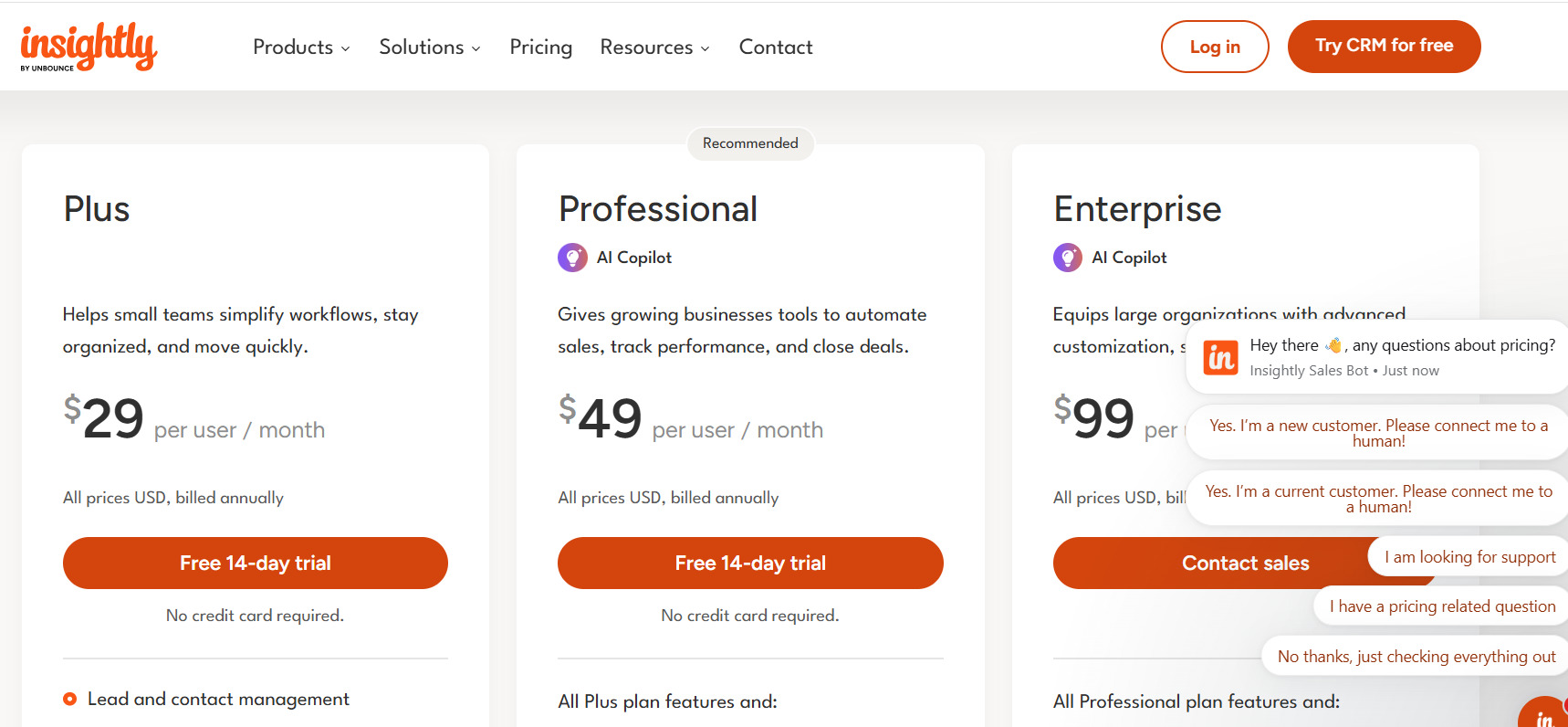
Insightly’s current CRM pricing page lists three primary CRM plans: Plus, Professional, and Enterprise.
Plus
The Plus plan is listed at $29 per user/month when billed annually.
It includes features such as:
- Lead and contact management
- Project management
- Advanced reports
- Pre-built business dashboards
Professional
The Professional plan is listed at $49 per user/month when billed annually.
It includes the Plus features and adds capabilities such as:
- Lead assignment and routing
- Workflow automation
- AI Copilot
Enterprise
The Enterprise plan is listed at $99 per user/month when billed annually.
It includes Professional features plus capabilities such as:
- Sandboxes
- Products, price books, and quotes
- Comprehensive audit logging
- Additional enterprise customization and controls
Insightly CRM for Small Businesses
Small businesses often need a CRM that can handle more than contact storage without requiring a large enterprise implementation.
Insightly’s Plus plan combines lead and contact management with project management, reports, and dashboards, while the 14-day trial provides an opportunity to test the platform before subscribing.
However, businesses should compare the per-user cost with simpler CRM platforms if their needs are limited to contacts, deals, and basic follow-ups.
Insightly CRM for Project-Based Businesses
One of Insightly’s strongest use cases is the connection between sales and delivery.
Once a deal is won, relevant opportunity information can be carried into a project. This allows project teams to work with customer information without rebuilding the project from scratch.
For agencies, consultants, and service providers, this can create a more connected workflow between sales representatives and delivery teams.
Insightly CRM Alternatives
HubSpot CRM
HubSpot provides CRM functionality alongside marketing, sales, customer service, and other business tools. It can be considered by businesses looking for a broader customer-platform ecosystem.
Pipedrive
Pipedrive focuses heavily on sales pipelines, deals, activities, and sales-process management. It can be suitable for teams primarily focused on sales operations.
Salesforce
Salesforce provides a broad CRM ecosystem with extensive customization, automation, integrations, analytics, and enterprise capabilities.
Zoho CRM
Zoho CRM combines sales management, automation, reporting, and integrations and is part of the larger Zoho business-software ecosystem.
Copper CRM
Copper is particularly focused on Google Workspace users and integrates closely with Gmail, Google Calendar, Google Drive, and other Google tools.
Is Insightly CRM Worth It?
Whether Insightly is worthwhile depends on how your organization manages customer relationships and project delivery.
If your business needs a CRM that can transition won opportunities into projects while retaining relevant customer information, Insightly provides functionality specifically designed for that workflow.
Its automation, reporting, customization, quoting, integrations, and project-management features also make it more than a basic sales CRM.
On the other hand, companies that only require simple lead and contact management may find a smaller CRM easier to configure and operate.
Before choosing Insightly, consider the number of users, required automation, reporting needs, project-management requirements, integrations, and overall subscription cost.
Final Verdict
Insightly CRM combines customer relationship management, sales pipelines, project management, automation, reporting, and business workflows in one platform.
Its ability to convert won opportunities into projects is particularly notable because it connects the sales process with post-sale delivery rather than treating them as completely separate systems.
The platform also provides customization, dashboards, workflow automation, quote management, integrations, mobile access, and AI Copilot on eligible plans.
For businesses that need both CRM and project-management functionality, Insightly is a platform worth evaluating. The best fit will ultimately depend on your team’s workflow, required features, number of users, integrations, and budget.
