
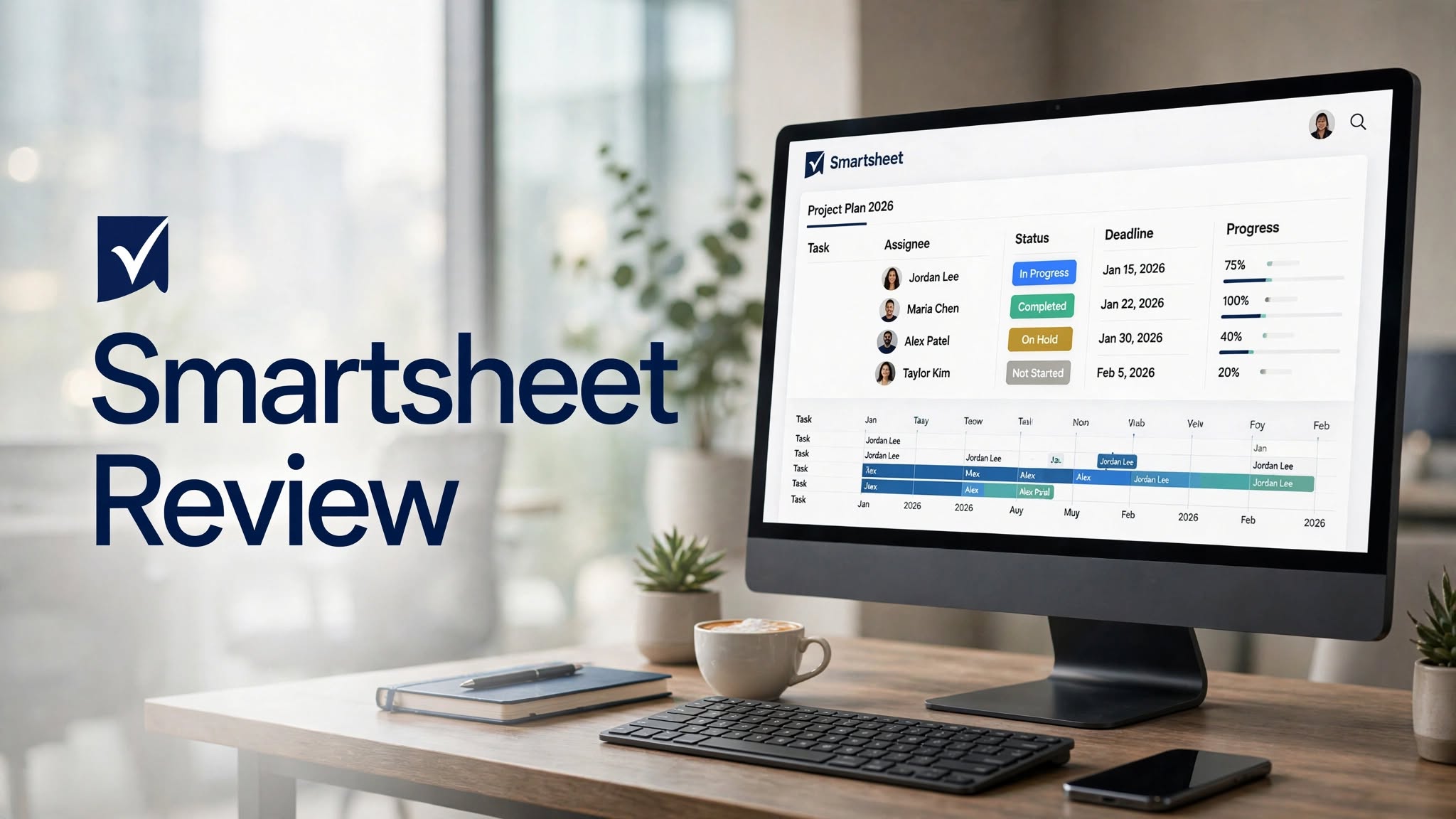

Smartsheet is a cloud-based work management and project management platform designed to help teams plan projects, manage tasks, organize resources, automate workflows, and track business operations. Its spreadsheet-inspired interface makes it familiar to users who already work with traditional spreadsheets, while its project management and collaboration features provide capabilities beyond a standard spreadsheet.
Smartsheet can be used for project planning, task management, portfolio management, resource planning, reporting, workflow automation, and team collaboration. It is particularly useful for organizations managing complex projects that require structured data, timelines, dependencies, and visibility across multiple teams.
In this Smartsheet review, we’ll explore its key features, pricing, benefits, limitations, use cases, and alternatives to help you decide whether Smartsheet is the right work management platform for your team.
What Is Smartsheet?
Smartsheet is a work management platform that combines the familiar structure of spreadsheets with project management, collaboration, automation, and reporting tools.
Instead of managing projects through disconnected spreadsheets, emails, and documents, teams can use Smartsheet to create centralized workspaces where project information, tasks, deadlines, responsibilities, and progress are easier to manage.
Its spreadsheet-style foundation is one of its defining characteristics. Users can organize information in rows and columns while adding project-management functionality such as dependencies, timelines, forms, dashboards, and automated workflows.
Smartsheet Highlights
- Spreadsheet-style work management
- Project and task management
- Gantt charts and timelines
- Task dependencies
Key Features of Smartsheet
1. Spreadsheet-Based Project Management
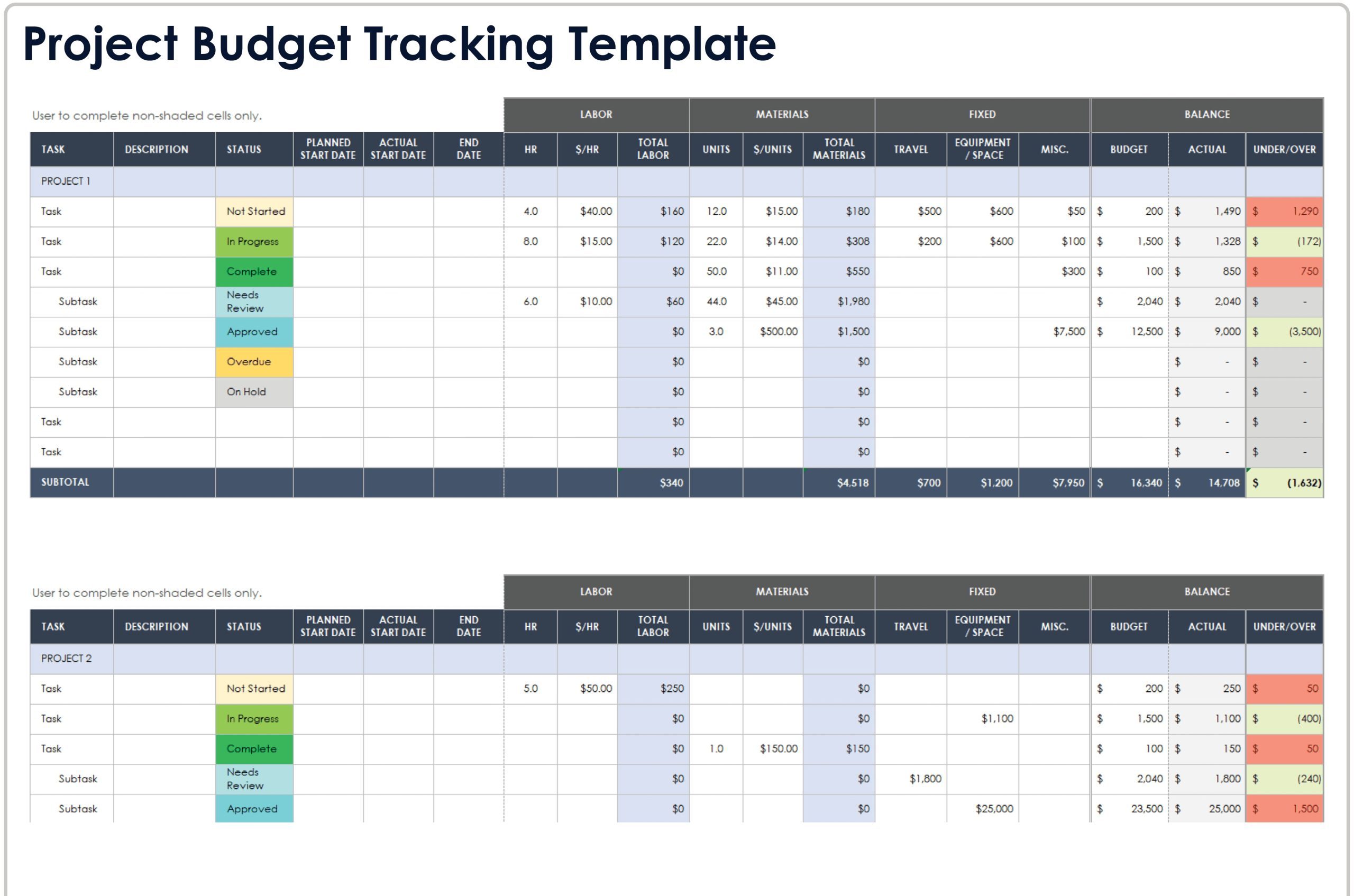
Smartsheet’s spreadsheet-style interface is one of its biggest distinguishing features.
Users can organize projects using rows, columns, formulas, statuses, dates, owners, budgets, and other information. This structure can feel familiar to people who already use Excel or Google Sheets but need more sophisticated project-management functionality.
Teams can create sheets for individual projects or use connected sheets to manage larger workflows.
2. Gantt Charts
Smartsheet supports Gantt-style project planning, allowing teams to visualize tasks across a timeline.
Users can define start dates, end dates, durations, milestones, and dependencies. This makes it easier to understand how individual tasks fit into a larger project schedule.
Gantt views can be particularly useful for teams managing projects with multiple phases and deadlines.
3. Task Management
Smartsheet allows teams to create and track tasks in a structured workspace.
A task can include information such as:
- Task name
- Owner
- Status
- Start date
- Due date
4. Automation
Workflow automation can help teams reduce repetitive administrative tasks.
For example, organizations can configure automated workflows around approvals, notifications, reminders, assignments, and status changes.
Automation can be useful when a team repeatedly performs the same process across projects.
5. Dashboards
Smartsheet dashboards provide a visual way to present important project and business information.
Teams can build dashboards using widgets, charts, metrics, reports, and other information. Managers can use dashboards to get an overview of project progress without opening every individual sheet.
Dashboards can also be customized for different audiences, such as executives, project managers, or individual departments.
6. Reports
Smartsheet reporting tools allow users to collect information from multiple sheets and present it in a centralized report.
This can be useful for organizations managing multiple projects at the same time.
For example, a project manager could create a report showing overdue tasks across several projects, while an executive dashboard could summarize overall project status.
7. Forms
Smartsheet forms allow teams to collect information and automatically feed submissions into a sheet.
Businesses can use forms for project requests, employee information, customer feedback, issue reporting, event registrations, and other workflows.
This can reduce manual data entry and create a more consistent way of collecting information.
8. Resource Management
Smartsheet includes resource-management capabilities designed to help organizations understand how people and resources are being allocated.
Managers can use resource information to monitor workloads, identify potential capacity issues, and coordinate staffing across projects.
This becomes increasingly useful when organizations manage multiple projects with overlapping teams.
9. Collaboration
Smartsheet includes collaboration tools that allow team members to work around shared project information.
Users can comment on work, attach files, share sheets, assign tasks, and communicate around specific project activities.
This can help reduce the need to maintain separate conversations across different channels.
10. Multiple Views
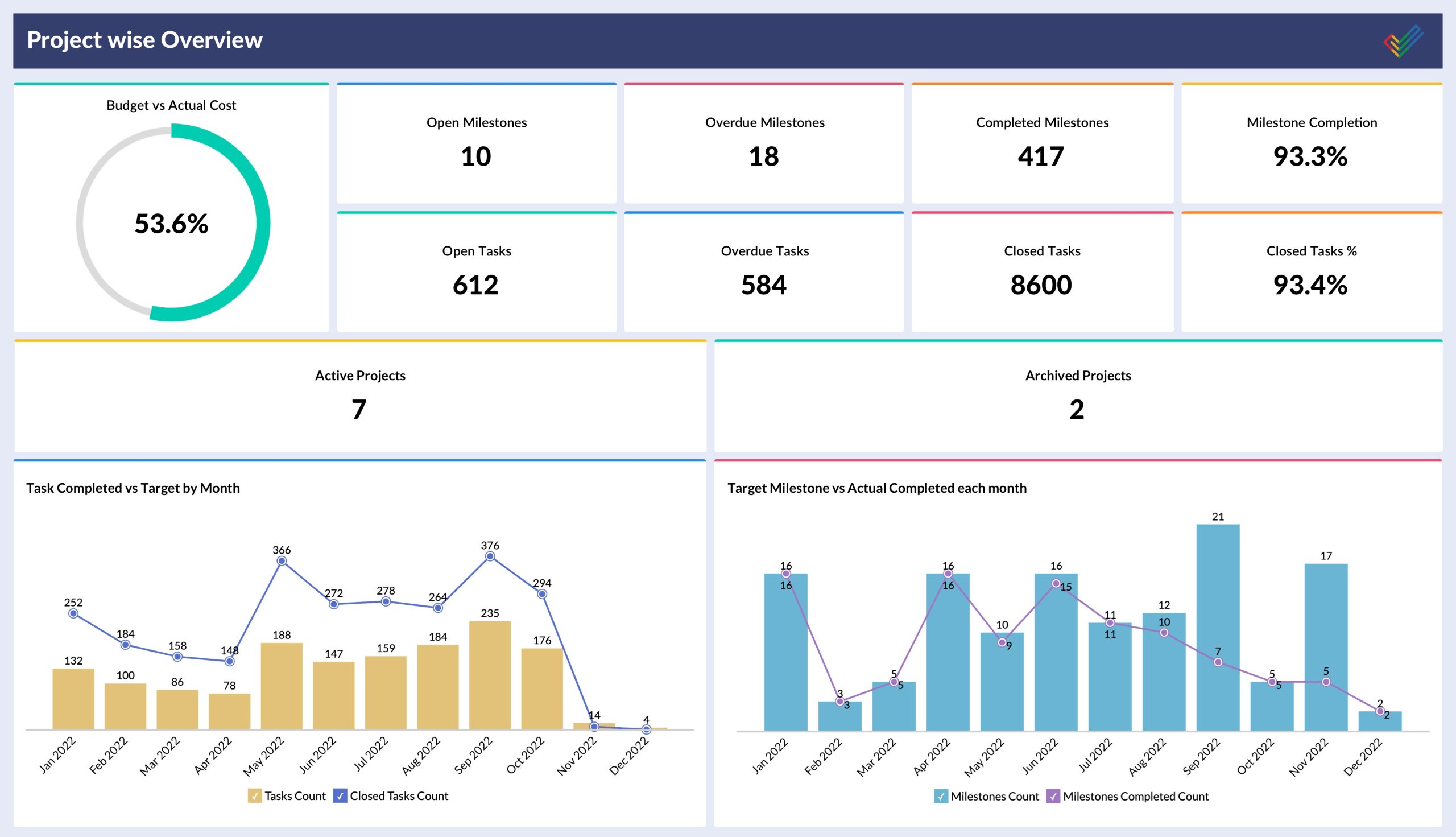
Smartsheet allows information to be presented in different views depending on the workflow.
Depending on the sheet and configuration, teams can work with grid-style layouts, Gantt timelines, cards, calendars, dashboards, and other visual formats.
This flexibility allows project information to be presented differently to different users.
How Does Smartsheet Work?
Smartsheet generally works by organizing business information and projects into structured sheets and connected workflows.
A typical project-management workflow may look like this:
- Create a project sheet.
- Add tasks, milestones, owners, and deadlines.
- Organize dependencies between tasks.
- Assign work to team members.
- Track progress and status updates.
- Create reports for important project information.
- Build dashboards for higher-level visibility.
- Automate recurring notifications and approvals.
- Monitor resources and workloads.
- Review project performance and update the plan.
Pros and Cons of Smartsheet
Pros
- Familiar spreadsheet-style interface
- Strong project-management capabilities
- Gantt charts and timeline planning
- Useful workflow automation
- Customizable dashboards
- Strong reporting functionality
- Forms make information collection easier
- Multiple views support different workflows
- Suitable for managing complex projects
- Useful for cross-team work management
Cons
- Can become complex for beginners
- Advanced capabilities may require higher-tier plans
- Pricing can become significant for larger teams
- Some workflows require configuration and setup
- May feel more structured than simple task-management tools
- Not every team needs its extensive project-management functionality
Smartsheet for Project Management
Project management is one of Smartsheet’s strongest use cases.
Teams can create detailed project plans with tasks, owners, dates, dependencies, milestones, and status information. Gantt charts provide timeline visibility, while dashboards and reports can provide higher-level project summaries.
For organizations managing multiple projects, Smartsheet can also help centralize information that would otherwise be spread across separate spreadsheets.
Smartsheet for Business Operations
Smartsheet isn’t limited to traditional project management.
Businesses can use the platform to manage recurring operational processes such as:
- Marketing campaigns
- Product launches
- Employee onboarding
- Budget tracking
- Event planning
- Procurement workflows
Smartsheet Pricing
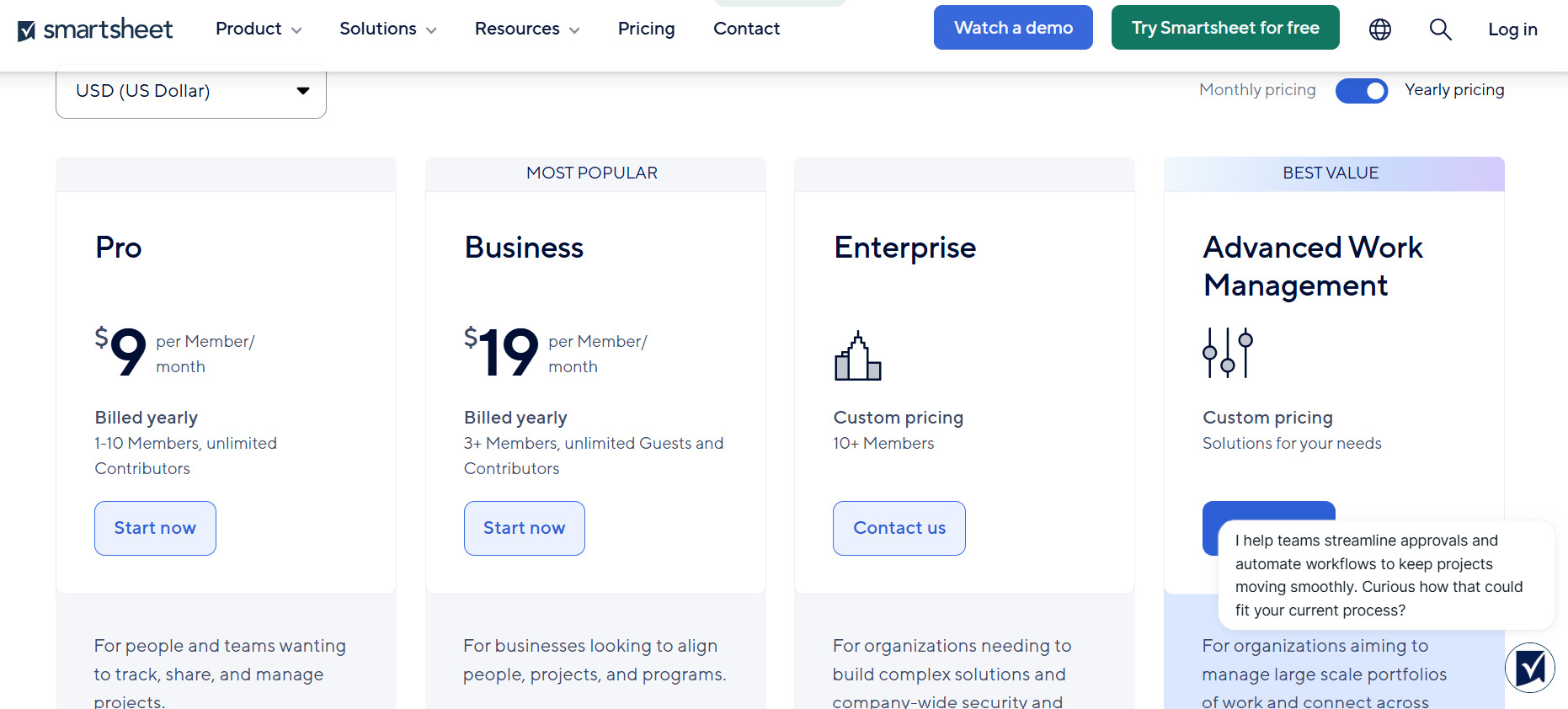
Smartsheet uses a subscription-based pricing structure with plans designed for different types of users and organizations.
Pricing and feature availability can change over time, so businesses should check Smartsheet’s current pricing information before making a purchasing decision.
Different plans may vary in areas such as users, automation, reporting, administration, security, resource management, and advanced enterprise functionality.
For smaller teams, it is important to compare the cost against the number of users who actually need access to advanced capabilities.
Larger organizations may need to consider additional enterprise features, administration requirements, security controls, and scalability when evaluating the total cost.
Smartsheet vs Traditional Spreadsheets
Smartsheet retains many of the familiar characteristics of spreadsheets but adds features designed specifically for collaborative work management.
A traditional spreadsheet may be sufficient for simple lists, calculations, and basic data organization. However, teams managing complex projects often need task dependencies, automated notifications, dashboards, forms, reporting, and collaboration.
Smartsheet brings many of these capabilities into a centralized platform.
The trade-off is that Smartsheet can require more setup and learning than a basic spreadsheet.
Who Is Smartsheet Best For?
Smartsheet can be useful for:
- Project management teams
- Operations departments
- Marketing teams
- Construction and engineering organization
Smartsheet Alternatives
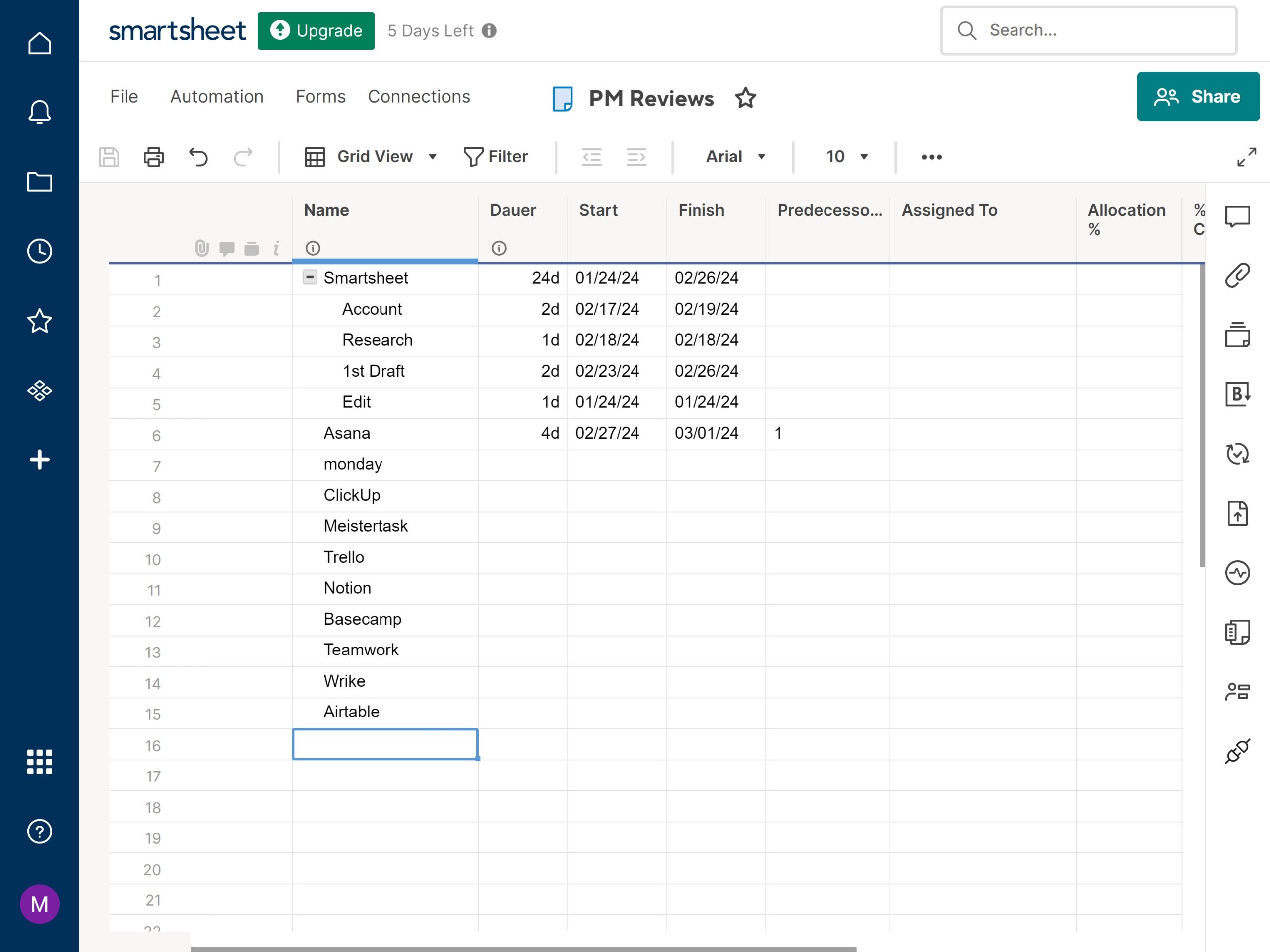
Depending on your workflow, several platforms can serve as alternatives to Smartsheet.
Monday.com
Monday.com provides visual work management with boards, task tracking, automation, dashboards, and customizable workflows. It can be considered by teams that prefer a more visual approach to managing work.
Asana
Asana focuses on task and project management with tools for planning projects, assigning work, tracking deadlines, and managing team workflows.
ClickUp
ClickUp combines task management, project planning, documents, dashboards, automation, and other productivity tools in a single workspace.
Wrike
Wrike is designed for project and work management and provides features for planning, collaboration, reporting, and managing complex team workflows.
Microsoft Project
Microsoft Project is another option for organizations that require structured project planning, scheduling, resource management, and integration with Microsoft’s broader ecosystem.
Is Smartsheet Worth It?
Smartsheet can be valuable for organizations that need more than a basic spreadsheet but still appreciate a spreadsheet-style working environment.
Its combination of project planning, task management, dashboards, reporting, forms, automation, and resource management gives teams a broad set of tools for managing structured work.
However, the platform may feel unnecessarily complex for individuals or small teams that only need simple task lists.
Before choosing Smartsheet, consider the size of your team, project complexity, required integrations, automation needs, reporting requirements, and overall budget.
Final Verdict
Smartsheet is a powerful work management and project management platform that combines spreadsheet-style organization with tools for collaboration, automation, reporting, resource management, and project planning.
Its flexible structure makes it suitable for a wide range of business workflows, from individual project plans to complex enterprise operations.
For teams already comfortable with spreadsheets but looking for stronger project-management and workflow capabilities, Smartsheet can be a practical platform to consider. However, users seeking a very simple task-management application may find its broader feature set more than they need.
Overall, the right choice depends on how complex your team’s workflows are and how much control you need over projects, resources, reporting, and automation in a centralized workspace.
