
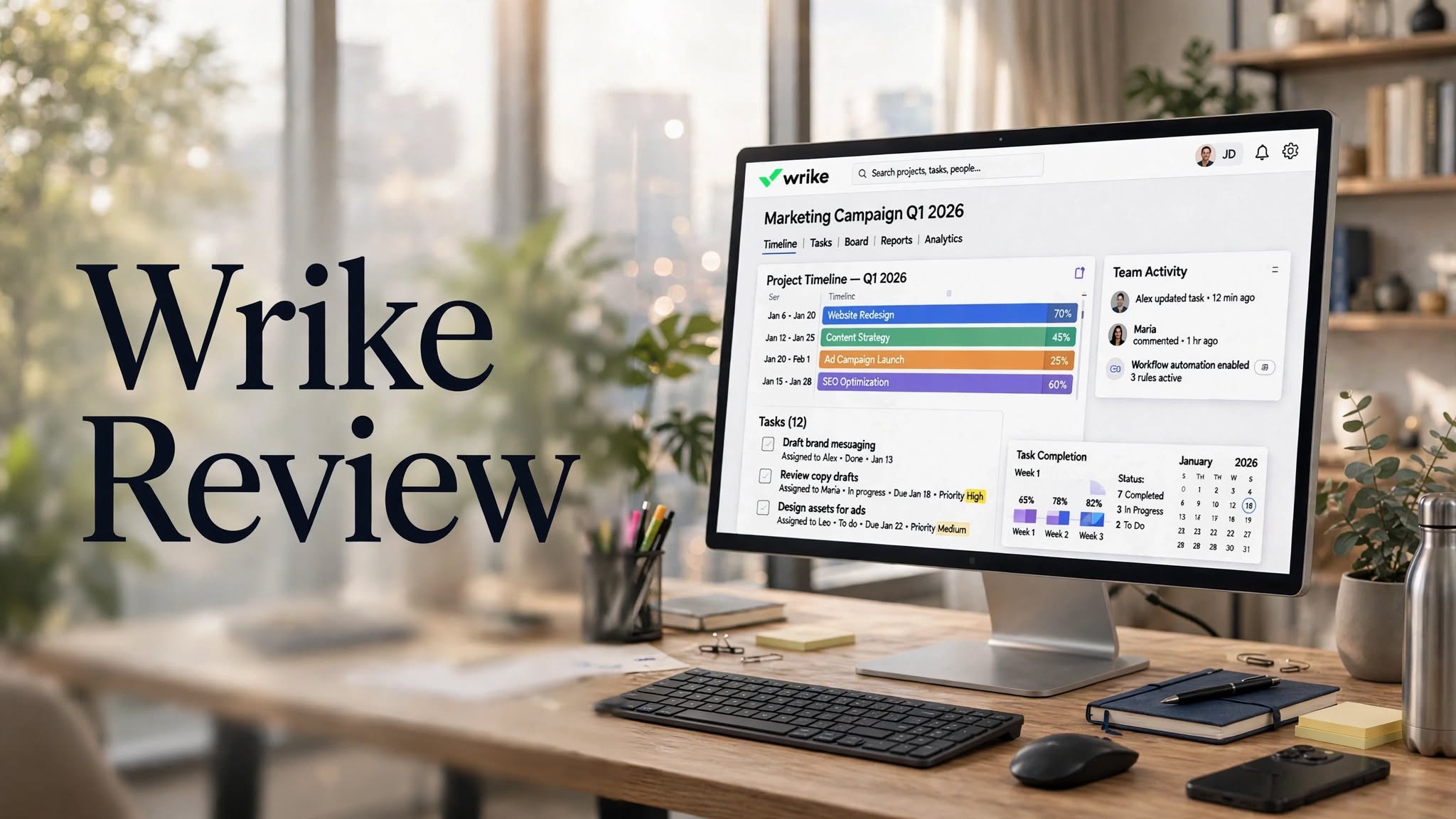

Managing projects across multiple teams can become complicated when tasks, deadlines, files, approvals, resources, and communication are spread across different tools. Wrike is a project management and work management platform designed to bring these activities together in a centralized workspace.
Wrike provides tools for project planning, task management, resource management, workflow automation, collaboration, reporting, dashboards, and AI-powered work management. It supports different project views, including Kanban boards, tables, calendars, and Gantt charts, allowing teams to organize their work according to their preferred workflow.
In this Wrike review 2026, we’ll explore its features, pricing, AI tools, benefits, limitations, ease of use, integrations, and alternatives to help you understand whether Wrike is suitable for your team.
What Is Wrike?

Wrike is a cloud-based project management and work management software designed for teams and organizations that need to plan, execute, monitor, and report on work.
The platform can be used to create projects, assign tasks, establish deadlines, manage dependencies, collaborate on files, automate workflows, monitor workloads, and generate reports.
Wrike supports a wide range of workflows, including Agile, Waterfall, hybrid, and customized project-management processes.
Rather than focusing only on basic task lists, Wrike provides a broader workspace for connecting projects, people, resources, workflows, and reporting.
Wrike Highlights
- Project and task management
- Kanban boards
- Interactive Gantt charts
- Calendar and table views
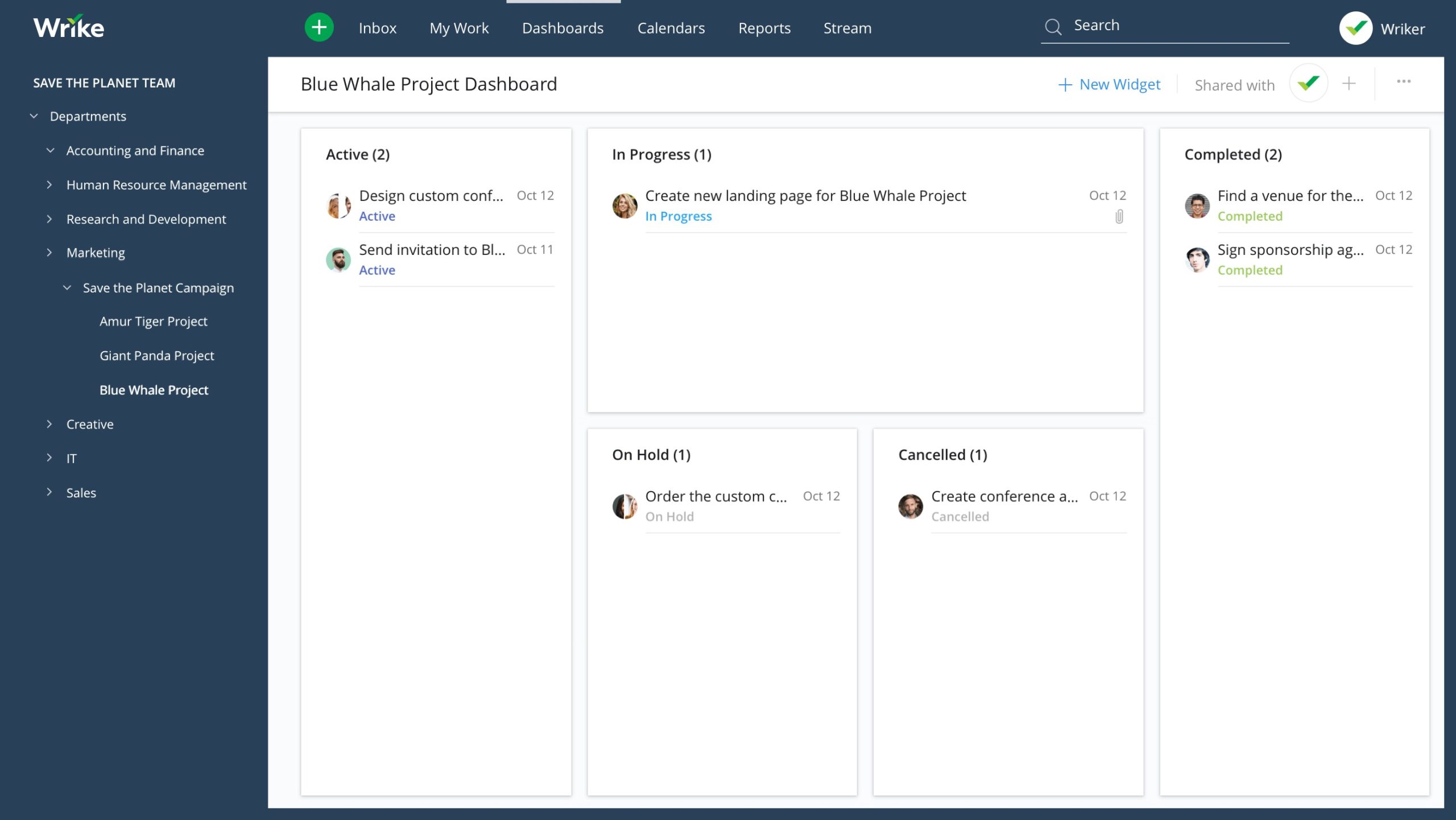
- Custom dashboards
- Workflow automation
How Does Wrike Work?
Wrike allows teams to organize their work into spaces, folders, projects, tasks, and subtasks.
A typical project can include owners, deadlines, statuses, dependencies, files, comments, approvals, and custom fields. Teams can then view the same work through different formats depending on what they need.
For example, a project manager might use a Gantt chart for scheduling and dependencies, while a team member might prefer a Kanban board for monitoring task status.
Wrike also provides dashboards and reporting tools that allow managers to monitor project progress and workload across multiple projects.
Wrike Features
1. Project Management
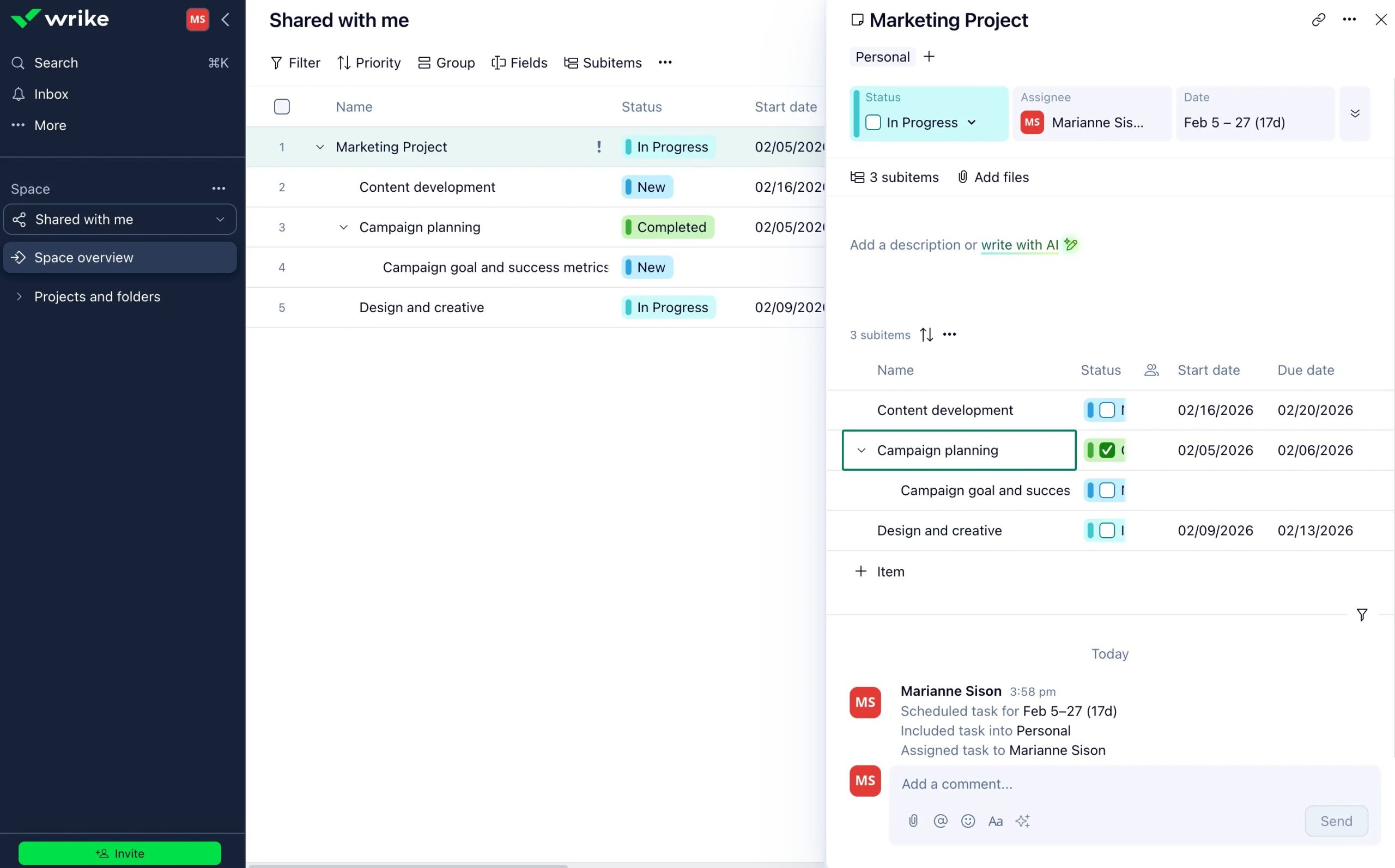
Project management is at the core of Wrike.
Users can create structured projects with tasks, subtasks, owners, due dates, milestones, dependencies, and custom workflows.
Teams can also start projects using templates instead of creating every element manually.
This makes Wrike useful for recurring processes such as marketing campaigns, product launches, creative projects, client work, and internal initiatives.
2. Task Management
Wrike allows teams to break larger projects into smaller actionable tasks.
Each task can include:
- Task descriptions
- Assignees
- Due dates
- Statuses
- Subtasks
3. Kanban Boards
Wrike includes a board view for teams that prefer a visual workflow.
Tasks can be organized into columns representing different stages, such as To Do, In Progress, Review, and Completed.
Users can move tasks between stages as work progresses.
Kanban boards can be especially useful for Agile teams, marketing departments, content teams, and creative workflows.
4. Gantt Charts
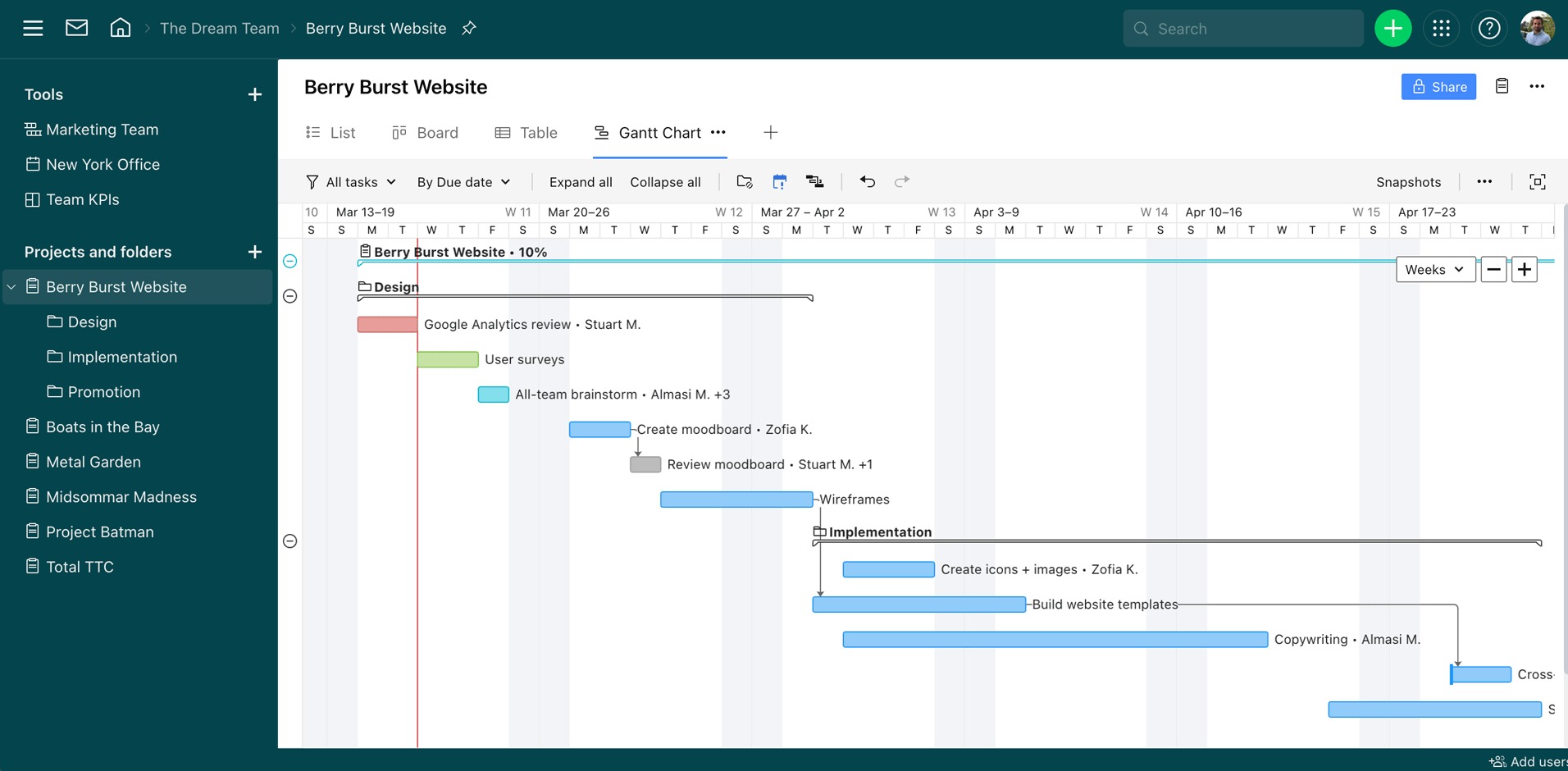
Wrike’s interactive Gantt charts provide a timeline-based view of projects.
Teams can visualize task durations, milestones, dependencies, and deadlines.
Users can adjust schedules directly on the timeline, making it easier to understand how changes to one task may affect other project activities.
Gantt charts can be particularly helpful for projects with multiple dependencies and longer timelines.
5. Calendar View
The calendar view provides another way to visualize upcoming work.
Teams can use calendars to monitor deadlines, planned activities, and project schedules.
This can help employees understand what needs to be completed during a particular week or month.
6. Table View
For teams that prefer spreadsheet-style project management, Wrike provides a table view.
Users can view tasks and custom fields in a structured format while still working within the project-management environment.
This can be useful for teams moving from spreadsheets to dedicated project-management software.
7. Workflow Automation
Wrike includes automation tools designed to reduce repetitive manual work.
Teams can configure automated actions for activities such as assigning tasks, changing statuses, sending reminders, and managing workflow steps.
Wrike also supports AI-powered automation features for more advanced workflows.
Automation can help teams reduce manual administration and maintain consistent processes.
8. Request Forms
Wrike’s dynamic request forms can be used to standardize how new work enters a team’s workflow.
Instead of receiving requests through scattered emails or messages, teams can create forms that collect the necessary information.
Submitted requests can then be routed into the appropriate workflow.
This can be useful for marketing, creative, IT, HR, and professional-services teams that regularly receive internal requests.
9. Resource Management
Resource management allows managers to understand how work is distributed across their teams.
Wrike provides workload and resource-planning capabilities that can help managers identify overloaded or underutilized team members.
Higher-tier plans add more advanced resource and capacity planning functionality.
10. Workload Charts
Workload charts provide a visual overview of how much work is assigned to individual team members.
Managers can use these views to identify workload imbalances and make adjustments when necessary.
This can be particularly useful for teams managing multiple projects simultaneously.
Wrike Pros
- Multiple project views
- Interactive Gantt charts
- Strong workflow customization
- Resource management tools
- Custom dashboards
- Workflow automation
- AI-powered features
- Request forms
- Proofing and approval tools
- Time tracking
- Extensive reporting
- 400+ integrations
- Desktop and mobile apps
- Enterprise security options
Wrike Cons
- Advanced functionality is concentrated in higher-tier plans
- The large feature set can take time to learn
- Some advanced capabilities require paid add-ons
- Enterprise-oriented features may be unnecessary for very small teams
- Pricing can become more complex as teams add users and capabilities
Is Wrike Easy to Use?
Wrike provides a flexible interface with multiple project views, templates, dashboards, and guided setup options.
For basic task management, users can start with lists, boards, or tables. More advanced teams can build customized workflows involving dependencies, resource planning, automation, dashboards, and reporting.
The flexibility is useful for organizations with different workflows, but it also means new users may need time to understand the platform’s broader feature set.
Wrike itself highlights templates, guided setup, and in-app tutorials as tools designed to help teams get started.
Wrike Pricing
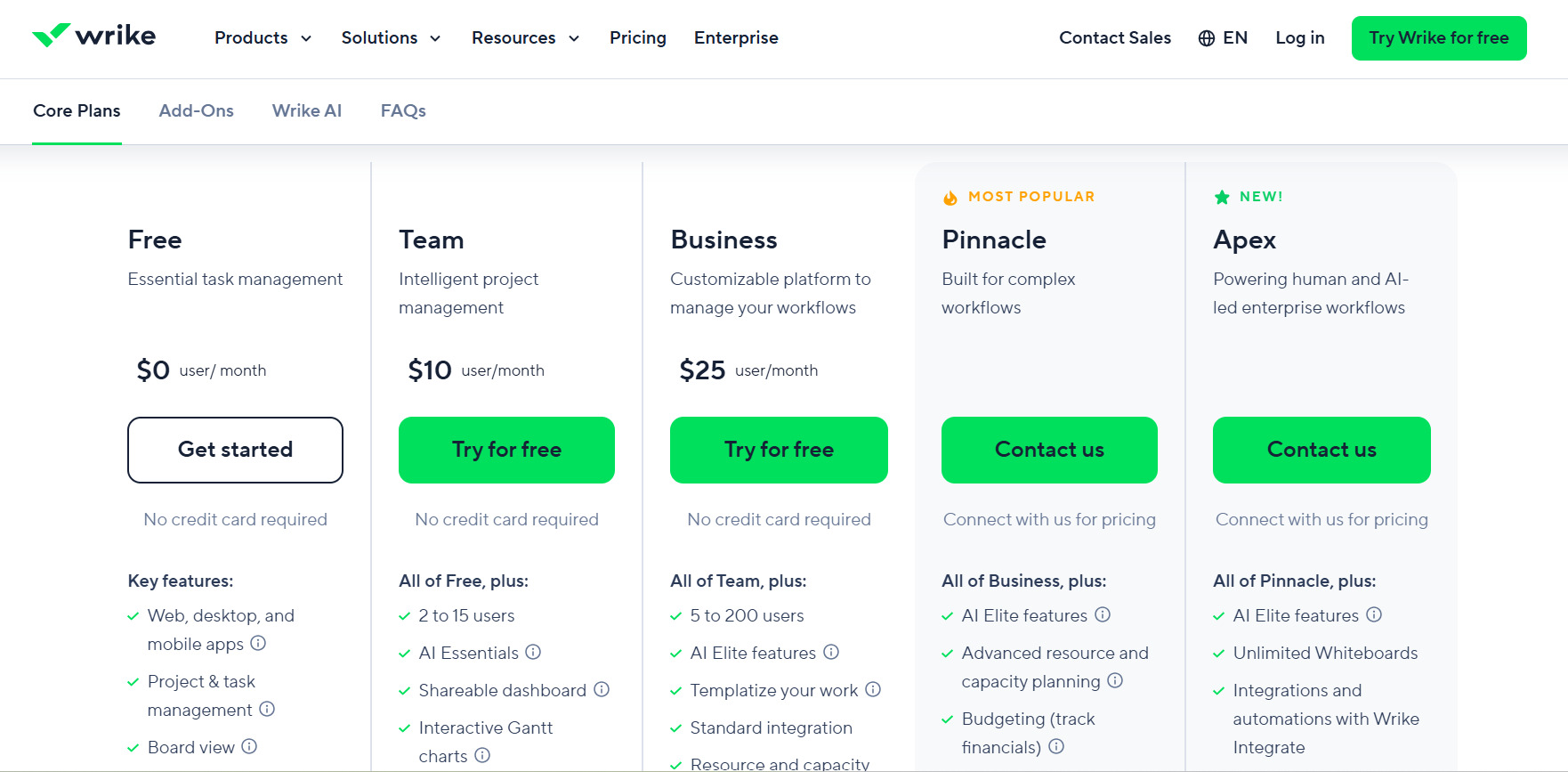
Wrike’s current pricing structure includes Free, Team, Business, Pinnacle, and Apex plans.
The prices listed by Wrike are monthly amounts billed annually per user, and the current pricing applies to new purchases made from January 21, 2026.
Free Plan
Price: $0 per user/month
Wrike’s Free plan provides essential task-management functionality.
It includes project and task management, board view, table view, and access through web, desktop, and mobile applications.
This plan can be useful for individuals or small teams that need basic work organization without a paid subscription.
Team Plan
Price: $10 per user/month
The Team plan adds more advanced project-management functionality.
Features include AI Essentials, shareable dashboards, interactive Gantt charts, and support for 2 to 15 users.
Business Plan
Price: $25 per user/month
The Business plan is designed for more customizable workflows.
It includes the Team features plus AI Elite functionality, templates, standard integrations, and support for 5 to 200 users.
Pinnacle Plan
Price: Contact Wrike
Pinnacle is designed for more complex workflows.
It adds advanced resource and capacity planning, budgeting, time tracking, advanced reporting, and business-intelligence functionality.
Apex Plan
Price: Contact Wrike
Apex is positioned for enterprise workflows involving both human and AI-driven processes.
It includes additional AI Elite capacity, unlimited Whiteboards, Wrike Integrate, Wrike Sync, and other advanced enterprise capabilities.
Wrike also offers a 14-day free trial with no credit card required.
Who Is Wrike Best For?
Marketing Teams
Marketing departments can use Wrike to manage campaigns, content calendars, creative requests, approvals, and reporting.
Creative Teams
Creative teams can use features such as proofing, approvals, file management, and project workflows to organize asset production.
Professional Services
Agencies and professional-services organizations can use project management, resource planning, time tracking, and budgeting capabilities to manage client work.
Enterprise Teams
Larger organizations can take advantage of advanced resource planning, reporting, security, integrations, and customizable workflows.
Cross-Functional Teams
Wrike can bring different departments into shared workflows, helping teams coordinate tasks, projects, requests, and approvals from a centralized workspace.
Wrike for Project Management
Wrike is designed to support the complete project lifecycle.
Teams can plan projects, assign resources, execute tasks, monitor progress, collaborate with stakeholders, and create reports.
The platform supports multiple project-management approaches, including Agile, Waterfall, hybrid, and customized workflows.
This flexibility can make Wrike useful for organizations that manage different types of projects rather than following one standardized methodology.
Wrike for Resource Management
Resource planning is one of the more advanced areas of the Wrike platform.
Managers can examine workloads, resource availability, effort requirements, and project capacity.
Higher-tier plans provide advanced resource and capacity planning features, including additional controls for roles, user attributes, and time tracking.
Wrike Alternatives
Wrike competes with several project-management and work-management platforms.
Asana
Asana provides task management, project planning, team collaboration, workflow management, and reporting tools.
Monday.com
Monday.com combines project management with customizable workflows, dashboards, automation, and team collaboration.
ClickUp
ClickUp provides project management, tasks, documents, dashboards, whiteboards, automation, and other productivity features within one workspace.
Smartsheet
Smartsheet combines spreadsheet-style project management with workflow automation, reporting, resource management, and enterprise capabilities.
Jira
Jira is particularly associated with software development and Agile project management, although it also supports broader work-management use cases.
When comparing Wrike with these alternatives, consider your team size, workflow complexity, preferred project views, automation requirements, resource-management needs, integrations, and budget.
Wrike Security
Wrike provides several security and access-management features for organizations with more demanding requirements.
These include customizable user types, access roles, spaces, two-factor authentication, single sign-on, user groups, and activity reports.
Wrike Lock is also available as an additional security capability, allowing organizations to manage their own encryption keys.
Wrike Mobile App
Wrike provides desktop and mobile applications, allowing users to access projects and tasks while away from their primary workstation.
Mobile functionality can be useful for employees who need to review tasks, monitor project progress, collaborate with colleagues, or manage approvals while working remotely or traveling.
Is Wrike Worth It in 2026?
Wrike offers a broad collection of project and work-management features, ranging from basic task management to advanced resource planning, reporting, automation, AI, and enterprise security.
The Free and Team plans provide an entry point for teams with simpler requirements, while Business, Pinnacle, and Apex provide progressively more advanced capabilities.
The main consideration is whether your organization will use enough of Wrike’s advanced functionality to justify its subscription cost and implementation effort.
For teams managing complex projects, multiple workflows, resources, approvals, and reporting requirements, Wrike provides a comprehensive set of tools to evaluate.
Final Thoughts
Wrike is more than a basic task-management application. It is a broad work management and project management platform designed to connect planning, execution, collaboration, resource management, automation, and reporting.
Its strongest feature areas include Gantt charts, customizable workflows, dashboards, resource management, automation, proofing, reporting, integrations, and AI-powered work management.
The platform’s tiered pricing gives businesses different options, from a free task-management plan to enterprise-focused Apex functionality. However, teams should carefully review plan limits and add-on costs before selecting a subscription.
If your team needs a centralized platform for managing projects, resources, workflows, collaboration, and reporting, Wrike is a project-management solution worth evaluating in 2026.
