
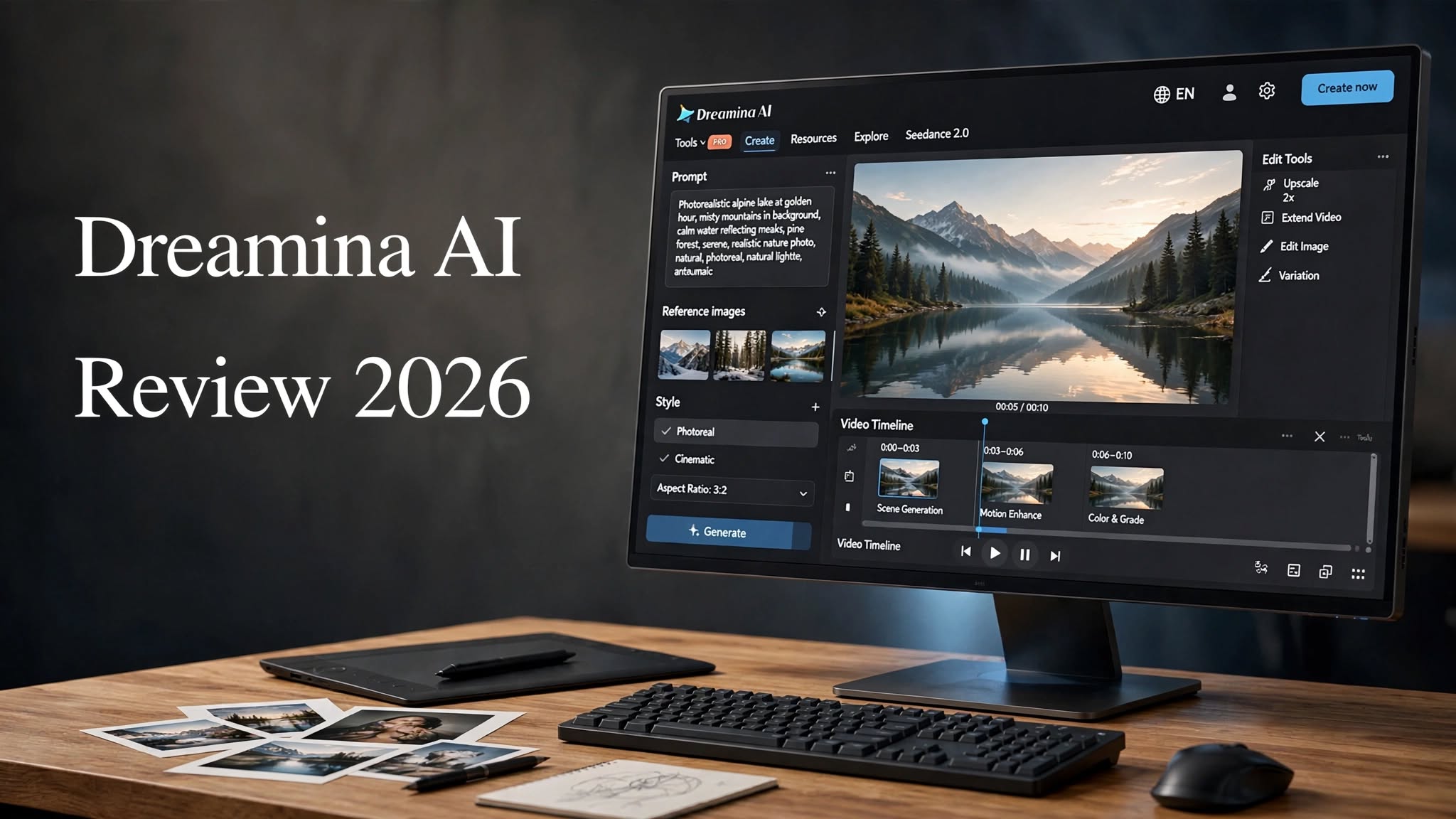

AI-powered creative tools are changing how people create images, videos, advertisements, social media content, and digital artwork. Instead of spending hours editing every detail manually, creators can now use text prompts and reference images to produce visual content in minutes.
Dreamina AI is one of the platforms trying to bring these capabilities together in one place. Developed by ByteDance, Dreamina combines AI image generation, text-to-video, image-to-video, reference-based creation, and AI-powered editing tools.
But having lots of AI features doesn’t necessarily mean a platform delivers consistently good results.
So, is Dreamina AI actually useful for creators in 2026?
In this Dreamina AI Review 2026, we’ll look at its key features, image and video generation capabilities, pricing, pros and cons, ideal use cases, and what you should know before deciding whether Dreamina is right for your creative workflow.
What Is Dreamina AI?

Dreamina AI is a generative AI creative platform developed by ByteDance. It allows users to create visual content using text prompts, reference images, and AI-powered editing tools.
Rather than focusing exclusively on AI image generation, Dreamina combines several creative features within one platform.
Depending on the available tools and models, users can work with:
- AI text-to-image generation
- AI text-to-video generation
- Image-to-video generation
- Reference image generation
- AI image editing
Dreamina AI Features
1. AI Image Generation
Dreamina’s AI image generator allows users to describe an image with a text prompt and generate a visual based on that description.
You can create realistic photography, illustrations, characters, landscapes, product concepts, advertising visuals, and other types of digital artwork.
The quality of the result depends heavily on the prompt, selected model, and complexity of the requested scene.
For simple compositions, Dreamina can generate impressive results. More complicated prompts involving several people, objects, or physical interactions can still produce occasional inconsistencies.
2. AI Video Generation
Dreamina also includes AI video generation capabilities, allowing users to turn text descriptions into short video sequences.
This can be useful for creating:
- Social media clips
- Promotional concepts
- Short cinematic scenes
- Product animations
- Story ideas
- Creative experiments
- Visual advertisements
Simple camera movements and straightforward actions generally provide a more predictable starting point than complicated interactions.
3. Image-to-Video
One of Dreamina’s useful features is the ability to animate an existing image.
Instead of asking the AI to create both the visual and movement from scratch, you can provide an image and describe the movement you want.
For example, a creator could start with an AI-generated character and then ask Dreamina to create a short sequence where the character walks, turns, waves, or interacts with the environment.
This workflow can also be useful for social media creators who want to turn static images into short animated content.
4. Reference Image Generation
Reference images give creators additional control over the visual direction of an AI generation.
Instead of relying only on written instructions, users can provide an image that helps guide the generation.
This can be useful when you want to maintain characteristics such as:
- Subject appearance
- Colors
- Clothing
- Visual style
- Character details
- Composition
- Object design
5. AI Canvas
Dreamina’s Canvas workspace allows users to work with generated images and make additional adjustments.
Rather than downloading an image and immediately moving into another application, creators can perform certain edits directly inside the platform.
The Canvas environment can be useful when an image is close to the desired result but needs some additional refinement.
6. Inpainting
Inpainting allows users to modify selected areas of an image.
For example, if an AI-generated image contains an unwanted object or an element that doesn’t look right, an editing tool can be used to replace or regenerate that particular area.
This can save time compared with completely regenerating the entire image.
How Good Is Dreamina AI for Image Generation?

Image quality is one of the most important factors when evaluating any AI image generator.
Dreamina can create detailed visuals with convincing lighting, textures, colors, and compositions. Realistic scenes can look impressive at normal viewing sizes, particularly when the prompt is specific and well structured.
However, AI-generated images aren’t always perfect.
Complex scenes can sometimes contain:
- Awkward hand positions
- Incorrect object placement
- Unnatural poses
- Inconsistent facial details
- Strange interactions between subjects
- Small physics or perspective errors
How Good Is Dreamina AI for Video Generation?
Dreamina’s AI video tools make the platform more versatile than an image-only generator.
Text-to-video allows you to describe a scene, while image-to-video provides a starting visual that can then be animated.
The results can be impressive when the requested movement is relatively straightforward.
For example, walking, camera movement, environmental motion, and simple object actions can produce visually appealing clips.
More complex sequences can be less predictable. Characters may react unnaturally, objects may behave incorrectly, or the physics of an action may not perfectly match reality.
For short-form content and creative experimentation, these limitations may be manageable. Professional productions requiring frame-by-frame control will generally still need dedicated editing software.
Dreamina AI User Experience

Another important advantage of Dreamina is its relatively accessible interface.
The platform brings image generation, video creation, and editing tools into a unified environment rather than forcing beginners to learn several different applications.
The workflow is straightforward:
Choose a tool → Write a prompt or upload a reference → Generate → Review → Edit → Export
This makes Dreamina approachable for users who are new to generative AI.
More experienced creators can also benefit from the reference and editing workflows when they need additional control over generated content.
Dreamina AI Pros and Cons
Dreamina AI Pros
- High-quality visual generation: Dreamina can produce detailed AI images with convincing lighting, textures, and compositions.
- Image and video creation in one platform: Users can create both still visuals and short AI videos without relying entirely on separate services.
- Image-to-video functionality: Existing images can be transformed into animated clips, expanding the platform’s creative possibilities.
- Reference image support: Reference-based workflows can help guide the appearance and style of generated content.
- Built-in editing tools: Inpainting, expansion, and upscaling make it easier to refine images after generation.
- Beginner-friendly workflow: The interface keeps major creative functions relatively easy to discover and use.
Dreamina AI Cons
- Generation speed can vary: More complicated generations may take longer than expected.
- AI artifacts still occur: Hands, faces, objects, and interactions can occasionally contain visual inconsistencies.
- Video physics aren’t always realistic: Complex movements may not behave exactly as they would in the real world.
- Limited professional control: Creators requiring advanced animation and detailed post-production controls may need additional software.
- Credits can be consumed quickly: Frequent image and video generation may require additional credits or a paid subscription.
Dreamina AI Pricing
Dreamina offers free access alongside paid options, with available credits, features, and generation limits depending on the current plan.
The cost of using AI platforms can change frequently as companies introduce new models, credits, and subscription structures. For that reason, users should check Dreamina’s current pricing information before subscribing.
Free access can be useful for testing the platform and understanding its image and video generation capabilities before spending money.
For regular creators, however, the amount of available generation credits is an important factor to consider because AI video generation can consume considerably more resources than simple image generation.
Who Is Dreamina AI Best For?

Content Creators
Dreamina can help social media creators produce AI images, short videos, animations, thumbnails, and other visual assets.
Designers
Designers can use the platform for brainstorming, concept art, character development, moodboards, and visual experimentation.
Marketers
Marketing professionals can create campaign concepts, promotional visuals, social media content, and product ideas using AI.
Beginners
Users without advanced design or video-editing experience can experiment with AI creation through a relatively simple workflow.
AI Enthusiasts
Anyone interested in testing modern generative AI models can use Dreamina to experiment with different prompts, reference images, styles, and video concepts.
Who Should Consider Other Tools?
Dreamina isn’t necessarily designed to replace every professional creative application.
Users who need highly precise animation controls, complex timelines, advanced compositing, or detailed frame-by-frame editing may still require dedicated professional software.
Similarly, creators producing large volumes of content should pay close attention to generation limits, processing time, and credit consumption.
Dreamina AI vs PicLumen
Dreamina isn’t the only platform combining AI image and video creation.
For example, PicLumen also provides AI-powered creative tools and can appeal to users who want a broader visual-generation workflow.
| Feature | Dreamina AI | PicLumen |
|---|---|---|
| AI Image Generation | Yes | Yes |
| AI Video Generation | Yes | Yes |
| Image-to-Video | Yes | Yes |
| Reference-Based Creation | Yes | Yes |
| AI Image Editing | Yes | Yes |
| Upscaling | Yes | Available |
| Beginner-Friendly Workflow | Yes | Yes |
| Creative Canvas | Yes | Yes |
The two platforms approach AI creation differently, so the more suitable option depends on the specific workflow, available models, generation features, editing tools, and pricing that matter to you.
Is Dreamina AI Worth Trying in 2026?
Dreamina AI brings together several useful generative AI capabilities in one creative environment.
Its combination of AI image generation, AI video generation, image-to-video, reference images, Canvas editing, inpainting, image expansion, and upscaling gives creators a broad set of tools to experiment with.
Its limitations are also worth keeping in mind. AI-generated images can contain small visual errors, while videos may occasionally struggle with realistic physics or complex movement. Generation speed and credit usage can also become important for frequent users.
For creators who want to experiment with both AI images and short-form AI videos from one platform, Dreamina provides a practical workflow worth exploring.
Final Thoughts on Dreamina AI
Dreamina AI is more than a basic AI image generator. Its combination of image creation, video generation, reference-based workflows, and built-in editing features makes it a flexible option for modern content creation.
The platform is particularly useful for people who want to move quickly from an idea to a visual asset without learning several complicated creative applications.
At the same time, users should keep their expectations realistic. AI generation still has limitations, especially when scenes involve complicated human interactions, precise physical movements, or highly consistent details.
Overall, Dreamina is an interesting AI creative platform for content creators, designers, marketers, beginners, and AI enthusiasts who want to explore image and video generation within a unified workflow.
Frequently Asked Questions
What is Dreamina AI?
Dreamina AI is a generative AI creative platform developed by ByteDance that provides tools for creating and editing AI-generated images and videos.
Is Dreamina AI free?
Dreamina provides free access options, although generation limits and credits may apply. Paid plans are available for users who need additional usage.
Can Dreamina generate AI videos?
Yes. Dreamina supports AI video generation, including text-to-video and image-to-video workflows.
Can Dreamina turn an image into a video?
Yes. Its image-to-video functionality allows users to upload or create an image and then generate movement based on instructions.
Is Dreamina AI good for beginners?
Dreamina’s unified interface and straightforward creative workflow make it accessible to beginners who are just starting with generative AI.
Can Dreamina AI generate realistic images?
Yes. Dreamina can produce highly detailed and realistic-looking images, although complex prompts can sometimes result in AI artifacts or inconsistent details.
Can Dreamina AI be used for commercial content?
Commercial use depends on the platform’s current terms and licensing conditions. Users should review the latest terms before using generated content for commercial purposes.
Is Dreamina AI owned by ByteDance?
Yes. Dreamina is developed by ByteDance, the company also associated with TikTok and other digital products.
