
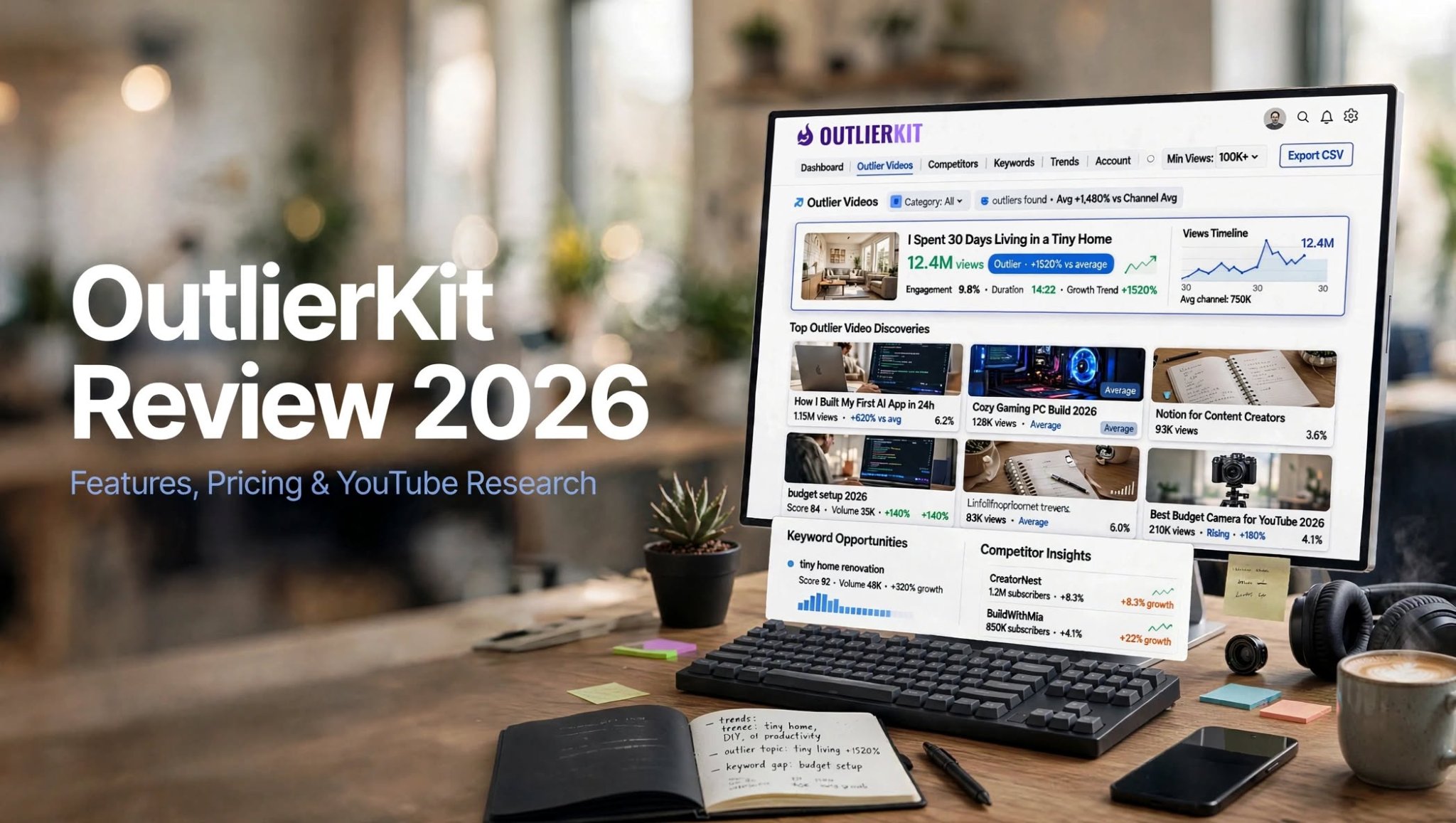

If you are serious about growing a YouTube channel, choosing the right topic can be just as important as creating the video itself. OutlierKit is built around this idea. Instead of focusing only on traditional YouTube SEO, it helps creators identify videos, keywords, channels, audiences, and content patterns that may reveal new opportunities.
In this OutlierKit review, we take a detailed look at its features, pricing, credit system, use cases, advantages, limitations, and how it compares with other YouTube research tools.
The main question is simple: Is OutlierKit worth using in 2026?
What Is OutlierKit?

OutlierKit is a YouTube research and competitor analysis platform designed to help creators make more data-driven content decisions.
Its core feature is Outlier Research, which helps identify videos that significantly outperform other content on a channel or within a niche. The platform also includes keyword research, competitor analysis, AI script and hook analysis, Deep Research, and broader niche intelligence.
Unlike tools that primarily help optimize videos after you create them, OutlierKit focuses heavily on answering an earlier question:
What should you create in the first place?
The platform works with public YouTube data, so users can research their own channel, competitors, or other channels without connecting or authorizing a YouTube account.
OutlierKit Review: Key Highlights
- YouTube outlier video research
- Low-competition keyword discovery
- Competitor channel analysis
- AI script analysis
- Hook analysis
How Does OutlierKit Work?
OutlierKit is designed around research rather than simply giving creators a list of generic SEO recommendations.
You can enter a YouTube channel, topic, or niche and use the platform to investigate what is already performing.
For example, a creator researching a technology niche could look for:
- Videos that dramatically outperform the channel’s normal results
- Keywords with lower competition
- Similar channels
- Successful content format
OutlierKit Features

1. Outlier Video Research
Outlier Research is arguably the most important feature in the platform.
It helps identify videos that are performing unusually well compared with the surrounding content. This can reveal topics and formats that have already demonstrated audience interest.
For example, if a channel normally receives a few thousand views but one particular video generates substantially more, that video becomes an interesting research opportunity.
Instead of copying the video, creators can study:
- Topic
- Format
- Title structure
- Content angle
- Audience interest
2. Low-Competition Keyword Finder
OutlierKit also includes a keyword research system designed around finding opportunities rather than simply displaying search volume.
The platform can help creators identify keywords with potential demand and comparatively lower competition.
This can be useful for smaller channels that may struggle to compete for extremely broad keywords.
Instead of targeting something extremely competitive such as “fitness tips,” a creator might research more specific topics and identify narrower opportunities.
Keyword Research currently costs 1 credit per action.
3. AI Script Analysis
Creating a strong video is not only about finding the right topic.
The script also needs to hold attention.
OutlierKit’s AI script analysis can be used to examine video scripts and identify areas that may affect engagement, structure, and the opening of a video.
This can be particularly useful when analyzing successful content in a specific niche and comparing its structure with your own scripts.
Script analysis currently costs 5 credits per analysis.
4. Hook Analysis
The opening seconds of a YouTube video are important because viewers can leave almost immediately.
OutlierKit includes AI-powered hook analysis to help creators examine their video openings and improve the initial presentation of an idea.
For creators who already have a strong topic but struggle with introductions, this can be a useful part of the workflow.
However, no hook-analysis tool can guarantee higher retention. The actual result still depends on the video, audience, editing, topic, and delivery.
5. Deep Research
Deep Research is aimed at creators who want broader strategic insights rather than a single keyword or video result.
It can combine channel and content information to help with content strategy and research.
The feature is considerably more expensive in terms of credits, currently costing 20 credits per run.
That makes it something to use selectively if you have a limited monthly credit allowance.
6. Competitor Analysis

Competitor analysis allows creators to investigate other YouTube channels and understand what they are publishing.
This can help answer questions such as:
- Which topics does a competitor cover?
- Which videos are performing unusually well?
- What formats appear repeatedly?
- Which channels are similar?
- Where might content gaps exist?
7. Competitor Studio
Competitor Studio is one of the more advanced features available on Pro and Max.
Instead of looking at one competitor at a time, it is designed to map broader niche intelligence around a channel or niche.
According to OutlierKit’s current plan information, Competitor Studio costs 50 credits per run and is available on Pro and Max.
This makes it more relevant for creators, brands, and teams that need deeper competitive research.
8. Audience and Psychographic Insights
OutlierKit’s higher-level research features can also provide information about audiences and the broader ecosystem around a niche.
This is useful because knowing what competitors publish is only one part of YouTube strategy.
Understanding who watches the content and what types of content resonate with that audience can help creators make better strategic decisions.
9. Sponsor and Monetization Intelligence
One of the areas that differentiates OutlierKit from basic YouTube keyword tools is its broader competitive intelligence.
The current platform highlights sponsor intelligence, monetization mapping, audience psychographics, and niche-wide comment intelligence among its advanced capabilities.
These features can be particularly relevant to creators who treat YouTube as a business rather than simply a hobby.
10. MCP and API Access
OutlierKit has also expanded beyond its web interface.
Pro and Max users can access MCP and API capabilities, allowing research workflows to be connected with external AI tools and applications.
OutlierKit specifically highlights the ability to use its research tools inside Claude and other MCP-compatible workflows.
For advanced users, this can make YouTube research more flexible and easier to integrate into existing workflows.
OutlierKit Pros and Cons
Pros
- Excellent focus on YouTube outlier research
- Useful low-competition keyword discovery
- Strong competitor research capabilities
- AI-powered script and hook analysis
- Deep Research for broader content strategy
- Advanced niche intelligence on Pro and Max
- Credit-based system gives users control over usage
- No YouTube account connection required for basic research
- MCP and API access available on higher plans
- Free trial available
Cons
- Credit usage can become significant with advanced research
- Competitor Studio requires a large number of credits
- Some advanced features are limited to higher plans
- The platform focuses more on research than complete channel management
- Beginners may need time to understand all of the research options
- It does not replace YouTube Studio for first-party channel analytics
OutlierKit vs VidIQ
OutlierKit and VidIQ both target YouTube creators, but their approaches are different.
OutlierKit puts greater emphasis on outlier discovery, competitor intelligence, niche research, and content opportunities.
VidIQ has a broader ecosystem around YouTube optimization, SEO, keyword research, and creator tools.
OutlierKit’s current comparison information lists its starting price at $29/month monthly, while annual Hobby pricing works out to $16.60/month.
If your main goal is discovering what content opportunities exist within a niche, OutlierKit’s research-oriented workflow may be more relevant. If you need a broader optimization toolkit, you may want to compare the two based on the specific features you use.
OutlierKit Pricing 2026

OutlierKit uses a credit-based pricing model. Your subscription determines how many credits you receive each month, while individual research actions consume different amounts.
The current annual pricing is:
| Plan | Annual Price | Monthly Equivalent | Credits |
|---|---|---|---|
| Hobby | $199/year | $16.60/month | 100/month |
| Pro | $299/year | $24.90/month | 500/month |
| Max | $999/year | $83/month | 2,000/month |
OutlierKit also lists monthly pricing of $29 for Hobby, $49 for Pro, and $199 for Max. Annual billing provides the larger discounts.
OutlierKit Credit Usage
| Feature | Credit Cost |
|---|---|
| Keyword Research | 1 |
| Outlier Research | 1 |
| Script Analysis | 5 |
| Competitor Analysis | 5 |
| Advanced Keyword Research | 5 |
| Deep Research | 20 |
| Competitor Studio | 50 |
Additional credits can currently be purchased for $10 per 100 credits.
OutlierKit also offers lifetime plans, with current pricing starting at $449 for the Hobby lifetime plan. Lifetime credits refresh monthly according to the selected tier.
Is There a Free Trial?
Yes.
OutlierKit currently offers trial credits without requiring a credit card. Its pricing information indicates that the trial is intended to let users test features such as outlier research, keyword research, and AI analysis before committing to a paid plan.
This is useful because the platform is research-heavy, and its value can vary depending on your niche.
How to Use OutlierKit for YouTube Growth
A simple workflow could look like this:
Step 1: Choose Your Niche
Start with your existing niche or a topic you are considering entering.
Step 2: Research Outlier Videos
Find videos that significantly outperform other uploads.
Step 3: Identify Patterns
Look beyond individual videos.
Analyze:
- Topics
- Titles
- Formats
- Video lengths
- Content angles
- Upload patterns
Step 4: Find Keyword Opportunities
Use the keyword research feature to discover related terms and potentially lower-competition opportunities.
Step 5: Study Competitors
Analyze several channels rather than relying on one competitor.
Step 6: Develop Your Own Concept
Use the research as inspiration, but create an original video with your own angle, information, presentation, and audience focus.
Step 7: Analyze Your Script and Hook
Before publishing, use the AI analysis features to review your opening and script structure.
This workflow turns OutlierKit from a simple keyword tool into a broader content-research system.
Is OutlierKit Worth It in 2026?
OutlierKit can be useful for creators who want to spend more time researching what to make rather than simply optimizing videos after they are created.
Its biggest strength is the combination of outlier research, keyword discovery, competitor analysis, and broader niche intelligence.
The main consideration is pricing. The credit system means heavy users need to pay attention to how frequently they use expensive features such as Deep Research and Competitor Studio.
For someone who publishes regularly and actively researches competitors, the Pro plan provides considerably more research capacity than Hobby, with 500 monthly credits and access to Competitor Studio, MCP, and API capabilities.
For occasional creators, the lower-tier plan or trial may be enough to determine whether the platform fits their workflow.
Final Verdict
OutlierKit is not a magic YouTube growth button, and no research platform can guarantee that a video will go viral.
What it can do is make the research stage more systematic.
Its strongest use case is finding outliers, content opportunities, keywords, competitors, and niche patterns before you invest time in producing a video.
The platform is particularly interesting for creators who have already published content and want a more structured way to decide what to create next.
If you are considering OutlierKit in 2026, the best approach is to use the available trial first, research your own niche, and see whether the results provide insights you would otherwise struggle to find manually.
Frequently Asked Questions
Is OutlierKit legit?
OutlierKit is an active YouTube research platform offering outlier detection, keyword research, competitor analysis, AI analysis, and advanced niche intelligence. It provides trial credits so users can test the platform before subscribing.
What does OutlierKit do?
OutlierKit helps YouTube creators research successful videos, keywords, competitors, niches, scripts, hooks, audiences, and content opportunities.
How much does OutlierKit cost?
Current monthly pricing starts at $29 for Hobby, $49 for Pro, and $199 for Max. Annual plans are listed at $199, $299, and $999 respectively.
How many credits does OutlierKit give you?
The Hobby plan provides 100 credits per month, Pro provides 500, and Max provides 2,000 credits per month.
