
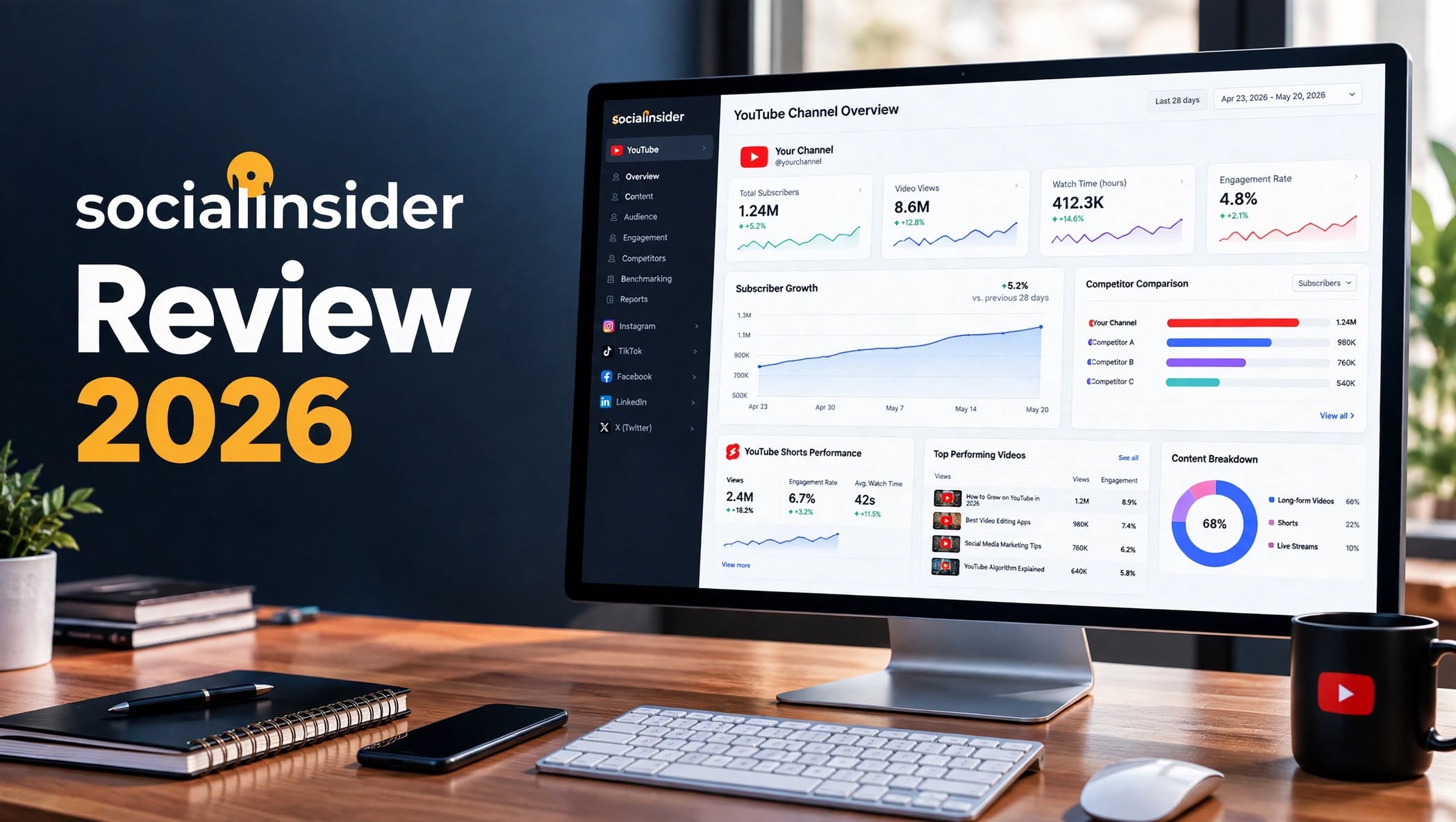

If you manage a YouTube channel, social media brand, or several client accounts, looking at your own analytics is only part of the picture. You also need to understand how competitors are performing, which content gets the most engagement, how posting frequency affects results, and where your channel stands against similar accounts.
That is where Socialinsider comes in.
Socialinsider is a social media analytics and competitive benchmarking platform that brings performance data from multiple networks into one dashboard. Its YouTube analytics tools let you compare channels, track subscriber growth, analyze engagement, examine top-performing content, and separate Shorts performance from long-form videos.
But is Socialinsider worth paying for if your main goal is YouTube growth?
In this Socialinsider review, I’ll break down its features, pricing, pros and cons, YouTube analytics capabilities, alternatives, and the type of user who can get the most value from it.
What Is Socialinsider?

Socialinsider is a social media analytics platform designed for brands, marketers, agencies, and teams that need detailed performance reporting across multiple social networks.
Instead of switching between different analytics dashboards, Socialinsider provides a centralized place to monitor social media performance and compare accounts.
For YouTube, the platform focuses heavily on competitive analysis and benchmarking. You can connect your own channel and add competitor channels to compare metrics such as views, engagement, subscriber growth, posting frequency, and top-performing content.
This makes Socialinsider different from YouTube Studio.
YouTube Studio is excellent for analyzing your own channel, while Socialinsider is designed to put your performance into a broader competitive and cross-platform context.
Socialinsider Highlights
- YouTube channel analytics
- YouTube competitor benchmarking
- Subscriber growth tracking
- Engagement analysis
- Video performance tracking
Socialinsider YouTube Analytics
The YouTube functionality is one of the most useful parts of Socialinsider for marketers.
Rather than limiting you to your own YouTube Studio data, Socialinsider lets you analyze competitor channels and compare their performance with yours.
YouTube Competitor Analysis
One of Socialinsider’s major advantages is competitor benchmarking.
You can add competitor channels and compare their performance side by side. This can help you identify differences in subscriber growth, engagement, views, publishing frequency, and content performance.
For agencies managing several YouTube accounts, this can make competitive reporting much easier.
Channel Performance Tracking
Socialinsider provides a centralized dashboard where you can monitor important YouTube performance metrics.
Depending on the connected account and available data, you can analyze trends around views, engagement, subscribers, and content performance.
This is particularly useful when you want to examine performance over time instead of looking at individual videos separately.
YouTube Shorts Analytics
Shorts deserve separate attention because short-form videos can behave very differently from long-form content.
Socialinsider provides a dedicated Shorts view that allows users to analyze Shorts performance, views, engagement, and traction separately from long-form videos.
This can help content teams understand whether their Shorts strategy is producing meaningful engagement compared with traditional videos.
Top-Performing Content
Another useful capability is identifying content that performs particularly well.
Instead of simply looking at total channel views, marketers can investigate which videos attract stronger engagement and compare content performance between channels.
This can be useful when planning future content or preparing reports for clients.
Content Pillar Analysis
Socialinsider also provides content pillar insights.
This allows marketers to organize content around themes and examine how different content categories perform.
For larger brands, this can make it easier to identify which types of content deserve more attention.
Socialinsider Cross-Platform Analytics

YouTube is only one part of Socialinsider.
The platform is designed for cross-network analytics, allowing teams to analyze social performance across different platforms from a centralized dashboard. Its current plans include cross-network analytics, competitor benchmarking, automated reports, exports, and other reporting features.
This is especially useful for agencies.
For example, an agency managing a client’s YouTube, Instagram, TikTok, and LinkedIn accounts can use a centralized analytics system instead of creating separate reports for every network.
For a YouTube-only creator, however, many of these additional capabilities may not be necessary.
Socialinsider Reporting
Reporting is one of Socialinsider’s stronger areas.
The platform allows users to export analytics into formats including PDF, PowerPoint, CSV, and Excel. It also supports branded reports, which can be useful when presenting analytics to clients or internal teams.
This makes the platform particularly relevant to:
- Social media agencies
- Marketing departments
- Freelance social media managers
- Multi-brand companies
- YouTube management teams
Socialinsider Pros and Cons
Pros
- Strong YouTube competitor benchmarking
- Cross-platform analytics
- YouTube Shorts tracking
- Historical performance analysis
- Automated reporting
- Branded client reports
- Multiple export formats
- Content pillar insights
- Useful for agencies
- 14-day free trial
Cons
- More expensive than many YouTube-focused tools
- Can be excessive for individual creators
- Focuses heavily on analytics and reporting
- YouTube SEO capabilities are not its main strength
- Some advanced features require higher plans or add-ons
- Cross-platform features may be unnecessary for YouTube-only users
Who Is Socialinsider Best For?

Socialinsider makes the most sense for people who need more than basic YouTube statistics.
Social Media Agencies
Agencies can use Socialinsider to monitor multiple clients, benchmark competitors, and produce branded reports.
Marketing Teams
Businesses running campaigns across YouTube and other social networks can benefit from having their analytics in one place.
Brands With Multiple Social Channels
If YouTube is only one part of your marketing strategy, Socialinsider’s cross-platform capabilities become more useful.
YouTube Managers
People responsible for several YouTube channels can use competitor benchmarking and reporting to monitor multiple accounts more efficiently.
Who May Not Need Socialinsider?
Individual YouTubers who only want to check their own channel statistics may not need a paid analytics platform.
YouTube Studio already provides native performance and audience data for channel owners at no additional cost. Socialinsider becomes more relevant when competitor analysis, benchmarking, historical comparisons, and cross-platform reporting are important.
Socialinsider Alternatives
Socialinsider isn’t the only option available for YouTube analytics. The right alternative depends on whether you care most about native analytics, YouTube SEO, competitor research, or broader social media management.
1. YouTube Studio
YouTube Studio is the natural starting point for creators who primarily need their own channel data.
It provides native performance information and audience insights without an additional subscription.
The major limitation is competitive analysis. Socialinsider’s advantage is that it can put your channel alongside competitor data, while YouTube Studio is primarily focused on your own channel.
2. vidIQ
vidIQ is focused specifically on YouTube growth and includes tools for keyword research, SEO, content ideas, and AI-assisted recommendations.
It can be a better fit when your primary objective is finding video opportunities and optimizing content rather than producing agency reports.
3. TubeBuddy
TubeBuddy is another YouTube-focused platform with tools around SEO, keyword research, video optimization, and channel management.
For creators who care primarily about improving individual videos, TubeBuddy can provide a more specialized workflow than a broad social analytics platform.
4. Sprout Social
Sprout Social is a broader social media management and analytics platform.
It can be useful for larger organizations that need social publishing, analytics, reporting, and management across multiple networks.
Its broader feature set also means it can represent a significant investment compared with creator-focused YouTube tools.
5. Rival IQ
Rival IQ is heavily focused on competitive social media intelligence and benchmarking.
It can be relevant to marketing teams that want to compare competitors across multiple social platforms rather than focusing exclusively on YouTube.
Socialinsider vs YouTube Studio
| Feature | Socialinsider | YouTube Studio |
|---|---|---|
| Own YouTube analytics | Yes | Yes |
| Competitor analytics | Yes | Limited |
| Subscriber tracking | Yes | Yes |
| Engagement analysis | Yes | Yes |
| Shorts analytics | Yes | Yes |
| Cross-platform analytics | Yes | No |
| Automated reports | Yes | Limited |
| Branded reports | Yes | No |
| Cost | Paid | Free |
| Best suited for | Brands and agencies | YouTube creators |
The biggest difference is the purpose behind each tool.
YouTube Studio is the native analytics environment for your channel, while Socialinsider adds competitive benchmarking, cross-platform reporting, and broader social analytics.
Socialinsider Pricing

Socialinsider currently offers several paid plans, along with a 14-day free trial. Its official pricing page lists the plans as Adapt, Optimize, Predict, and Enterprise.
Adapt
The Adapt plan is designed for teams that need core analytics and competitive insights.
The current pricing page lists it at around $82–$83 per month, depending on billing presentation, and includes up to 20 social accounts, one team member, and three months of historical data.
Optimize
The Optimize plan is aimed at established brands and larger teams.
It supports up to 30 social accounts, two team members, and six months of historical data. The pricing page currently lists it at approximately $124–$125 per month depending on billing selection.
Predict
Predict is designed for growing teams that need more extensive analytics and reporting.
It supports up to 40 social accounts, five team members, and 12 months of historical data. Current pricing is approximately $199–$200 per month.
Enterprise
Enterprise pricing is customized according to account volume, team requirements, historical data, and additional features.
Socialinsider also offers add-ons such as additional profiles, team members, API access, and Looker Studio access.
Is There a Socialinsider Free Trial?
Yes.
Socialinsider currently offers a 14-day free trial with no credit card required, according to its official pricing page.
That is useful because the platform is relatively expensive compared with many creator-focused YouTube tools. Testing the dashboard before committing is therefore worthwhile.
Socialinsider vs vidIQ
| Feature | Socialinsider | vidIQ |
|---|---|---|
| YouTube analytics | Yes | Yes |
| Competitor research | Yes | Yes |
| Keyword research | Limited focus | Strong |
| YouTube SEO | Limited focus | Strong |
| Cross-platform analytics | Yes | No |
| Agency reporting | Strong | More creator-focused |
| Content ideas | Limited focus | Strong |
| Best for | Social analytics and benchmarking | YouTube growth and SEO |
The choice here depends on what you want the software to accomplish.
If you need multi-platform reporting and competitive benchmarking, Socialinsider is relevant.
If you mainly want YouTube keyword research, SEO assistance, and content ideas, a YouTube-specific platform such as vidIQ may fit your workflow better.
Is Socialinsider Worth It?
Socialinsider can be worth considering if you manage multiple social profiles and need competitive benchmarking, historical analysis, and professional reporting.
Its YouTube tools are particularly useful when you want to compare channels rather than simply monitor your own statistics. The ability to analyze competitors, Shorts, engagement trends, subscriber growth, and content performance gives marketing teams a broader view of the YouTube landscape.
The main question is whether you need all of that functionality.
For a solo creator with one YouTube channel, paying for a multi-platform analytics platform may be difficult to justify when YouTube Studio is free.
For an agency or brand managing multiple channels and social networks, the centralized reporting and benchmarking features can be considerably more useful.
Final Verdict
Socialinsider is primarily a social media analytics and competitive benchmarking platform, rather than a dedicated YouTube SEO tool.
Its strongest features include YouTube competitor analysis, channel benchmarking, Shorts analytics, historical performance tracking, cross-platform reporting, and branded reports.
The current pricing structure starts around the low-$80s per month and increases with additional profiles, users, historical data, and advanced requirements. A 14-day free trial is available without a credit card.
If you run an agency, manage multiple brands, or need competitive YouTube data alongside analytics from other social networks, Socialinsider can fit that workflow.
If you’re a solo YouTuber primarily looking for keyword research, video SEO, content ideas, or channel-growth recommendations, a specialized YouTube platform may be more appropriate.
Ultimately, Socialinsider’s value comes from how much you need competitive and cross-platform analytics, rather than simply how much YouTube data you can collect.
