
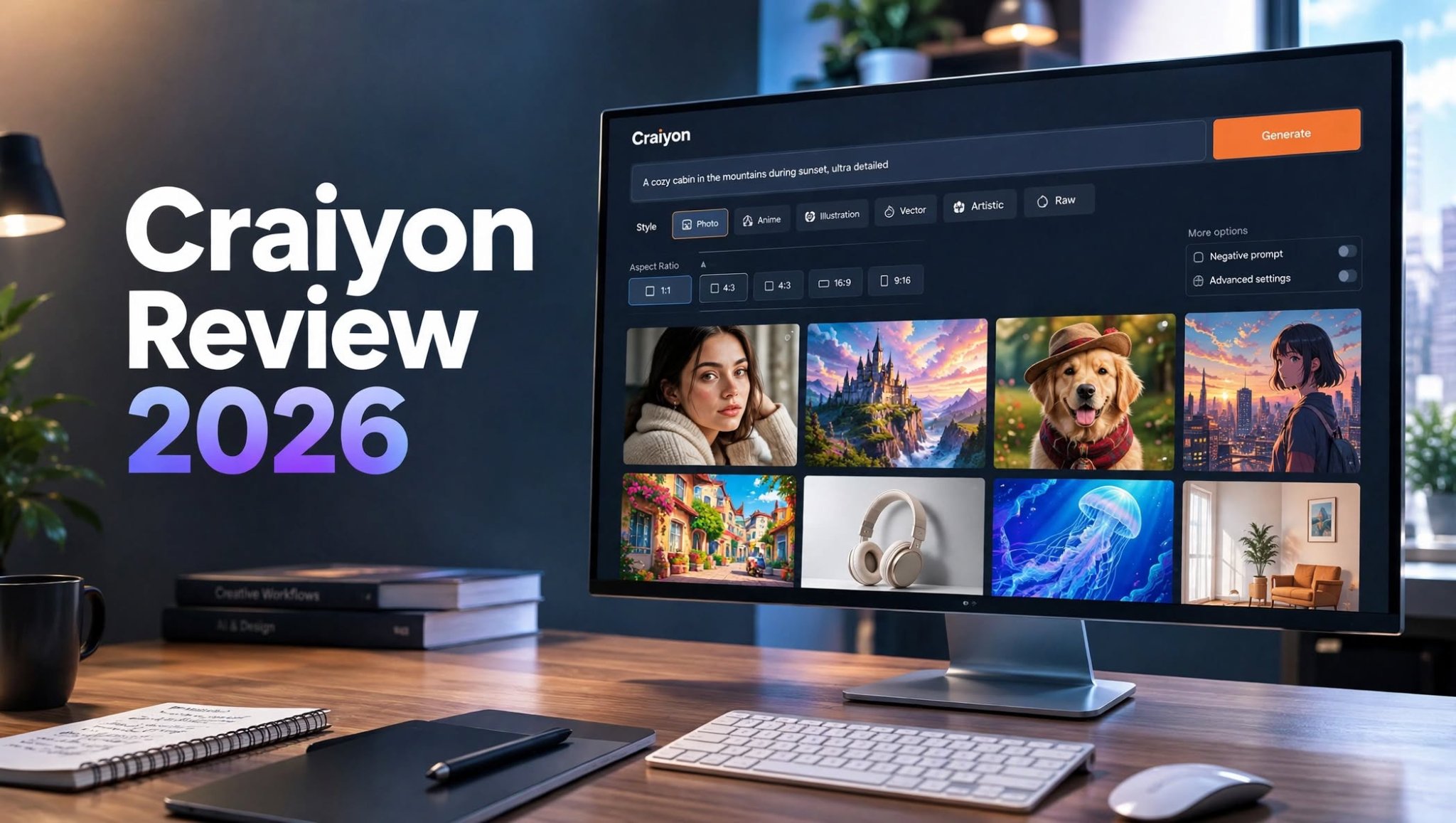

Craiyon has been around longer than many of the AI image generators people use today. It first became popular under the name DALL·E mini, when AI-generated images were still more of a novelty than a serious content-creation tool.
A lot has changed since then.
Modern AI image generators can now create photorealistic people, product scenes, illustrations, characters, marketing graphics, and highly detailed artwork from simple text prompts. So the question is no longer whether Craiyon can generate an image.
The more interesting question is whether Craiyon is still worth using in 2026.
I spent time testing Craiyon with different types of prompts, including realistic scenes, illustrations, character concepts, blog graphics, and creative experiments. The experience was noticeably different from the Craiyon I remember from its early days.
It has gained several useful features, although there are still situations where more advanced AI image platforms make more sense.
What Is Craiyon AI?

Craiyon is a browser-based artificial intelligence image-generation platform.
The service became widely known as DALL·E mini, where users could enter a text description and receive AI-generated images. Its early results were often strange, funny, and unpredictable, which helped the platform spread across social media.
Craiyon has since developed into a more complete AI creative platform.
Instead of being useful only for generating funny AI images, it can now be used for illustrations, concept development, character ideas, social content, marketing visuals, and other creative projects.
The basic workflow remains simple:
Write a prompt → choose your settings → generate → review → refine.
That simplicity is still one of Craiyon’s biggest advantages.
Craiyon Review 2026: Quick Summary
Craiyon is an online AI image generator designed to turn text prompts into images without requiring complicated software or technical knowledge.
The platform is particularly accessible for beginners. You can describe an idea, select a visual style, choose an image format, and generate several results directly from your browser.
Craiyon also includes features beyond basic image generation, including editing tools, background removal, negative prompts, multiple styles, and different aspect ratios.
Best for: Beginners, bloggers, students, casual creators, AI-art experimentation, and quick visual concepts.
How I Tested Craiyon
Rather than testing the platform with only one easy prompt, I tried several different categories to get a better idea of where it works well and where it starts to struggle.
My testing included:
- Realistic scenes
- Fantasy concepts
- Character artwork
- Anime-style image
The results showed that Craiyon is much more capable than its old reputation suggests, although the output isn’t equally reliable for every type of request.
Craiyon Text-to-Image Generator
The main feature remains the text-to-image generator.
You don’t need to learn a complicated interface before creating your first image. Simply describe what you want and let the AI interpret the prompt.
For example, a basic prompt such as:
“A golden retriever sitting beside a window in a cozy coffee shop, morning sunlight, realistic photography”
is easy for the platform to understand.
The results become more unpredictable when a prompt contains many different requirements.
If you ask for several characters, specific poses, exact object placement, particular lighting, detailed backgrounds, and precise text simultaneously, the generator may not follow every instruction.
This isn’t unusual for AI image generators, but it is something to remember when using Craiyon for professional work.
Craiyon AI Styles

One feature I found useful was the selection of different visual styles.
Craiyon supports several styles, including:
- Photo
- Anime
- Illustration
- Vector
For example, a product concept might work better in Photo mode, while a character concept could benefit from Anime or Illustration.
The Raw style is also interesting for users who want the AI to apply less automatic styling.
Instead of treating every prompt as a finished artistic direction, you can experiment with different styles and see which interpretation fits your idea.
Negative Prompts in Craiyon
Another useful feature is the ability to specify things you don’t want in the image.
Negative prompts can be helpful when the AI repeatedly adds unwanted details.
For example, if you’re generating a clean product image, you might want to exclude:
- Extra objects
- Text
- People
- Cluttered backgrounds
- Distorted elements
I found it especially useful when refining an image rather than simply generating random variations.
Craiyon Image Editing
Craiyon isn’t limited to generating a completely new image every time.
Its editing features allow users to continue working with generated visuals.
This makes a difference because the first result isn’t necessarily going to be perfect.
You might like the character but want a different background.
You might like the composition but want to change an object.
Or you might have a good image that needs a small visual adjustment.
Instead of starting over with an entirely new prompt, editing tools can help move the image closer to the desired result.
For casual creators, this makes Craiyon feel more like a lightweight creative workspace than a simple prompt-to-image generator.
Background Removal

Craiyon also provides a background-removal tool.
This is a surprisingly practical feature for creators who frequently need isolated subjects.
For example, you could generate a product concept, remove the background, and then use the subject in another design.
Potential uses include:
- Product graphics
- Profile images
- Blog graphics
- Social media posts
Craiyon Image Aspect Ratios
Image dimensions are another important consideration when creating content.
A square image may work well for some social media posts, while a portrait format is better suited to other platforms. Blog headers and website banners usually require landscape compositions.
Craiyon provides multiple aspect-ratio options so users aren’t limited to producing only square images.
This is particularly helpful for content creators who need the same concept adapted for different platforms.
How Good Is Craiyon’s Image Quality?
This is where expectations matter.
Craiyon has improved significantly compared with its early DALL·E mini days. However, AI image generation has also improved across the entire industry.
Today’s users expect:
- Detailed faces
- Natural lighting
- Accurate anatomy
However, complicated scenes may require multiple attempts.
I also wouldn’t assume that every generated image is ready for immediate publication. Some results will need selection, refinement, or editing before they’re suitable for professional content.
Craiyon for Blog Images
One area where I think Craiyon can be genuinely useful is blogging.
If you’re publishing articles regularly, you don’t necessarily need a highly complicated image-generation workflow for every post.
Craiyon can help create:
- Blog illustrations
- Article concepts
- Feature-image ideas
- Decorative graphic
This makes Craiyon useful for creators who need original visuals without spending hours designing every image manually.
Craiyon for Social Media Content
Social media creators can also use Craiyon to brainstorm visual ideas.
You can experiment with different styles and concepts before deciding which direction works best.
It can be useful for:
- Instagram concepts
- Pinterest graphics
- Facebook visuals
- Creative posts
Craiyon for Product Concepts

Craiyon can also be useful during the early stages of product visualization.
Suppose you’re developing a fictional product, packaging idea, furniture concept, fashion concept, or advertising scene.
Instead of immediately creating a polished design, you can use AI to explore several directions.
This is where Craiyon works particularly well as an idea-generation tool.
It doesn’t necessarily have to create the final production asset to be valuable.
Craiyon Generation Speed
Generation speed depends on factors such as account level and current system demand.
Free users may have to wait longer for results, while paid plans provide priority processing.
For someone generating a few images occasionally, this may not matter much.
For a creator who spends hours experimenting with AI images, faster generation can make a noticeable difference because you can test more prompts within the same amount of time.
Craiyon Pros and Cons
Pros
- Beginner-friendly interface
- Easy text-to-image generation
- Several visual styles
- Negative-prompt support
- Built-in editing tools
- Background removal
- Multiple aspect ratios
- Free access available
- Good for brainstorming
- No complicated setup
Cons
- Complex scenes can be inconsistent
- Free generation can be slower
- Results may need refinement
- Advanced creative controls are limited
- Professional users may eventually need another tool
- Premium plans can become expensive for some users
Who Should Use Craiyon?
Beginners
Craiyon is particularly approachable if you’ve never used an AI image generator before.
The simple interface means you can start experimenting without understanding models, parameters, or technical AI terminology.
Bloggers
Bloggers can use Craiyon to create article illustrations, concept images, and visual ideas for content.
Students
Students can experiment with AI-generated artwork for presentations, creative projects, brainstorming, and visual concepts.
Social Media Creators
Creators who regularly need new visual ideas can use Craiyon to quickly explore different concepts.
Hobbyists
If you’re simply interested in AI art and want a straightforward place to experiment, Craiyon is easy to try.
Craiyon Pricing

Craiyon provides free access as well as paid subscription options.
The free version gives users a way to experiment with AI image generation before paying for a subscription.
Paid plans add additional benefits, including higher-quality generation, faster processing, editing credits, watermark-free downloads, and other premium features.
Craiyon currently offers paid tiers aimed at different levels of usage.
Because subscription prices and included features can change, I recommend checking the current pricing page before purchasing rather than relying on older Craiyon reviews.
Who Might Need Something More Advanced?
Craiyon may not be enough if your workflow requires highly precise image control.
Professional designers, advertising teams, game developers, and content studios may need features such as advanced inpainting, highly reliable character consistency, detailed composition control, sophisticated upscaling, or extensive editing capabilities.
In those cases, Craiyon can still be useful for brainstorming, but it may not need to be your only creative tool.
Craiyon vs. Modern AI Image Generators
The AI image market is much more competitive now than when Craiyon first became popular.
Different platforms specialize in different areas.
Some prioritize photorealism. Others focus on artistic generation, character consistency, professional editing, commercial design, or integrated creative workflows.
Craiyon’s identity is different.
Its biggest selling point is accessibility.
It’s easy to understand, quick to experiment with, and doesn’t require users to build a complicated workflow before they can generate an image.
That makes it particularly appealing to beginners and casual creators.
Is Craiyon Good for Professional Use?
Craiyon can be part of a professional workflow, but the answer depends heavily on the type of work you’re doing.
For brainstorming, concept development, early creative exploration, and some marketing visuals, it can be useful.
For final client-facing assets, however, I would review every generation carefully.
Professional projects often require consistent visual identity, predictable compositions, accurate details, and repeatable results.
Those requirements can make a more advanced AI workflow necessary.
Is Craiyon Worth It in 2026?
After revisiting Craiyon, I think the platform has come a long way from its early DALL·E mini reputation.
It’s no longer simply a website people visit to generate funny AI images.
The addition of different styles, aspect ratios, editing capabilities, background removal, negative prompts, and paid features makes it a much more practical creative tool.
But that doesn’t mean it is the perfect AI image generator for everyone.
For someone who wants a simple way to experiment with AI art, Craiyon makes sense.
For bloggers and casual creators, it can be useful for generating original visual concepts.
For professional users, the decision depends on how much control and consistency their workflow requires.
Final Verdict
Craiyon remains relevant in 2026 because it focuses on something that many complicated AI platforms sometimes forget: making image generation easy to access.
You can open the website, write an idea, select a style, and start creating.
That’s still valuable.
Its biggest strengths are simplicity, accessibility, variety, and the growing collection of editing features.
Its biggest weaknesses appear when you move from simple creative experimentation toward demanding professional production.
So, is Craiyon worth trying?
Yes, especially if you’re new to AI image generation or want an easy tool for visual experimentation.
If you’re producing professional graphics at scale, however, I would treat Craiyon as one part of your creative toolkit rather than automatically making it your only image-generation platform.
The easiest way to decide is to start with the free experience, test it with the exact prompts you use in your own workflow, and then decide whether the additional paid features justify the subscription.
