
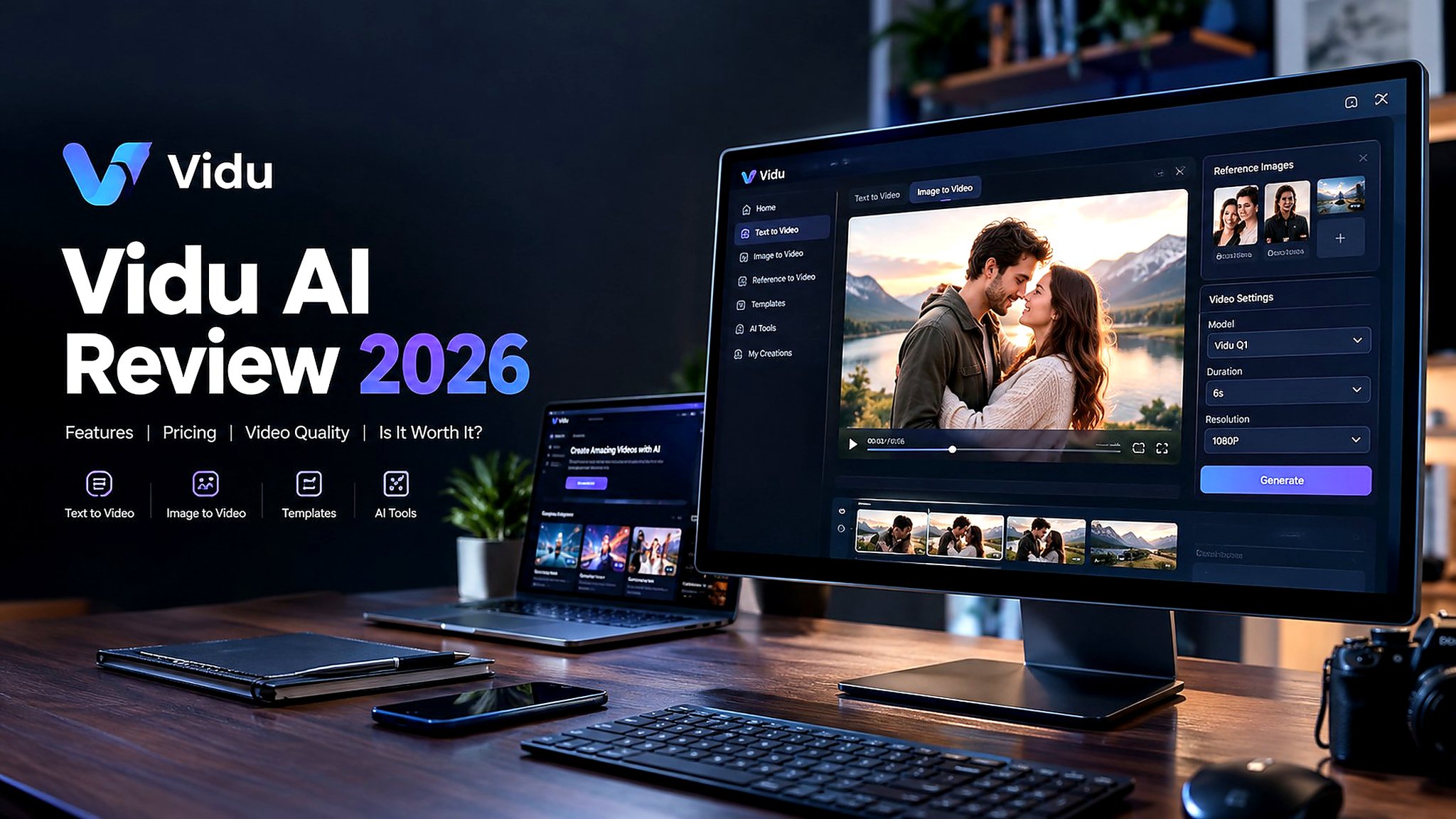

AI video generators have moved far beyond simple text prompts. Today, creators can animate photos, maintain the appearance of characters across multiple scenes, create short-form social videos, and even build more structured AI-generated stories.
Vidu AI is one of the platforms trying to make that process faster and easier. It supports text-to-video, image-to-video, reference-to-video, templates, AI editing tools, and several specialized creative features. Its current platform also includes tools such as AI lip sync, motion control, video extension, and AI video editing.
But having a long feature list doesn’t automatically make an AI video generator useful.
So, is Vidu AI actually worth using in 2026?
In this Vidu AI review, I’ll look at its main features, video-generation workflow, quality, consistency, pricing, pros and cons, and the types of creators who can get the most value from it.
What Is Vidu AI?

Vidu AI is an AI-powered video generation platform designed to turn text prompts, images, and reference assets into videos. The platform is developed by ShengShu Technology and focuses heavily on AI video creation rather than trying to be a traditional video editor.
Its core workflows include Text to Video, Image to Video, and Reference to Video. Vidu also provides templates and additional creative tools for animation, social content, storytelling, product videos, and other AI-assisted workflows.
One of Vidu’s more useful ideas is reference-based generation. Instead of asking the model to recreate a character from scratch every time, you can provide reference images and use them to help maintain visual identity across generated scenes. Vidu currently supports multiple reference images for these workflows, with its reference-to-video system supporting up to seven image references in several modes.
That makes Vidu more interesting for creators working on recurring characters, short stories, advertisements, product demonstrations, and social-media series.
Vidu AI Features
Vidu AI offers considerably more than a basic text-to-video generator. Here are the main features worth knowing about.
Text-to-Video
Text-to-video lets you describe a scene and have Vidu generate a video based on your prompt.
You can describe the subject, environment, action, camera movement, lighting, visual style, and other details. Current Vidu Q-series workflows support text-to-video generation, with certain Q3 models supporting clips from 1 to 16 seconds depending on the configuration.
This makes the feature useful for:
- Short cinematic scenes
- Social media clips
- Storyboarding
- Concept visualization
- Advertising ideas
- Animated storytelling
Image-to-Video
Image-to-video is one of Vidu’s most accessible features.
You upload an image and describe how you want it to move. Vidu then turns the still image into an animated video.
This can work particularly well for:
- Product photos
- Character artwork
- Portraits
- Illustrations
- Travel photographs
- Social-media graphics
For creators who already have visual assets, this can be more convenient than generating an entire video from a text description.
Reference-to-Video
Reference-to-video is one of Vidu’s more important features for creators who care about consistency.
You can provide reference images representing characters, objects, or scenes and then describe what should happen in the video. Vidu uses those references to maintain the visual identity of the subjects.
The platform currently supports multiple reference images, with some workflows allowing up to seven image references.
This is especially useful for:
- Character-based storytelling
- AI influencers
- Product advertising
- Short films
- Multi-scene narratives
- Consistent brand content
AI Video Templates

Vidu also provides ready-made templates that reduce the amount of prompt writing required.
The platform currently lists templates and specialized tools such as AI Hug Generator and AI Kissing Generator, along with other creative effects.
Templates can be particularly useful for beginners who don’t want to learn advanced prompting before creating their first video.
AI Lip Sync
Vidu also provides AI lip-sync capabilities for matching spoken content with character mouth movements.
This can be useful for:
- Talking characters
- Social videos
- AI avatars
- Short advertisements
- Storytelling content
AI Video Editing and Extension
Vidu’s current toolset also includes AI video editing and video extension features.
This gives creators more flexibility after the initial generation instead of forcing them to start a completely new generation every time they want to modify or extend a clip.
My Experience Using Vidu AI
The biggest advantage I noticed with Vidu is how quickly you can move from an idea to an actual video.
The basic workflow is straightforward: choose a generation mode, upload an image or write a prompt, adjust the available settings, and generate the clip.
For image-to-video, the process feels particularly approachable because you already have the visual starting point. Instead of describing an entire scene, you can concentrate your prompt on movement.
For example:
A woman gently turns toward the camera while her hair moves naturally in the wind, subtle camera push-in, realistic movement, cinematic lighting.
This approach generally makes more sense than repeatedly describing everything already visible in the source image.
Vidu itself recommends focusing image-to-video prompts on motion rather than simply repeating the contents of the image.
Vidu AI Video Quality
Video quality is one of the areas where Vidu can produce impressive results, but expectations still need to be realistic.
When the prompt is relatively simple, Vidu can create convincing camera movement, environmental motion, and stylized scenes. The platform supports outputs up to 1080p in several workflows, depending on the model and generation settings.
The more difficult challenge is human interaction.
Hands, fingers, facial expressions, body positioning, and close interactions can still produce artifacts. Fast movements or complicated scenes can also lead to inconsistencies between frames.
This isn’t unique to Vidu. AI video generation remains particularly challenging when several characters interact closely or when a scene requires precise physical movement.
For that reason, I would treat Vidu as a creative generation tool rather than a replacement for a conventional production workflow.
Vidu AI Consistency

Consistency has traditionally been one of the biggest problems with AI-generated video.
A character might look different from one shot to another, clothing can change, and background objects may shift unexpectedly.
Vidu’s reference-to-video workflow is specifically designed to address this problem. Its official documentation describes reference-based generation for maintaining consistent subjects, and its current reference system supports multiple images for more complex scenes.
This makes the feature particularly interesting for creators producing:
- Recurring characters
- AI-generated advertisements
- Product campaigns
- Short films
- Story-driven content
- Multi-scene social videos
How to Get Better Results With Vidu AI
The quality of your output depends heavily on how you structure the request.
Here are a few practical tips.
Don’t Overload the Prompt
Adding too many actions to a short video can make the result less predictable.
For a five- or eight-second clip, it is usually better to focus on one or two major actions rather than trying to create an entire story.
Use Reference Images When Consistency Matters
If the same character needs to appear in multiple scenes, reference-to-video can be more appropriate than repeatedly generating the character from text. Vidu’s reference workflow is specifically designed around maintaining subject and scene consistency.
Regenerate When Necessary
AI generation is inherently variable.
A generation that looks almost perfect can sometimes be followed by one that handles the same concept differently. Regeneration is therefore part of the normal workflow rather than necessarily a sign that the platform has failed.
Vidu AI Pricing

Vidu’s pricing structure can vary depending on whether you’re using the consumer platform or its API and credit-based services, so checking the current pricing page before subscribing is important.
The official API pricing documentation currently uses a credit system, with credits priced at $0.005 each. Costs then vary according to the model, resolution, and video duration. For example, the listed Vidu Q3 Pro rate is higher at 1080p than at 720p, while off-peak generation can reduce the credit cost.
For Q3 Pro, the current API documentation lists:
| Resolution | Credit Cost |
|---|---|
| 540p | 9 credits/second |
| 720p | 20 credits/second |
| 1080p | 24 credits/second |
These are API credit rates rather than a simple consumer subscription price, so users should check the live Vidu pricing interface for the plan and workflow they intend to use.
Vidu also promotes free creation opportunities on its platform, making it possible to test the workflow before committing to heavier usage.
Pros and Cons of Vidu AI
Pros
- Easy-to-understand AI video generation workflow
- Supports text-to-video and image-to-video
- Reference-to-video helps with character and subject consistency
- Multiple reference images can be used in supported workflows
- Supports high-resolution generation in compatible models
- Includes AI templates for faster content creation
- Offers tools such as lip sync, motion control, extension, and AI video editing
- Useful for social media, advertising, storytelling, and creative experiments
- Free creation options make it easier to test the platform
Cons
- Complex human interactions can still produce visual artifacts
- Character consistency is not guaranteed in every situation
- High-quality generations can consume credits quickly
- Advanced workflows may require more experimentation
- Results can vary between generations
- Users creating professional commercial content may still need conventional editing software
Vidu AI vs Other AI Video Generators
The AI video market has become crowded, and different platforms prioritize different workflows.
Vidu focuses strongly on generating video from text, images, and references. Its reference-based workflow is particularly relevant when character or subject consistency matters.
For a simple image animation, image-to-video is generally the most straightforward route.
For a completely new scene, text-to-video makes more sense.
And if you are creating a multi-scene project with recurring subjects, reference-to-video is the workflow worth exploring first.
That separation makes Vidu relatively easy to understand once you know what type of project you’re trying to create.
Is Vidu AI Worth It in 2026?
Vidu AI is worth considering if your main goal is AI video generation rather than traditional video editing.
Its biggest strengths are the range of generation modes, fast creative workflow, reference-based consistency tools, and growing collection of AI video features. The platform can take you from a text idea or still image to a usable video without requiring a traditional production setup.
The main limitation is that AI video still isn’t perfect. Human interactions, hands, facial details, and complicated movements can occasionally look unnatural, and getting the exact result you want may require multiple generations.
For casual creators, social-media users, marketers, and AI artists, that experimentation may be acceptable. For highly controlled commercial production, you’ll likely still want additional editing and quality-control steps.
Final Verdict
Vidu AI is a capable AI video generator with a particularly useful combination of text-to-video, image-to-video, and reference-to-video tools.
What makes it interesting in 2026 is that Vidu is no longer limited to basic prompt-to-video generation. Its ecosystem now includes reference workflows, templates, lip sync, editing, motion-related tools, image generation, and other creative features.
If you’re experimenting with AI video for social media, storytelling, product content, or creative projects, Vidu is worth testing. Just keep in mind that getting consistently polished results can still require good prompts, suitable reference images, and a few attempts.
Overall, Vidu AI is best viewed as a flexible AI video creation platform rather than a complete replacement for professional video production software.
