
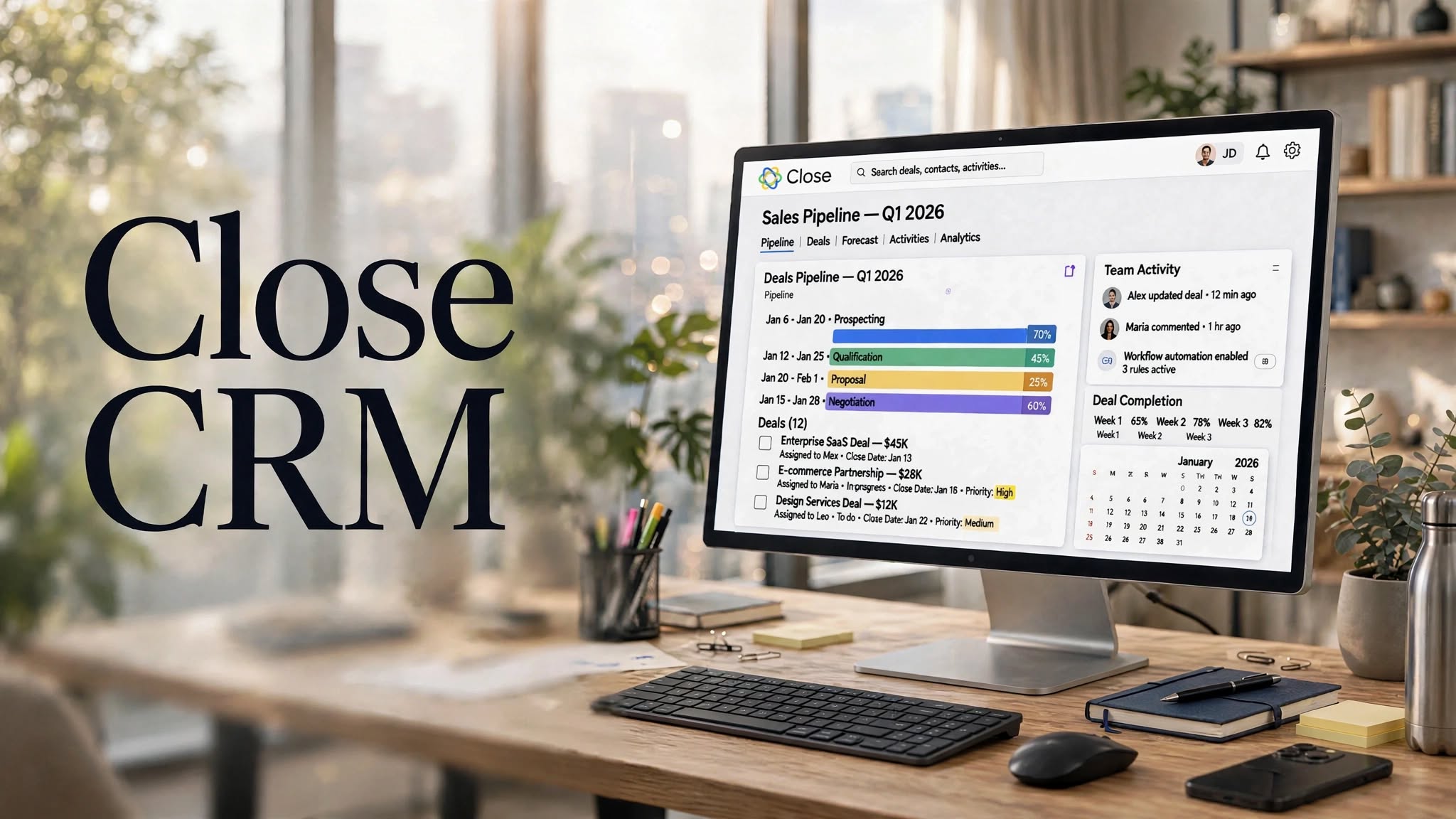

Close CRM is a sales-focused customer relationship management platform built for teams that rely heavily on calling, emailing, SMS, and sales follow-ups. Instead of trying to be an all-purpose business platform, Close concentrates on helping sales teams manage leads, communicate with prospects, and move opportunities through the pipeline from one workspace.
In this Close CRM review, we’ll look at its key features, pricing structure, sales tools, advantages, limitations, ideal use cases, and alternatives to help you understand whether it fits your workflow.
What Is Close CRM?
Close is a CRM platform designed primarily for sales teams, startups, agencies, and businesses that need an efficient way to manage customer conversations and sales activities.
The platform combines CRM records with built-in communication tools. Depending on the plan and configuration, users can manage calls, emails, SMS conversations, tasks, pipelines, and sales activity without constantly switching between separate applications.
Its sales-oriented approach makes Close particularly relevant for teams where consistent outreach and follow-up are central to the sales process.
Close CRM Highlights
- Sales-focused CRM workspace
- Built-in calling and communication tools
- Email and SMS capabilities
- Lead and contact management
Key Features of Close CRM
1. Lead Management
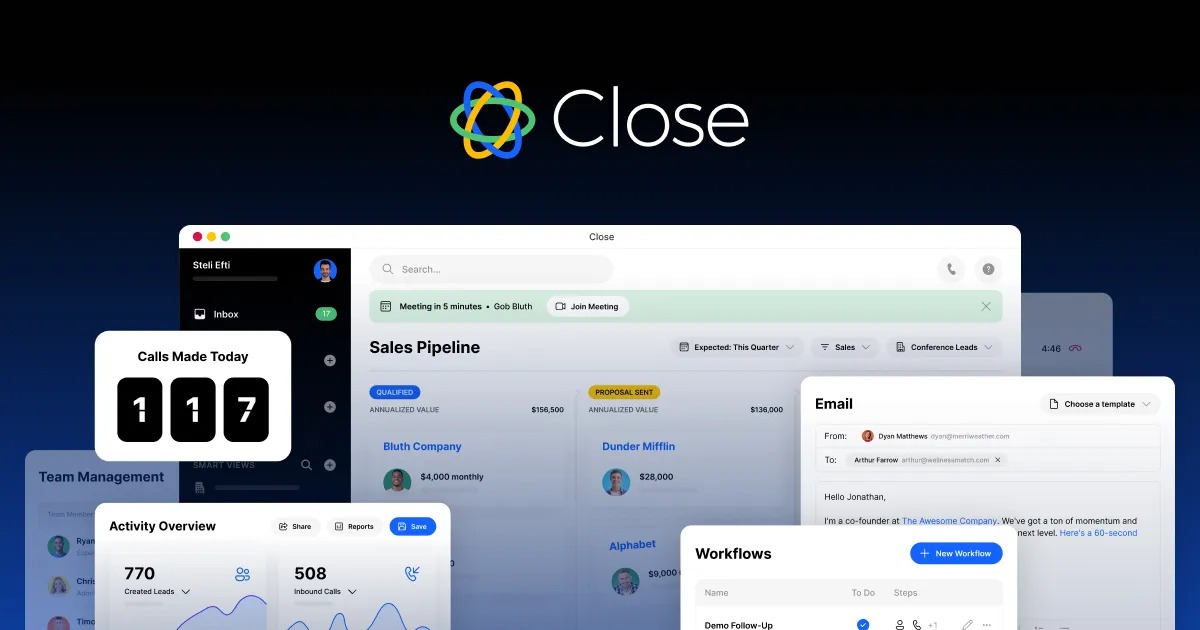
Close provides a centralized workspace for organizing leads, contacts, companies, conversations, and sales activities.
Sales representatives can keep track of prospect information while viewing communication history and upcoming tasks. This can make it easier to understand where each prospect stands before the next interaction.
2. Built-In Calling
Calling is one of Close’s major selling points. Rather than requiring sales representatives to rely entirely on a separate phone application, Close integrates calling into the CRM experience.
Sales teams can use calling features to contact prospects and keep relevant activity associated with the corresponding CRM records.
For businesses with phone-heavy sales processes, having communication and customer information together can reduce the need to move between multiple applications.
3. Email Management
Close also supports email-based sales communication. Users can send messages, organize conversations, and track interactions directly from the CRM.
Email activity can be connected with lead records, allowing representatives to see previous conversations when preparing for follow-ups.
4. SMS
For sales teams that communicate with prospects through text messaging, Close provides SMS functionality.
This gives teams another communication channel within the same sales environment and can be useful for reminders, quick follow-ups, and prospect conversations.
5. Sales Pipelines
Close allows teams to visualize their sales process through pipelines.
Leads can move through different stages as opportunities progress. This gives managers and sales representatives a clearer view of active opportunities and helps identify deals that require attention.
6. Email Sequences
Close includes tools for creating structured outreach sequences.
Instead of manually remembering every follow-up, sales representatives can organize multiple steps in an outreach process. This can be useful for cold outreach, lead nurturing, and recurring follow-up campaigns.
7. Smart Views
Smart Views help salespeople organize leads according to specific conditions.
For example, a team might create views for new leads, prospects requiring follow-up, recently contacted leads, or opportunities at a particular stage of the pipeline.
This can make a large sales database easier to manage.
8. Workflow Automation
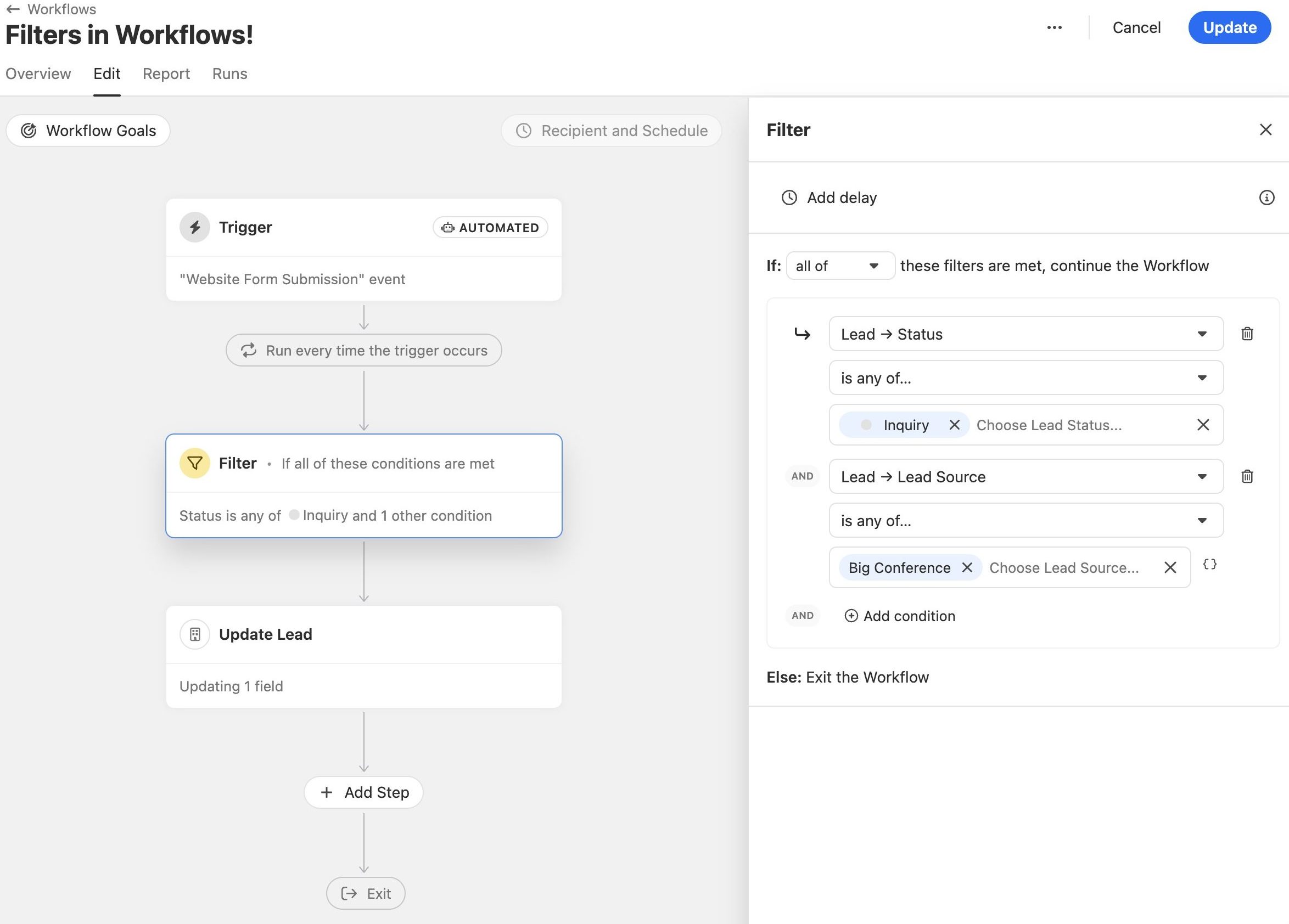
Close provides automation capabilities that can help reduce repetitive sales tasks.
Depending on the workflow, automation can assist with follow-ups, lead management, and sales processes so representatives can spend more time on actual customer conversations.
9. Reporting and Analytics
Sales managers can use Close’s reporting capabilities to monitor activity and understand how their sales process is performing.
Reports can provide insight into areas such as sales activities, pipeline performance, conversion-related metrics, and team productivity.
The usefulness of these reports depends on how consistently a sales team records and manages its activities.
10. Integrations
Close can connect with other tools used by sales and business teams.
Integrations can help businesses connect their CRM with applications for marketing, productivity, payments, scheduling, automation, and other business processes.
This is particularly useful for organizations that already have an established software stack.
How Does Close CRM Work?
Close is designed around the idea of keeping sales communication close to customer records.
A typical workflow can look like this:
- Add or import leads into Close.
- Organize prospects using lead information and custom fields.
- Place opportunities into the appropriate sales pipeline.
- Contact prospects through calls, email, or SMS.
- Record and review communication history.
- Schedule follow-ups and sales activities.
- Use sequences or automation for repetitive outreach.
- Monitor pipeline and sales activity through reports.
- Move qualified opportunities through the sales process.
- Close deals and continue managing customer relationships.
Pros and Cons of Close CRM
Pros
- Designed specifically around sales workflows
- Calling, email, and SMS tools are integrated into the CRM
- Clean approach to lead and pipeline management
- Useful sales automation features
- Email sequences support structured outreach
- Smart Views can simplify prospect organization
- Reporting tools help monitor sales activity
- Suitable for sales teams that prioritize direct communication
Cons
- May be more expensive than basic CRM solutions
- Communication-focused features may be unnecessary for some businesses
- Advanced functionality can require higher-tier plans
- Not designed to be a complete business management platform
- Teams may need integrations for certain specialized workflows
- Can be more than individual users need for simple contact management
Who Is Close CRM Best For?
Close CRM can be a good fit for:
- Inside sales teams
- Startups
- Sales agencies
- Small and midsize businesses
- B2B sales organizations
- Outbound sales teams
- Teams that rely heavily on phone calls
- Businesses managing email-based prospecting
- Sales representatives who want communication inside their CRM
Close CRM Pricing
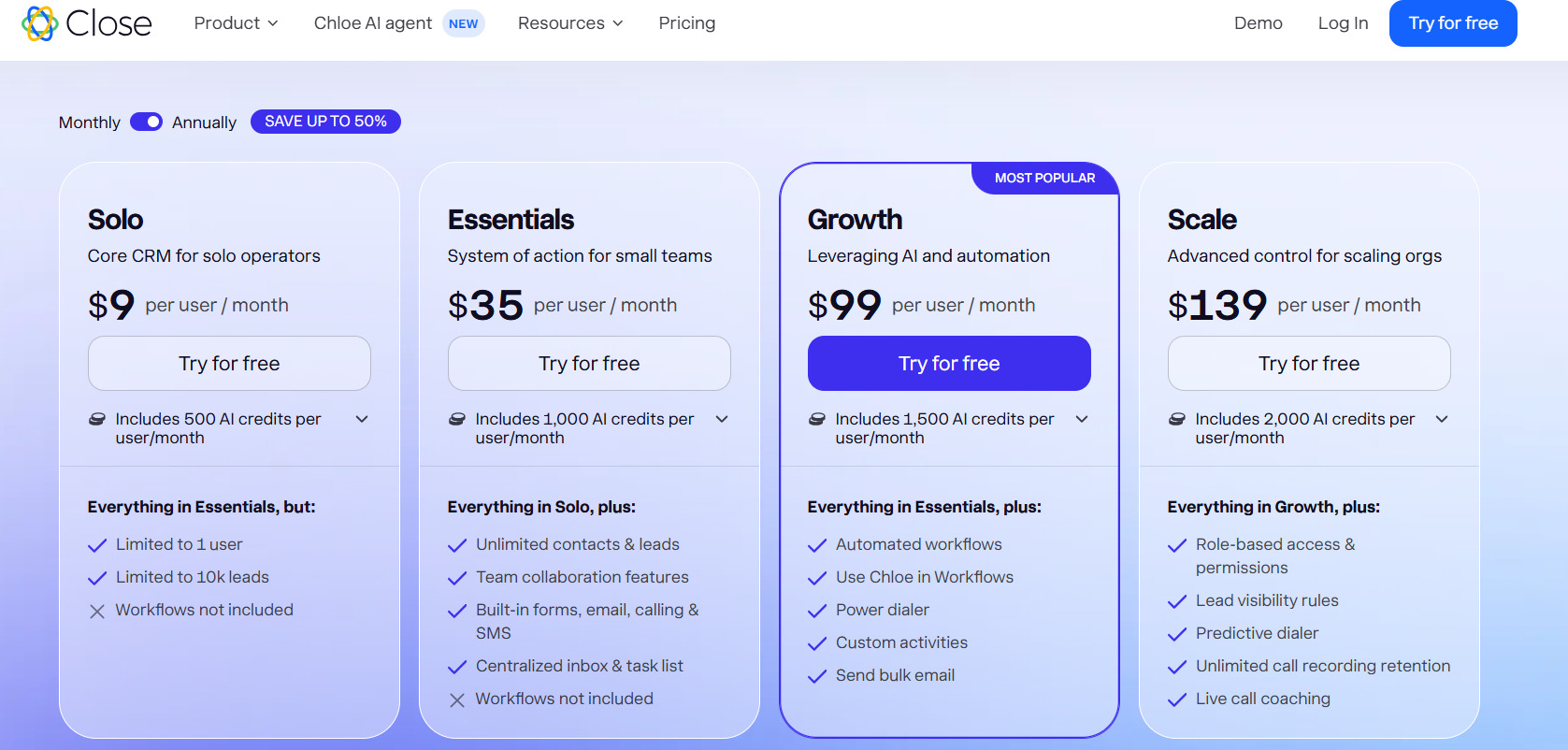
Close uses a subscription-based pricing model, with different plans designed around the needs of sales teams.
The exact pricing and included features can change over time, so businesses should check the current pricing page before purchasing. Plan differences can include communication capabilities, automation, reporting, and the number of users or features available.
For smaller teams, the main consideration is whether the included sales communication and automation tools justify the recurring CRM cost.
For larger sales organizations, comparing user costs and advanced functionality against alternatives is especially important.
Close CRM vs Traditional CRMs
Traditional CRM platforms often focus heavily on storing customer information and tracking deals.
Close takes a more sales-communication-oriented approach. Calling, email, SMS, sequences, and sales activity are central parts of the experience.
For a sales team, this can create a more direct connection between customer records and daily outreach. However, companies looking for a broader ecosystem may prefer a CRM with more extensive marketing, service, or enterprise-management capabilities.
Close CRM Alternatives
Depending on your requirements, several CRM platforms can serve as alternatives to Close.
HubSpot CRM
HubSpot offers CRM functionality alongside marketing, customer service, sales, and content-related tools. It can be useful for companies that want a broader business ecosystem.
Pipedrive
Pipedrive is strongly focused on sales pipelines and deal management. Its visual approach can appeal to teams that primarily want straightforward sales pipeline organization.
Salesforce
Salesforce provides a much broader enterprise CRM ecosystem with extensive customization, integrations, automation, analytics, and industry-specific capabilities.
Zoho CRM
Zoho CRM is part of the larger Zoho ecosystem and can be considered by businesses looking for CRM features alongside other business applications.
Freshsales
Freshsales provides CRM and sales automation functionality and can be another option for businesses comparing sales-oriented CRM platforms.
Is Close CRM Worth It?
Close CRM’s value largely depends on how your sales team works.
If your representatives spend significant time calling prospects, sending emails, managing follow-ups, and progressing opportunities through a sales pipeline, having these activities connected inside one CRM can be valuable.
On the other hand, businesses that only need basic contact storage and simple deal tracking may not need the platform’s broader communication capabilities.
The best approach is to compare the current plans, included communication features, automation capabilities, integrations, and total user cost against the requirements of your sales process.
Final Verdict
Close CRM is a sales-oriented CRM built around the practical activities that sales representatives perform every day. Its combination of lead management, pipelines, calling, email, SMS, sequences, automation, and reporting makes it particularly relevant for teams with active outbound or inside-sales workflows.
Its focused design can also be a limitation for businesses searching for an all-in-one platform covering a much wider range of business operations.
Before choosing Close, evaluate your team’s sales process, communication volume, required integrations, automation needs, and budget. For teams that want their CRM and sales conversations closely connected, Close is a platform worth considering in 2026.
