
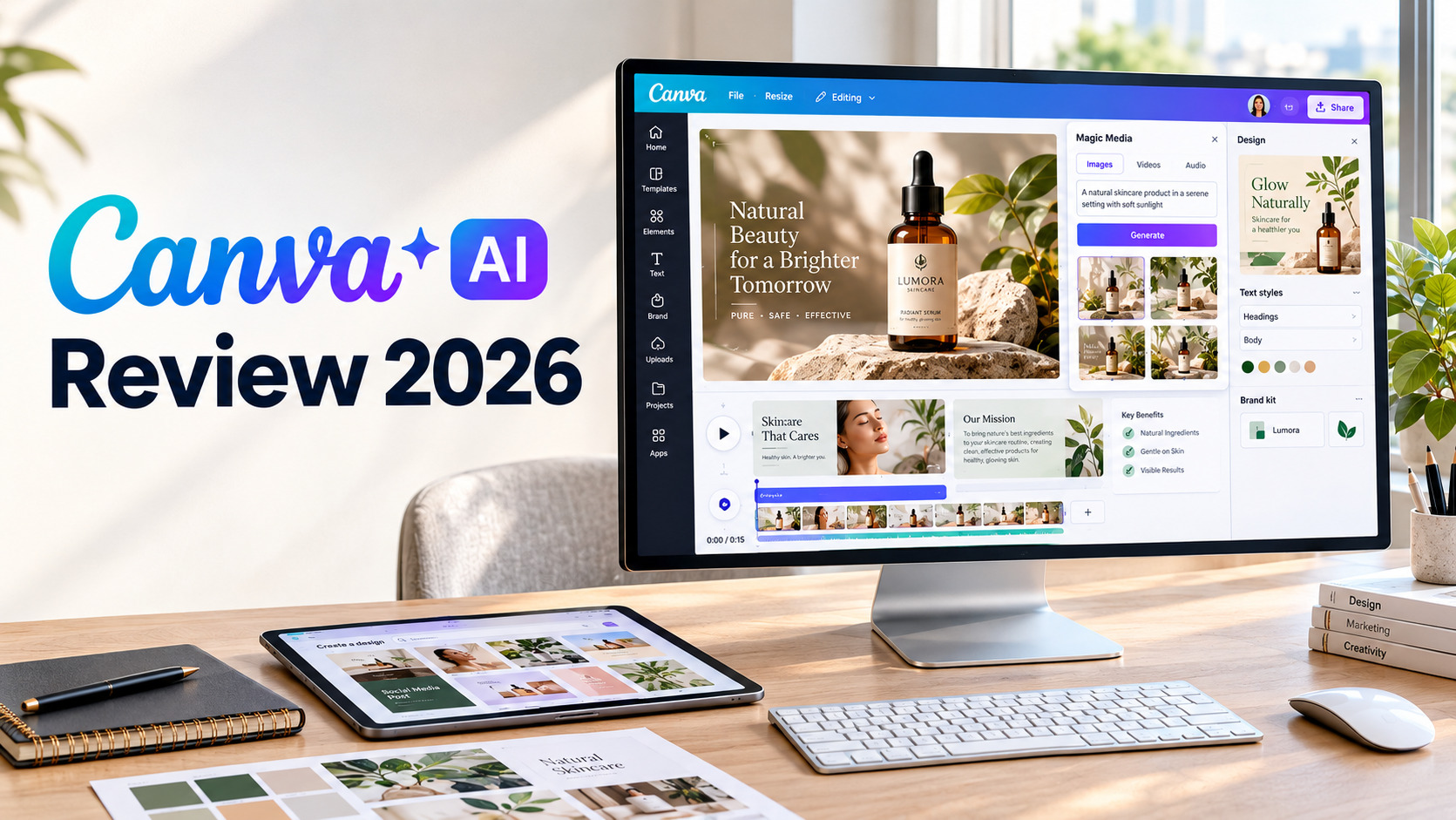

Canva has become one of the most recognizable online design platforms, and its AI features have expanded what users can create without relying on multiple specialized tools. Instead of generating an image in one application, editing it somewhere else, and then building the final design in another platform, Canva AI aims to bring much of that process into one workspace.
For this Canva AI Review 2026, I looked at the platform from a practical content-creation perspective. The goal was not simply to see whether Canva could generate attractive AI images. I wanted to understand how well its AI tools work when creating real marketing assets, social media graphics, presentations, videos, profile images, and branded content.
After testing its different AI-powered features, one thing became clear: Canva’s biggest advantage is not necessarily that every AI generation is perfect. Its strength is the way AI-generated content can be incorporated into an existing design workflow.
What Is Canva AI?
Canva AI is Canva’s collection of artificial intelligence features integrated directly into its online design platform. Rather than functioning only as an AI image generator, Canva combines AI generation with templates, photo editing, presentations, documents, video editing, branding, and publishing tools.
Depending on the feature you use, Canva AI can help generate or modify:
- Images and illustrations
- Marketing copy
- Social media content
- Presentation layouts
- Short video clips
- Backgrounds and visual elements
That makes Canva AI particularly interesting for marketers, small businesses, content creators, students, and teams that need finished content rather than AI-generated files alone.
Canva AI Features

Canva’s AI ecosystem covers several areas of content creation. Some tools are designed for generation, while others help refine content that already exists.
1. Canva AI Image Generator
The AI image generator lets users describe the visual they want and generate images from a text prompt.
For example, you could ask for a luxury skincare product scene, an editorial illustration, a social media background, or a realistic lifestyle photograph.
The results can be particularly useful when you need visual material quickly and do not have access to a photographer or stock-image library.
However, AI-generated images can still have limitations. Small product details, packaging, hands, text, logos, and other precise elements may not always appear correctly.
For that reason, I would treat Canva’s image generation as a creative starting point rather than automatically assuming every output is ready for commercial use without checking it.
2. AI Photo Editing
This is one area where Canva AI becomes more practical.
Instead of generating an entire image from scratch, you can use AI-assisted editing to modify an existing visual. Depending on the available feature and plan, this can include removing unwanted elements, replacing parts of an image, extending a composition, or changing visual details.
This matters because generated content is rarely perfect on the first attempt.
Rather than starting over every time something looks wrong, you can bring the image into Canva’s editor and make corrections.
For social media managers and marketers, that combination of generation plus editing can save considerable time.
3. Canva AI Video Tools
Canva has also expanded its AI capabilities into video creation.
AI-assisted video tools can help users create short visual clips from prompts and incorporate them into Canva’s existing video editor.
This is useful for:
- Instagram and TikTok content
- YouTube Shorts
- Promotional videos
- Presentation visuals
- Product teasers
- Background footage
- Social media advertisements
You can create a clip, trim it, add text, insert music, combine it with other footage, and build the final composition inside Canva.
For more complicated productions requiring highly consistent characters, precise camera movement, or detailed multi-shot storytelling, dedicated AI video platforms may provide more specialized controls.
4. Canva AI Writing Tools
Canva isn’t limited to visual generation.
Its AI-powered writing capabilities can help with tasks such as:
- Social media captions
- Headlines
- Marketing descriptions
- Presentation copy
- Short-form content
- Brainstorming
- Rewriting existing text
- Creating initial drafts
You can generate an initial piece of text, place it directly into the design, and then adjust the wording manually.
The output should still be reviewed for accuracy, tone, and originality, especially when the content represents a business or brand.
5. AI Presentation Creation
Creating a presentation from a blank page can take considerable time. Canva’s AI features can help accelerate the early stages by generating presentation structures and design ideas from a description.
This can be useful for:
- Business presentations
- Sales decks
- Classroom projects
- Marketing proposals
- Training materials
- Internal reports
Canva AI Headshot Generator
Professional profile photography can be expensive, particularly when you need images for multiple team members.
Canva’s AI headshot functionality can help transform ordinary photos into more polished profile images.
It can be useful for:
- LinkedIn profiles
- Author bios
- Team pages
- Speaker profiles
- Business introductions
- Internal company directories
AI enhancement can sometimes change subtle facial characteristics, hair, skin texture, clothing, or lighting. For professional identity images, maintaining an accurate representation matters more than simply producing a visually attractive portrait.
Canva AI Logo Maker

Canva also provides tools for creating logo concepts.
You can describe the type of brand you want and explore different visual directions. For example:
Prompt: Minimal modern logo for a premium organic skincare company, elegant botanical symbol, simple typography, clean natural aesthetic, suitable for packaging and social media.
The benefit is speed.
Instead of spending hours sketching possibilities from scratch, you can generate several concepts and then modify the most promising direction using Canva’s editor.
However, an AI-generated logo should not automatically be treated as a final brand identity.
Businesses should consider:
- Originality
- Trademark availability
- Legibility
- Scalability
- Font licensing
- Brand consistency
- Use across packaging and digital platforms
Canva AI Templates and Magic Design
One of Canva’s biggest advantages over standalone AI generators is its template ecosystem.
AI can help turn a basic idea into a structured design, while Canva’s existing templates provide a starting point for different formats.
You can create content for:
- Instagram posts
- Stories
- Presentations
- Posters
- Flyers
- YouTube thumbnails
- Business documents
- Advertisements
- Invitations
- Websites
Canva AI for Social Media Content
Social media is one of the areas where Canva’s combination of AI and templates makes the most sense.
A creator can start with an idea, generate supporting copy or visuals, choose a template, edit the design, resize it for different platforms, and prepare the final content without constantly moving between applications.
For small businesses, this can simplify routine content creation.
Instead of hiring a designer for every simple post, users can create a reusable visual system and produce variations themselves.
The quality still depends heavily on the prompts, source materials, template selection, and manual editing.
Canva AI for Businesses

Canva AI can be useful beyond individual creators.
Businesses can use Canva for:
- Marketing campaigns
- Presentations
- Sales materials
- Social media graphics
- Internal documents
- Brand assets
- Recruitment content
- Event promotions
- Product announcements
The larger the team becomes, however, the more important permissions, brand management, collaboration, and organizational features become.
Canva AI Pros and Cons
Pros
- Easy interface for beginners
- AI tools are integrated into the design editor
- Large collection of templates
- Supports images, video, presentations, documents, and graphics
- AI editing can improve existing content
- Useful for social media production
- Good option for marketers and small businesses
- Designs remain editable after AI generation
- Makes it easy to reuse content in different formats
- Strong all-in-one creative workflow
Cons
- AI-generated details can sometimes be inaccurate
- Image generation is not always ideal for precise product photography
- AI video controls are less specialized than dedicated video platforms
- AI portraits can subtly change facial characteristics
- Generated logos require additional originality and trademark checks
- Beginners may find the large number of features overwhelming
- Users looking for highly advanced AI generation controls may prefer specialized tools
Canva AI Pricing

Canva offers different plans designed for individual users, professionals, and organizations. The exact pricing and AI allowances can change, and regional pricing may differ, so it is worth checking the current Canva pricing page before subscribing.
Canva Free
The Free plan provides access to Canva’s basic design environment and allows users to experiment with selected AI features.
It can be enough for:
- Occasional designs
- Basic social media posts
- Simple presentations
- Learning Canva
- Testing AI tools
Canva Pro
Canva Pro is aimed more toward individual professionals, creators, freelancers, and small businesses.
It adds access to a larger collection of premium content and productivity features, along with greater AI usage and tools for maintaining consistent branding.
For someone who uses Canva regularly, Pro can make more sense than subscribing solely to access AI generation.
Canva Business
Canva Business is designed for organizations and teams that need additional collaboration and brand-management capabilities.
It can be more relevant when several people are working on branded content or when a company manages multiple visual identities.
Is Canva AI Worth It?
Whether Canva AI is worth paying for depends largely on what you expect from it.
If you want a specialized AI image generator that focuses almost entirely on creating highly detailed images, Canva may not be the primary reason to subscribe.
But if you need to create, edit, organize, resize, brand, and publish content in one place, Canva becomes considerably more useful.
For a social media manager, for example, the workflow could look like this:
Idea → AI-generated copy → AI image → Template → Editing → Brand styling → Resize → Final content
That connected process is where Canva AI stands out.
Canva AI vs Dedicated AI Creative Tools
Canva occupies a slightly different position from many specialized AI generators.
A dedicated image platform may provide more models, style controls, image parameters, or generation-focused features. A dedicated AI video application may provide more sophisticated motion and character controls.
Canva’s emphasis is broader.
It combines AI generation with a complete design and publishing environment.
| Area | Canva AI | Dedicated AI Generator |
|---|---|---|
| Image generation | Yes | Usually a core feature |
| Video creation | Yes | Often more specialized |
| Templates | Extensive | Varies |
| Graphic design | Strong | Usually limited |
| Presentations | Strong | Varies |
| Brand management | Strong | Usually limited |
| Social content | Strong | Depends on platform |
| AI experimentation | Moderate | Often more extensive |
| Final layout and publishing | Strong | Often requires another tool |
This difference is important. Canva does not necessarily need to outperform every specialized AI generator at its own individual task. Its value comes from bringing multiple stages of content production together.
Who Should Use Canva AI?
Canva AI is particularly useful for:
- Content creators who publish frequently
- Social media managers creating multiple formats
- Small businesses without a dedicated design team
- Freelancers producing marketing materials for clients
- Students creating presentations and visual projects
- Marketers who need fast campaign assets
- Teachers preparing visual learning materials
- Teams that need shared brand assets
Canva AI Final Verdict
Canva AI is more than an AI image generator. Its real advantage is the complete creative workflow surrounding the AI features.
You can start with an idea, generate visual or written content, edit the result, place it into a template, apply branding, resize it for different platforms, and prepare the finished asset without leaving the same ecosystem.
The AI generation itself is not flawless. Product details can require correction, generated portraits should be checked carefully, and AI video can need editing before it feels polished.
But those limitations do not eliminate Canva’s usefulness.
For people who already rely on Canva for social media, presentations, marketing materials, and everyday design work, the AI features can significantly reduce the time between an initial idea and a finished piece of content.
Overall, Canva AI is best viewed as an AI-assisted design workflow rather than a standalone AI generation platform.
If your priority is producing polished, editable, brand-ready content quickly, Canva AI is worth exploring. If your priority is maximum control over specialized image or video generation, you may want to combine Canva with dedicated AI creative tools.
