
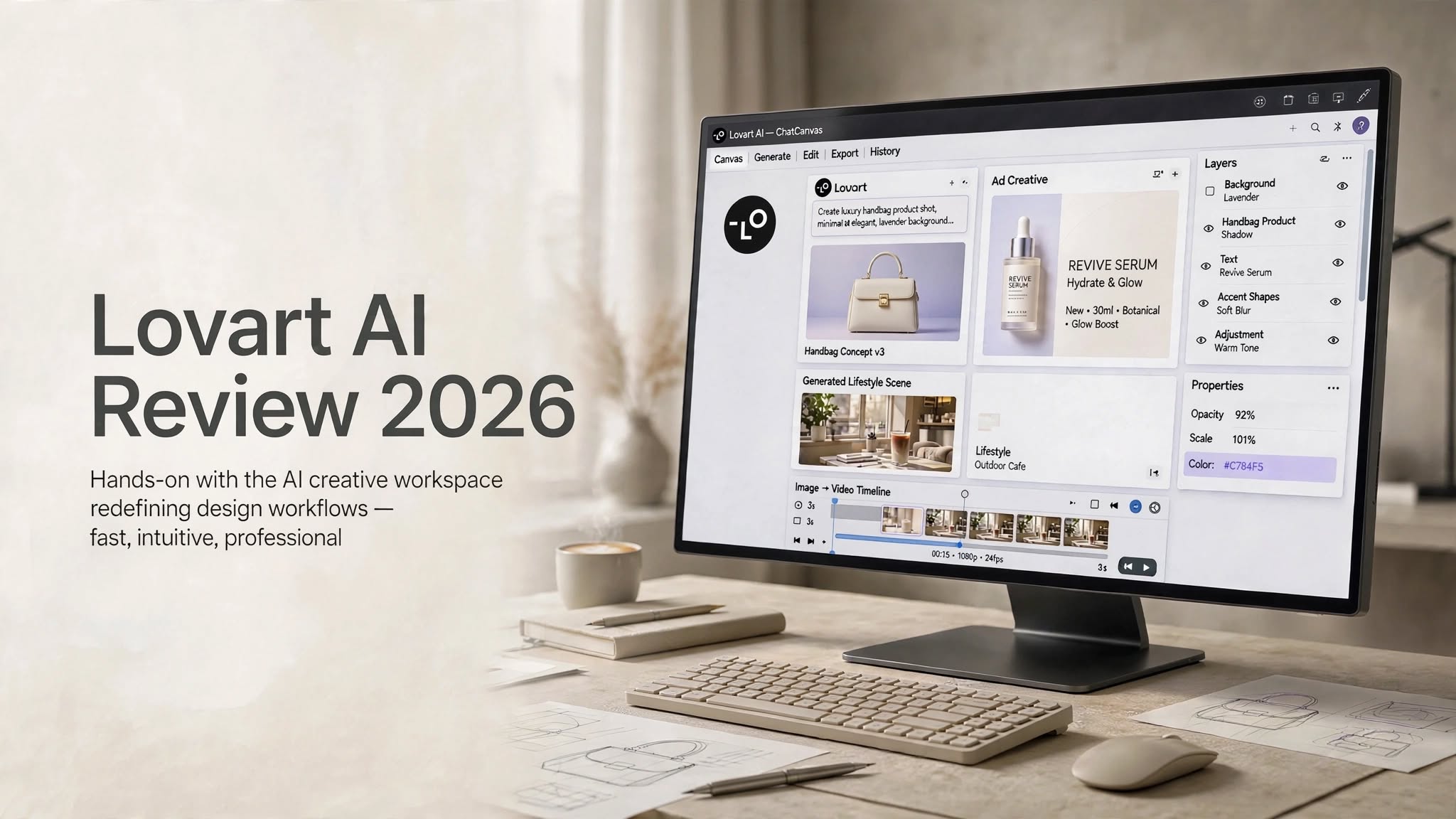

AI design software is changing quickly. Instead of using separate tools for brainstorming, image generation, editing, branding, and video creation, creators can now use AI platforms that attempt to manage several parts of the creative process s-this-ai-design-agent-worth-usingfrom one workspace.
Lovart AI takes this approach a step further by presenting itself as an AI design agent rather than simply another AI image generator. The platform is designed to understand creative instructions, generate visual assets, refine designs, and help users build complete visual concepts through a conversational workflow.
But does Lovart AI actually make professional design work faster, or is the “AI design agent” concept mostly marketing?
In this Lovart AI review 2026, we’ll explore its features, image and video generation capabilities, pricing, pros and cons, practical use cases, alternatives, and whether it makes sense for creators, marketers, designers, and e-commerce businesses.
What Is Lovart AI?

Lovart AI is an AI-powered creative design platform built around the idea of an intelligent design assistant.
Traditional AI image generators generally work like this: enter a prompt, generate an image, make another prompt, and repeat the process until you get something usable.
Lovart attempts to provide a broader workflow.
Its ChatCanvas environment allows users to communicate with the AI while developing a visual project. Instead of treating every generation as a completely separate task, the platform is designed to maintain the creative context and help users make changes throughout the project.
Depending on the workflow, Lovart can assist with:
- AI image generation
- Image-to-image creation
- Design refinement
- Product visuals
- Marketing creatives
- Brand assets
- Promotional concepts
- Image-to-video generation
- Creative variations
How Does Lovart AI Work?
Lovart AI uses natural-language instructions as the primary way of communicating with the design system.
You can start with a broad creative brief and gradually make it more specific.
For example, instead of manually creating a product advertising scene, you could describe the product, environment, lighting, composition, mood, and target audience.
Lovart then generates an initial concept that can be refined through additional instructions.
A typical workflow may look like:
- Start with a creative brief.
- Generate an initial visual concept.
- Review the composition and individual elements.
- Ask Lovart to make specific changes.
- Generate additional variations.
- Create supporting marketing visuals.
- Animate selected images when video is required.
- Review the final assets before publishing.
Lovart AI Features

AI Design Agent
The central feature of Lovart AI is its agent-style design workflow.
Rather than simply responding to individual image prompts, Lovart is designed to help with multiple stages of a creative task.
For example, a user could provide a product concept and then request different layouts, backgrounds, advertising variations, or video treatments.
This makes the platform more useful for campaign development than a basic text-to-image generator.
However, users shouldn’t interpret “agent” as meaning the system can independently replace an entire professional creative team. Human direction and quality control are still important.
ChatCanvas
ChatCanvas is one of Lovart’s most distinctive features.
It provides a visual workspace where users can communicate with the AI and work on generated designs.
The conversational approach can make revisions easier because you can describe the desired change instead of rebuilding the entire design from scratch.
For example, you might ask for a different background, a revised product position, another color treatment, or a more minimalist composition.
Text-to-Image Generation
Lovart can generate images from detailed natural-language prompts.
Users can control creative elements such as:
- Subject
- Composition
- Lighting
- Background
- Materials
- Camera perspective
- Color palette
- Mood
- Photography style
The quality of the final output will still depend heavily on the prompt and the complexity of the scene.
Image-to-Image Generation
Lovart can also use existing images as references.
This is particularly helpful when you already have a product photograph or visual concept and want to create alternative environments around it.
For example, an e-commerce seller could provide a product image and request several lifestyle scenes without manually photographing the product in every location.
This can significantly speed up the concept-generation stage.
AI Image Editing
Another important part of the workflow is refining existing visual elements.
Instead of generating a completely new image every time you want to make a small adjustment, the platform can be used to request targeted modifications.
This can be useful for experimenting with:
- Backgrounds
- Colors
- Lighting
- Composition
- Product placement
- Visual elements
- Creative styles
Image-to-Video
Lovart also extends its workflow into AI video generation.
Users can start with a still image and describe the motion they want to introduce.
Possible applications include:
- Product advertisements
- Social media videos
- Promotional clips
- Cinematic B-roll
- Product animations
- Lifestyle content
Testing Lovart AI for Product Design

One of the most practical ways to evaluate an AI design platform is to use it for a commercial product workflow.
Imagine creating a premium product image for a fashion campaign.
A prompt might describe a minimalist camel suede handbag with soft studio lighting, a neutral background, subtle shadows, and a high-end editorial photography style.
Lovart can produce visually polished results when the brief is relatively straightforward.
The platform is particularly capable at creating the overall aesthetic of a commercial photograph.
It can generate convincing combinations of:
- Soft lighting
- Neutral colors
- Product textures
- Studio backgrounds
- Editorial composition
- Premium visual styling
If a prompt requires several objects to maintain exact positions, proportions, and spatial relationships, the AI may introduce inconsistencies.
For professional campaigns, generating several variations and selecting the strongest result is therefore still part of the workflow.
Lovart AI for E-Commerce
E-commerce businesses are one of the clearest potential use cases for Lovart AI.
A single product may require dozens of visual assets across a website, advertisements, social media platforms, email campaigns, and promotional pages.
Instead of arranging a separate photoshoot for every creative concept, AI can help generate different environments around the product.
For example, a skincare brand could create:
- Minimalist studio photography
- Luxury bathroom scenes
- Beauty editorial concepts
- Lifestyle advertising images
- Social media creatives
- Seasonal promotional visuals
The main consideration is accuracy. Product packaging, logos, labels, proportions, and other important details should always be checked before using an AI-generated image commercially.
Lovart AI for Marketing Content
Marketing teams often need a large number of visual concepts quickly.
Lovart can help generate ideas for:
- Facebook and Instagram ads
- Website banners
- Product launches
- Promotional campaigns
- Brand concepts
- Social media posts
- Email marketing graphics
- Short-form video content
This makes the platform potentially valuable during the ideation and production-assistance stages of a campaign.
Lovart AI for Video Creation
AI video generation can be particularly useful when turning product photography into short promotional clips.
For example, you could start with a lifestyle image of a handbag and request a slow camera movement toward the product while preserving the original lighting and material texture.
Simple movements can produce convincing results.
More complicated actions, however, may introduce visual artifacts or inconsistencies.
As a result, Lovart is best treated as a tool for accelerating video concepts and producing short AI-generated sequences rather than a complete replacement for professional video production software.
Lovart AI Pricing

Lovart AI uses a credit-based subscription model. The exact pricing, credits, and feature availability can change, so prospective users should check the current pricing information before subscribing.
A commonly listed pricing structure includes:
| Plan | Monthly Price | Annual Price | Monthly Credits |
|---|---|---|---|
| Starter | $19/month | $192/year | 2,000 |
| Basic | $32/month | $276/year | 3,500 |
| Pro | $79/month | $336/year | 11,000 |
| Ultimate | $169/month | $828/year | 27,000 |
Starter
Starter is aimed at users who want to experiment with Lovart without requiring a large monthly generation allowance.
Basic
Basic provides more credits and can be suitable for freelancers, creators, and regular users who incorporate AI design into their workflow.
Pro
Pro is intended for heavier creative workloads where users need considerably more monthly credits.
Ultimate
Ultimate provides the highest credit allowance and may be more relevant to high-volume creators, agencies, or teams.
Keep in mind that different AI generation tasks can consume credits at different rates. Before purchasing, check the current credit usage, included models, commercial rights, and other plan conditions.
Lovart AI Pros and Cons
Pros
- AI-assisted design workflow
- Conversational ChatCanvas interface
- Strong commercial-style visual output
- Supports text-to-image generation
- Supports image-to-image workflows
- Includes image-to-video capabilities
- Useful for product marketing
- Can accelerate creative brainstorming
- Helpful for creating multiple design variations
- Reduces the need to switch between multiple creative tools
Cons
- Complex spatial compositions can still produce errors
- Product details may require careful quality control
- Heavy usage can consume credits quickly
- Not a replacement for advanced design software
- Some features may have a learning curve
- High-volume plans can become expensive
- AI-generated results may require multiple iterations
Lovart AI vs PicLumen
Lovart AI and PicLumen both target AI-powered visual creation, but their workflows are somewhat different.
| Feature | Lovart AI | PicLumen |
|---|---|---|
| Primary focus | AI-assisted design workflow | AI image and creative generation |
| Interface | ChatCanvas-style workflow | Canvas and AI generation tools |
| Text-to-image | Yes | Yes |
| Image editing | Yes | Yes |
| Image-to-video | Available | Available depending on current features |
| Commercial design | Strong focus | Suitable for various creative projects |
| Workflow style | Conversational | More generation and canvas-oriented |
| Suitable for | Campaigns, products, brand visuals | Images, concepts and creative content |
The choice depends on your workflow rather than a single universal feature comparison.
If your projects involve larger creative briefs and multiple related assets, Lovart’s design-agent approach may be useful.
If your primary goal is experimenting with AI images and creative concepts, a more image-focused platform may provide a simpler experience.
Is Lovart AI Easy to Use?

Lovart’s conversational approach makes the initial experience relatively straightforward.
Instead of learning a complicated professional design interface before creating anything, users can begin by describing what they want.
However, ease of use doesn’t automatically mean every result will be perfect.
For consistent professional output, users still need to understand how to communicate:
- Composition
- Lighting
- Camera angles
- Materials
- Visual hierarchy
- Brand style
- Product placement
Who Should Use Lovart AI?
Designers
Designers can use Lovart for brainstorming, concept generation, visual exploration, and repetitive creative tasks.
E-Commerce Businesses
Online stores can experiment with product scenes, advertising images, lifestyle photography, and promotional concepts.
Marketing Teams
Marketing professionals can quickly explore different campaign directions and generate supporting visual assets.
Content Creators
Creators can use Lovart for social media graphics, thumbnails, promotional visuals, and short AI videos.
Creative Agencies
Agencies managing several campaigns may use AI-assisted workflows to accelerate early-stage production and generate more concepts in less time.
Who Should Not Use Lovart AI?
Lovart may not be necessary if you only need occasional AI-generated images.
It may also be less suitable if your work requires:
- Pixel-level manual editing
- Highly technical graphic design
- Precise typography control
- Complex vector artwork
- Exact brand asset management
- Professional post-production
Can Lovart AI Replace a Human Designer?
Lovart can automate parts of the design process, but it shouldn’t be viewed as a complete replacement for human creative professionals.
AI can help with generation, variations, ideation, and repetitive tasks.
Human designers remain important for:
- Creative direction
- Brand strategy
- Art direction
- Typography
- Audience understanding
- Visual consistency
- Final quality control
- Client requirements
Can Lovart AI Be Used for Commercial Projects?
Lovart can be relevant to commercial design projects, including advertising, e-commerce, and marketing.
However, commercial-use rights can depend on the current subscription, assets used, and applicable terms.
Before using Lovart-generated content in paid advertisements, product packaging, commercial campaigns, or other important business materials, review the latest licensing and Terms of Service.
Lovart AI Review 2026: Final Verdict
Lovart AI is an interesting example of how AI design platforms are evolving from simple generators into broader creative workspaces.
Its biggest appeal is the combination of conversational design, image generation, editing, creative iteration, and video workflows.
The platform can be particularly useful for designers, marketers, e-commerce businesses, and content creators who regularly need multiple visual assets.
At the same time, Lovart doesn’t eliminate the need for human creative judgment. Complex compositions can still produce errors, product details may require checking, and high-volume generation can consume credits quickly.
For users looking for an AI-assisted environment that can help move from creative brief to visual concept, Lovart AI is worth exploring. If you only need occasional image generation, however, a simpler AI image tool may be enough.
Frequently Asked Questions
What is Lovart AI?
Lovart AI is an AI-powered design platform that helps users generate, edit, and develop visual content through a conversational design workflow.
Is Lovart AI free?
Lovart has offered limited/free access alongside paid plans, although availability, credits, and pricing can change. Check the current plans before signing up.
What can Lovart AI create?
Lovart can be used for product imagery, advertising concepts, social media visuals, brand assets, creative designs, and AI-generated video content.
Can Lovart AI generate videos?
Yes. Lovart supports image-to-video workflows that can transform still images into animated sequences.
Is Lovart AI good for e-commerce?
It can be useful for creating product scenes, lifestyle visuals, advertising concepts, and promotional content. Generated product details should always be reviewed before commercial publication.
Can Lovart AI replace Photoshop?
No. Lovart can automate certain creative tasks, but professional design software still provides more detailed manual control for advanced editing and production work.
